Create Item and BOM
Item
- An Item represents any Raw Material, Sub-Assembly, or Finished Good used in the system.
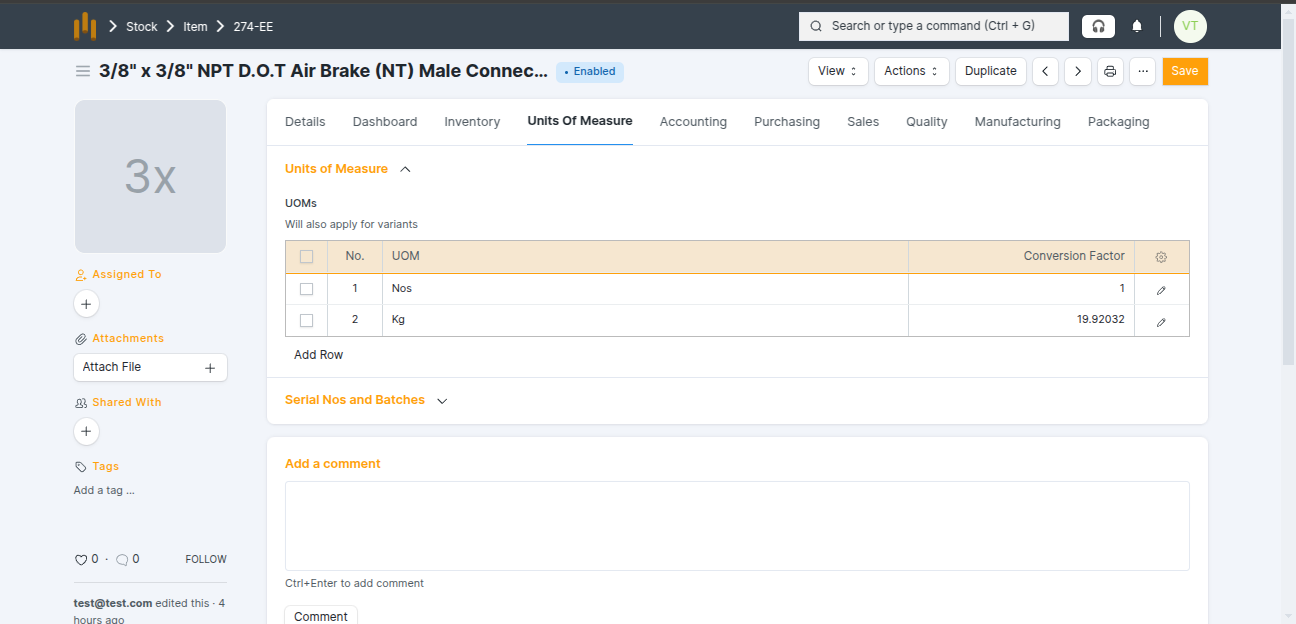
- In BrassERP, the Units of Measure (UOM) for an item are automatically calculated based on the weight of one piece.
- While creating an Item, add the following details:
- Item Code - Unique code to identify the item.
- Item Name - Description of the item.
- Item Group - Select the category of the item such as Raw Material, Sub-Assembly, or Finished Good.
- HSN / SAC - Used for GST and tax calculation.
- Valuation Rate - Cost of the item used for stock valuation.
- 1 Piece Weight - Enter the weight of 1 piece in Kg or Gram.
- Default Unit of Measure (UOM) - Nos
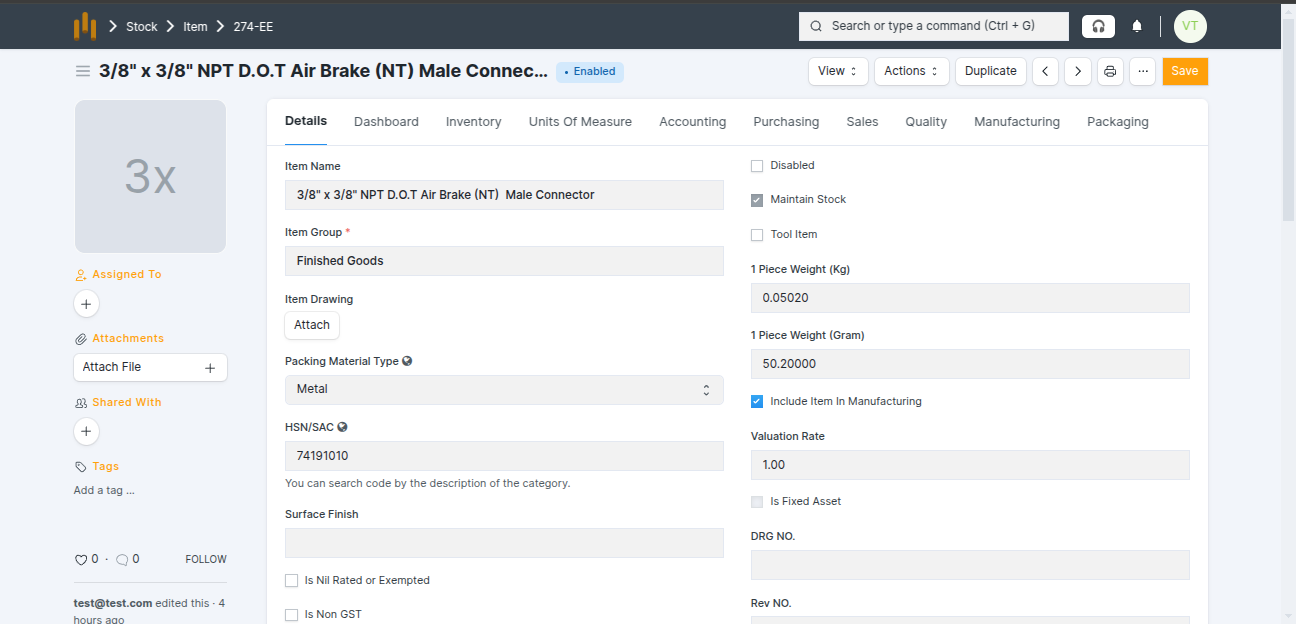
- The system automatically sets Nos ↔ Kg conversion based on the 1 Piece Weight.
BOM(Bill of Materials)
- A BOM (Bill of Materials) defines how an item is manufactured.
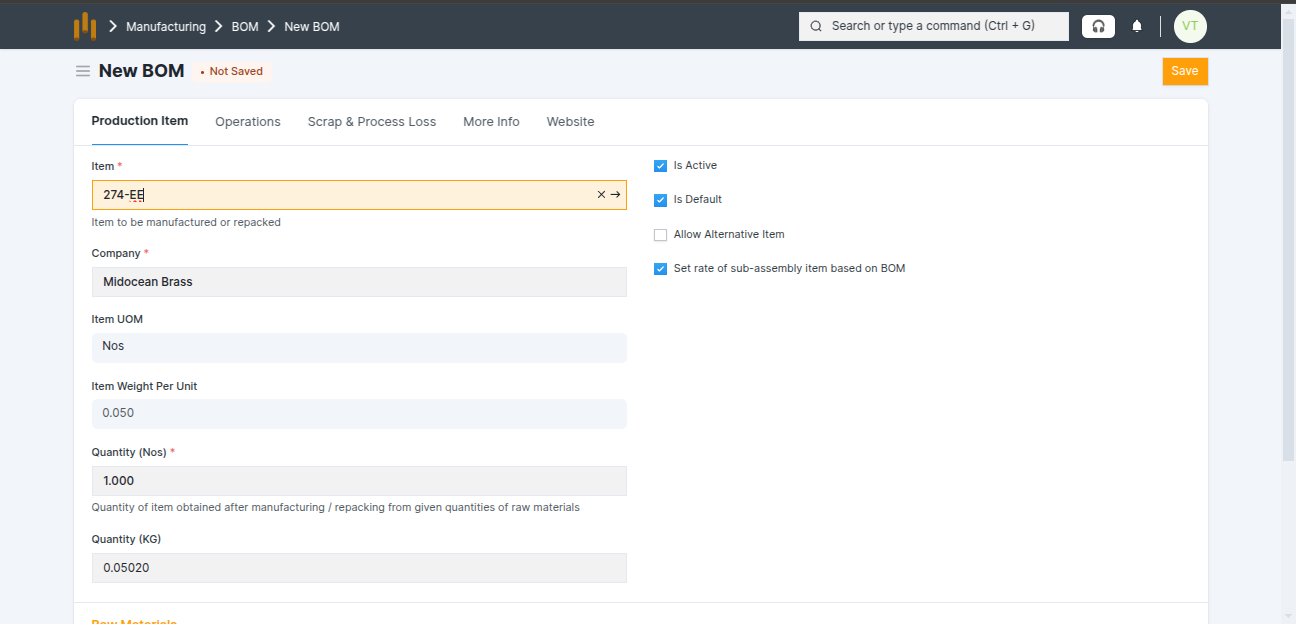
- Go to BOM → select the Item.
- The system automatically fetches: Item UOM , Item Weight per Unit , Quantity, Secondary Quantity
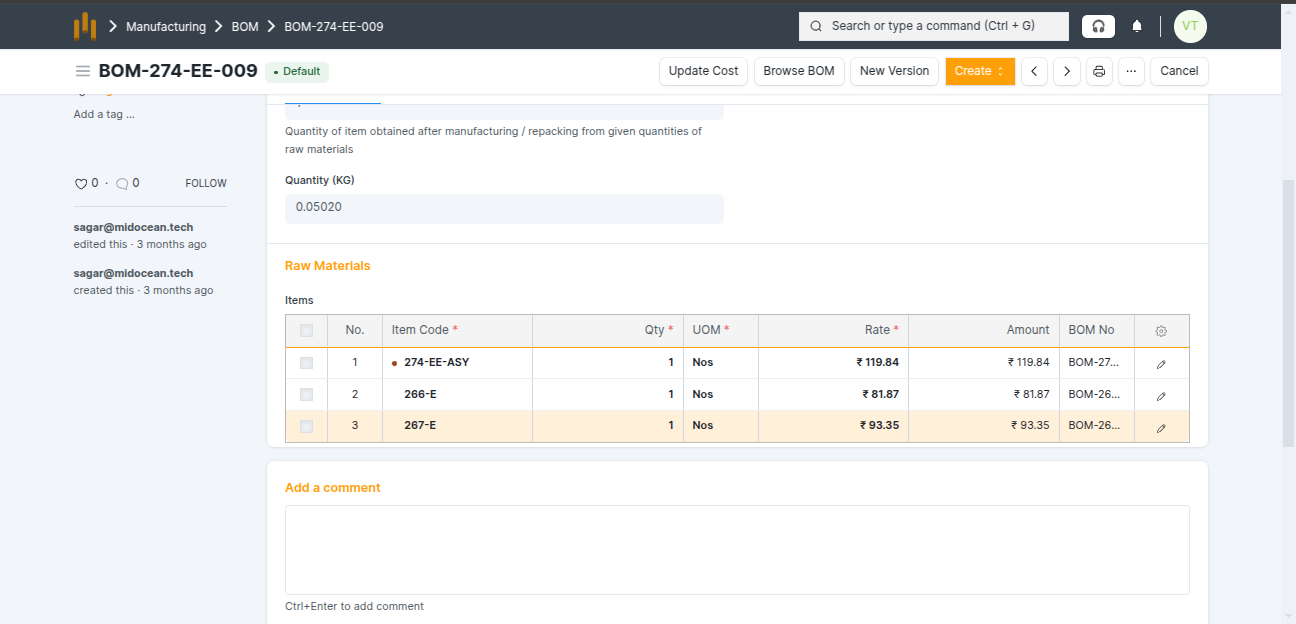
- Add items in the** BOM Items table**
- After selecting the Item Code, the following details are fetched automatically: BOM No, Quantity, UOM, Rate (INR),Amount (INR)
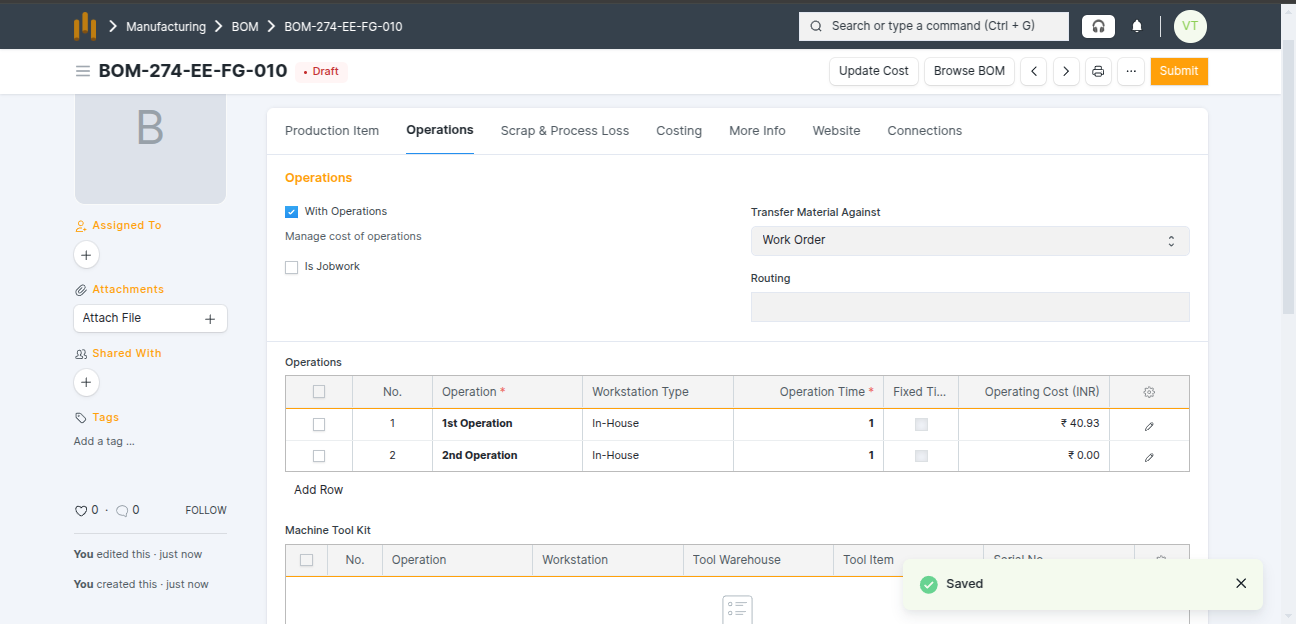
- If operations are required, enable With Operations and add Operations in the Operations table
- Scrap Items in BOM - Scrap items can be added in the Scrap Items table.