6.5 Quality Inspection (QC)
- Quality Inspection is used to verify the quality of incoming materials before they are accepted into inventory.
- Go to Purchase Receipt and click Create QC.
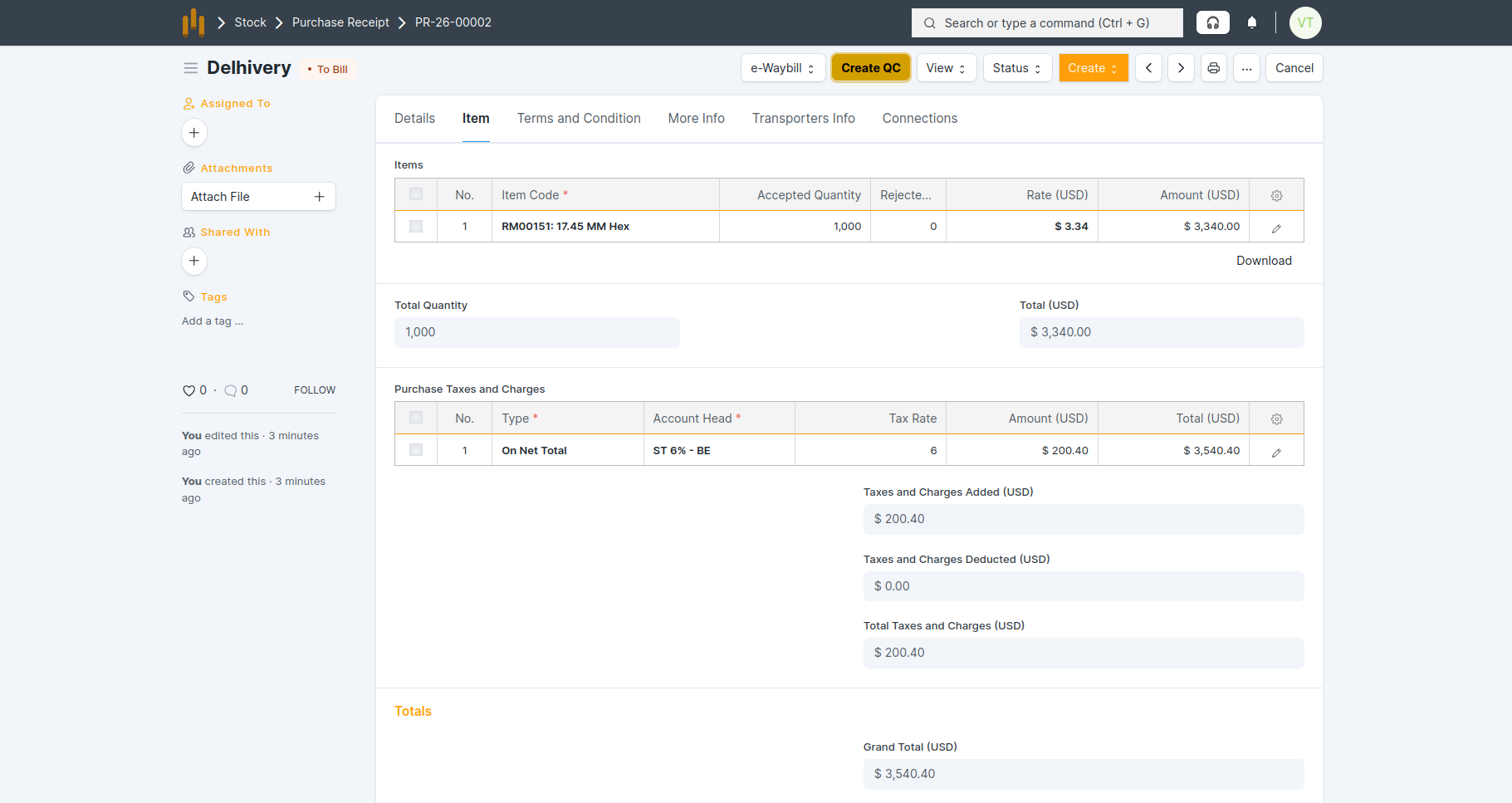
- QC is created in Draft status.
- All details from Purchase Receipt are auto-fetched : Item , PR No. & Date ,Quantity Supplier and Inspection Type.
- Enter readings in the QC template and then Save & Submit the QC.
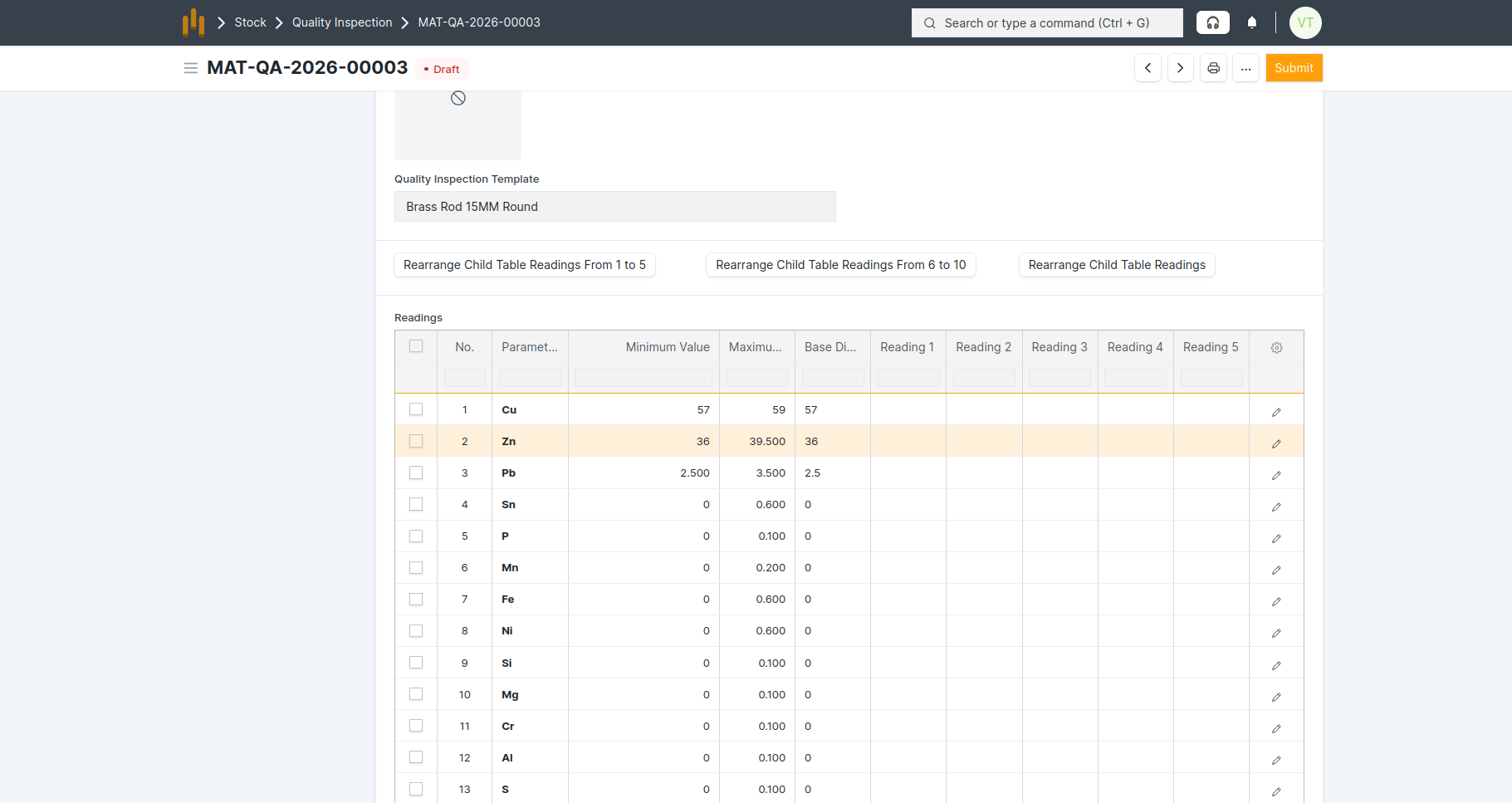
Quality Inspection Template
- A custom Quality Inspection Template is made for specific items to define inspection parameters, Min & Max value, and reading format.
- Example: Quality Inspection Template(“Brass Rod 15MM Round”) is linked in the Item Master.
How It Works
- Template is assigned in the Item Master.
- When creating a Quality Inspection from a Purchase Receipt: Template is auto-fetched
- Inspection parameters auto-populate
- Min, Max, and Base Dimension values are fetched
- Multiple reading columns (e.g., 10) are available