6.6 Stock In
- Stock In records the materials received from a supplier and updates inventory.
Flow:
- Create Purchase Receipt (PR) for received items.
- QC (optional) – only for inspection, does not affect stock.
- Submit Purchase Receipt → Stock is updated in ERP (Stock In happens here).
Check Stock In:
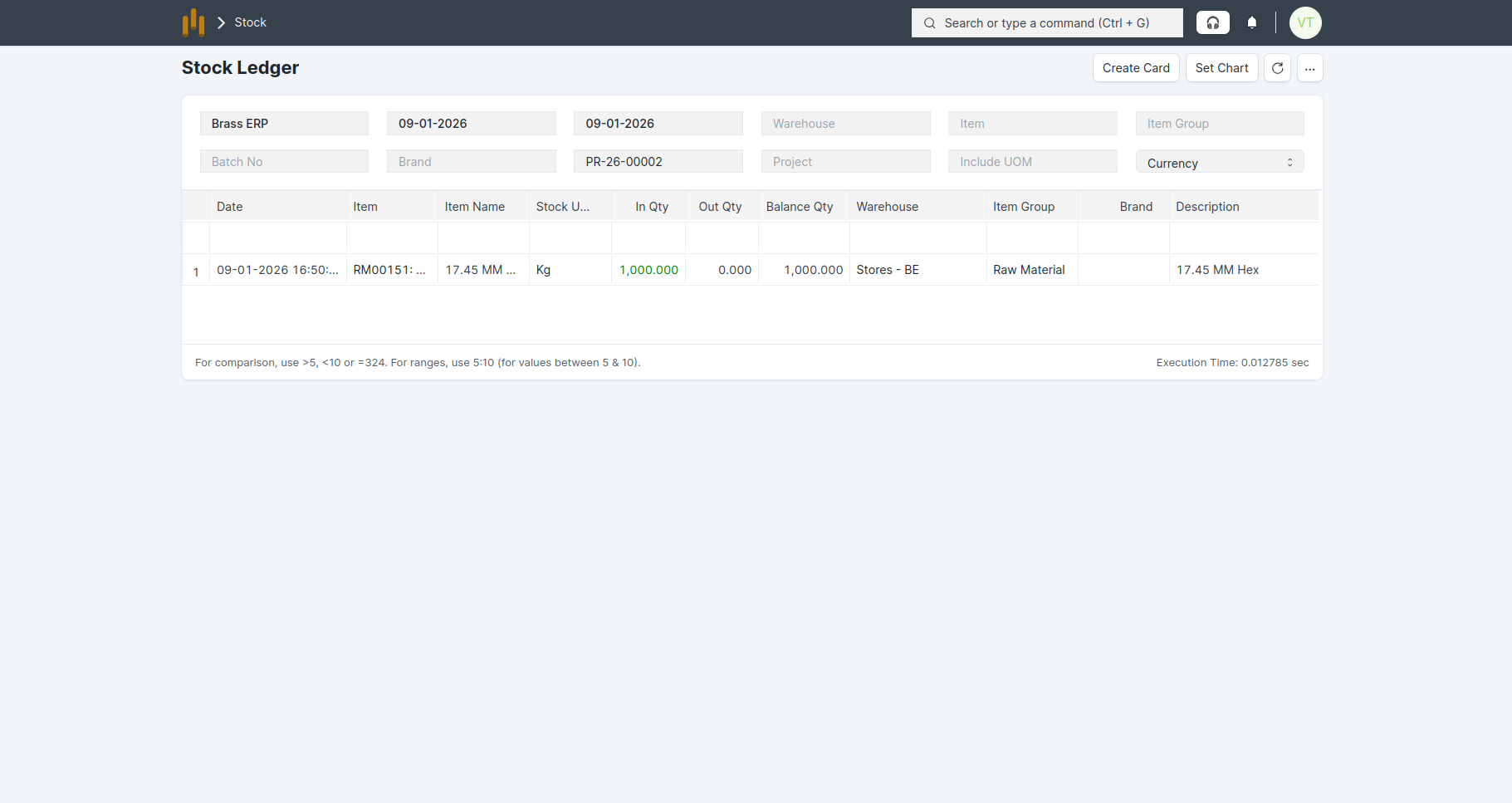
- Go to Stock > Stock Ledger
- Filter by Item and Warehouse
- Verify received quantity and updated stock balance s
- Stock is updated see in below screenshot.
- Material Request status is updated to Received .
Note:
- Stock is updated only after Purchase Receipt submission.
- QC is optional and does not block stock.