1.1 Lead
Lead
What is a Lead?
A Lead represents a new customer enquiry. A Lead is used to capture basic customer information before the enquiry is qualified for sales.
Important Fields in Lead and Their Use
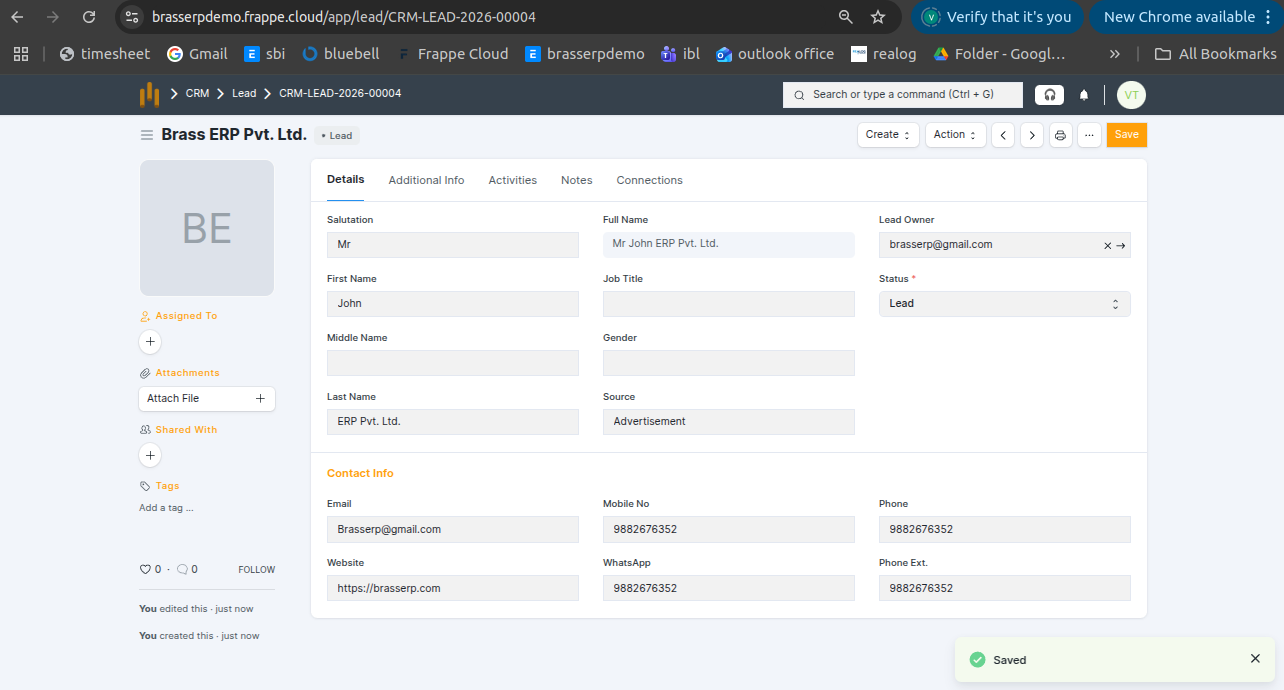
Below are the important fields in the Lead form. Users should ensure these fields are filled correctly for effective lead management.
| Field Name | Use / Description |
|---|---|
| Lead Name | Customer or company name |
| Lead Type | Individual or Company |
| Mobile No | Primary contact number |
| Email ID | Contact email |
| Company Name | Enter company name if the enquiry is from a business customer. |
| Source | How the lead was received (Call, Email, Website, Reference) |
| Status | Shows current lead progress such as Open, Contacted, Converted, or Lost. Must be updated regularly. |
| Territory | Customer location or region used for sales analysis. |
| Address | Customer address details if available. |
| Lead Owner | Responsible sales user. |
| Notes / Remarks | Discussion points or follow-up notes. |
Lead Status Explanation
| Status | Meaning |
|---|---|
| Open | New lead created |
| Contacted | Customer has been contacted |
| Converted | Lead converted to Customer / Opportunity |
| Lost | Customer not interested or enquiry closed |
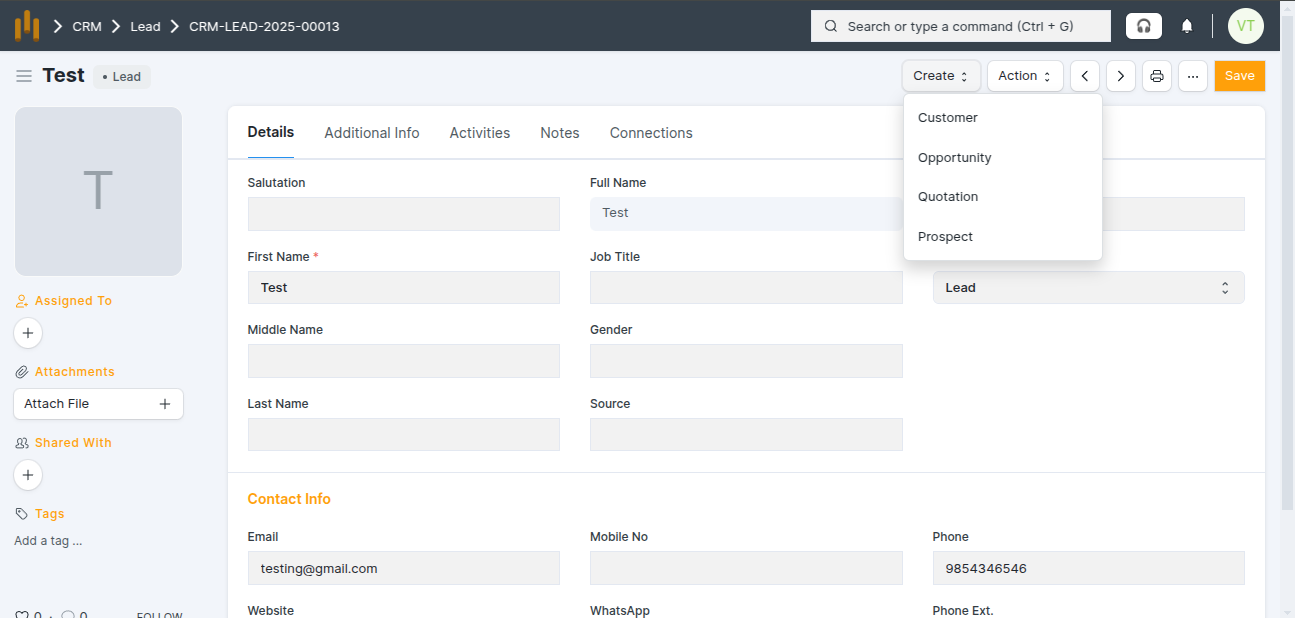
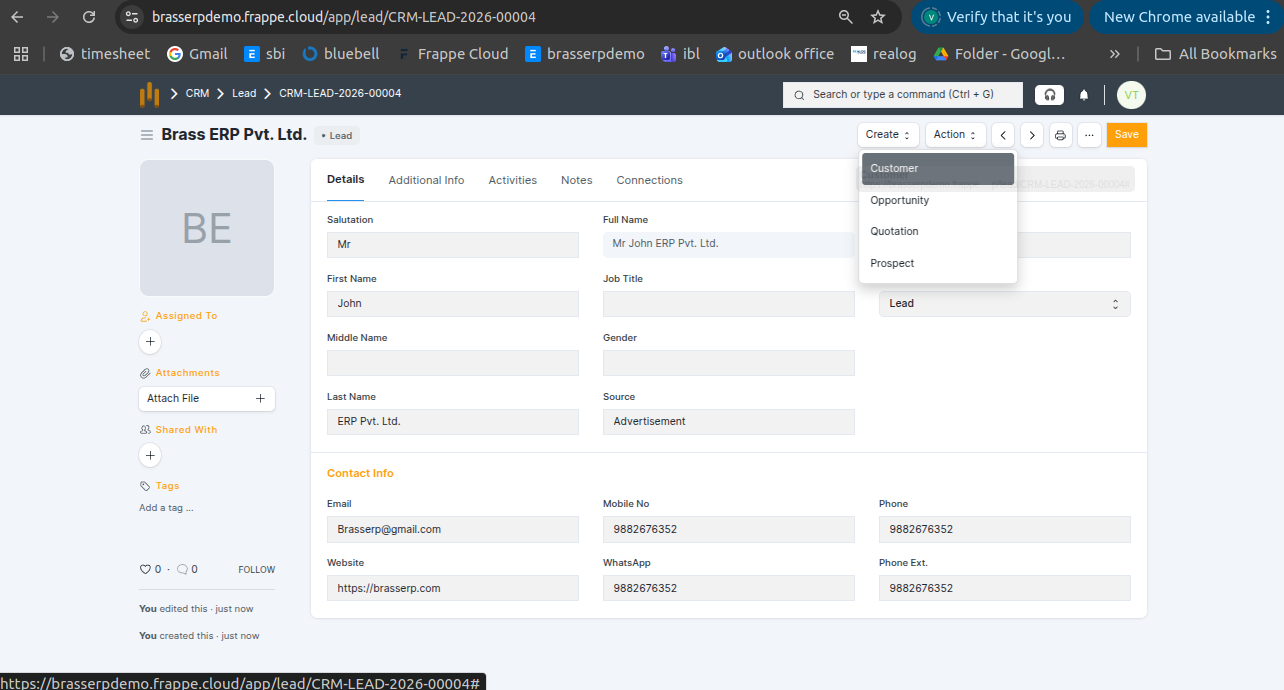
Create Customer from Lead
When the Customer button is clicked in the Lead form, the system automatically creates a Customer using the Lead details.
Activities in Lead (Tasks and Events)
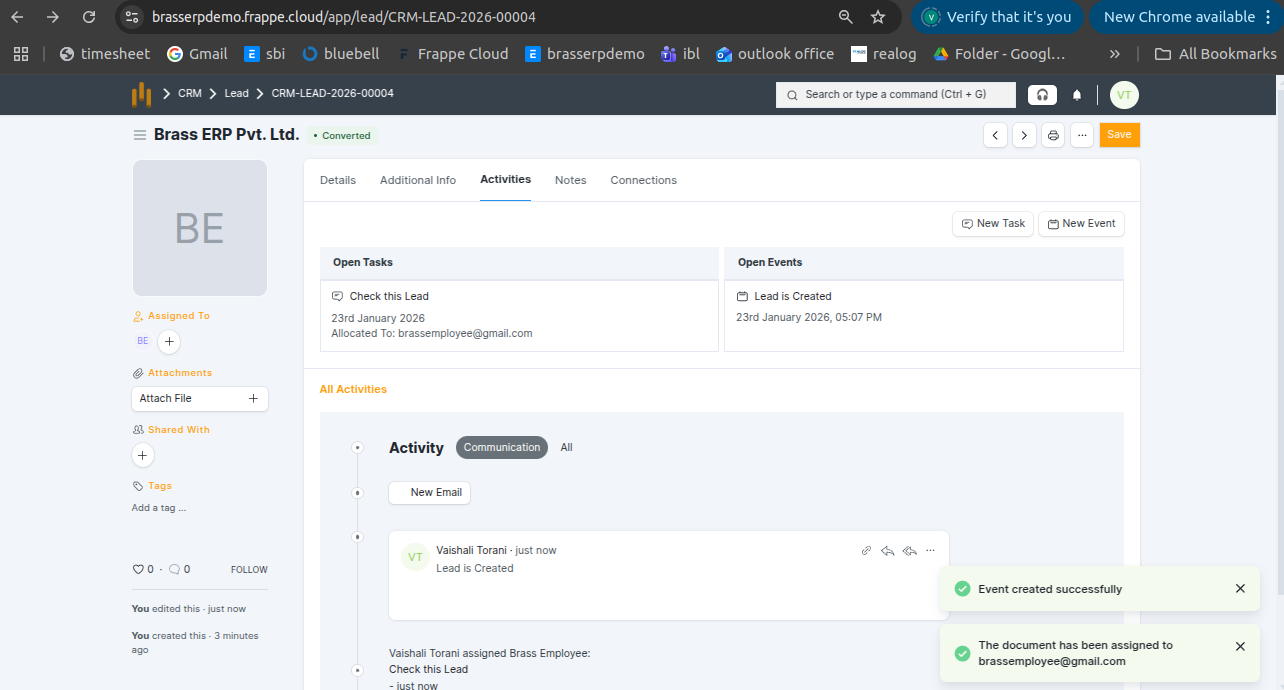
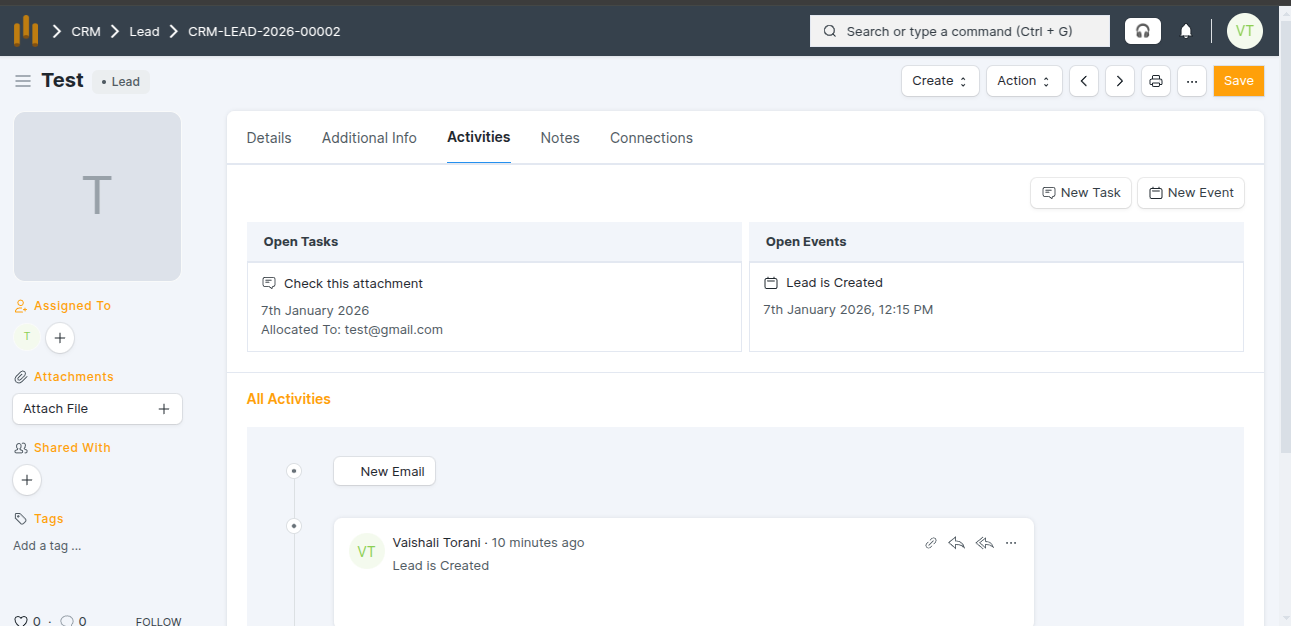
The Activities tab in the Lead form is used to manage and track all follow-up actions related to the lead.
Tasks and Events in Lead
A Tasks and Events is used when an action needs to be completed, such as checking attachments, making a follow-up.
- Can be assigned to a user with a date and time.
- Attachments can be added while creating them.
- The assigned user receives a notification in the bell icon.