6.4 Purchase Receipt
- A Purchase Receipt records the actual receipt of goods from the supplier against a Purchase Order.
- It confirms that the ordered materials have been physically received in the warehouse.
Purpose
- To record receipt of materials from the supplier.
- To update stock quantity in the warehouse.
- To verify received quantity against the Purchase Order.
- To trigger Quality Inspection.
Purchase Receipt Creation
Step 1: Create Purchase Receipt from Purchase Order
- Open the submitted Purchase Order.
- Click on Create → Purchase Receipt .

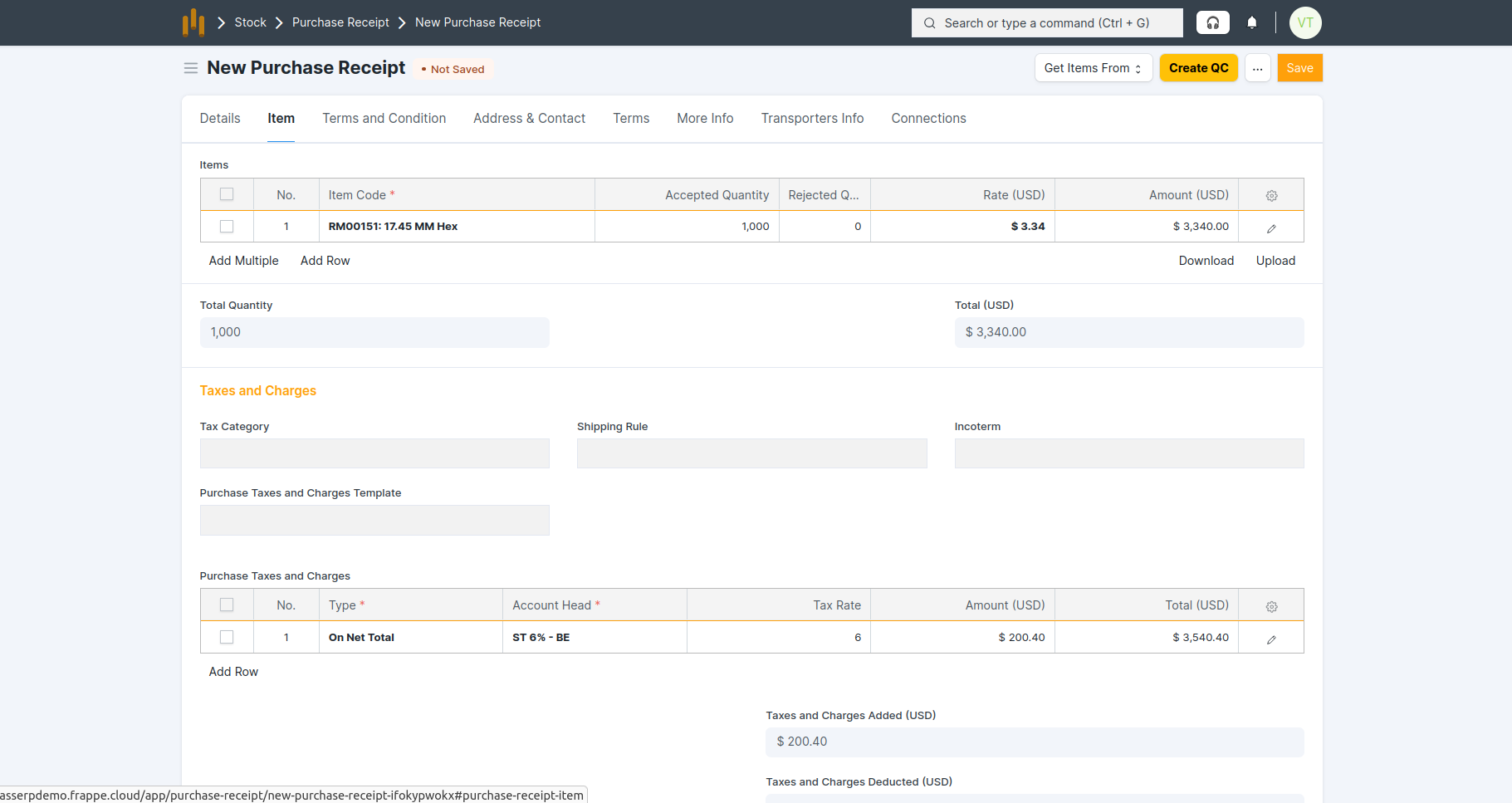
- All details are auto-fetched from the Purchase Order, as shown in the screenshot below

- Save and Submit the Purchase Receipt.