4.1 Jobwork Out
- Jobwork Out is used to issue material to a job worker for processing. It records the quantity sent, validates stock availability, and creates the required stock movement.
When to Use Jobwork Out
- Sending raw material to an external vendor
- Issuing material for assembly or processing
- BOM-based manufacturing operations
- Operation-wise manufacturing using Job Cards
How to create a Jobwork out from Work Order?
- Go to the Work Order and click the Jobwork Out button after the work order is completed.
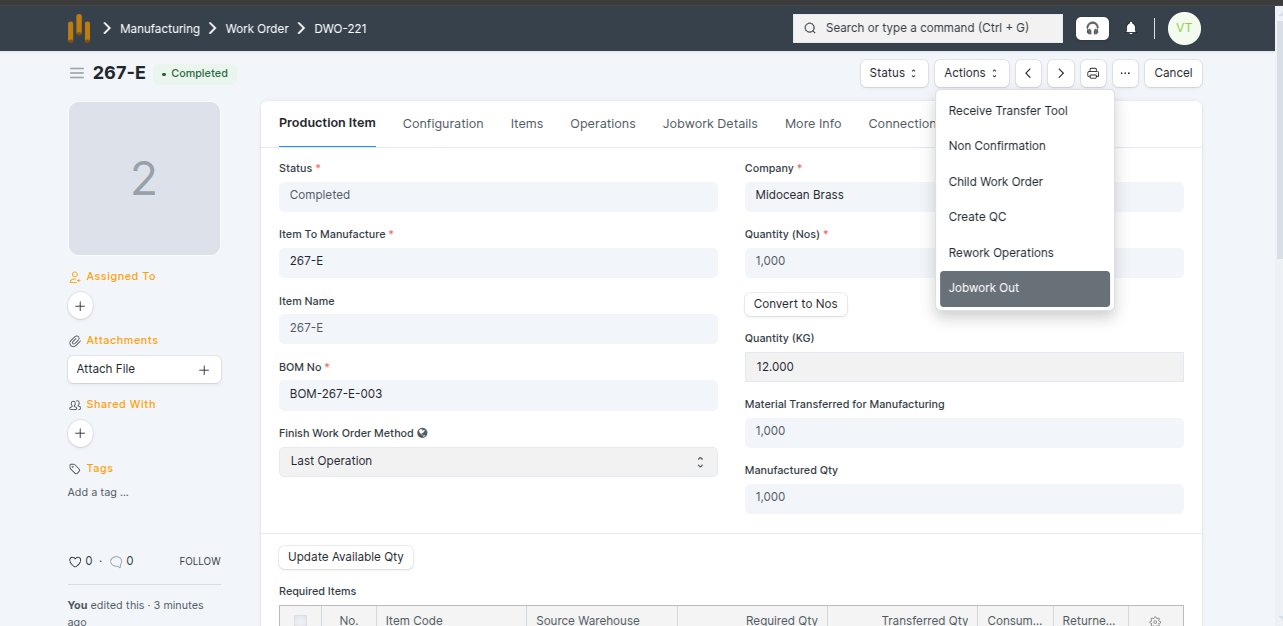
- Select Supplier and other details are auto-fetched from the Work Order, such as: Jobwork Type = Assembly, Item, Quantity (Nos & Kg), Pending Qty (Nos & Kg) Then click Submit.
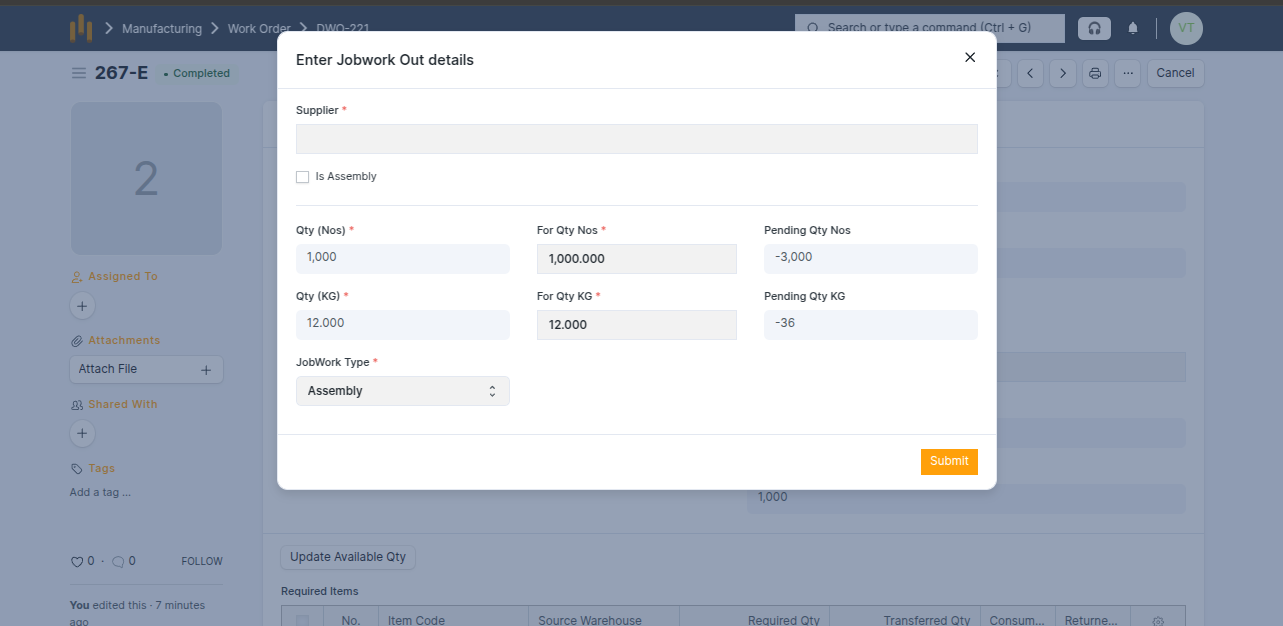
- Jobwork Out is created in Draft status.
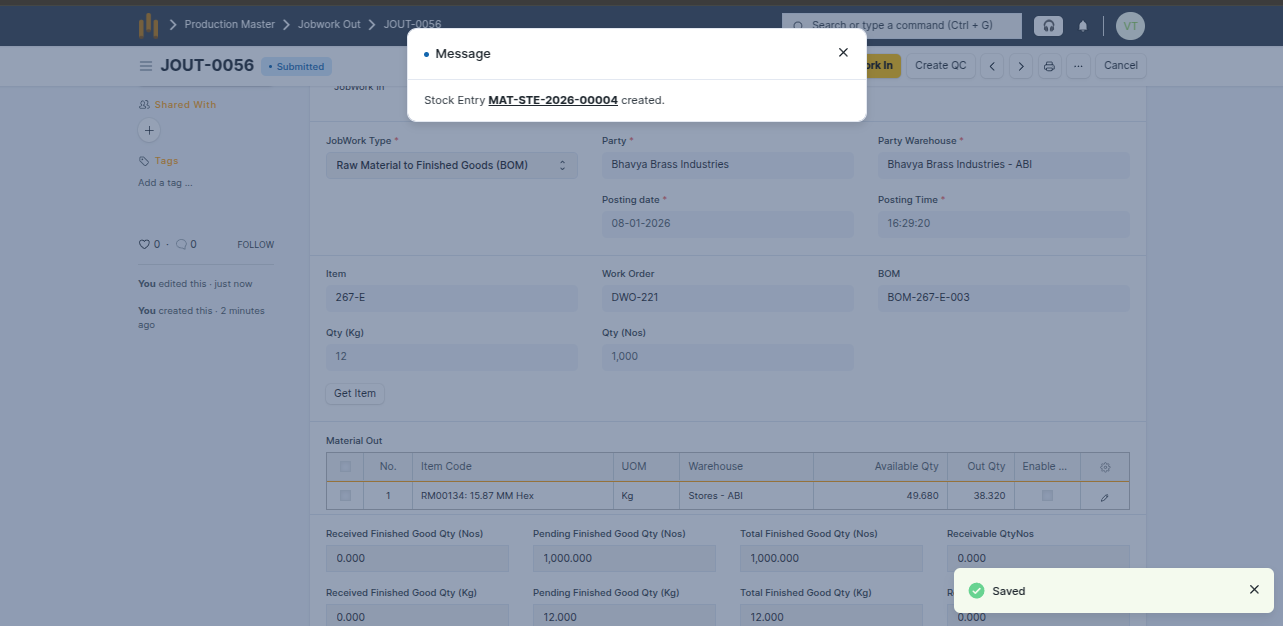
- The following details are automatically fetched : Jobwork Type = Raw Material to Finished Goods – BOM , Party (Supplier) and Party Warehouse , Item, Posting Date & Time , Work Order No. and BOM No. , Quantity (Nos & Kg), Material Out table
- The Material Out table shows: item code , UOM, Available quantity , Out quantity
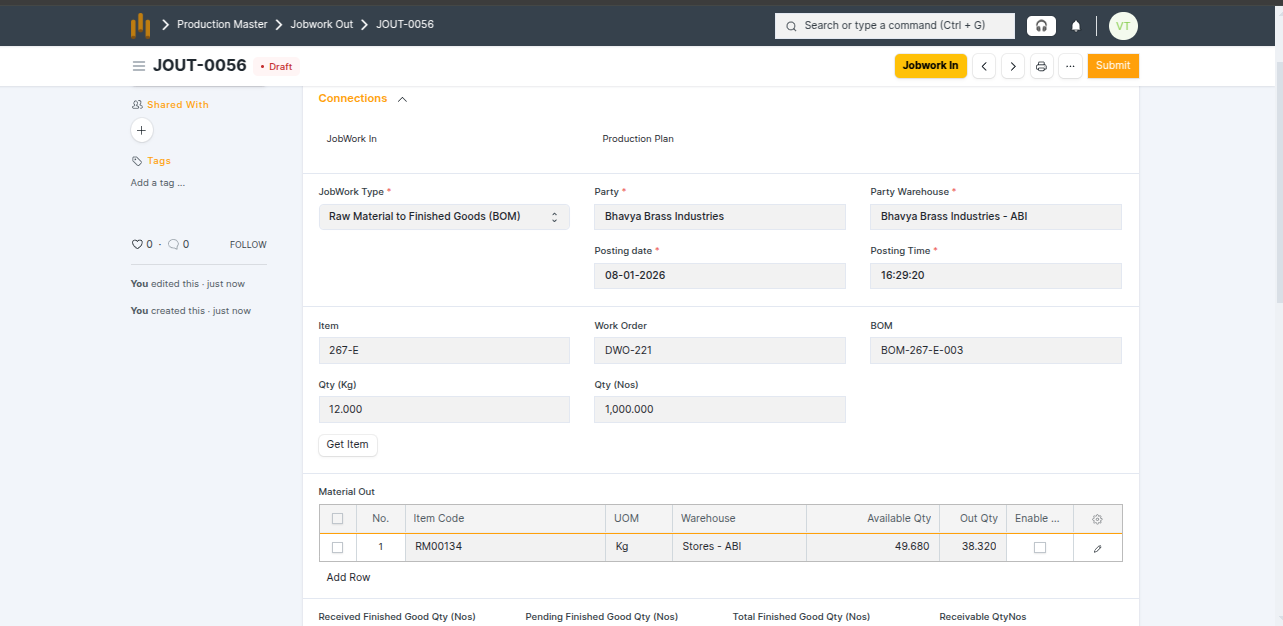
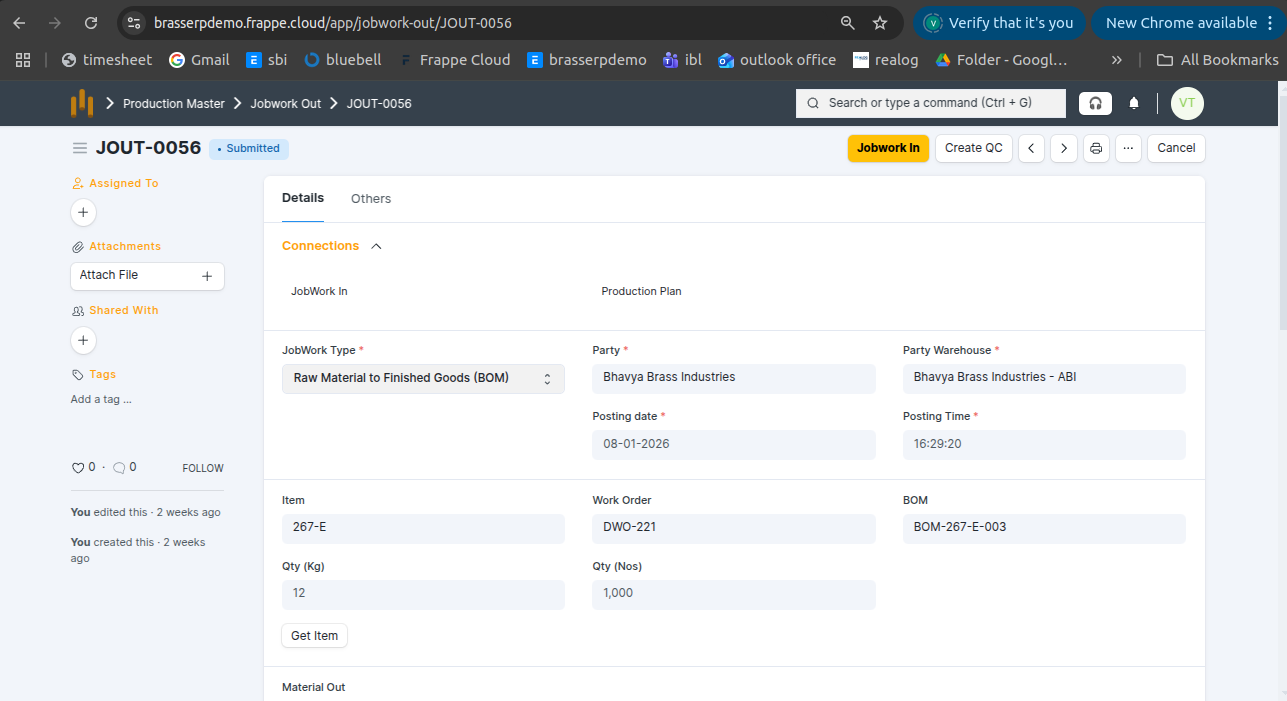
- After submitting the Jobwork Out, a Stock Entry is automatically created , and raw material stock is reduced.
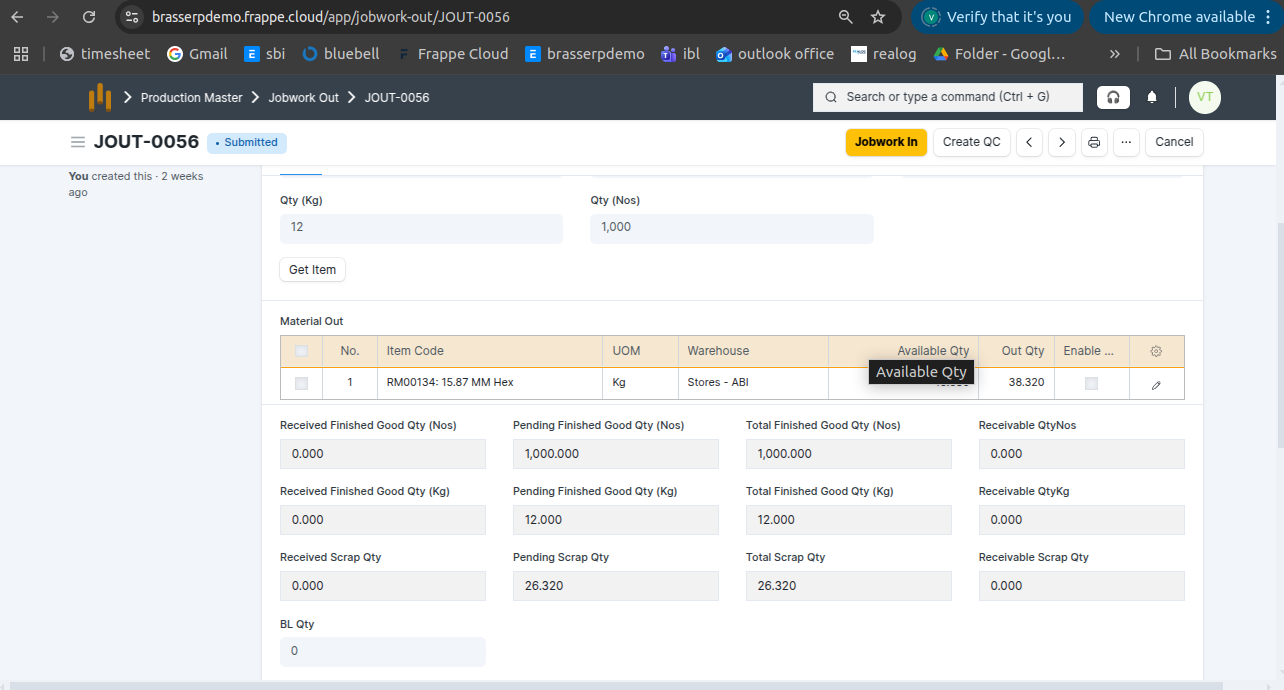
- Also, you can see below screenshot Pending finish good qty kg and nos updated. Also Scrap qty is updated
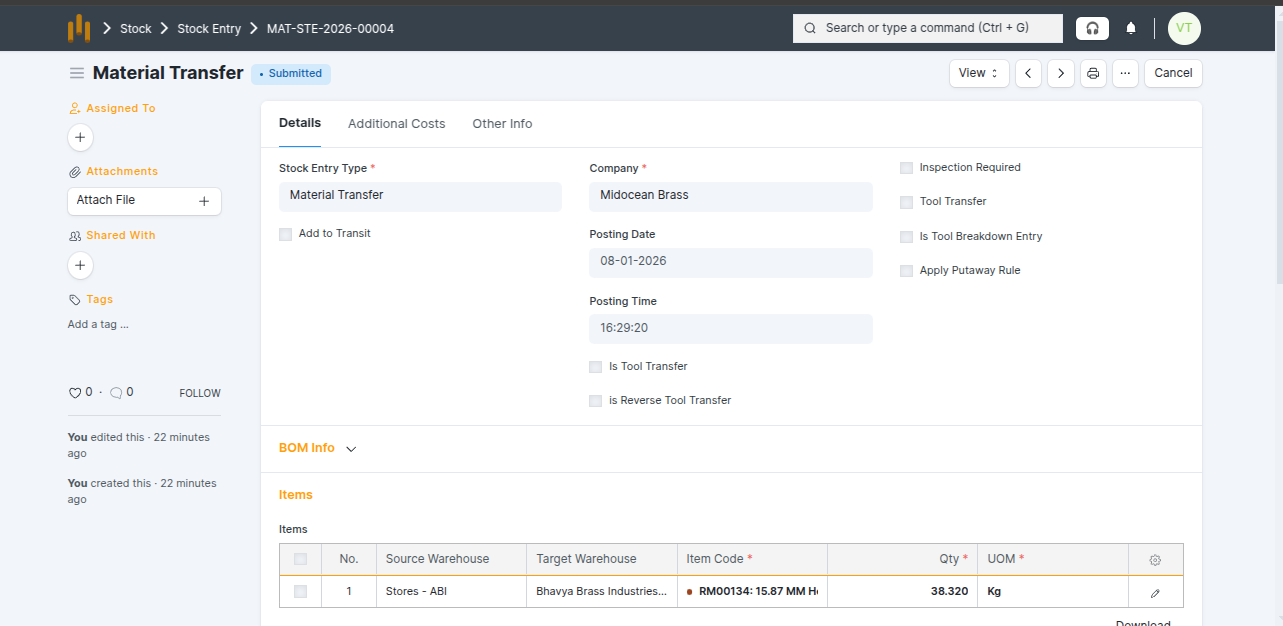
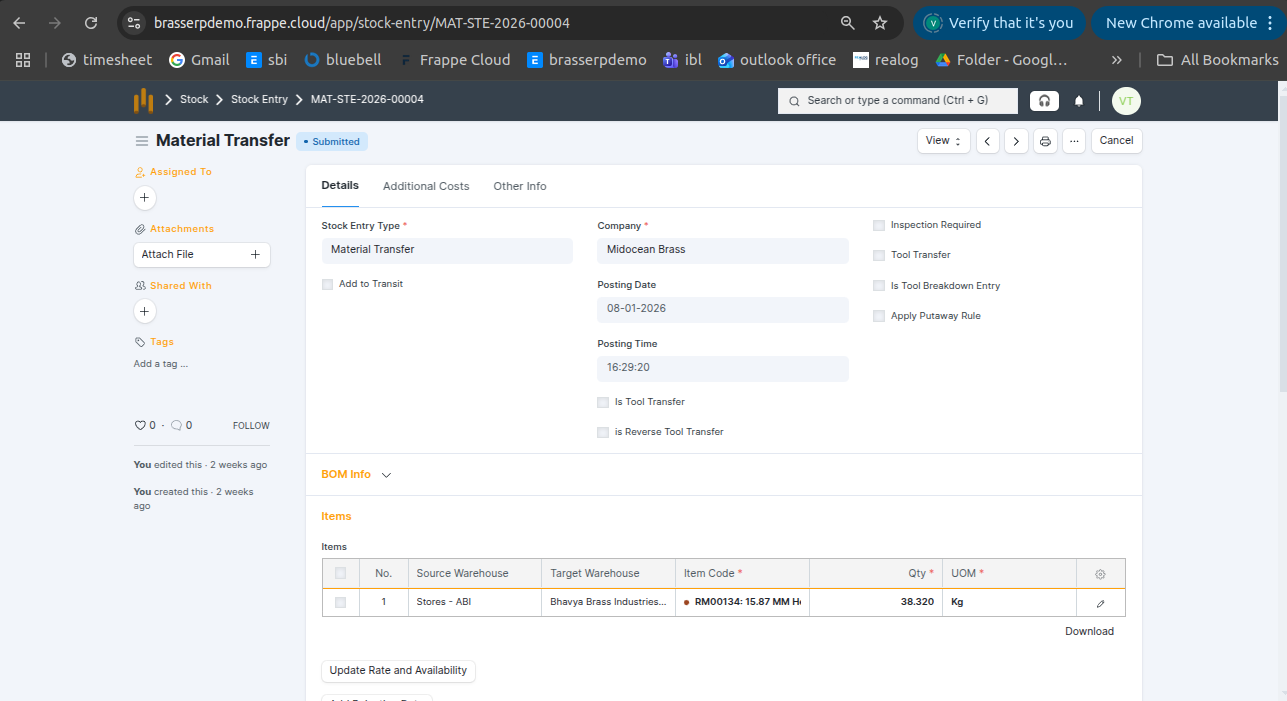
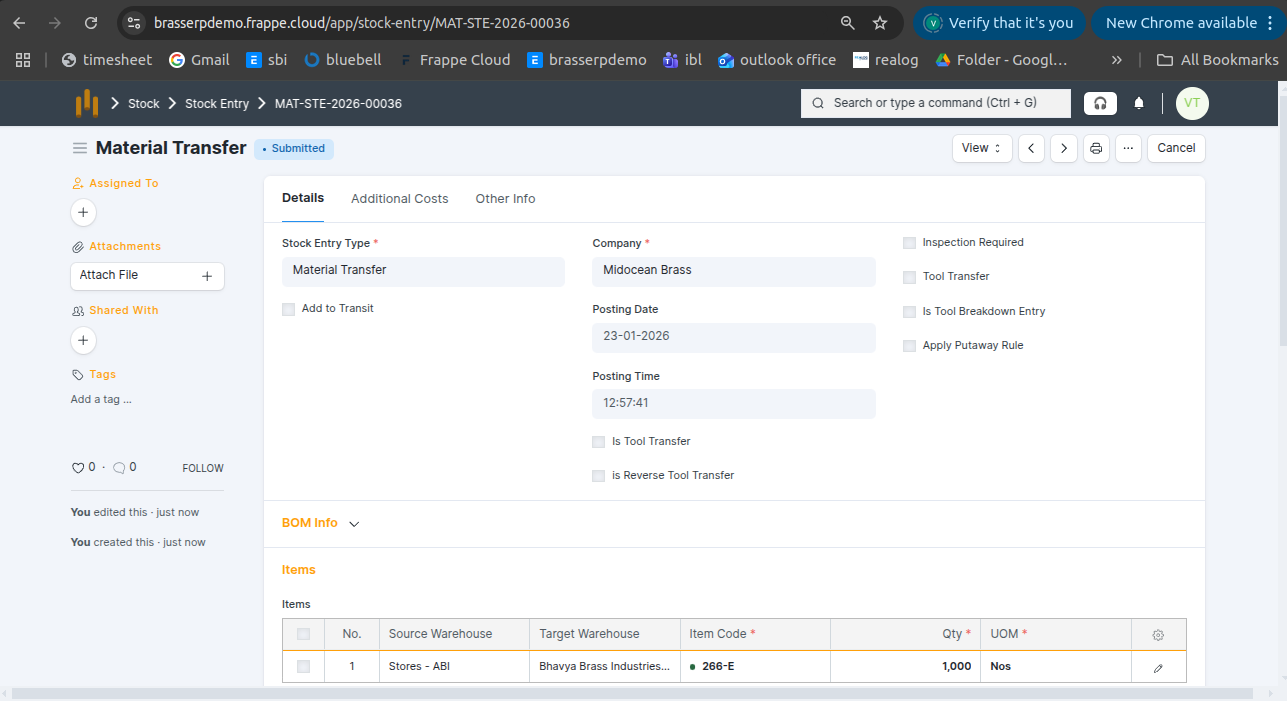
- After submitting Jobwork Out, the system automatically creates a Stock Entry with type Material Transfer.
- In this entry, Raw Material is moved from the Source Warehouse to the job worker’s warehouse (Target Warehouse).
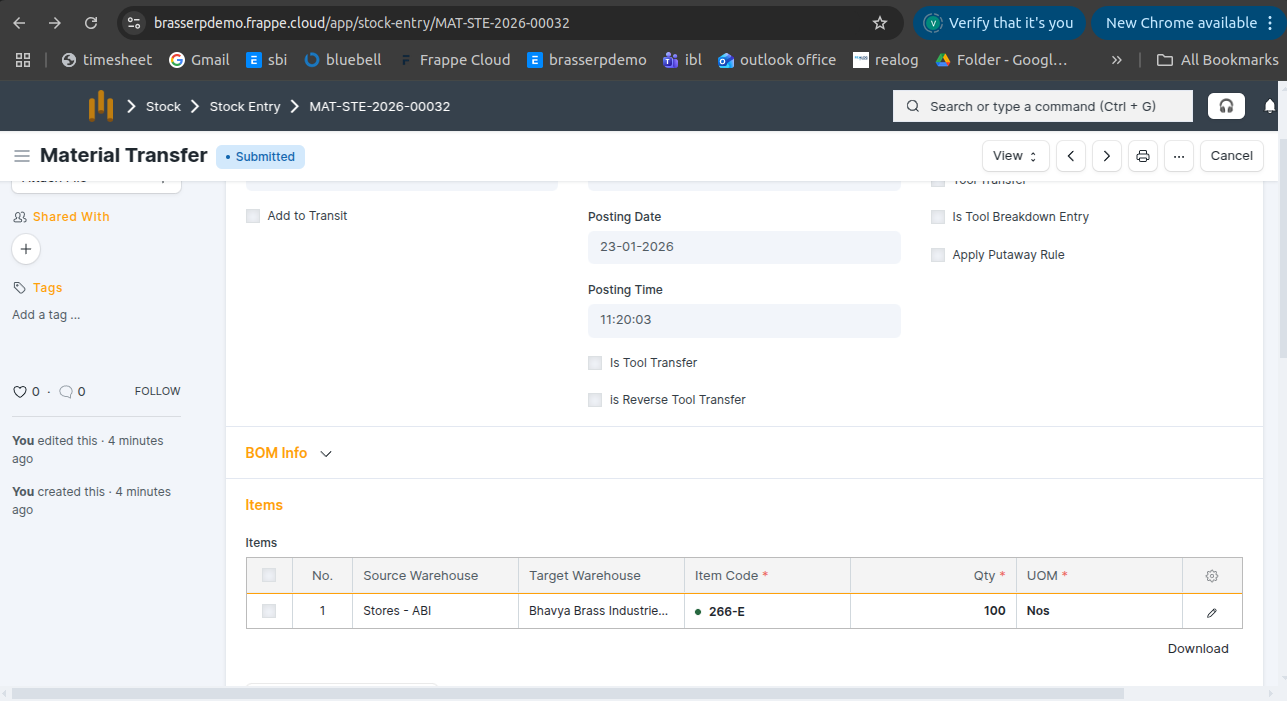
- The item code, quantity, and UOM are fetched from the Material Out table of Jobwork Out.
How to create a Jobwork out manually?
1. Scrap to Raw Material
- Issue scrap material to a job worker for converting it into usable raw material.
Step-1 : Go to Jobwork Out and click the Create button .
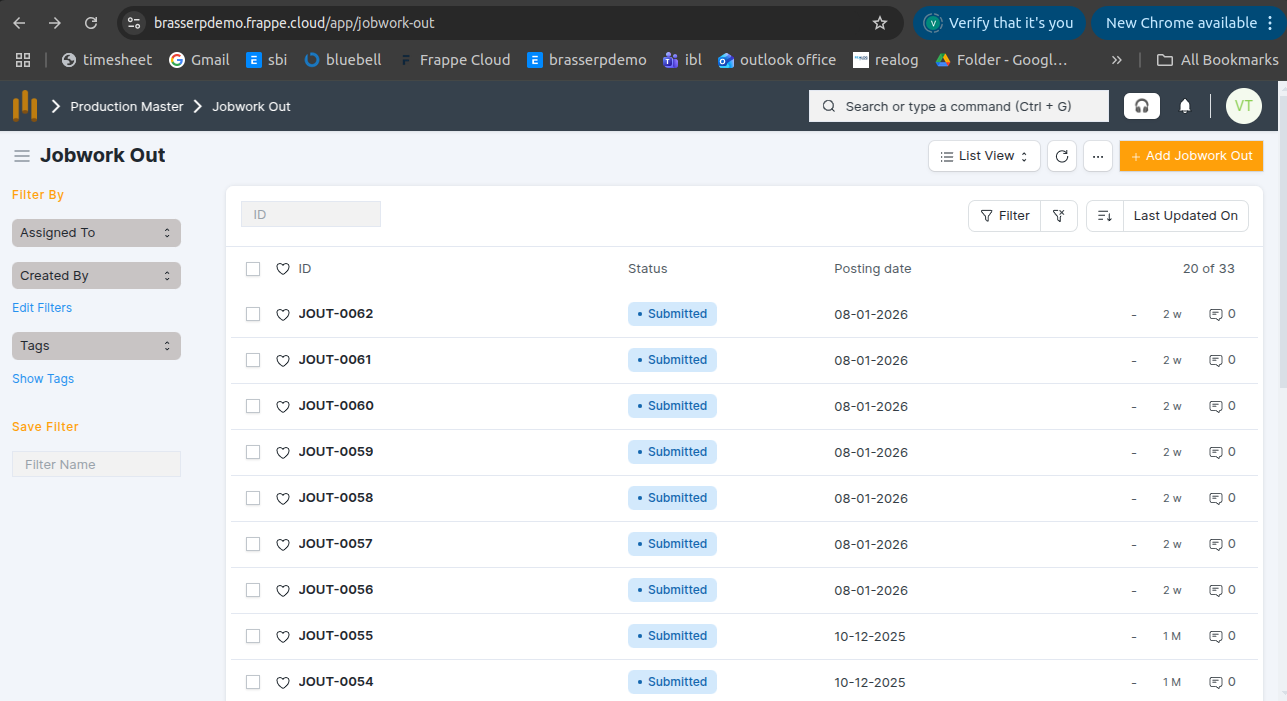
Step-2 : Select Jobwork Type as Scrap to Raw Material . Select the Party and Party Warehouse.
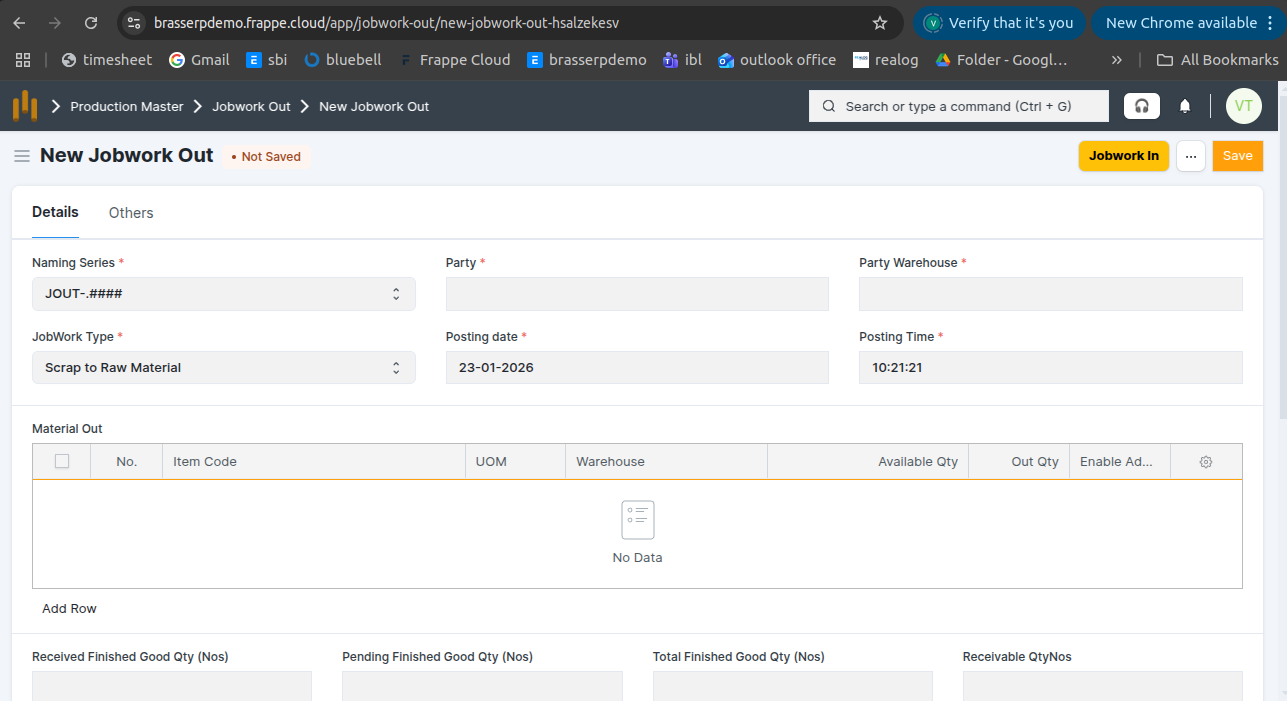
Step-3 : In the Material Out table: Select the Item (UOM is auto-fetched from Item Master). Select the Warehouse.The Available Quantity is auto-fetched. Enter the required Quantity.
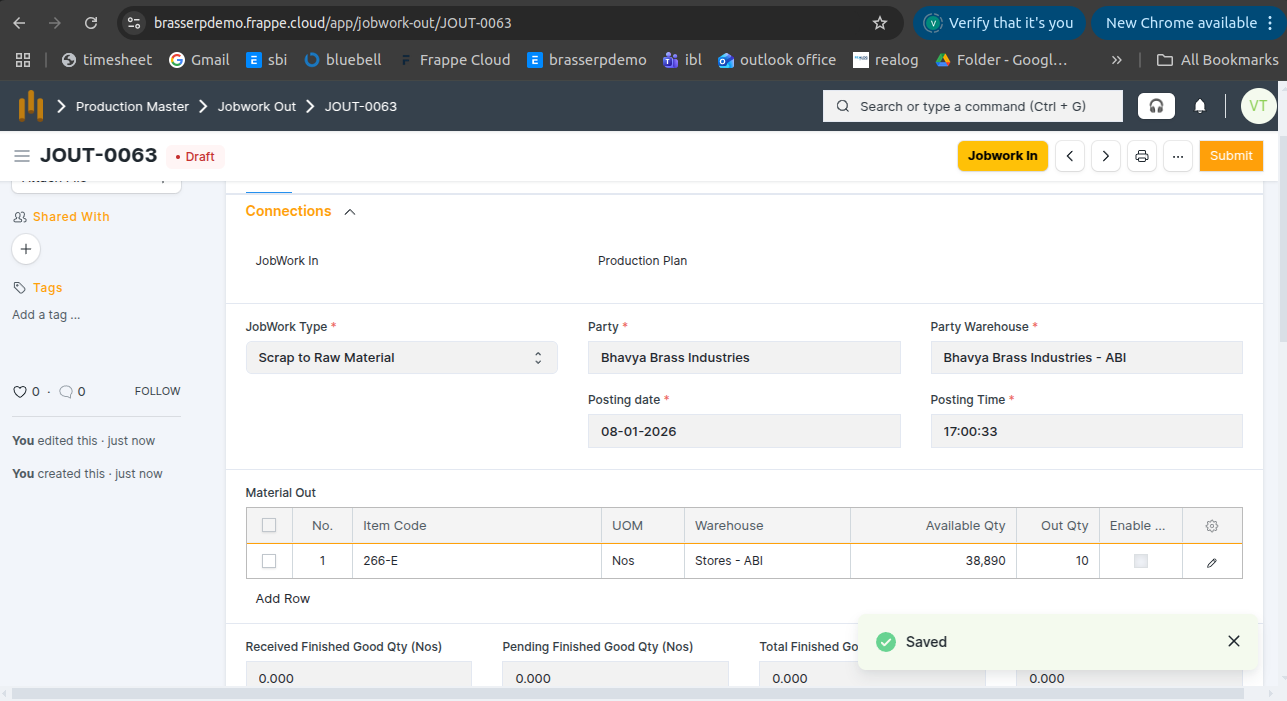
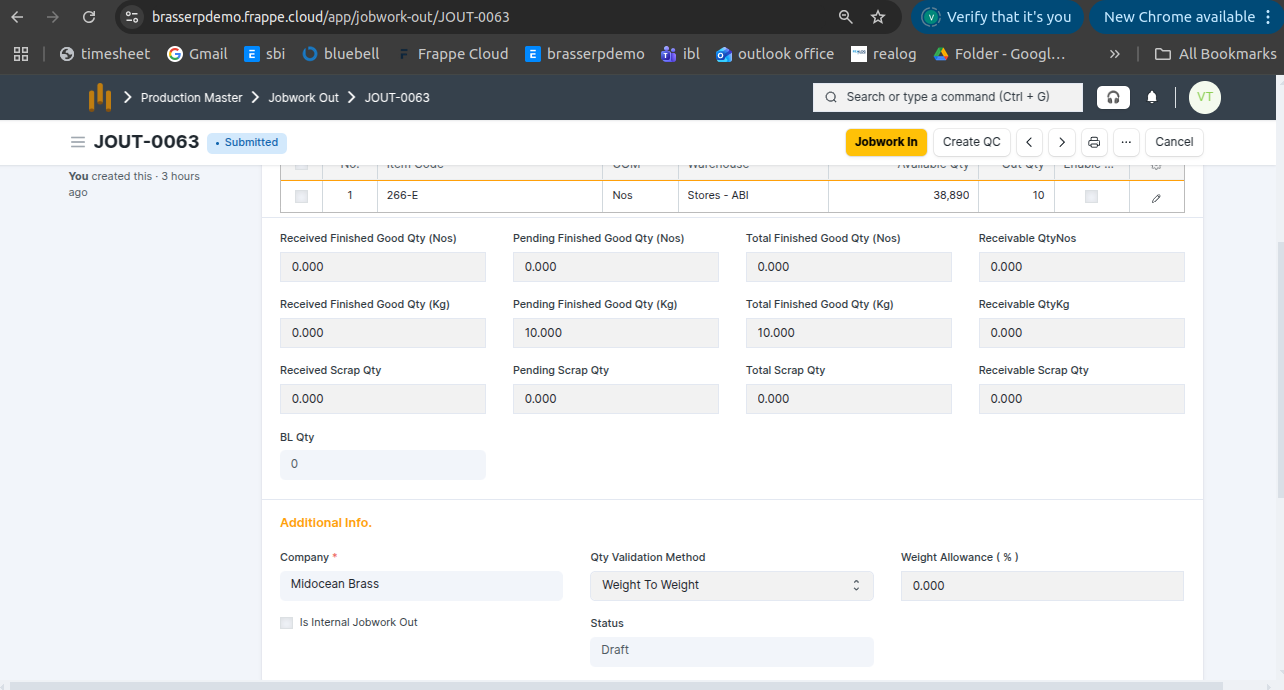
Step-4 : Save and Submit the form.On submission, a Stock Entry is automatically created for Material Transfer . Also, you can see below screenshot finish good qty kg and nos updated
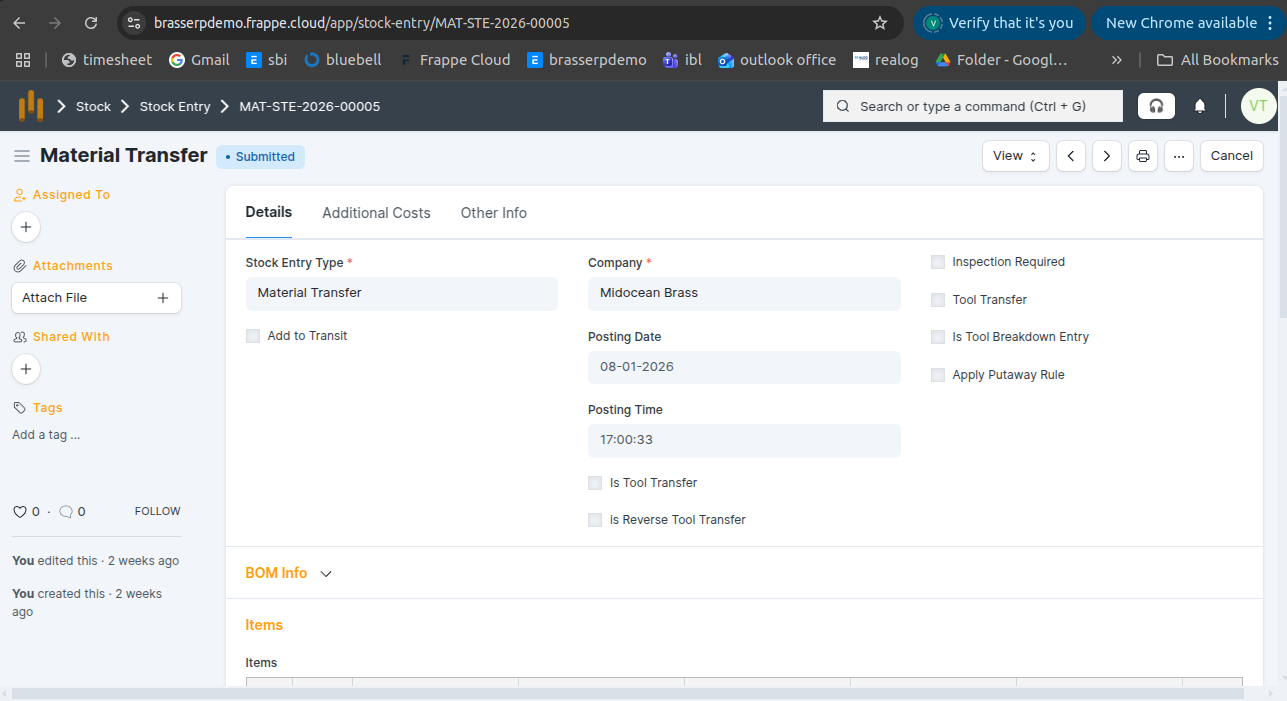
Step-5 : In the Stock Entry, all material details are fetched automatically, including Item, Quantity, UOM, Source Warehouse, and Target Warehouse.
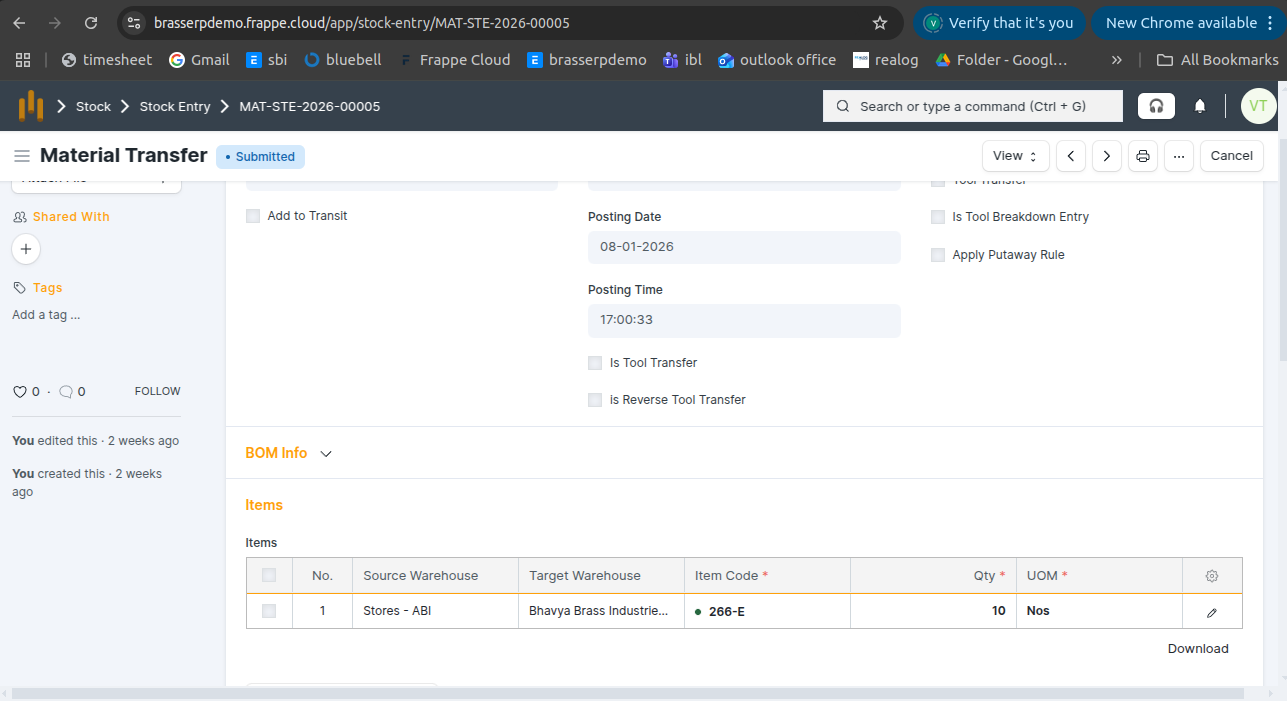
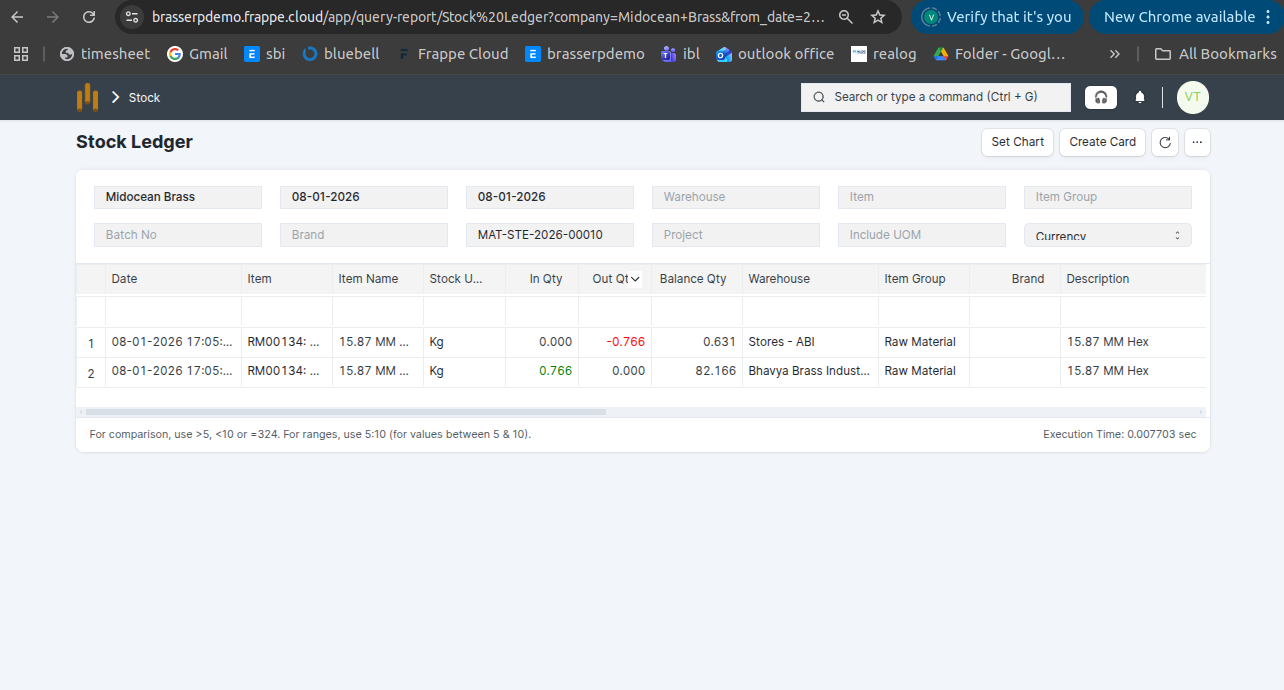
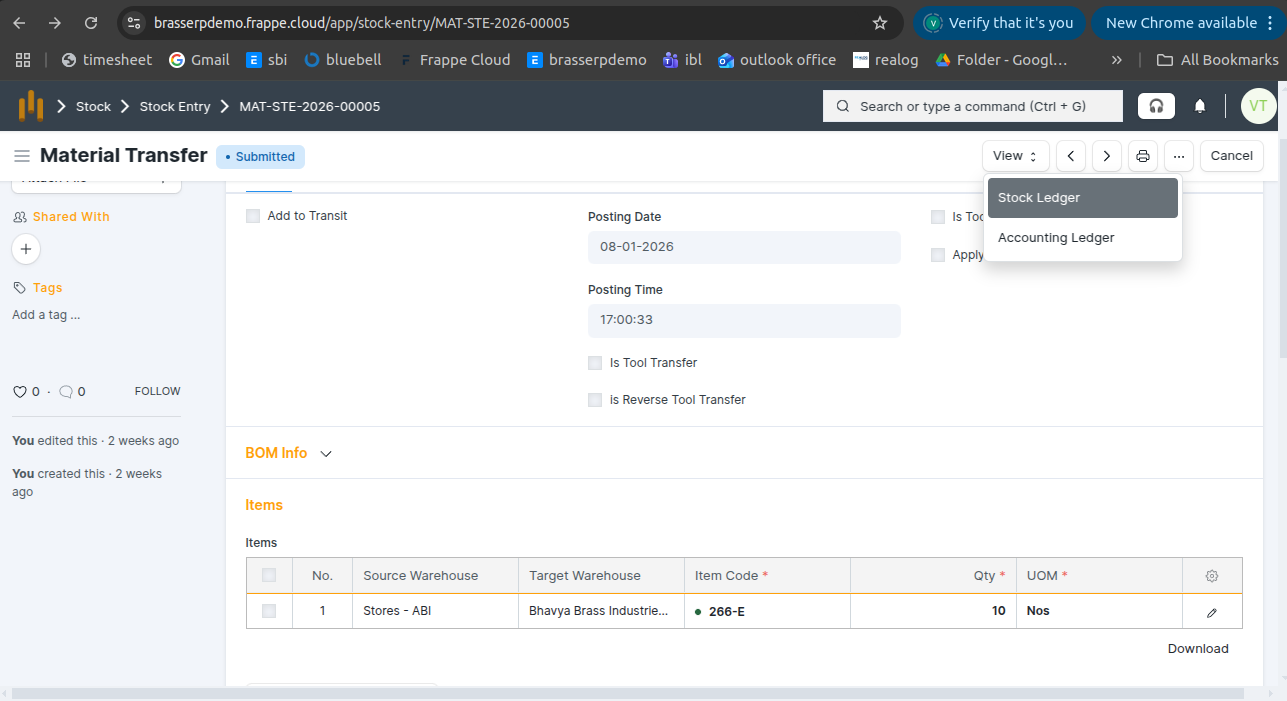
Step-6 : Click the View button and select Stock Ledger to view the stock movements.
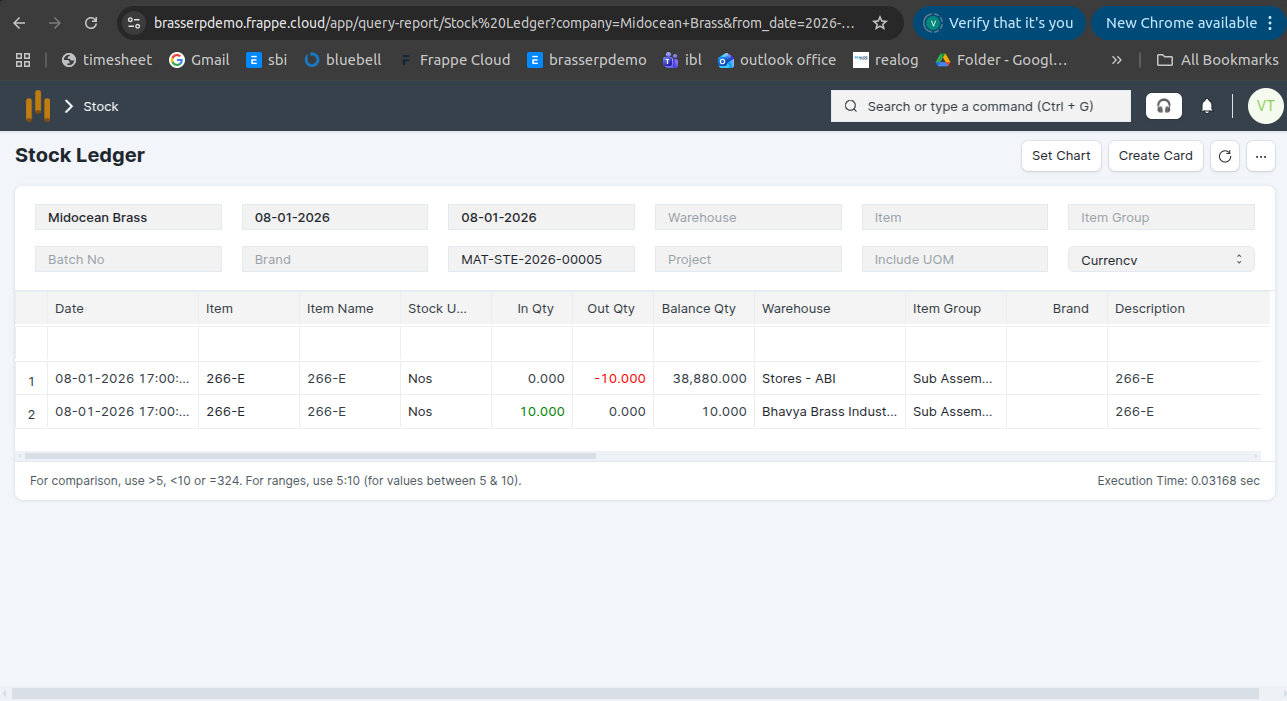
Step-7 : The stock is updated accordingly in the Stock Ledger.
2. Raw Material to Finished Goods
- Issue raw materials to a job worker to manufacture complete finished products.
Step-1 : Go to Jobwork Out and click the Create button .
Step-2 : Select Jobwork Type as Raw Material to Finished Goods . Select the Party and Party Warehouse.
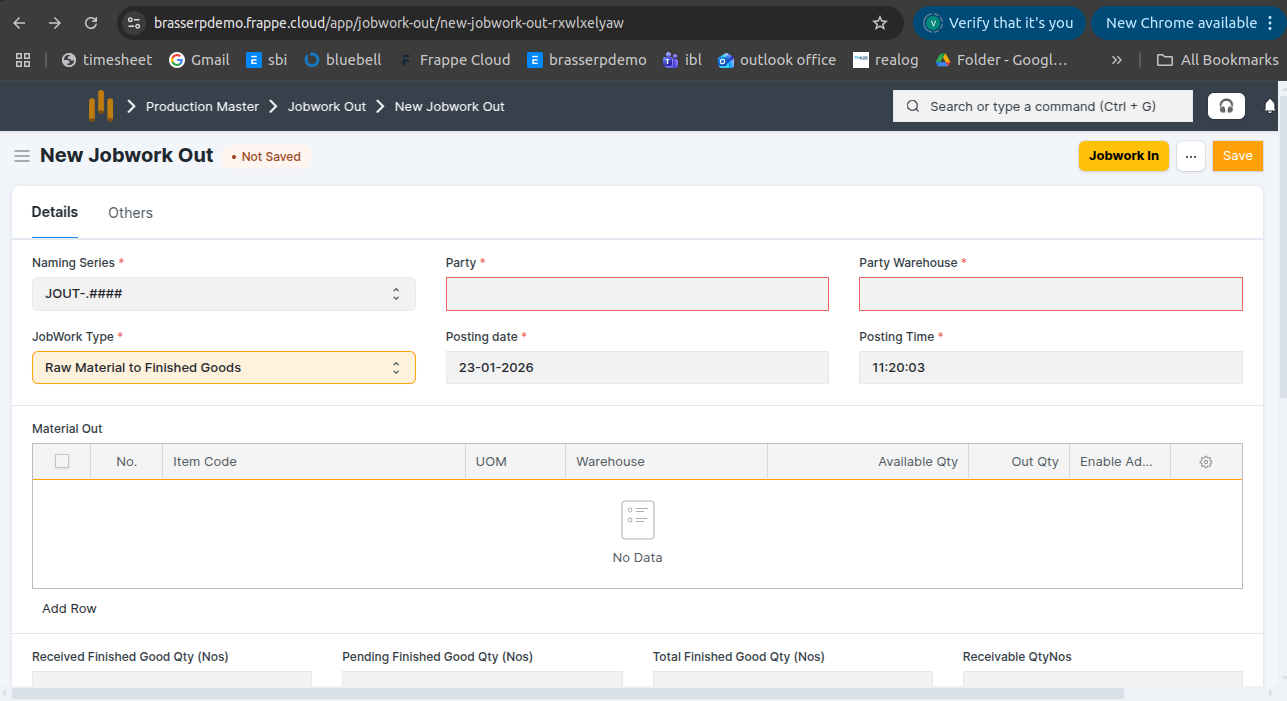
Step-3 : In the Material Out table: Select the Item (UOM is auto-fetched from Item Master). Select the Warehouse.The Available Quantity is auto-fetched. Enter the required Quantity.
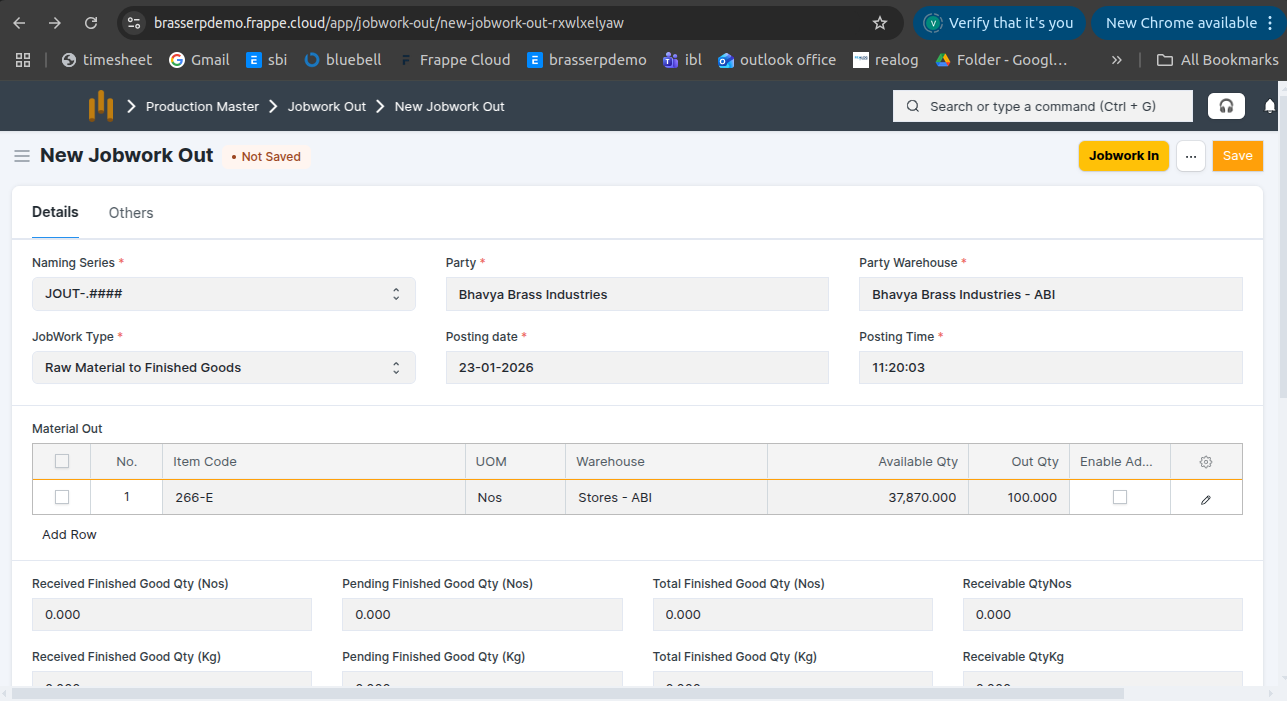
Step-4 : Save and Submit the form.On submission, a Stock Entry is automatically created for Material Transfer .
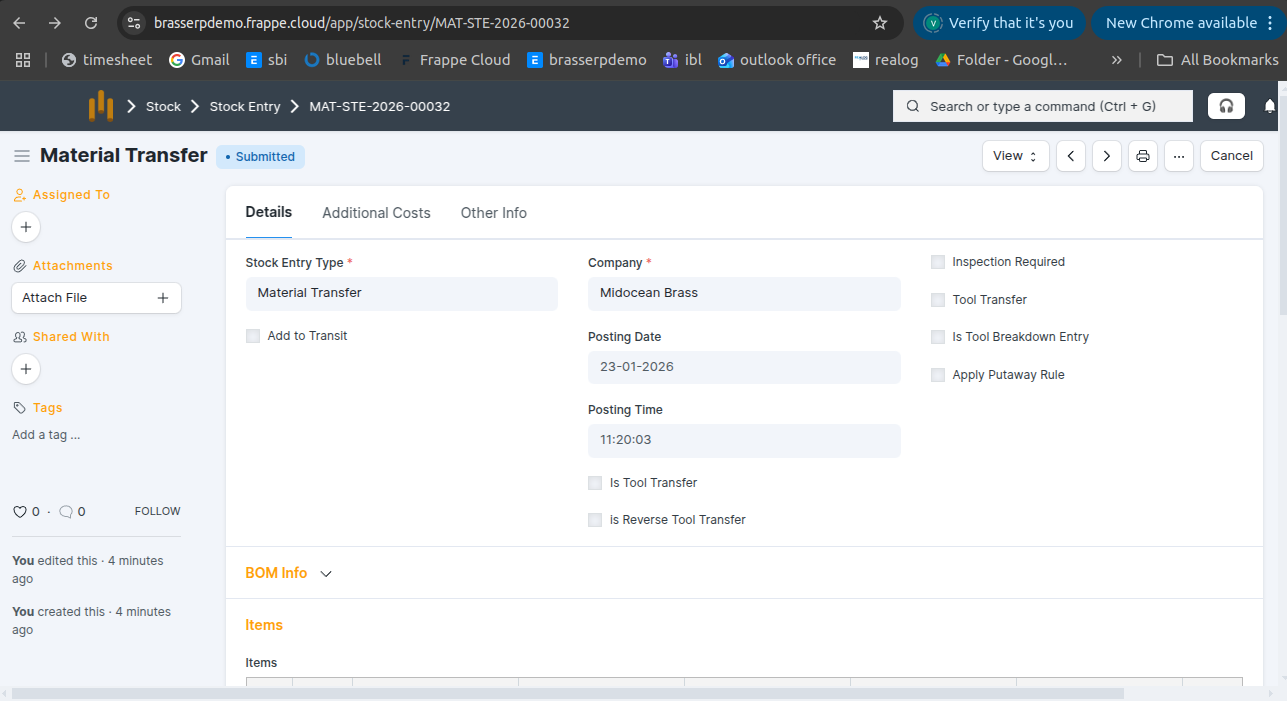
Step-5 : In the Stock Entry, all material details are fetched automatically, including Item, Quantity, UOM, Source Warehouse, and Target Warehouse.
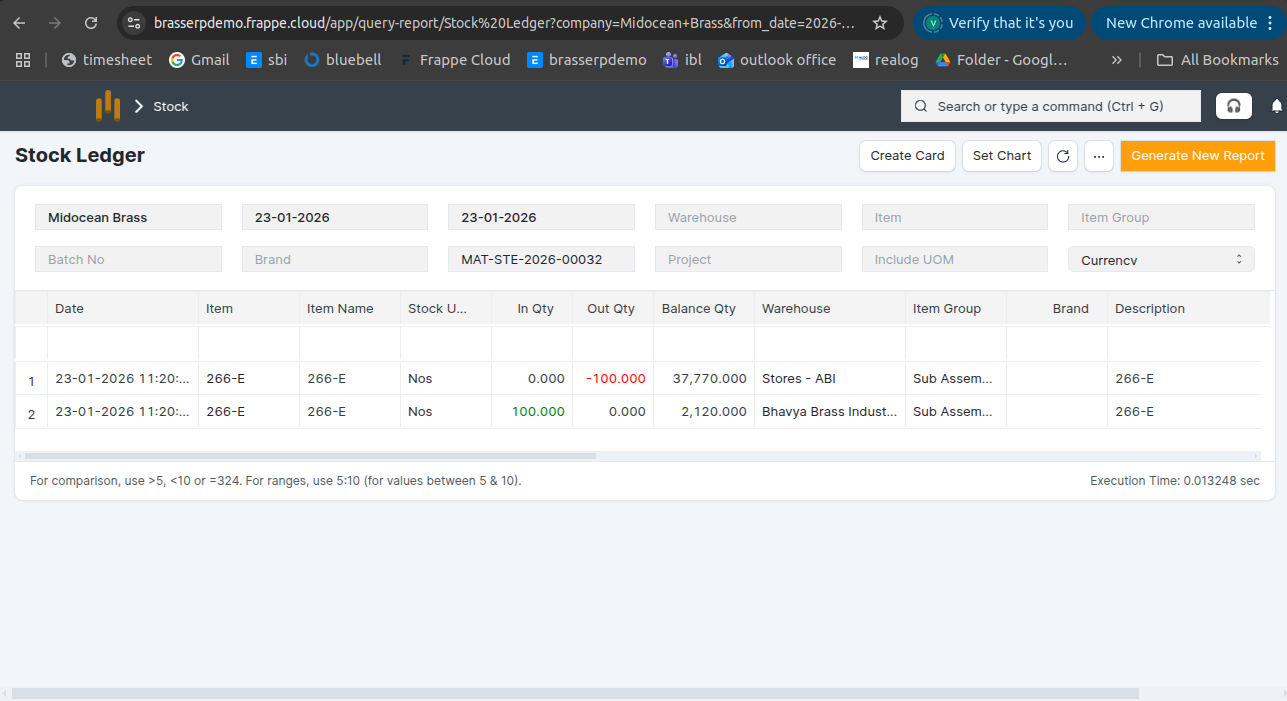
Step-6 : Click the View button and select Stock Ledger to view the stock movements.
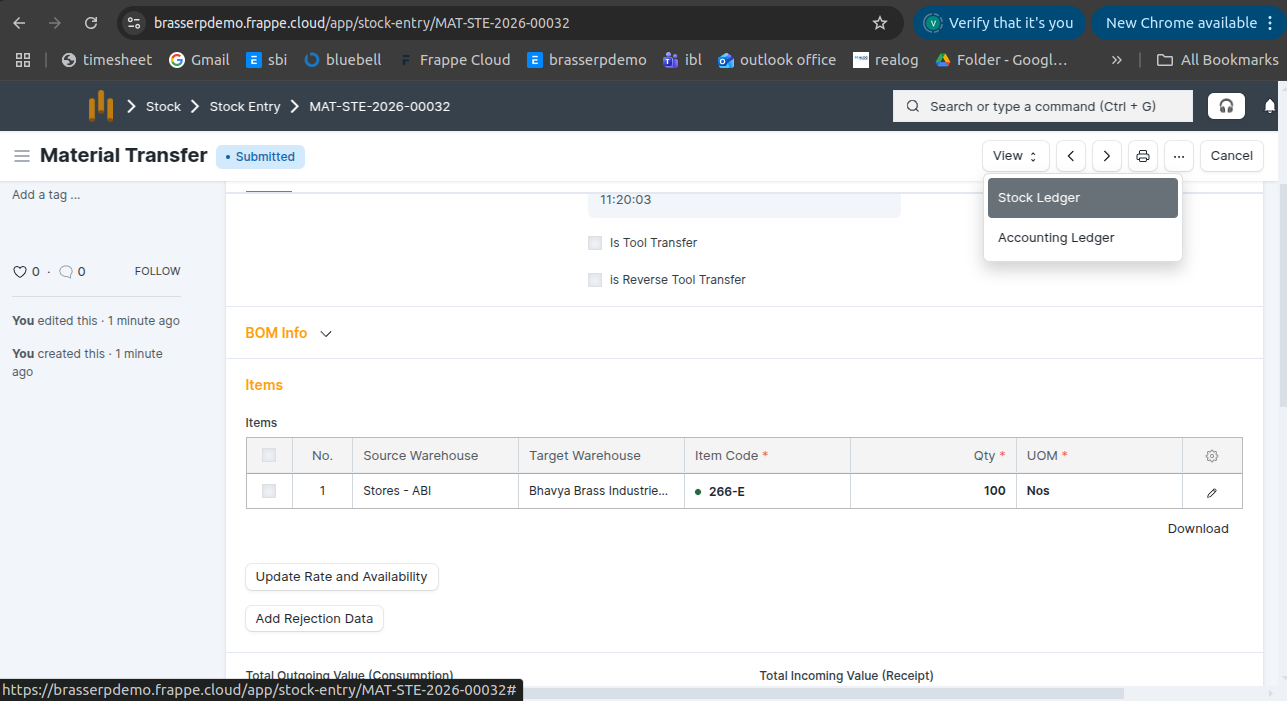
Step-7 : The stock is updated accordingly in the Stock Ledger.
3. Raw Material to Finished Goods (BOM)
- Issue raw materials to a job worker for manufacturing finished goods according to a specific Bill of Materials (BOM) Step-1 : Go to Jobwork Out and click the Create button .
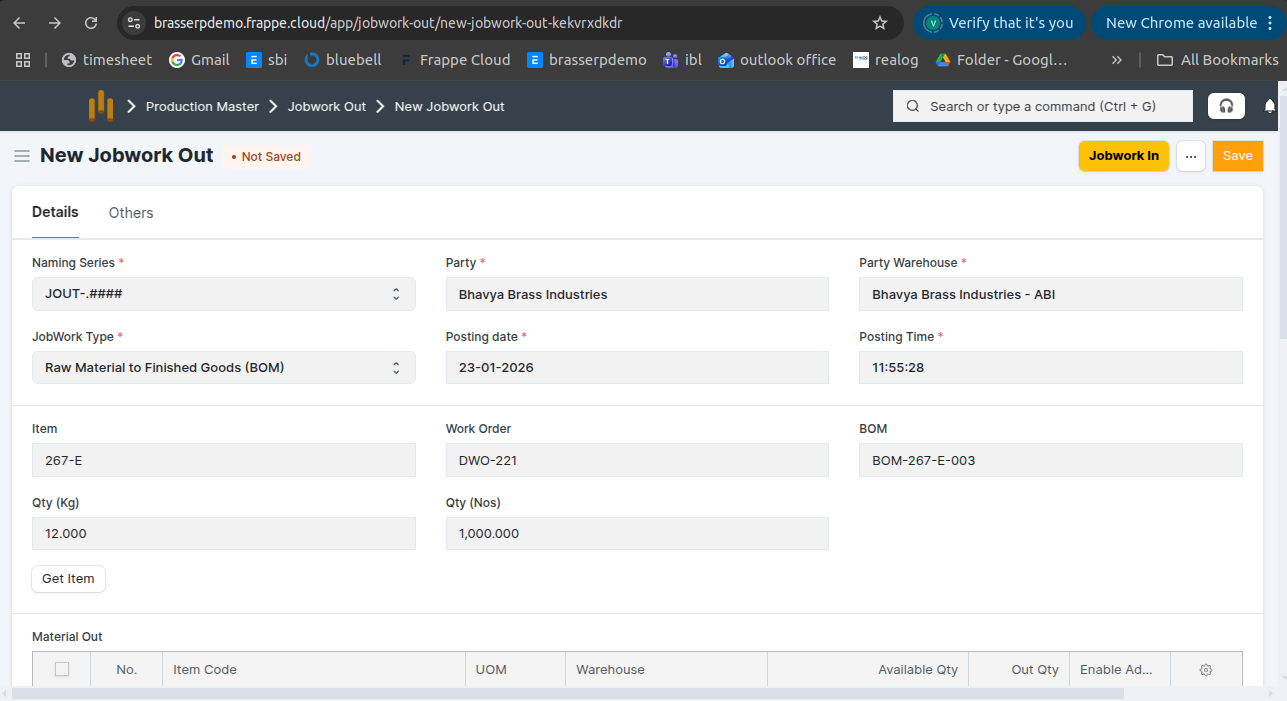
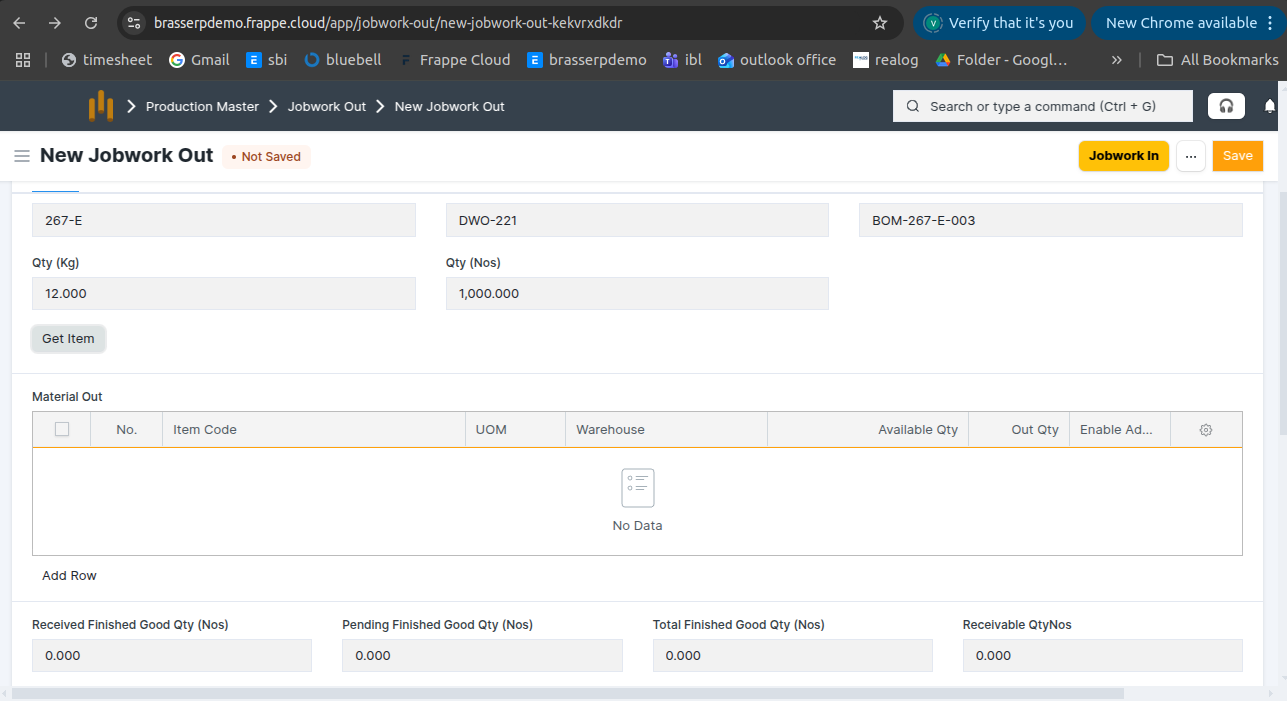
Step-2 : Select Jobwork Type as Raw Material to Finished Goods (BOM) .Select the Party and Party Warehouse. The Work Order BOM is auto-fetched from the selected Work Order. Also, add Qty.
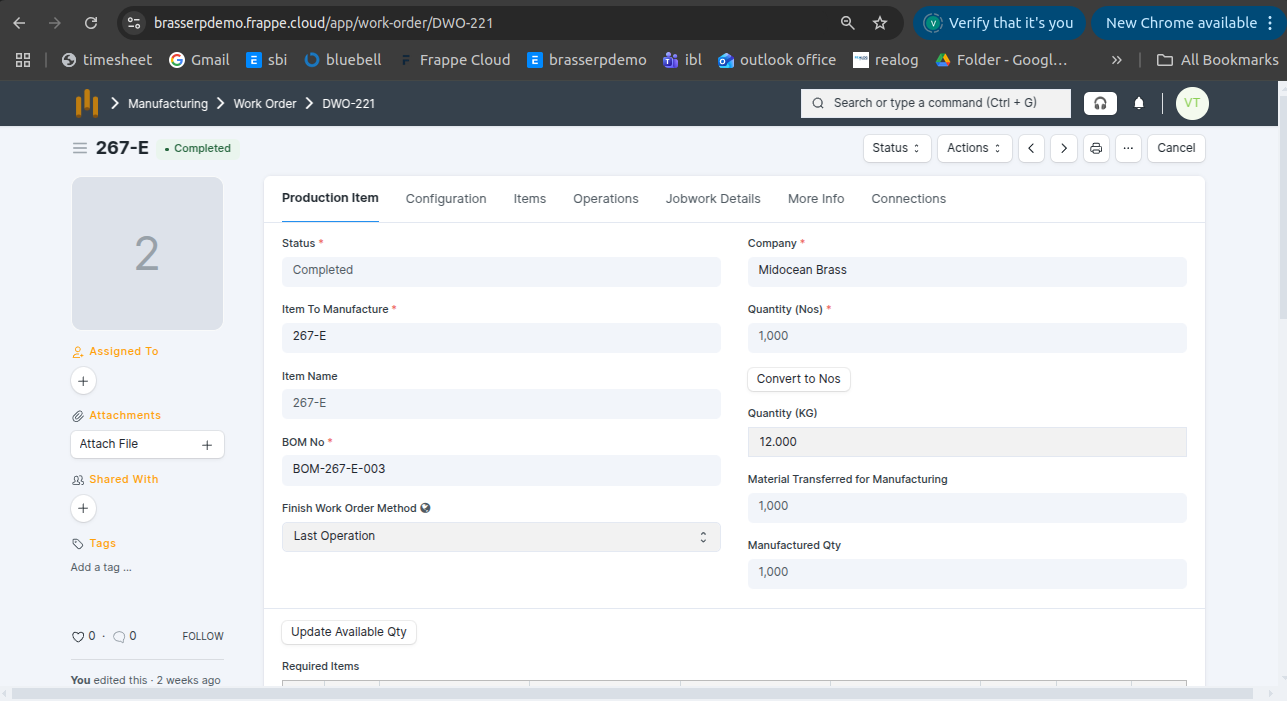
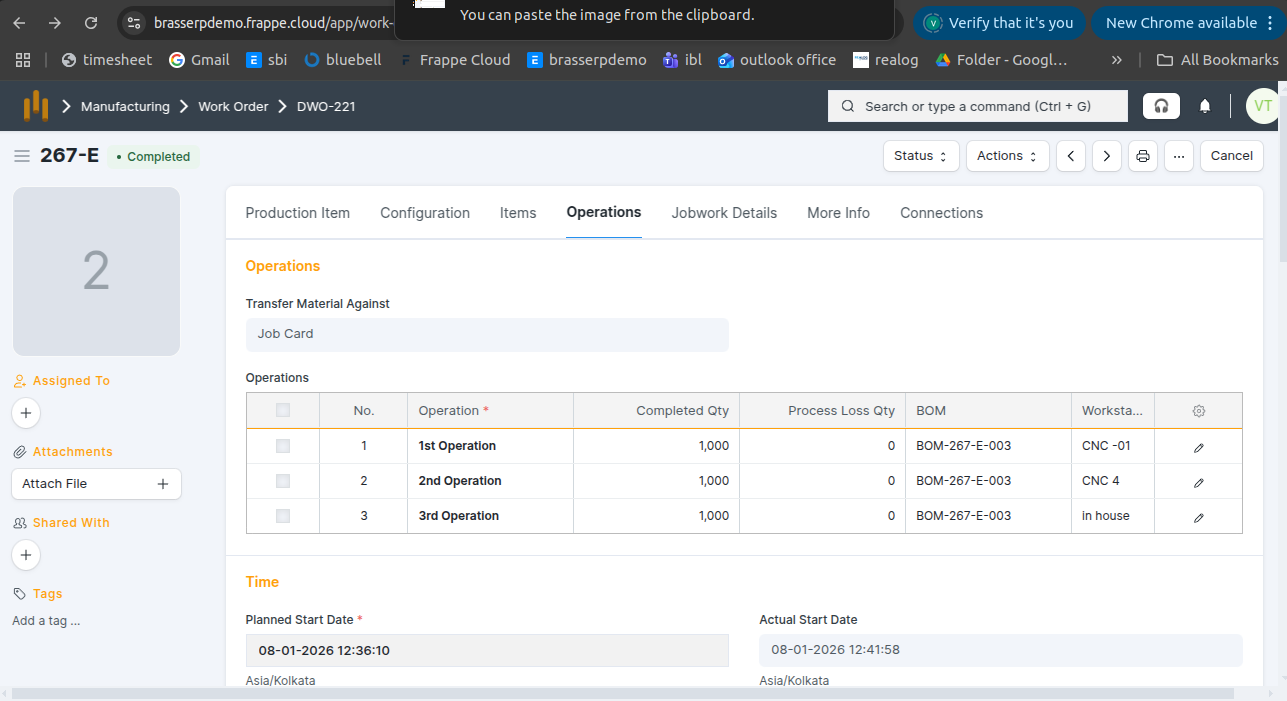
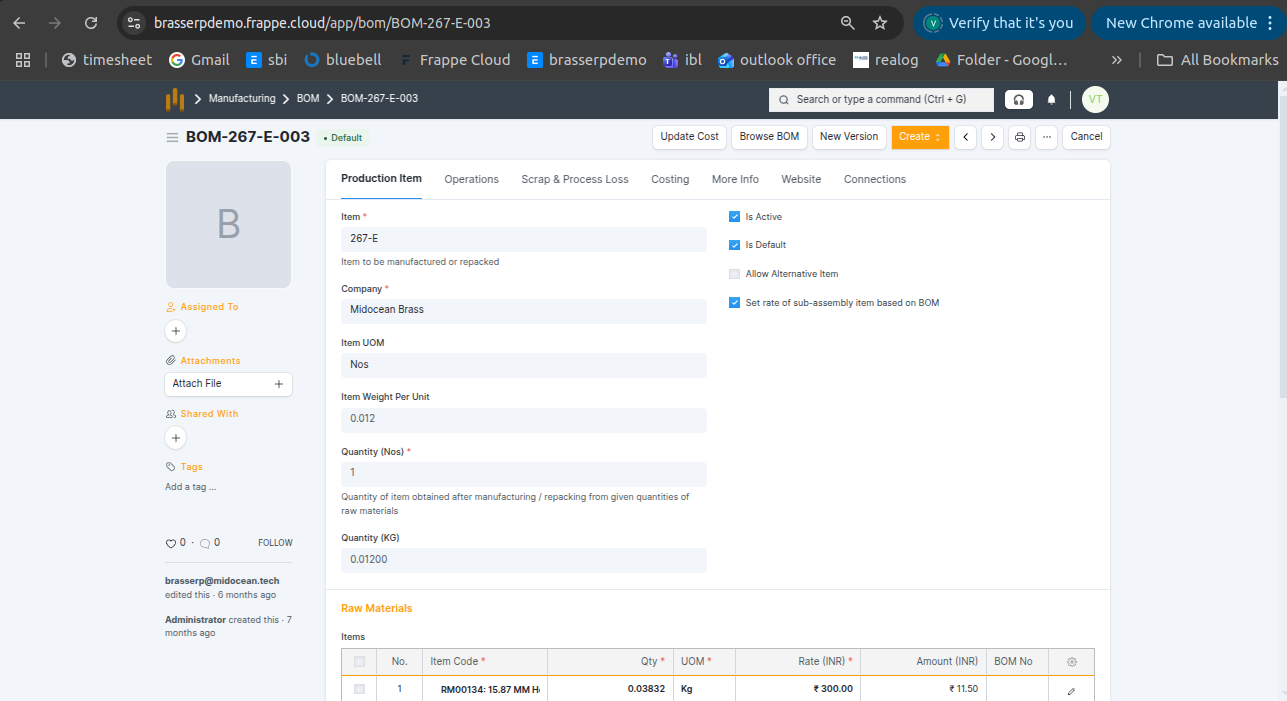
- A Work Order was created for 1,000 Nos with 3 operations, and all operations were completed.
Step-3 : Click the Get Items button .In the Material Out table, all details are fetched automatically:
- Raw material items
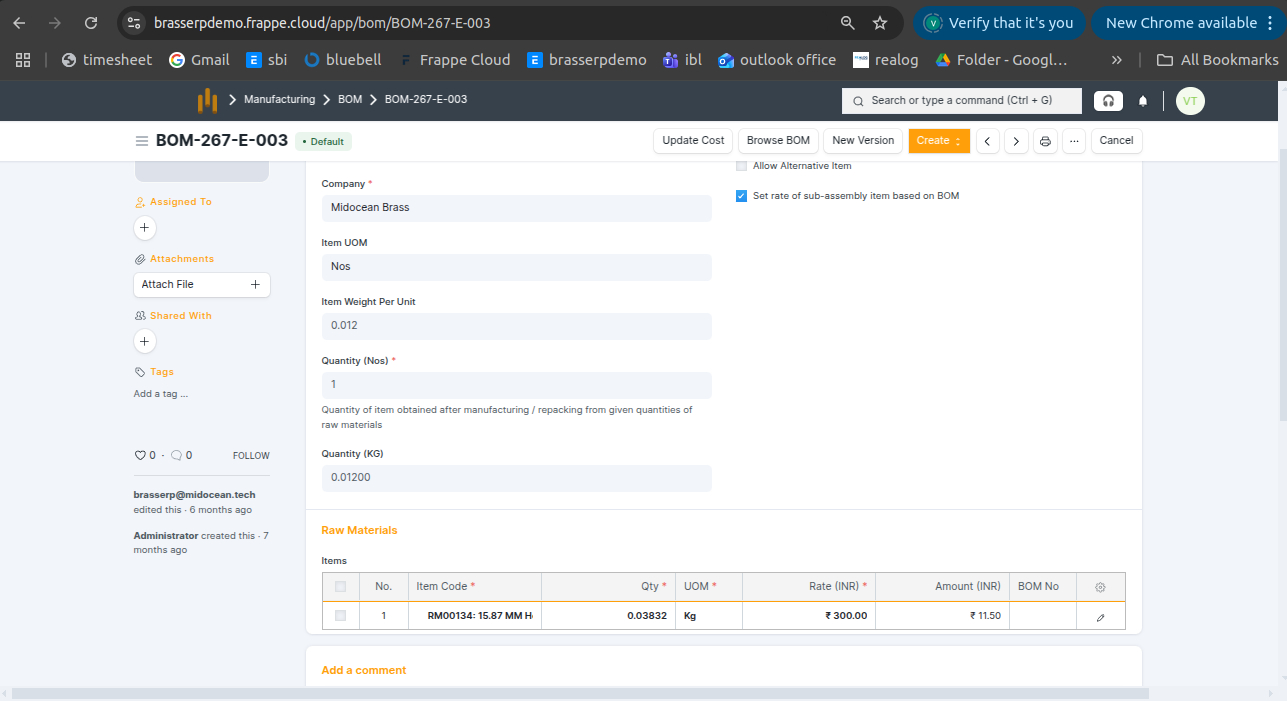
- Required quantities (calculated from the BOM- see in below ss)
- UOM and warehouse details
Step-4 : Save and Submit the form.On submission, a Stock Entry is automatically created for Material Transfer .
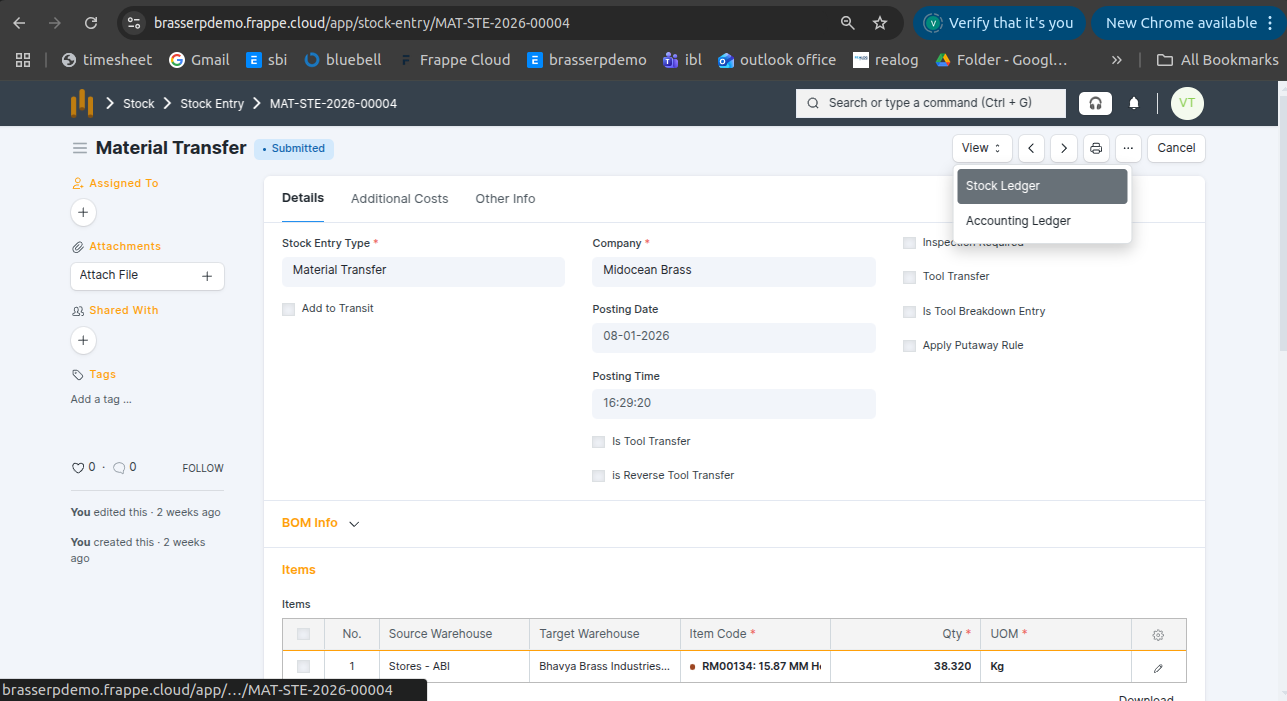
Step-5 : In the Stock Entry, all material details are fetched automatically, including Item, Quantity, UOM, Source Warehouse, and Target Warehouse.
Step-6 : Click the View button and select Stock Ledger to view the stock movements.
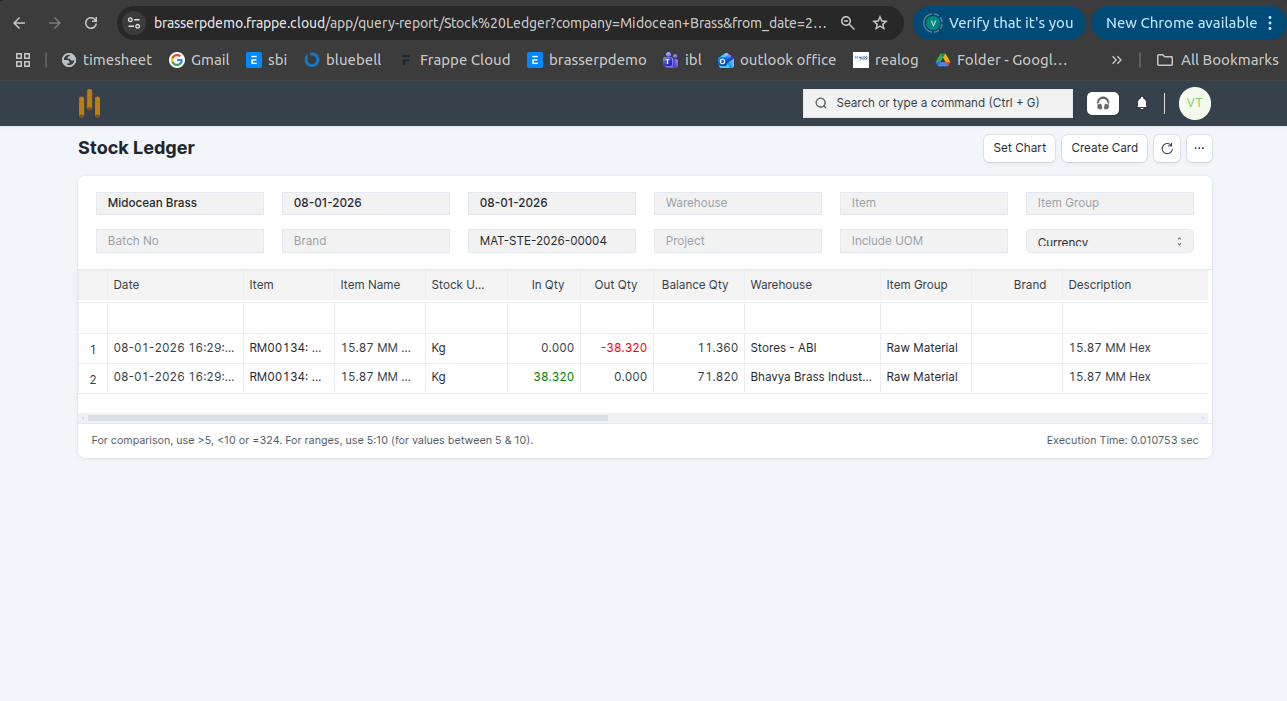
Step-7 : The stock is updated accordingly in the Stock Ledger.
4. Item / Product Process
- Process an item or product using a BOM, such as polishing, coating, or other manufacturing steps defined in the BOM.
Step-1 : Go to Jobwork Out and click the Create button .
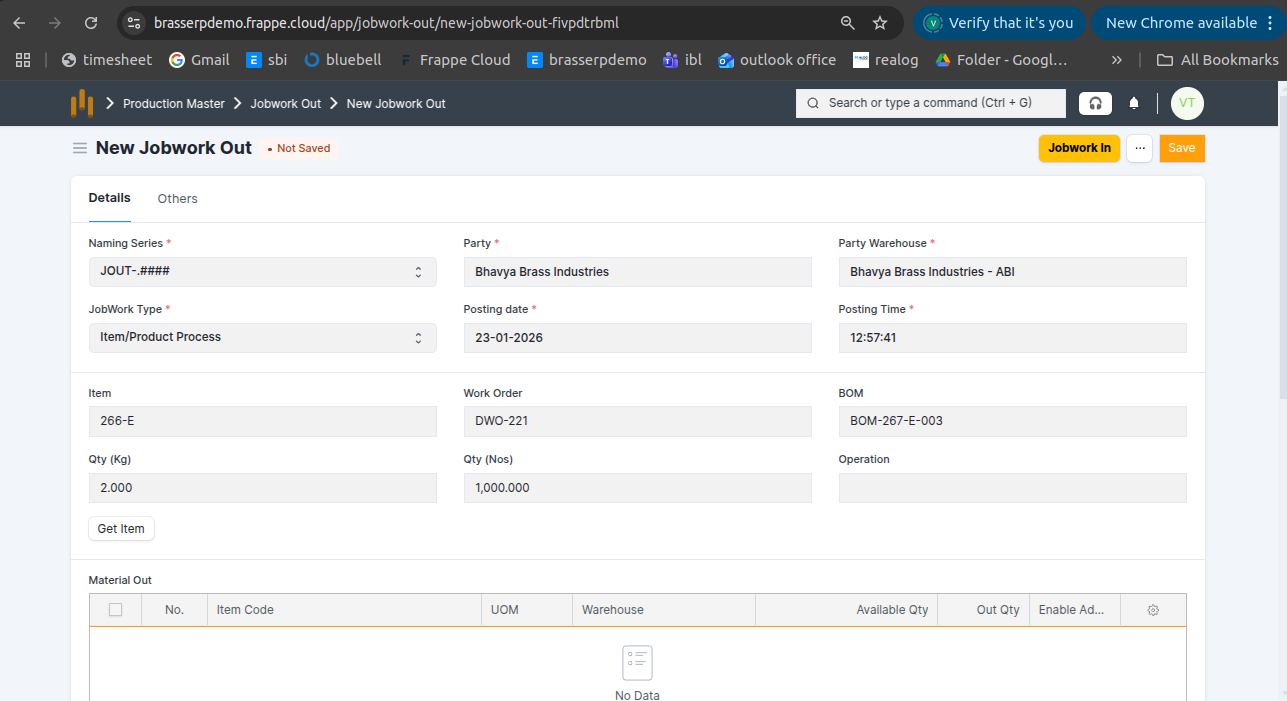
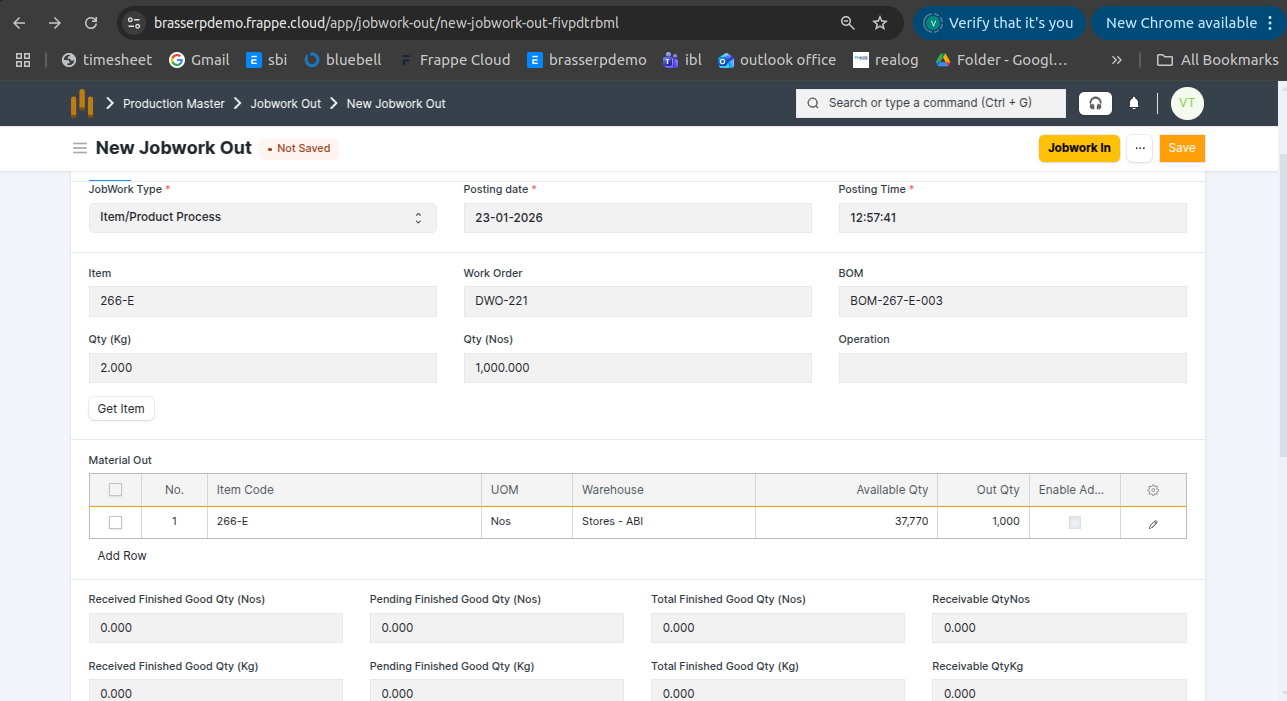
Step-2 : Select Jobwork Type as Item / Product Process .Select the Party and Party Warehouse. The Work Order BOM is auto-fetched from the selected Work Order add. Also, add Qty.
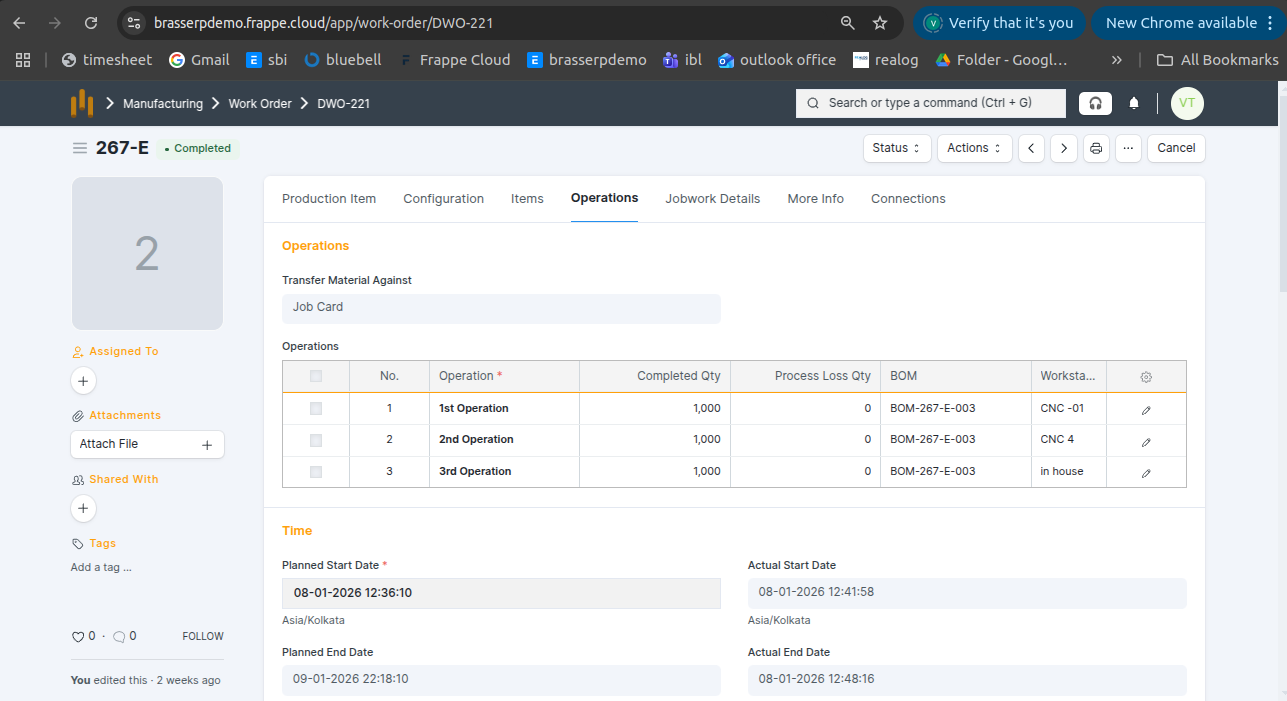
- A Work Order was created for 1,000 Nos with 3 operations, and all operations were completed.
Step-3 : Click the Get Items button .In the Material Out table, all details are fetched automatically: Item , Uom , Qty, Warehouse and Available Qty
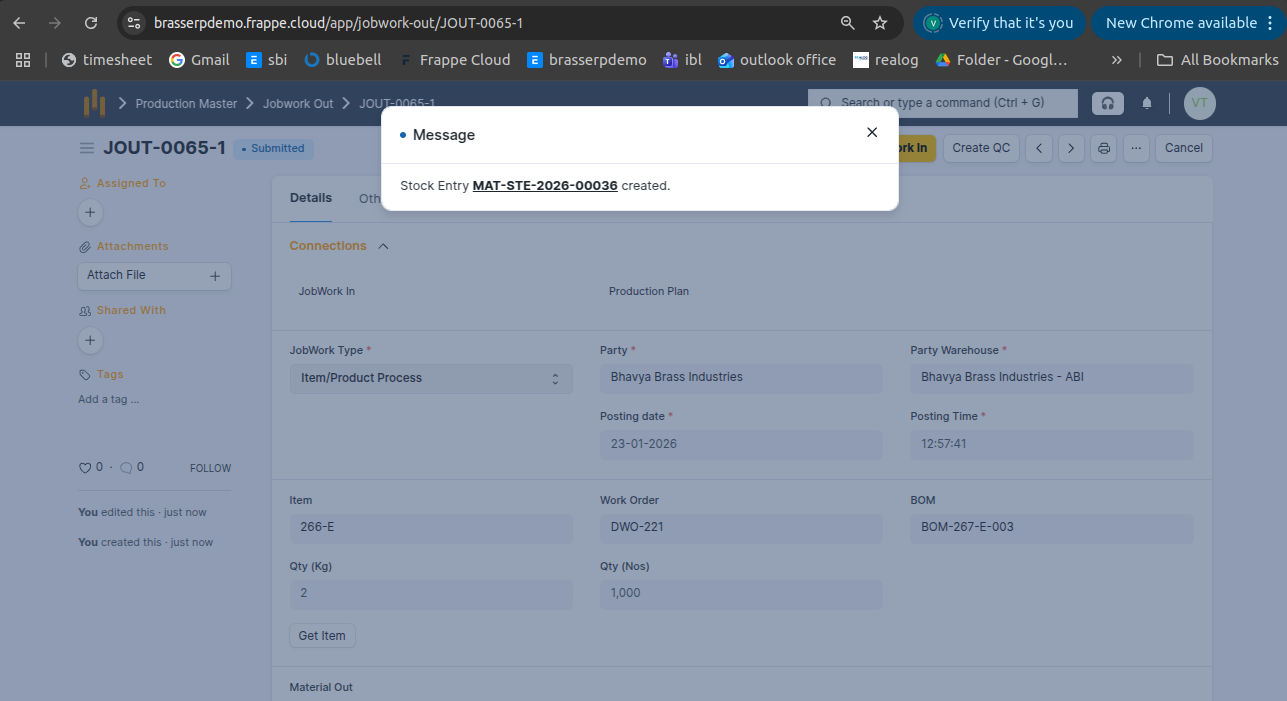
Step-4 : Save and Submit the form.On submission, a Stock Entry is automatically created for Material Transfer .
Step-5 : In the Stock Entry, all material details are fetched automatically, including Item, Quantity, UOM, Source Warehouse, and Target Warehouse.
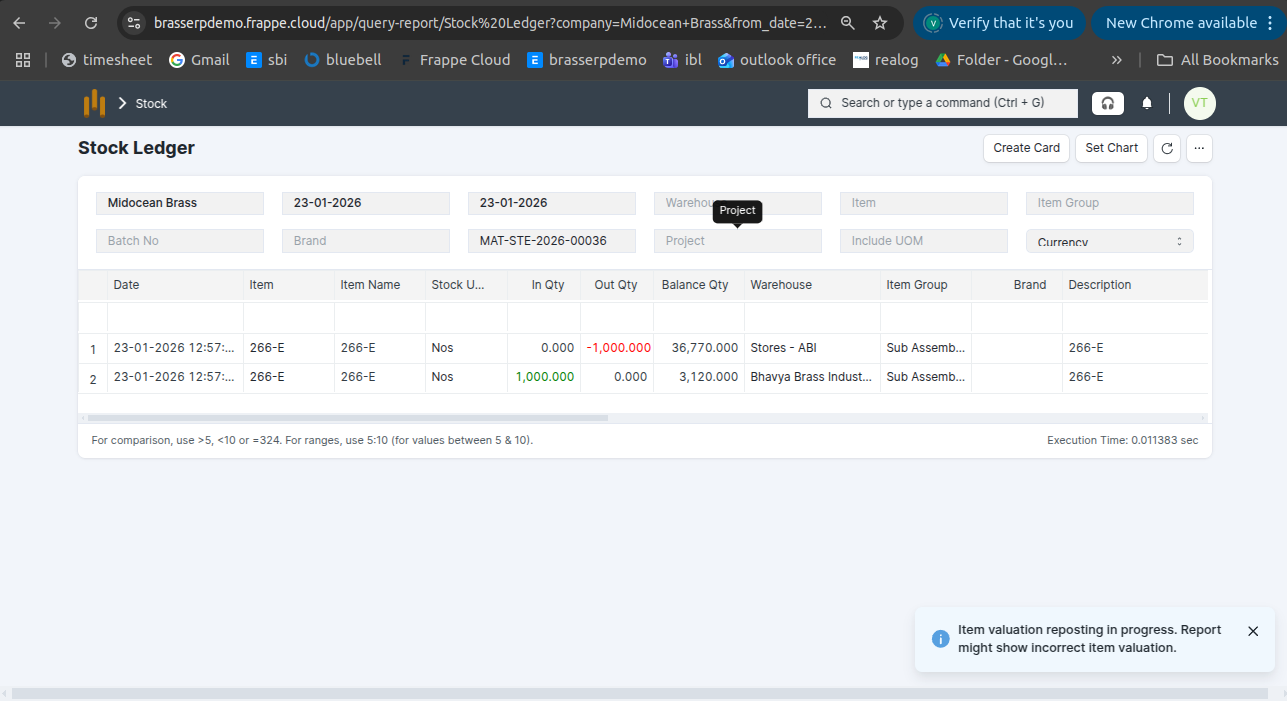
Step-6 : Click the View button and select Stock Ledger to view the stock movements.
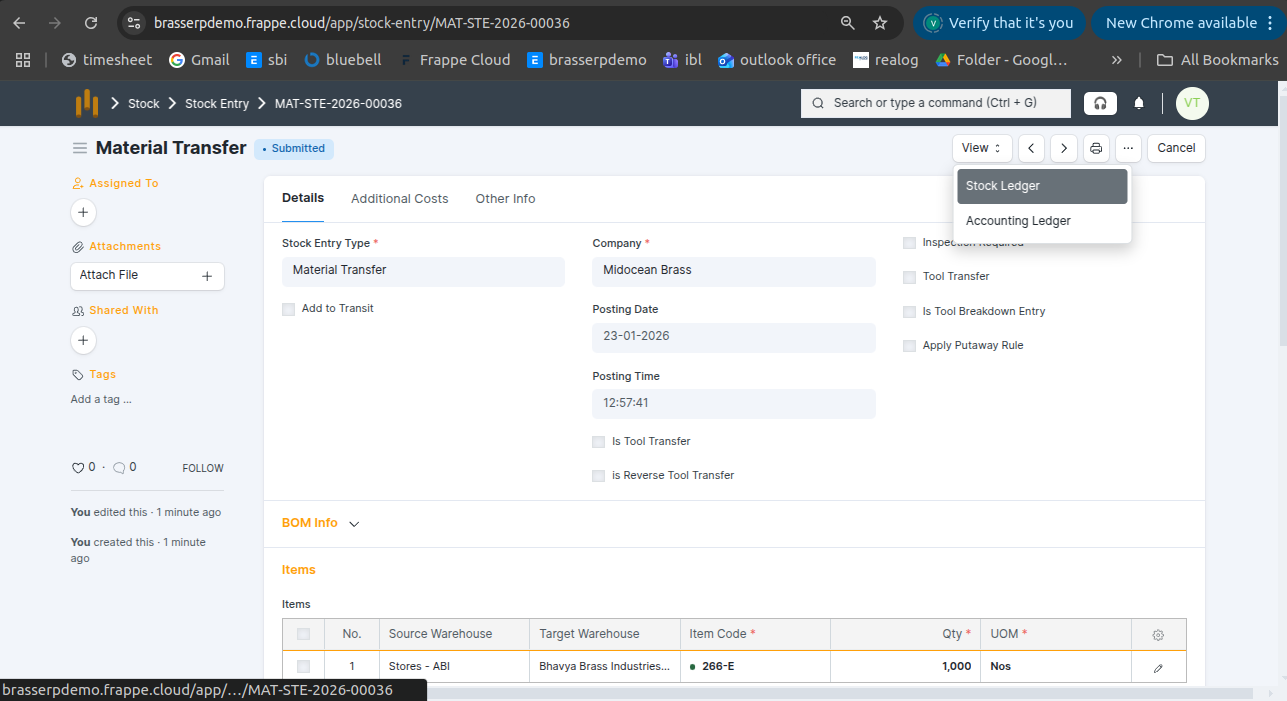
Step-7 : The stock is updated accordingly in the Stock Ledger.
5. Item / Product Process (BOM)
- Process an item or product following a BOM to produce the final product.
Step-1 : Go to Jobwork Out and click the Create button .
Step-2 : Select Jobwork Type as Item / Product Process (BOM) .Select the Party and Party Warehouse. The Work Order BOM is auto-fetched from the selected Work Order add. Also, add Qty.
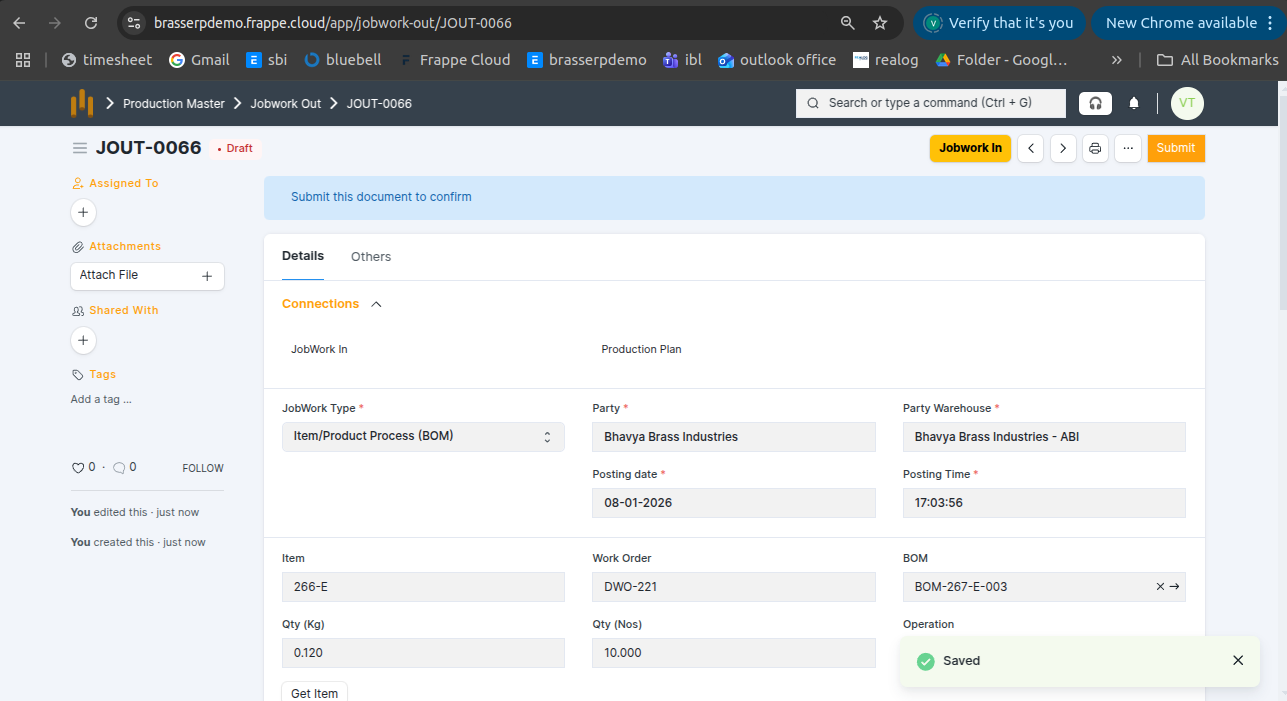
- A Work Order was created for 1,000 Nos with 3 operations, and all operations were completed.
Step-3 : Click the Get Items button .In the Material Out table, all details are fetched automatically: Item , Uom , Qty, Warehouse and Available Qty
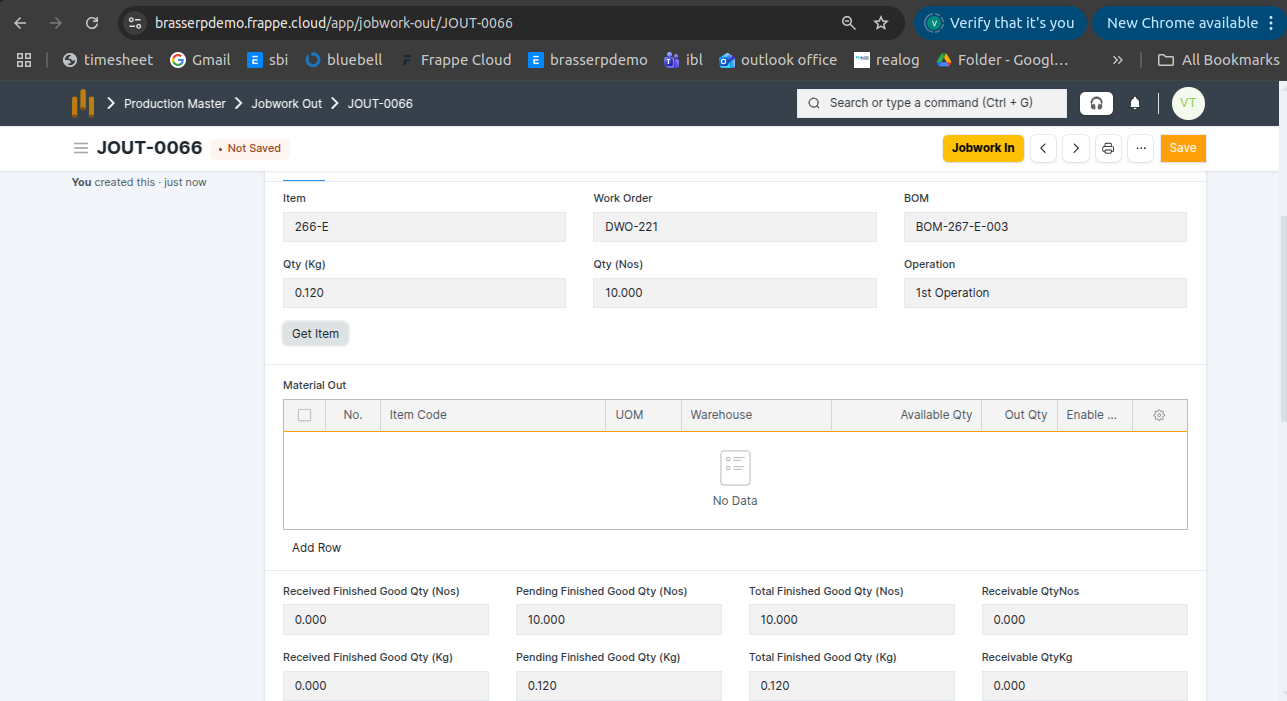
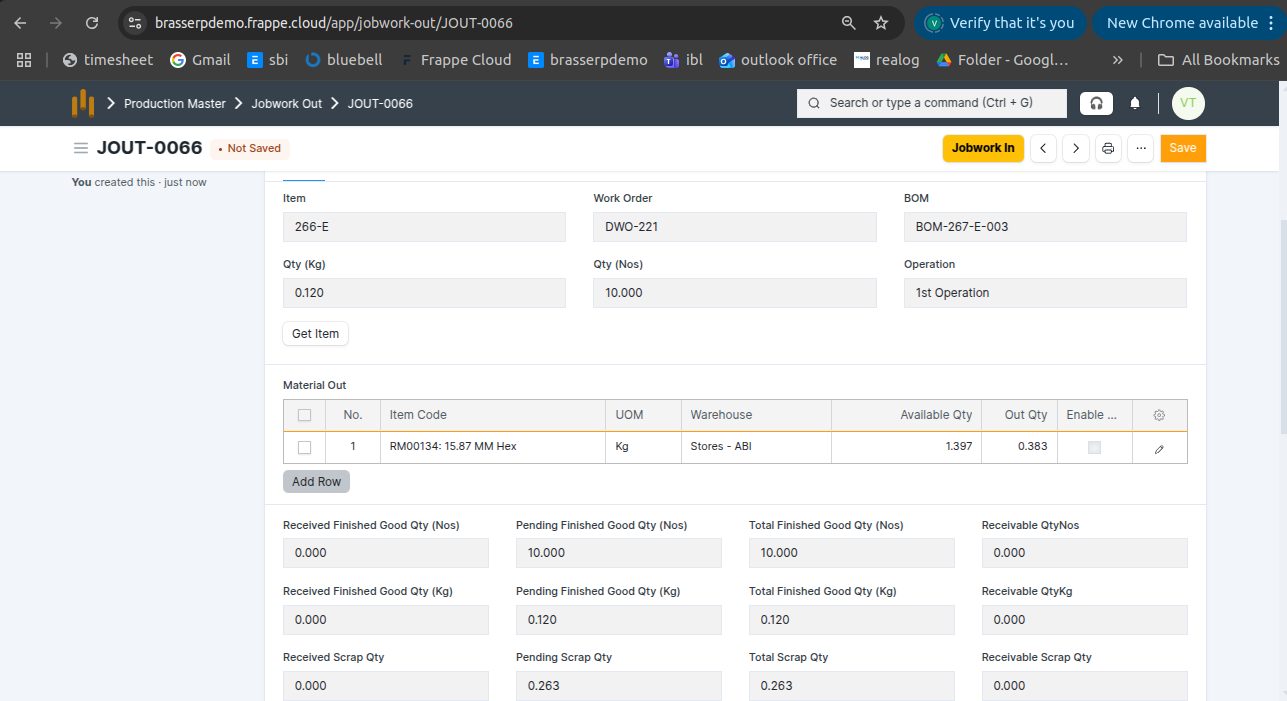
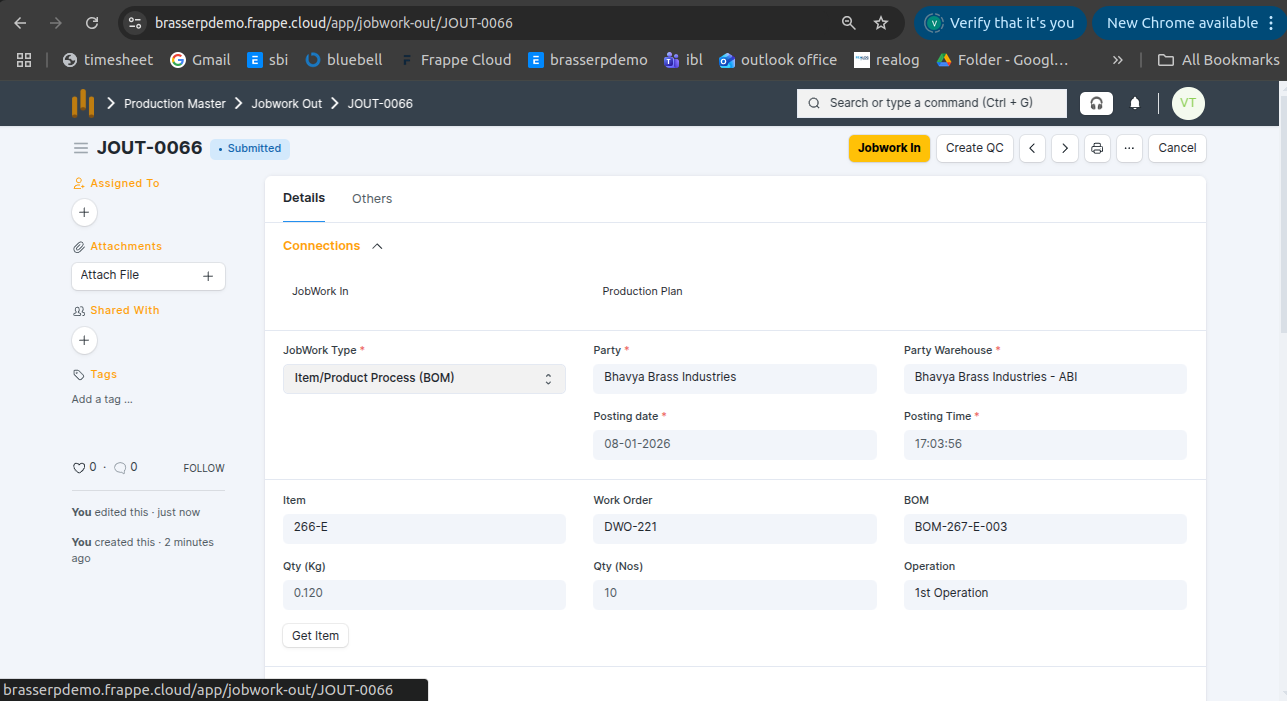
Step-4 : Save and Submit the form.On submission, a Stock Entry is automatically created for Material Transfer for Manufacture .
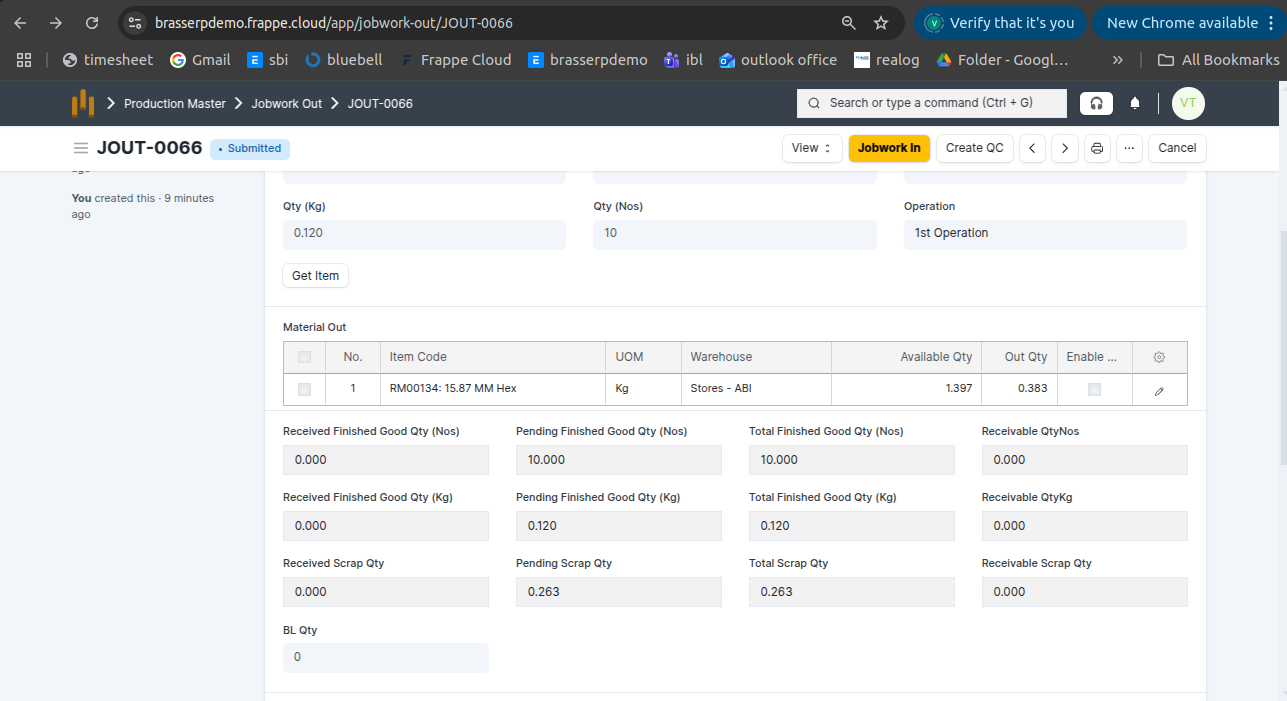
- Also, you can see below screenshot finish good qty kg and nos and scrap qty is also updated
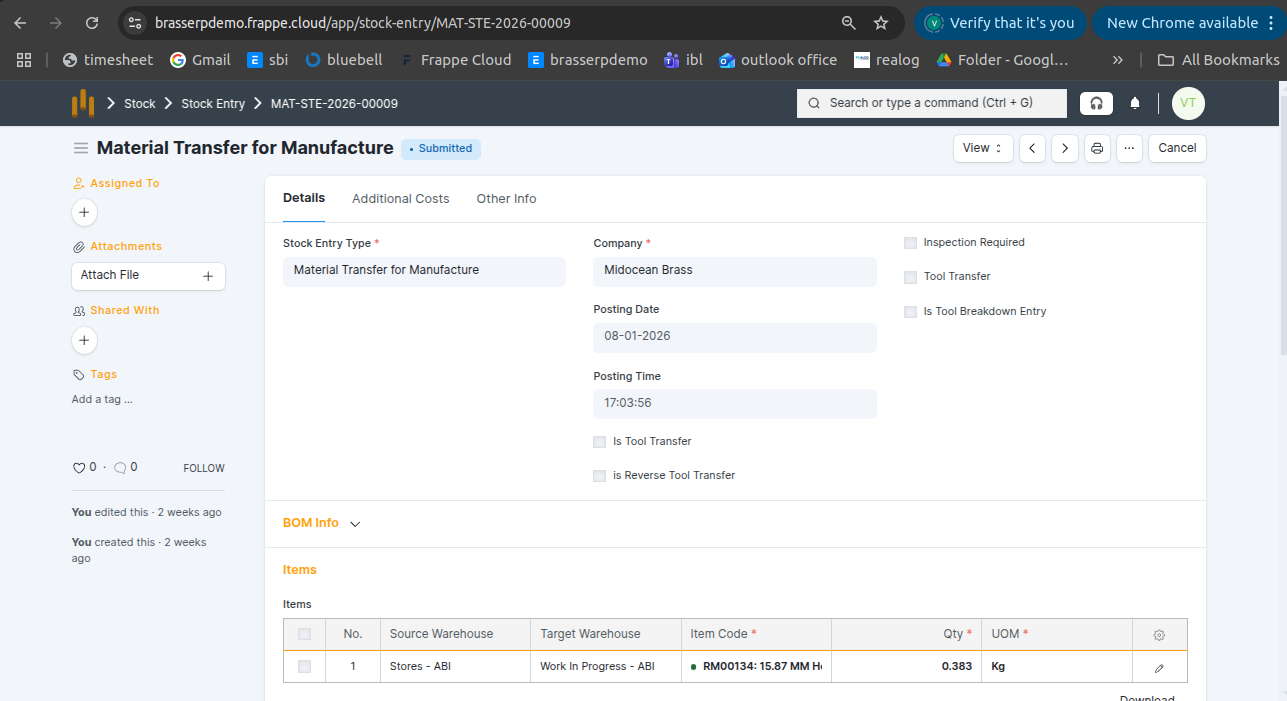
Step-5 : In the Stock Entry, all material details are fetched automatically, including Item, Quantity, UOM, Source Warehouse, and Target Warehouse.
Step-6 : Click the View button and select Stock Ledger to view the stock movements.
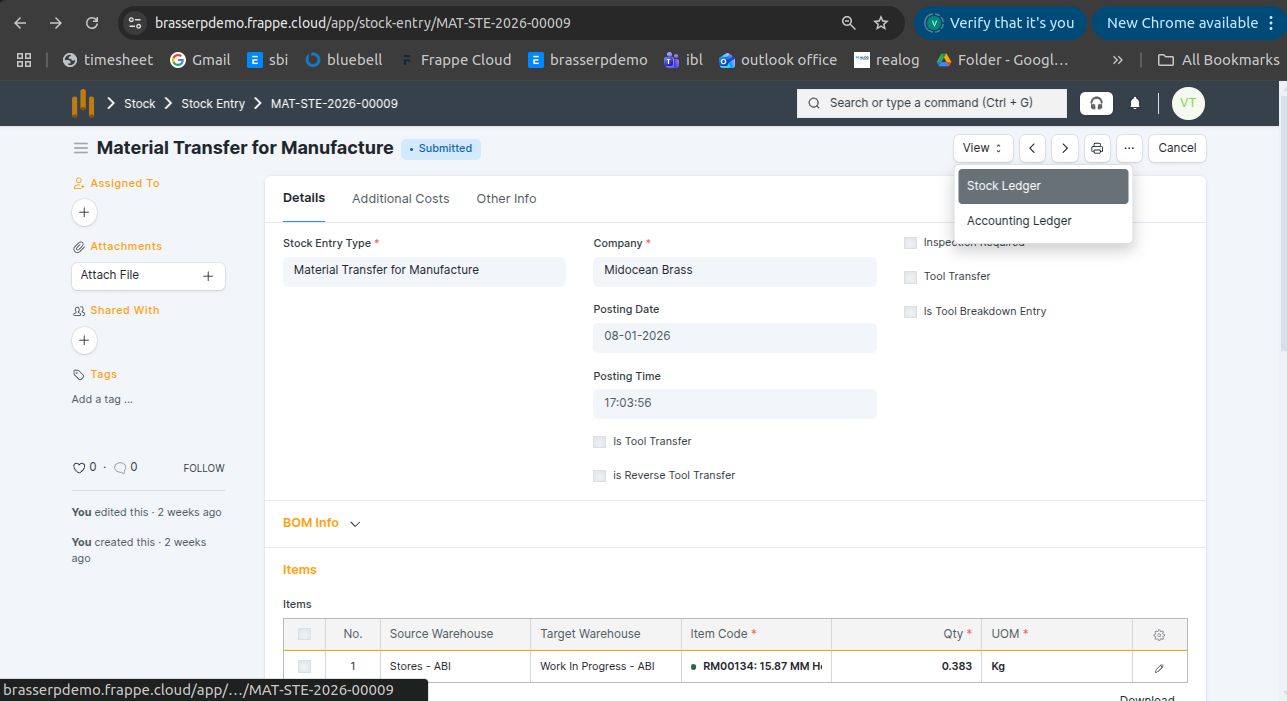
Step-7 : The stock is updated accordingly in the Stock Ledger.
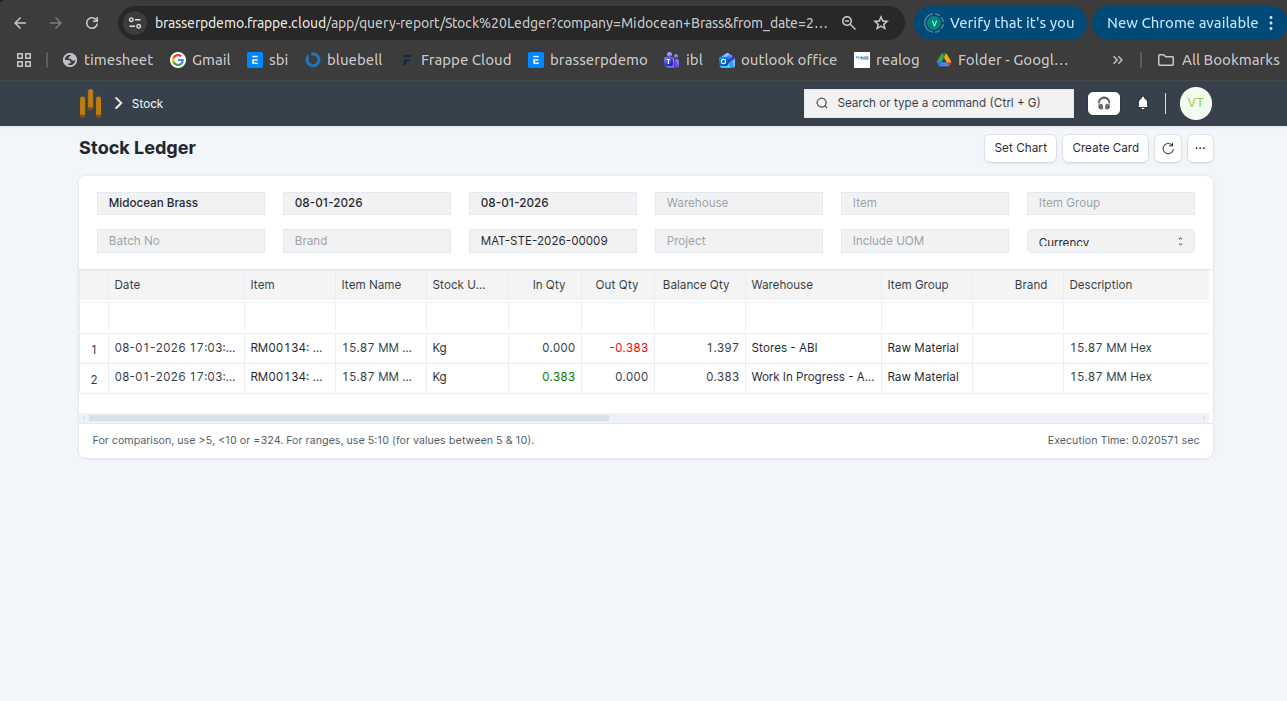
6. Assembly
- Combine multiple components or parts to produce a finished product.
Step-1 : Go to Jobwork Out and click the Create button .
Step-2 : Select Jobwork Type as Assembly .Select the Party and Party Warehouse. The Work Order BOM is auto-fetched from the selected Work Order add. Also, add Qty.
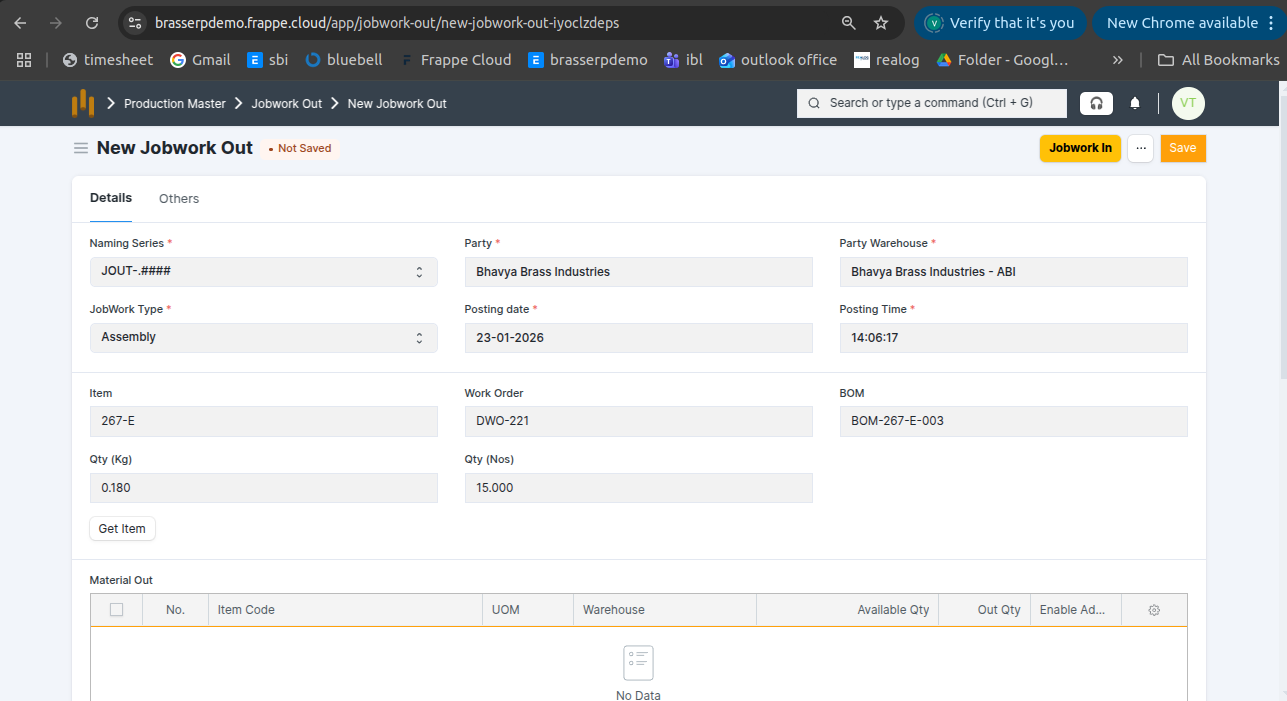
- A Work Order was created for 1,000 Nos with 3 operations, and all operations were completed.
Step-3 : Click the Get Items button .In the Material Out table, all details are fetched automatically: Item , Uom , Qty, Warehouse and Available Qty
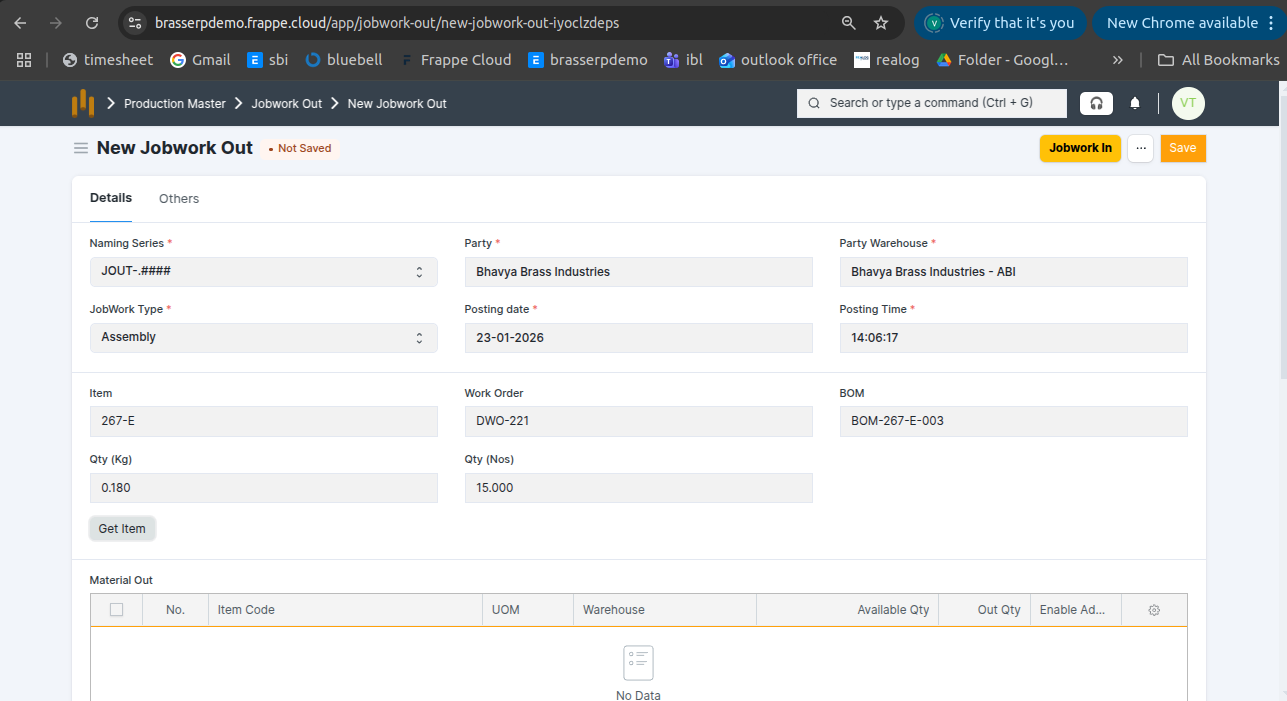
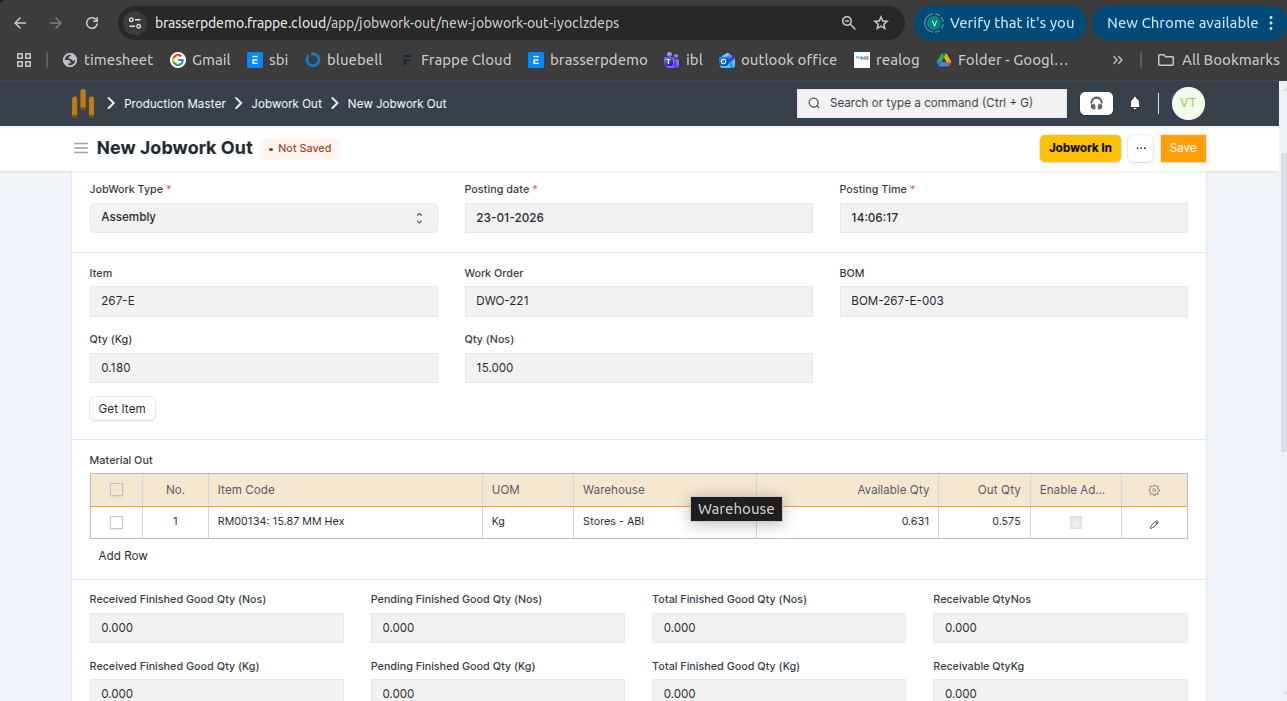
Step-4 : Save and Submit the form.On submission, a Stock Entry is automatically created for Material Transfer .
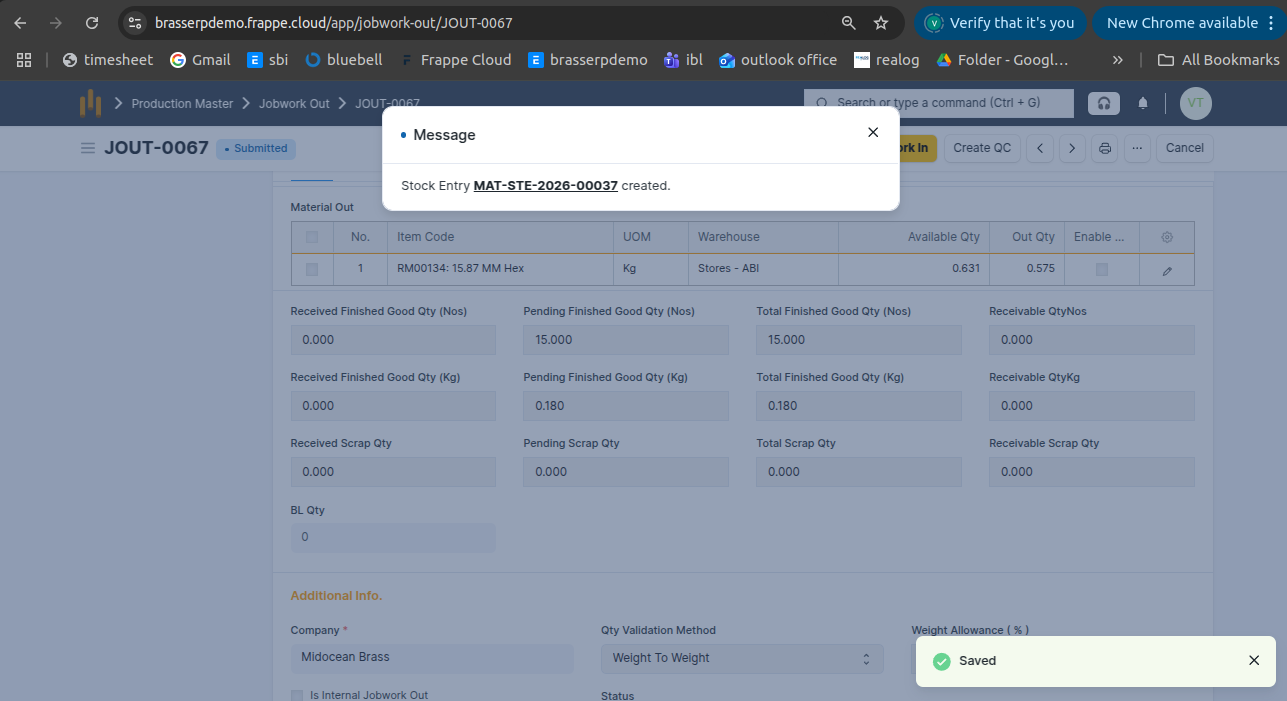
- Also, you can see above screenshot finish good qty kg and nos updated
Step-5 : In the Stock Entry, all material details are fetched automatically, including Item, Quantity, UOM, Source Warehouse, and Target Warehouse.
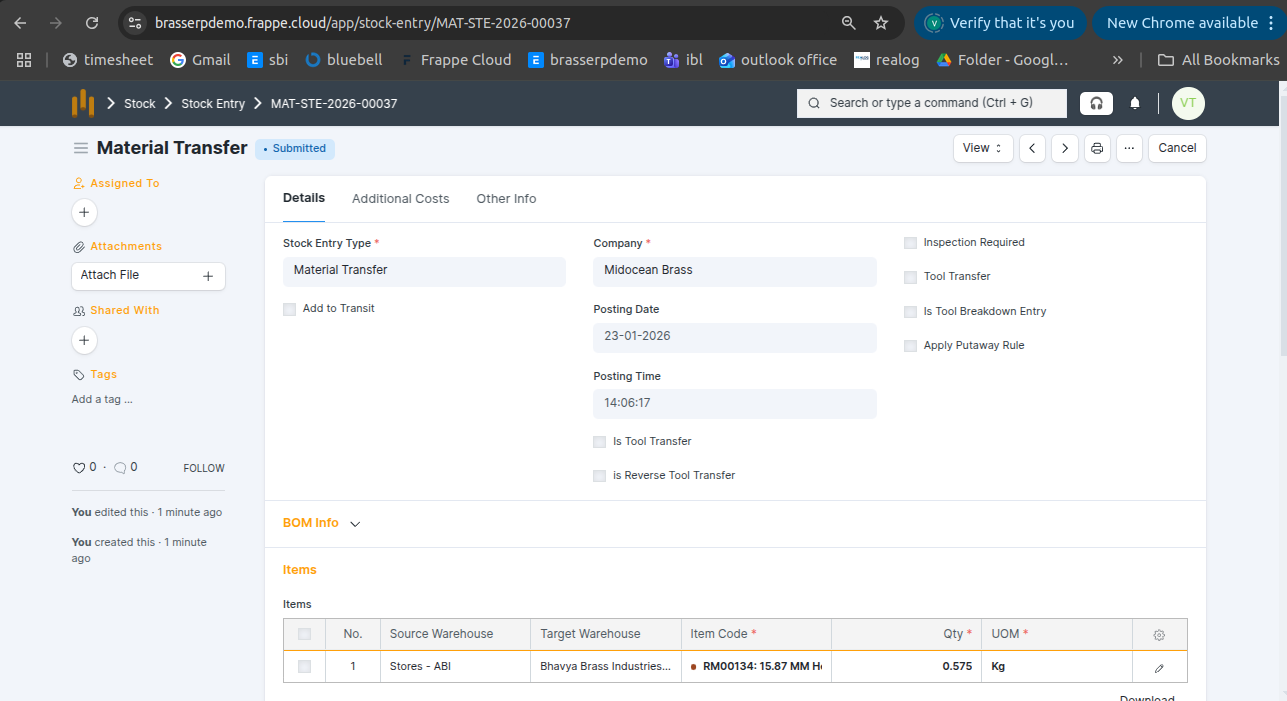
Step-6 : Click the View button and select Stock Ledger to view the stock movements.
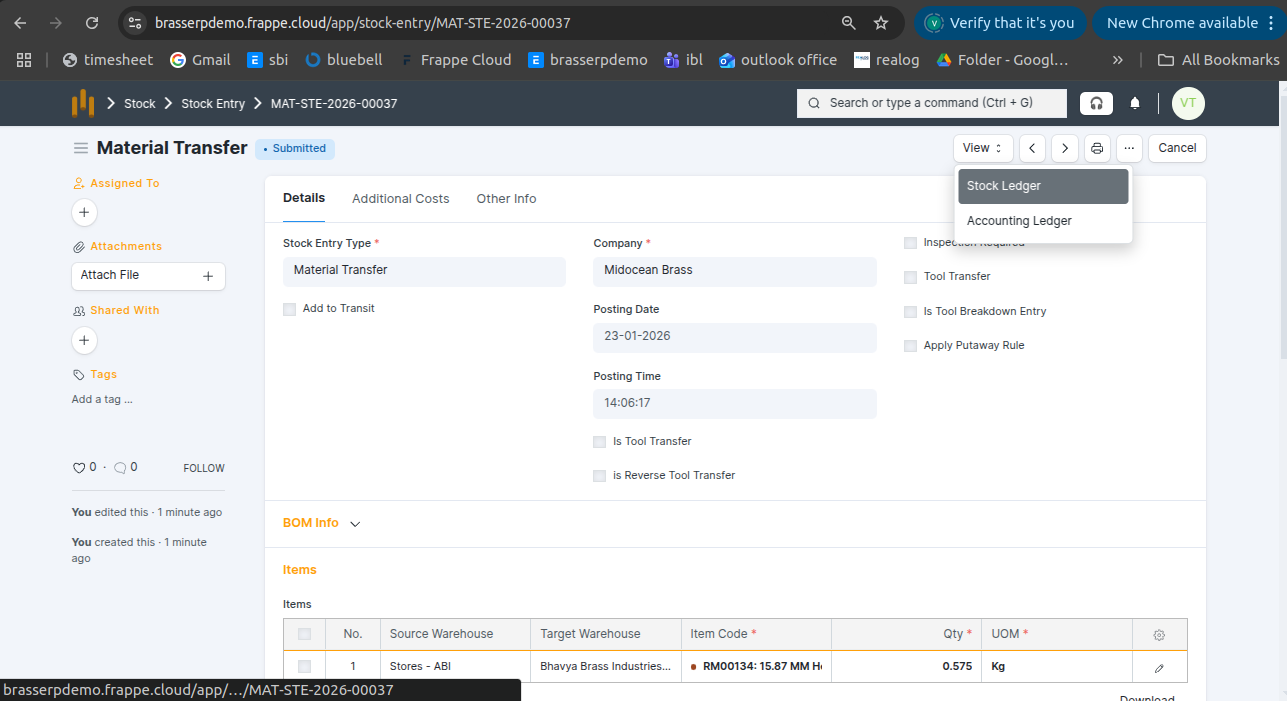
Step-7 : The stock is updated accordingly in the Stock Ledger.
7. Pre-defined
- Jobwork done based on a pre-defined plan or template, usually with set items, quantities, and operations.
Step-1 : Go to Jobwork Out and click the Create button .
Step-2 : Select Jobwork Type as Pre-defined .Select the Party and Party Warehouse. The Work Order BOM is auto-fetched from the selected Work Order add. Also, add Qty.
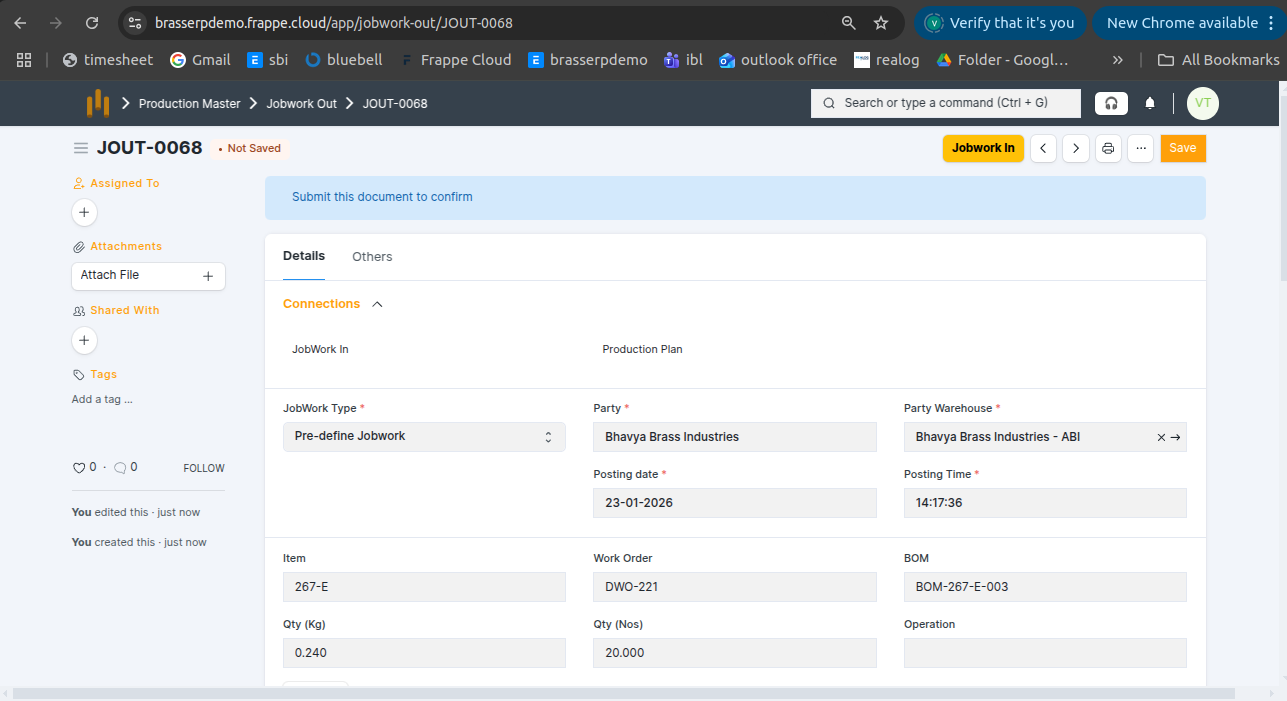
- A Work Order was created for 1,000 Nos with 3 operations, and all operations were completed.
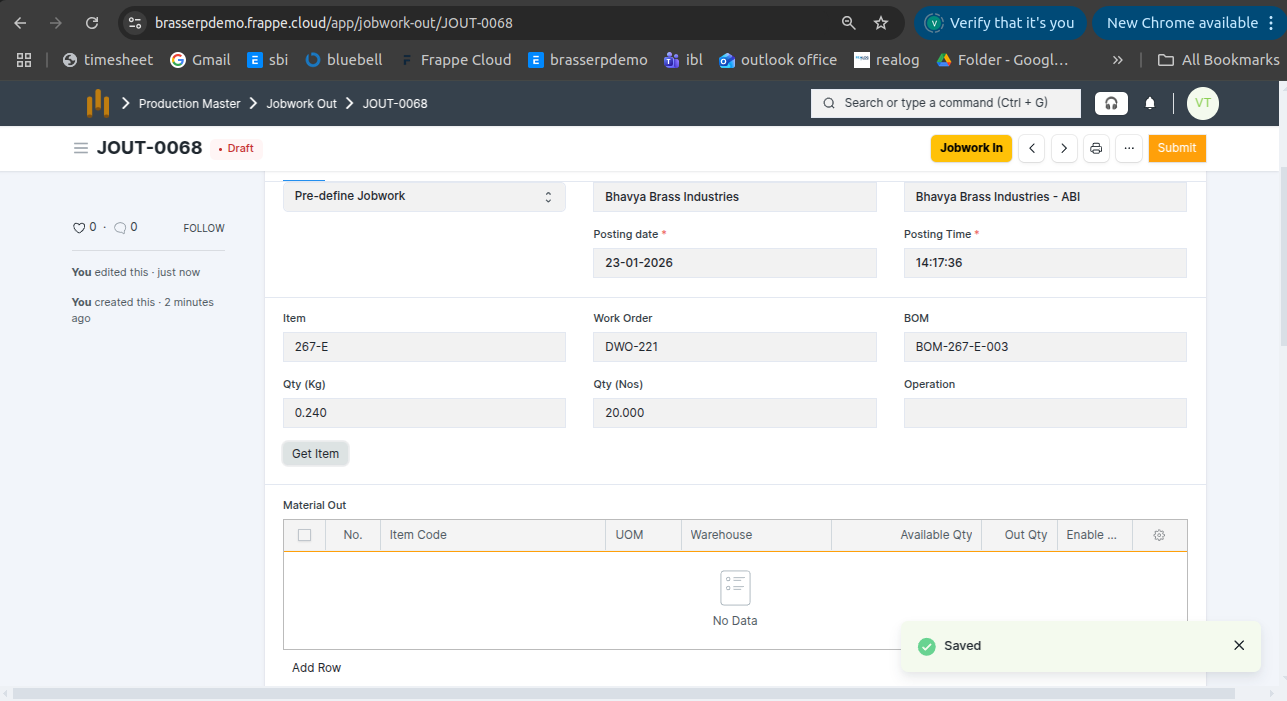
Step-3 : Click the Get Items button .In the Material Out table and Material To Be In, all details are fetched automatically: Item (Finish good and Raw material) , Uom , Qty (Kg and Nos), Warehouse, Scrap and Available Qty,
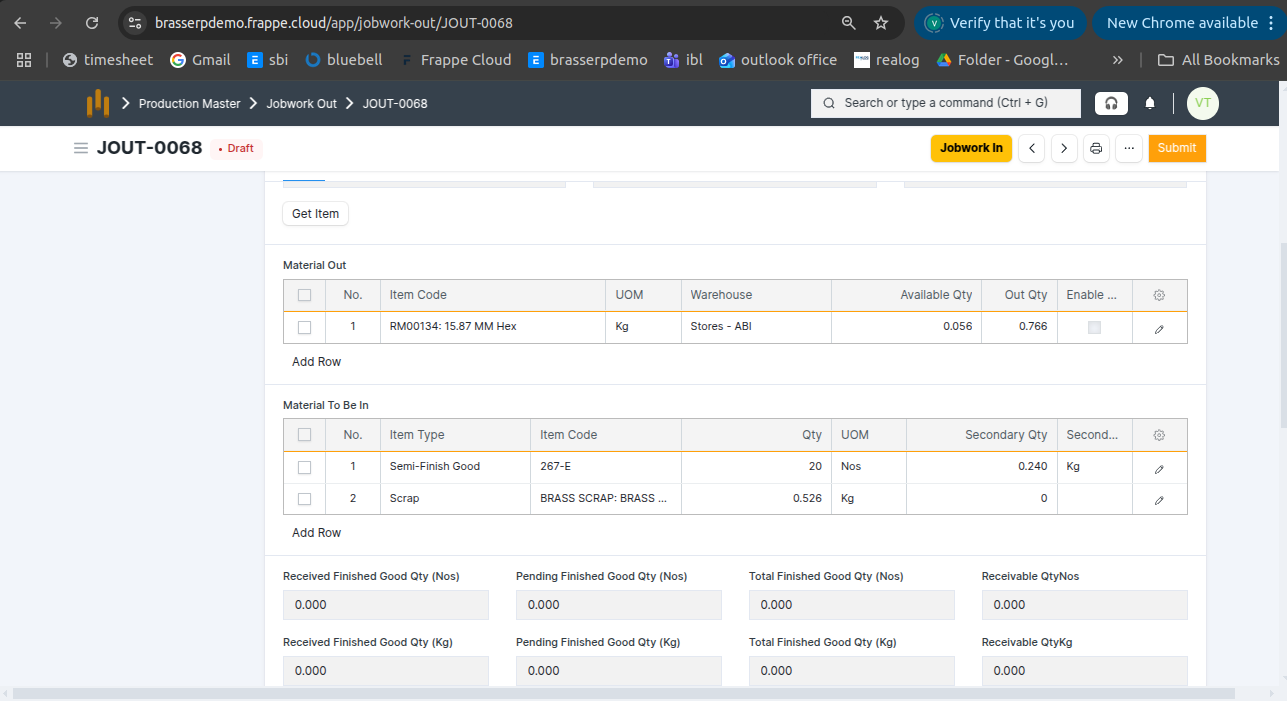
Step-4 : Save and Submit the form.On submission, a Stock Entry is automatically created for Material Transfer .
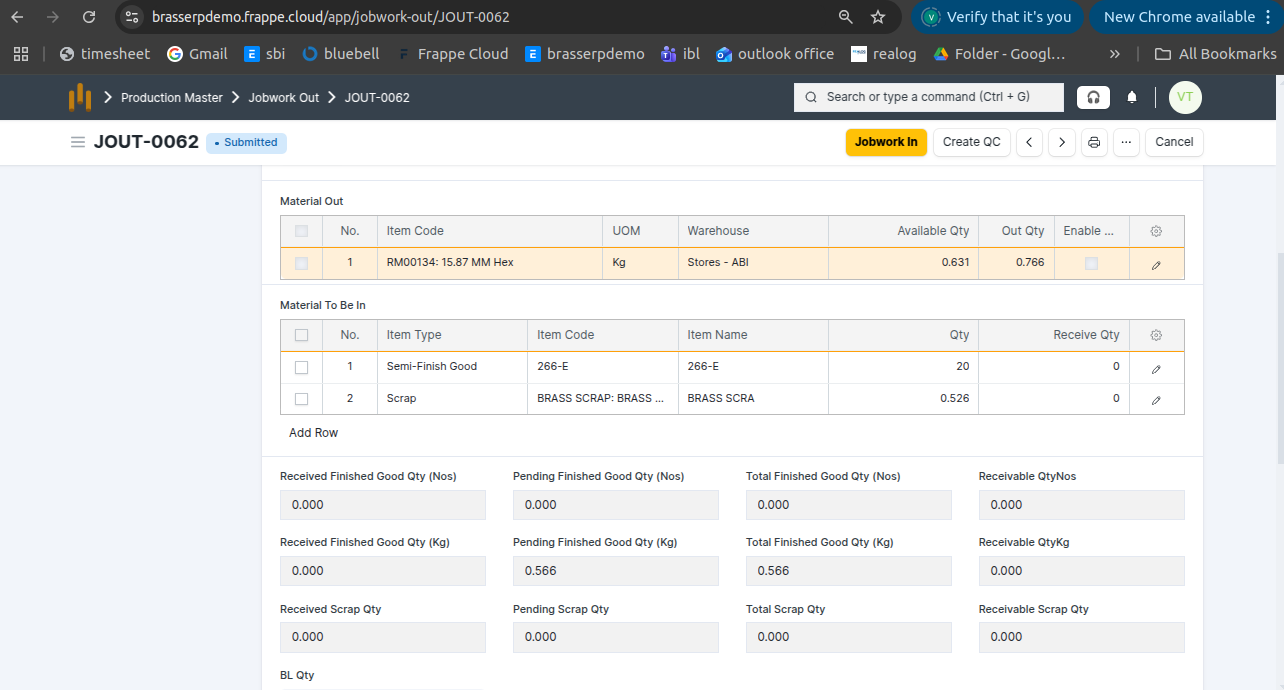
- Also, you can see above screenshot finish good qty kg and nos updated
Step-5 : In the Stock Entry, all material details are fetched automatically, including Item, Quantity, UOM, Source Warehouse, and Target Warehouse.
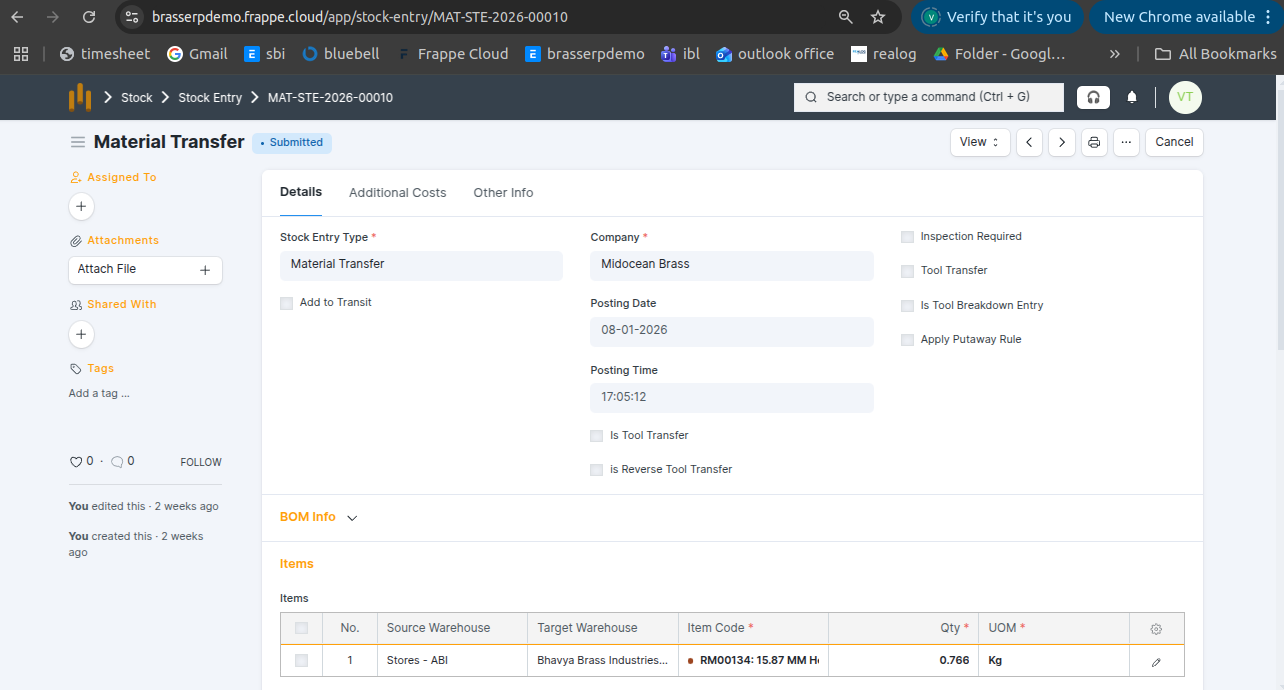
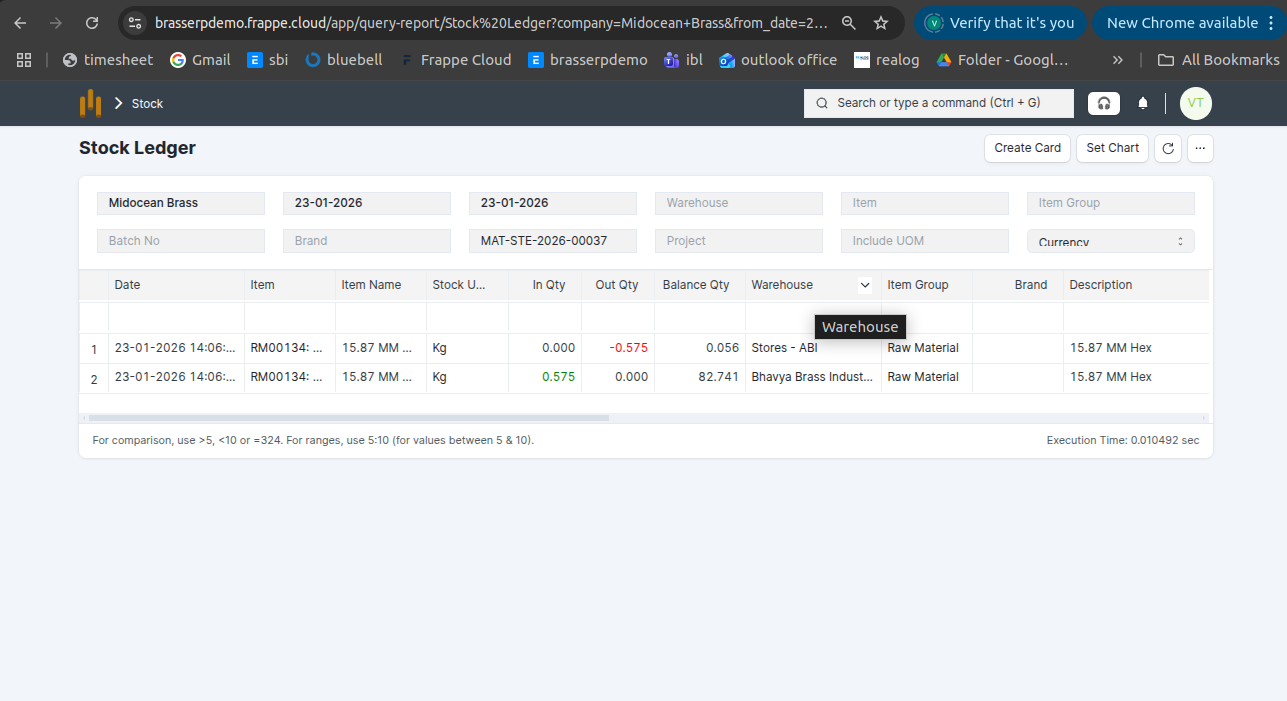
Step-6 : Click the View button and select Stock Ledger to view the stock movements.
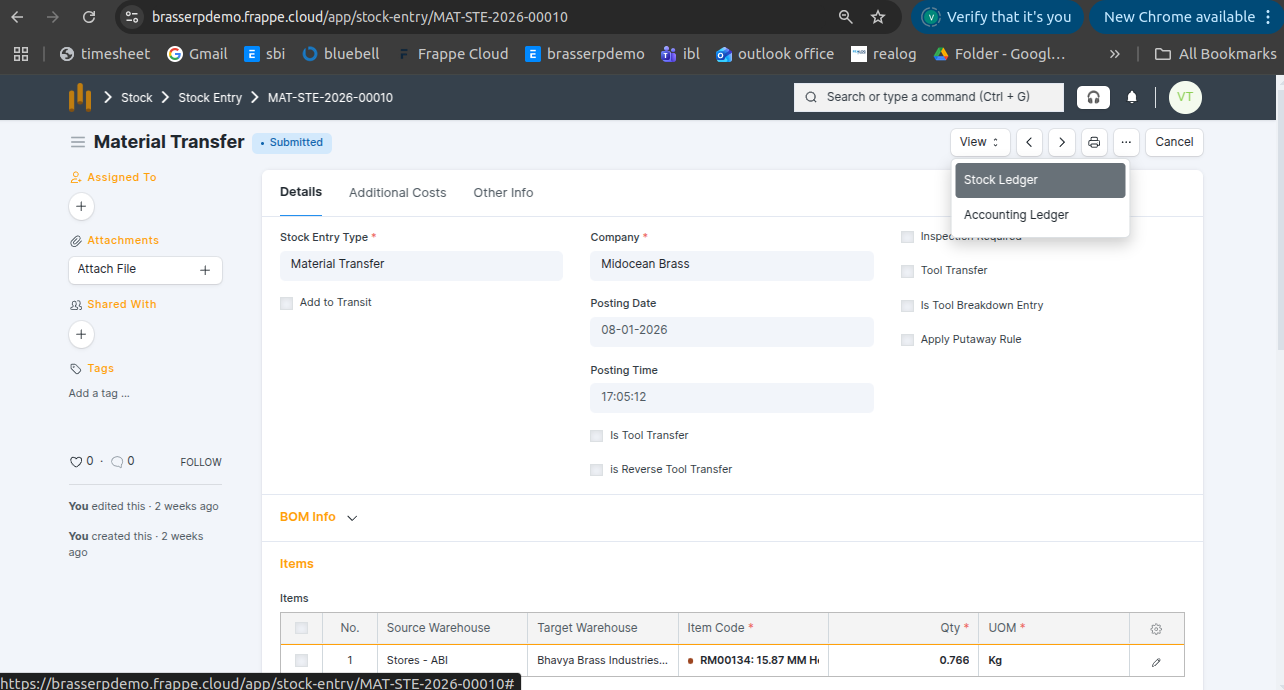
Step-7 : The stock is updated accordingly in the Stock Ledger.