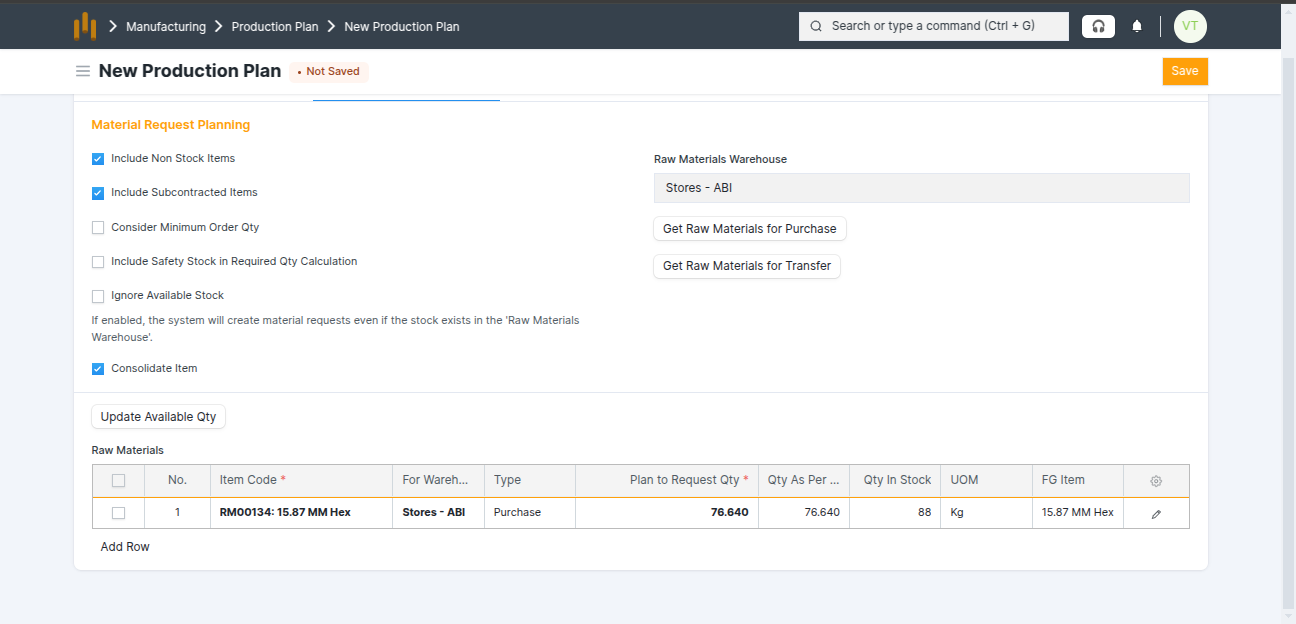
3.1 Production Plan
- A Production Plan is used to plan manufacturing activities based on customer demand or stock requirements.
- It helps the production team decide:
- List item What items need to be manufactured
- How much quantity to produce
- When production should start
How to Create Production Plan ?
- Go to Production Plan and click New.
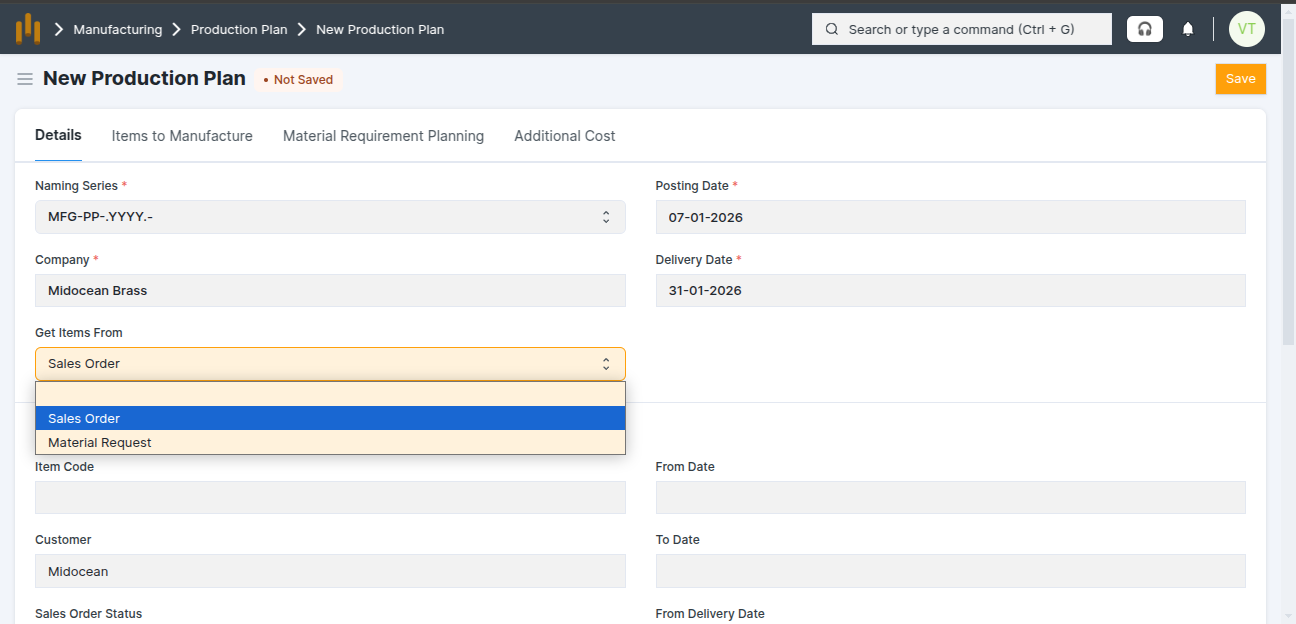
- In Get Items From, select Sales Order.
- Add Delivery Date and Select Customer
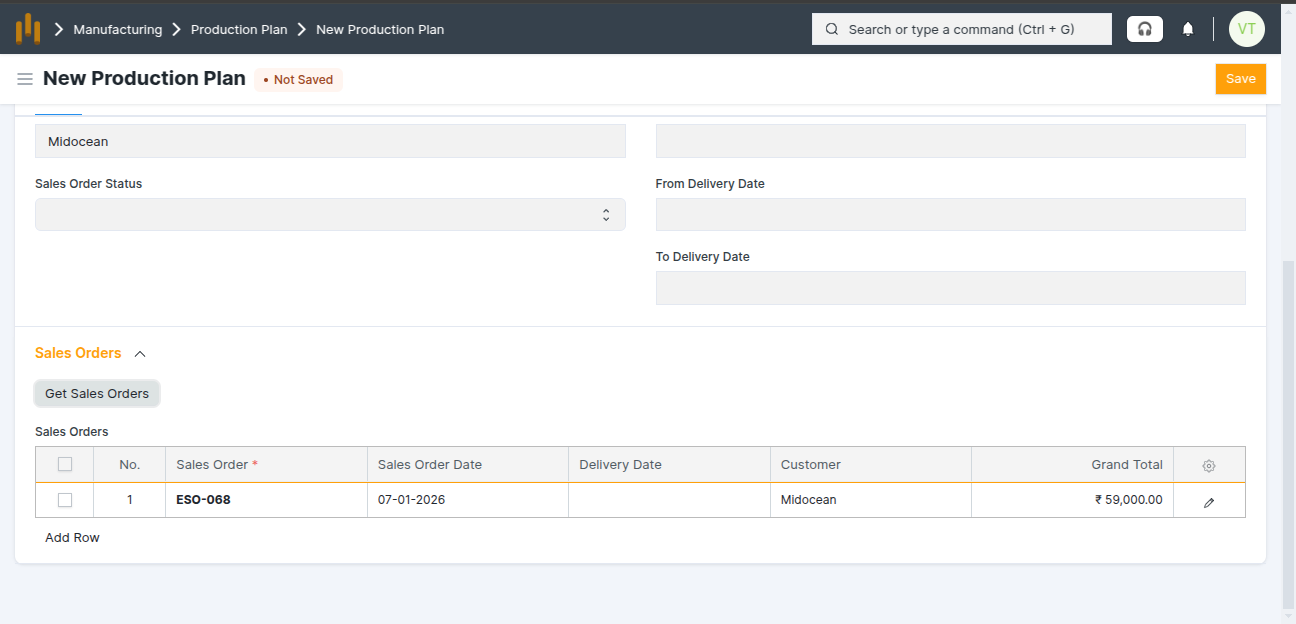
- Click Get Sales Orders Button to add the sales order details.
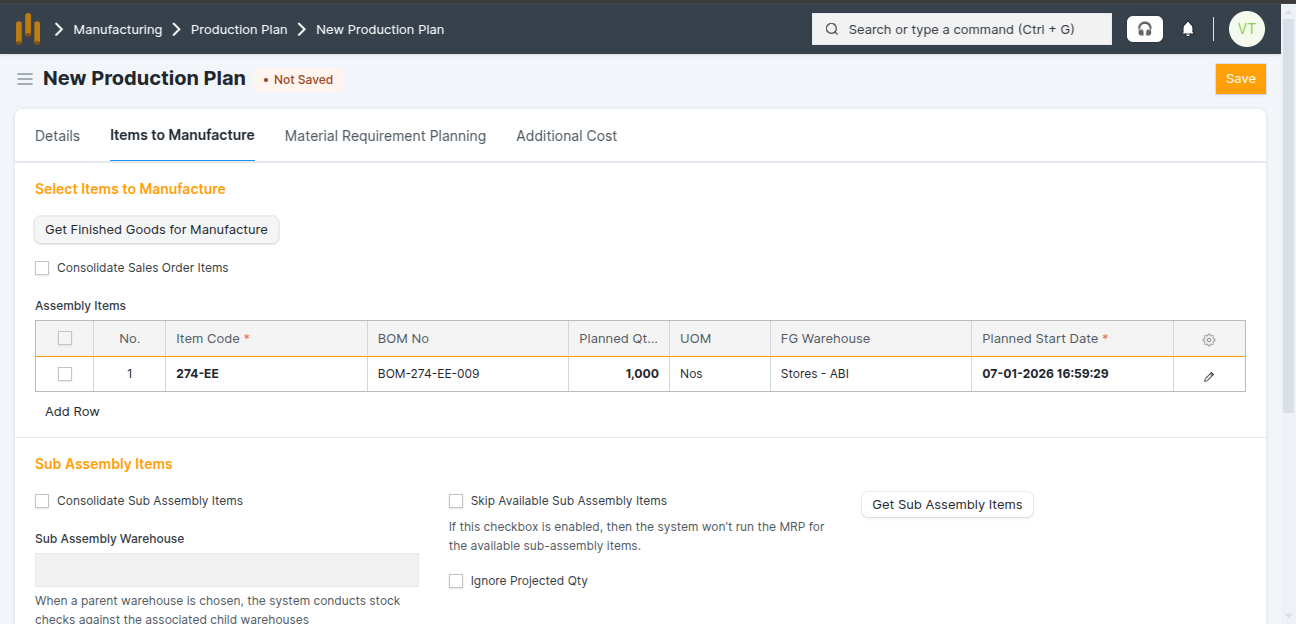
- Click Get Finished Goods For Manafacture Button - This button is used to add assembly (finished goods) items to the Production Plan.
- Assembly items table show the Finish good details: Item, Bom No, UOM , FG Warehouse, Planned Qty and Planned Start Date
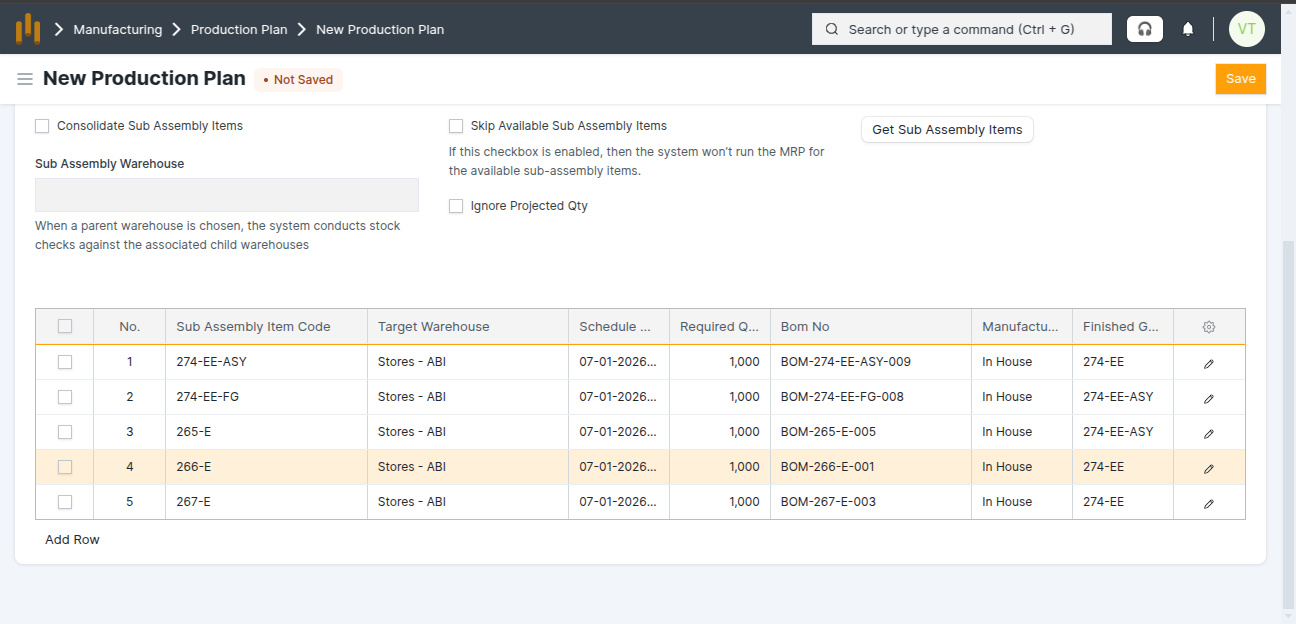
- Click Get Sub Aseembly Items Button - This button is used to add sub-assembly items required for manufacturing.
- Sub Assembly items table show the assembly items details: Sub Assembly Item Code, Target Warehouse,Schedule Date, Required Qty, Bom No, Manufacturing Type, and Finished Good
- Select Raw Materials Warehouse and Click Get Raw Material for Purchase Button - This button is used to fetch raw material items required for manufacturing.
- Raw Materials items table show the Raw Materials items details: Item Code, For Warehouse, Type, Plan to Request Qty, Qty As Per BOM, Qty In Stock, UOM, FG Item
- Save the Production Plan.