6.3 Purchase Order
A Purchase Order is a formal document issued to a supplier confirming the purchase of items, quantities, rates, delivery dates, and terms.
A Purchase Order can be created:
- From a Material Request (Purchase type) or
- After finalizing rates through RFQ and Supplier Quotation
Purpose
- To officially place an order with a supplier.
- To confirm agreed rates, quantities, and delivery terms.
- To act as a reference document for receiving goods.
Purchase Order Creation Flow
Method 1: Purchase Order from Material Request
When to Use:
- Supplier and rates are already known.
- No quotation comparison is required.
Steps:
- Open the submitted Material Request (Purpose = Purchase).
- Click Create → Purchase Order.
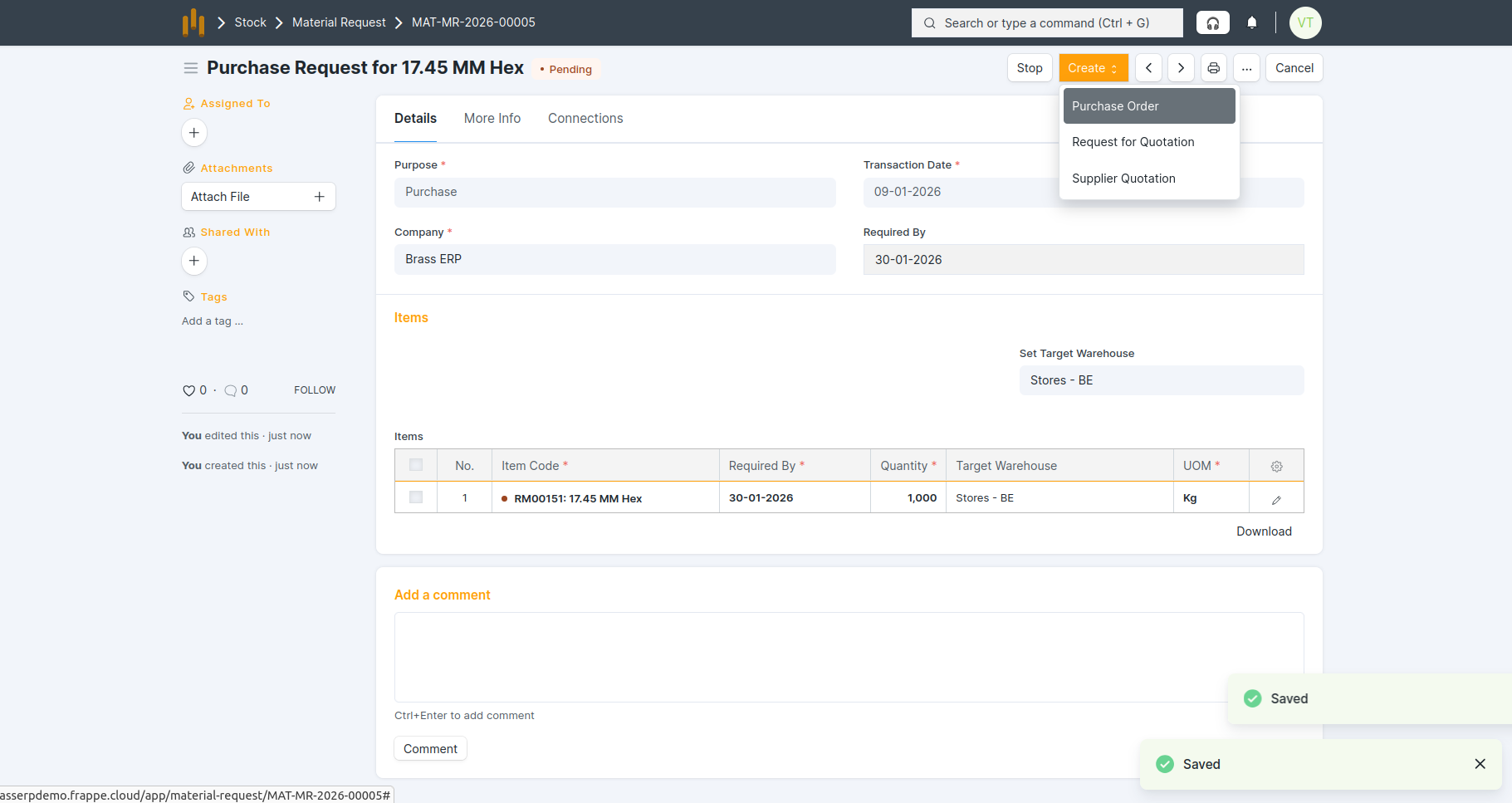
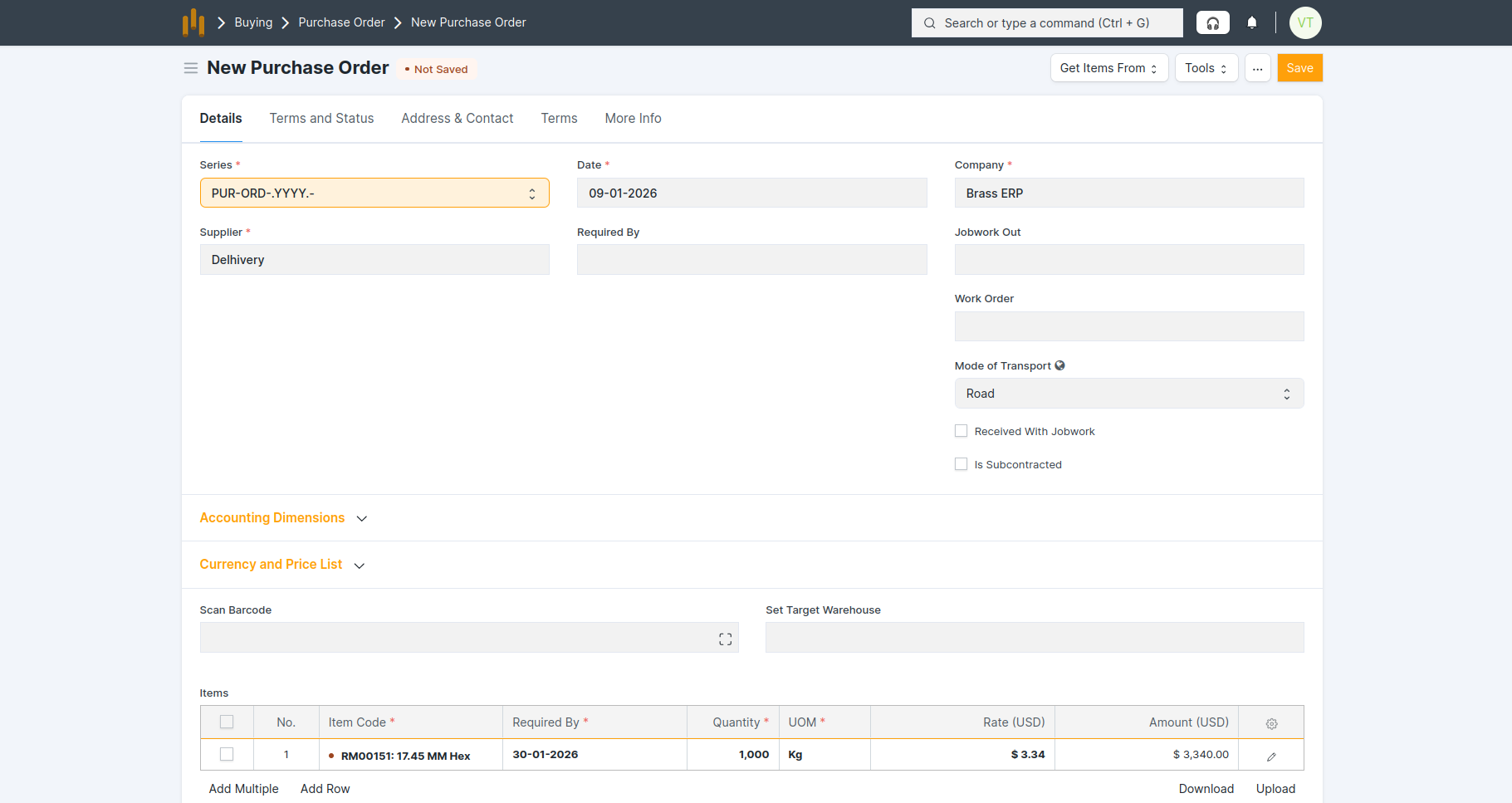
- Supplier, items, rate, uom and quantities are fetched from the Material Request.
- Save and Submit the Purchase Order.
Method 2: Purchase Order after RFQ and Supplier Quotation
When to Use:
- Multiple suppliers are involved.
- Rate and delivery comparison is required.
Steps:
- Create RFQ from Material Request.
- Create Supplier Quotation from RFQ.
- Open the selected Supplier Quotation.
- Click Create → Purchase Order.
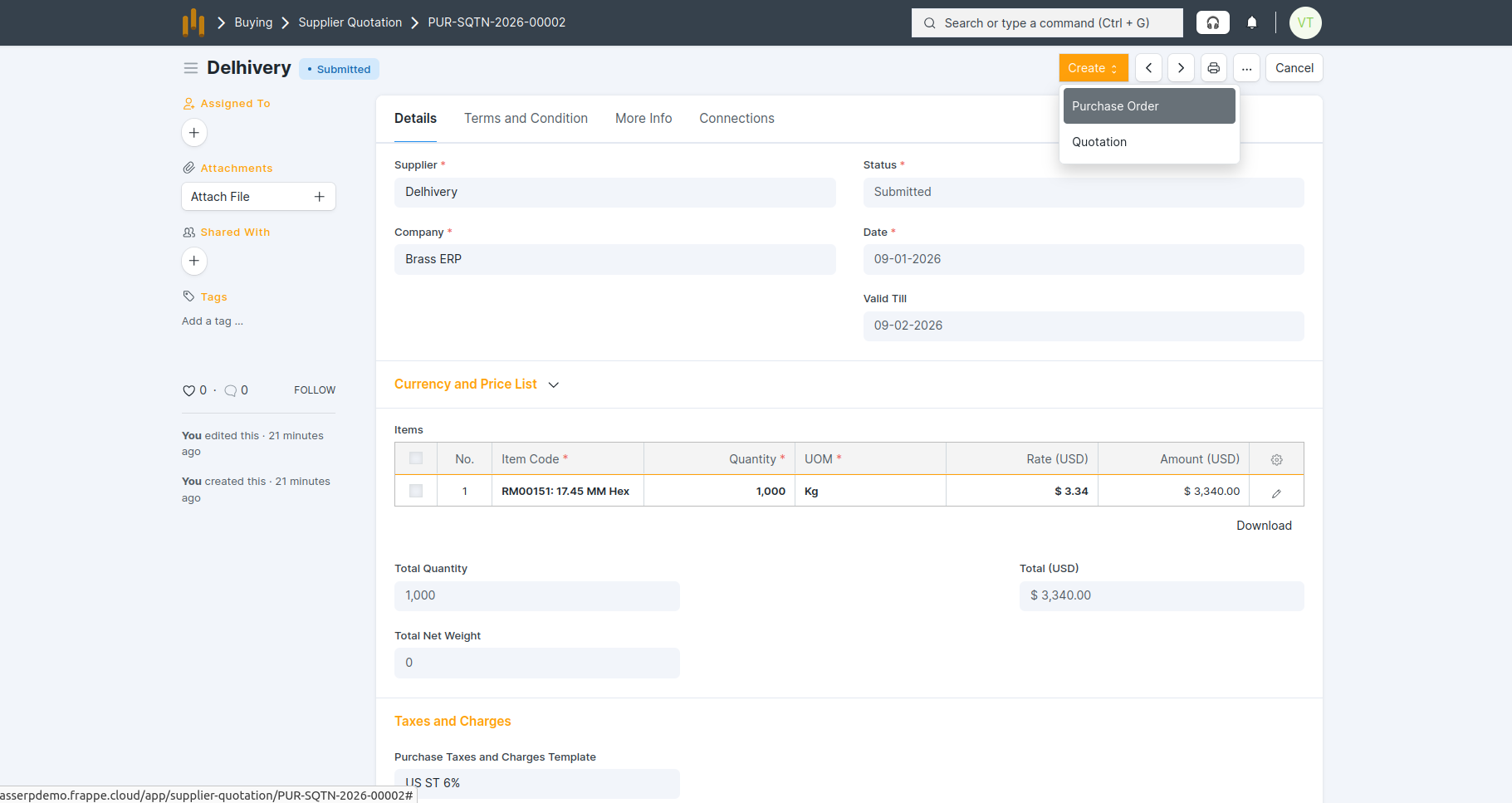
- The Purchase Order form auto-fetched from Supplier Quotation show in below screenshot.
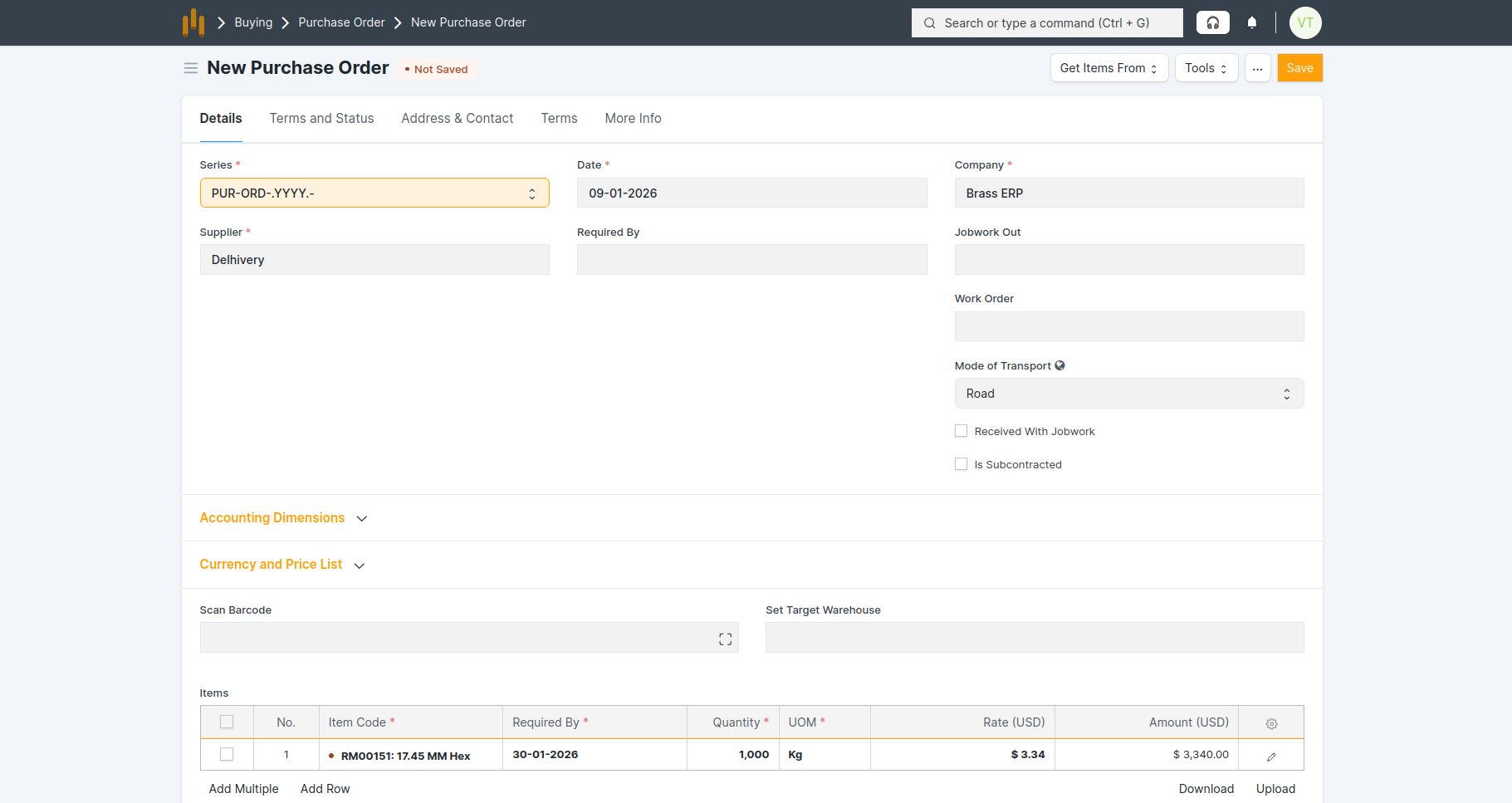
- Save and Submit the Purchase Order