4.2 Jobwork In
- Jobwork In is used when processed items or finished goods are received back from the job worker after completing the assigned jobwork.
- Jobwork In confirms that the job worker has completed the work and returned the material.
When to Use Jobwork In
- When the job worker returns finished goods after processing raw material.
- When processed items (polishing, coating, machining, etc.) are received back.
- When assembled products are received from the job worker.
- When scrap or by-products are returned along with finished goods.
- When you want to update stock and close pending jobwork quantities.
How to create a Jobwork In?
1. Raw Material to Finished Goods (BOM)
- Receive finished goods from the job worker that are manufactured from raw materials according to a specific Bill of Materials (BOM).
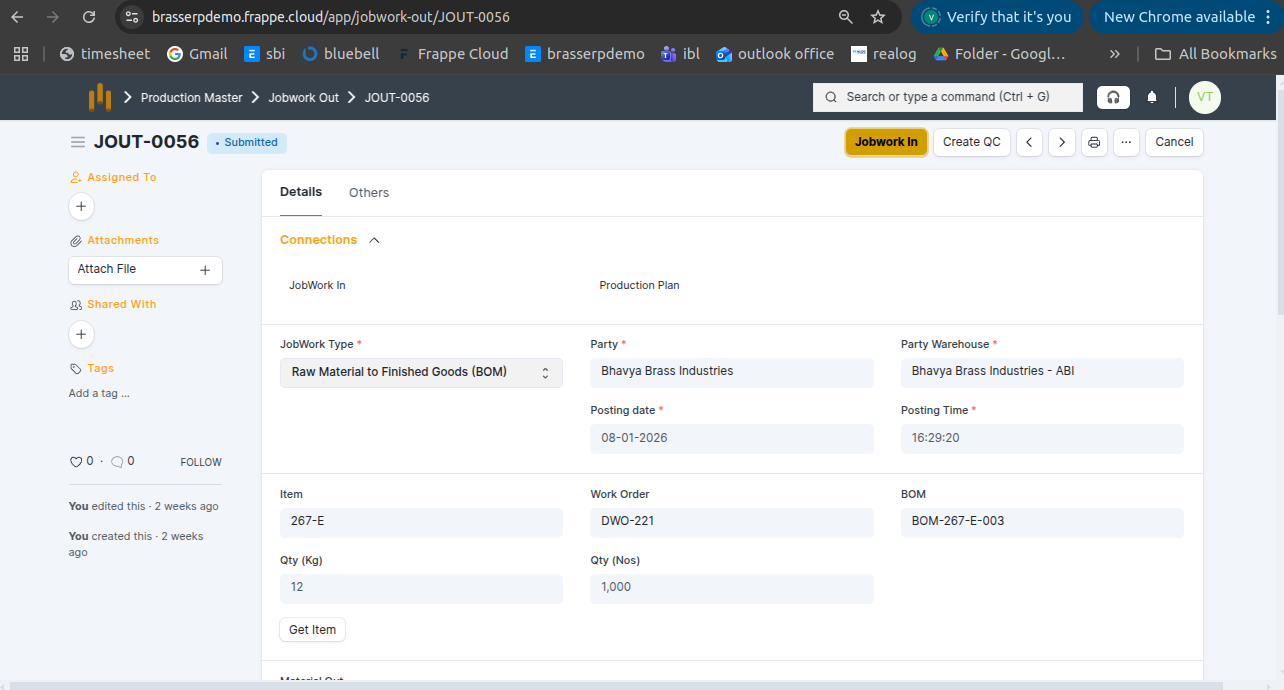
Step-1 : Go to Jobwork Out and click the Jobwork In button after the Jobwork Out is submitted.
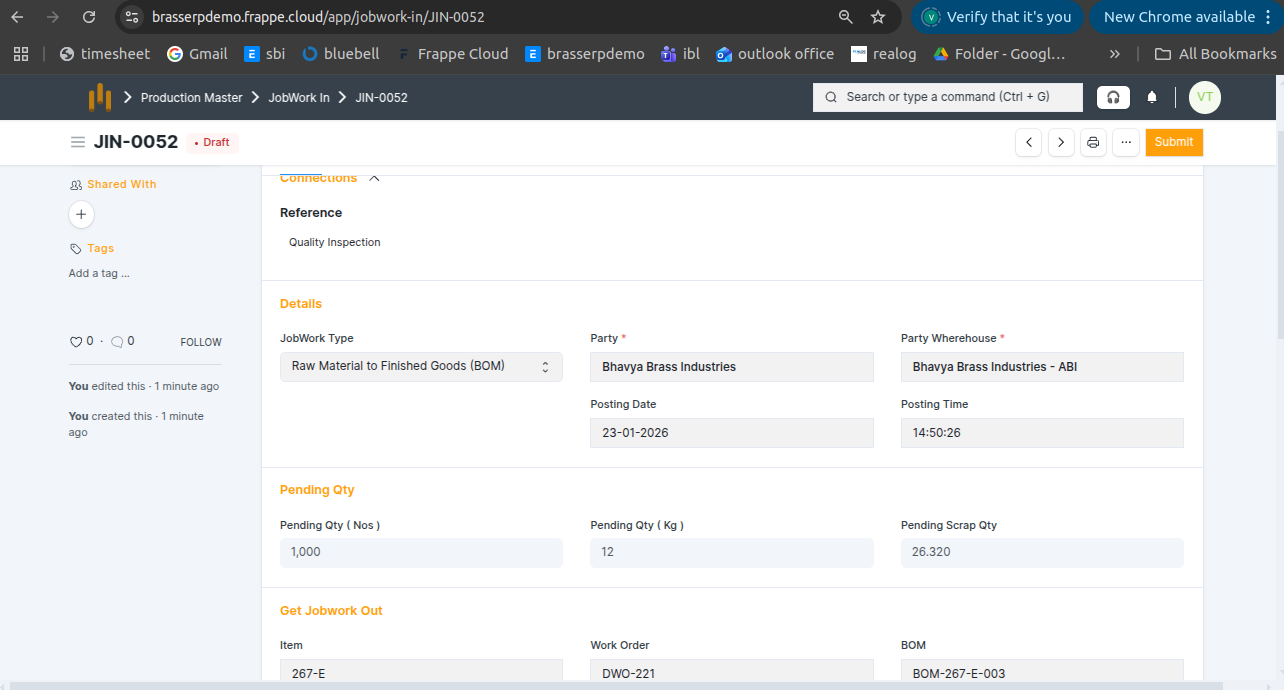
Step-2 : The Jobwork In document is created in Draft status. All details are auto-fetched from Jobwork Out, including: Jobwork Type , Party , Posting Date and Time , Party Warehouse , Pending Quantity (Nos & KG) , Pending Scrap Quantity , Item, Work Order, and BOM
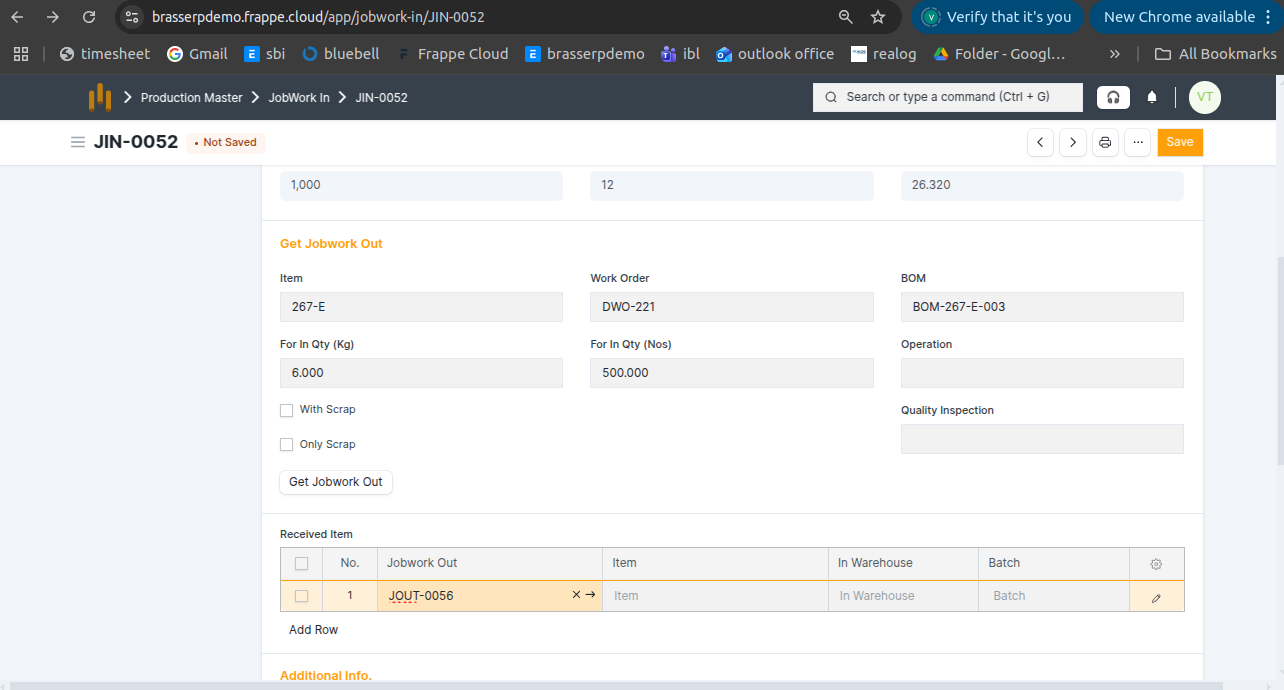
Step-3 : Enter the required Quantity and click the Get Jobwork Out button .
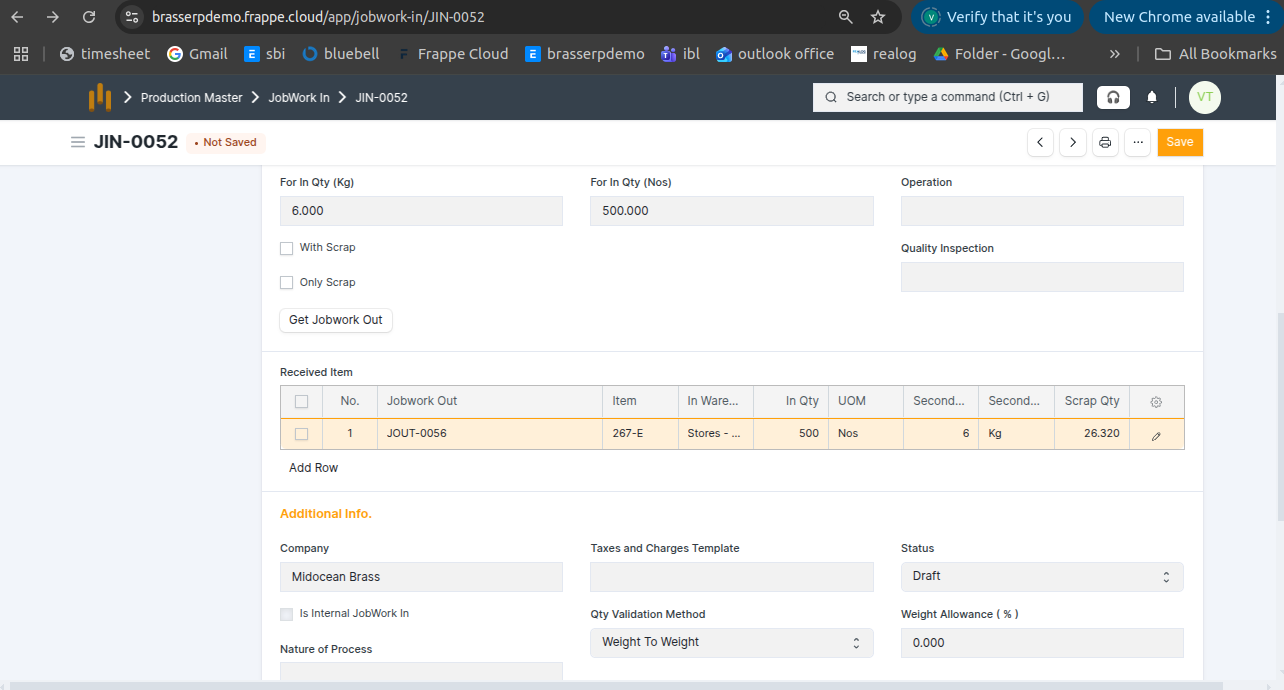
Step-4 : All item details are fetched automatically, including: Item quantity (KG and Nos) , UOM , Warehouse , Scrap quantity
Step-5 : Save and submit the form. On submission, a Stock Entry is automatically created for Manufacture .
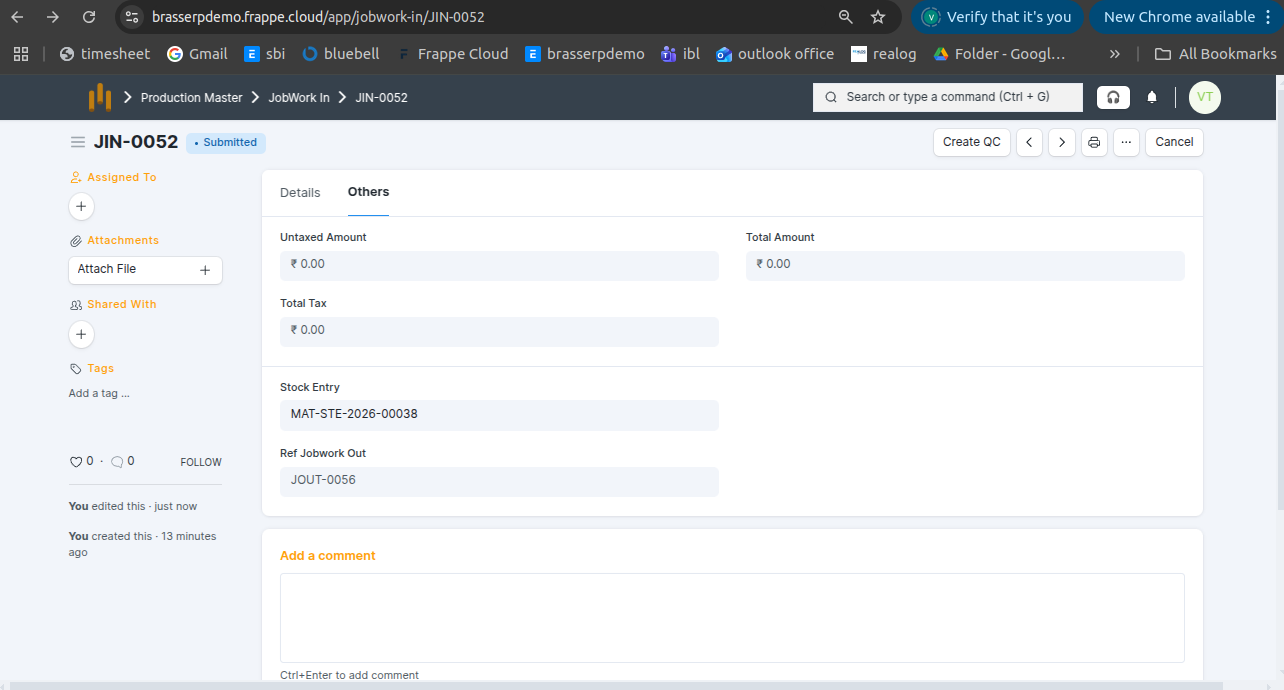
Step-6 : Raw material quantity is consumed from the source warehouse, finished goods are received in Nos, and the generated scrap quantity in KG is recorded separately.
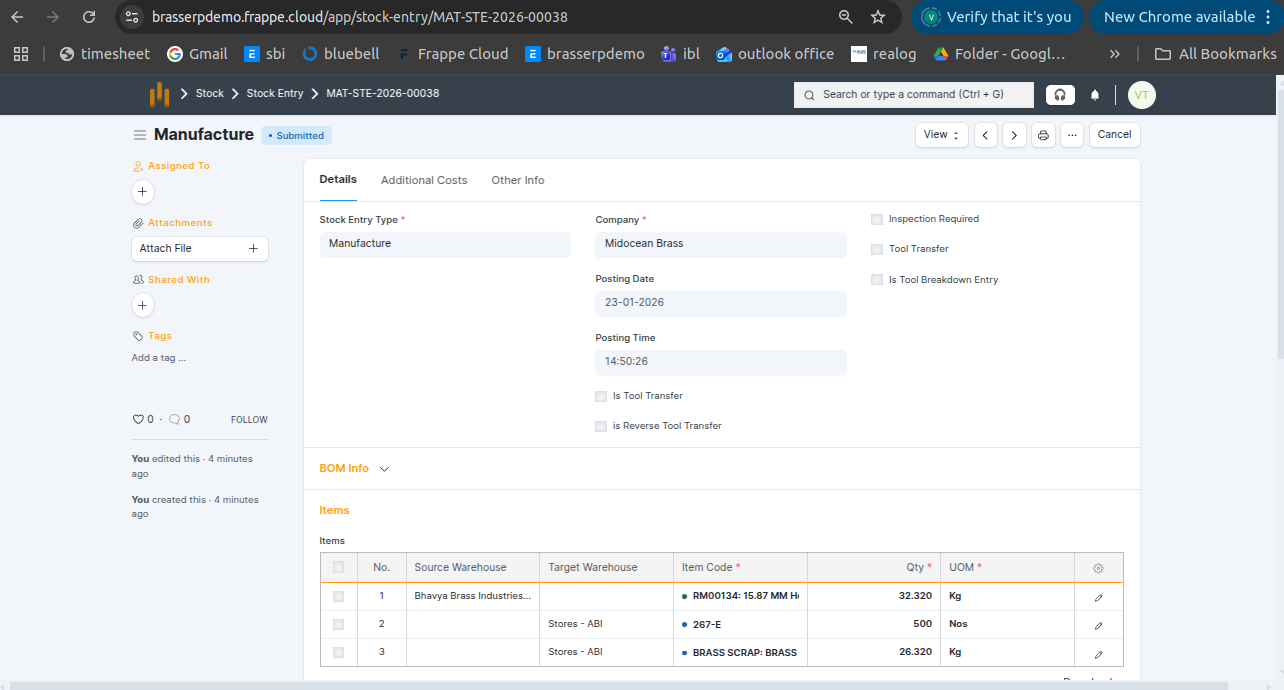
Step-7 : Click the View button and select Stock Ledger to view the stock movements.
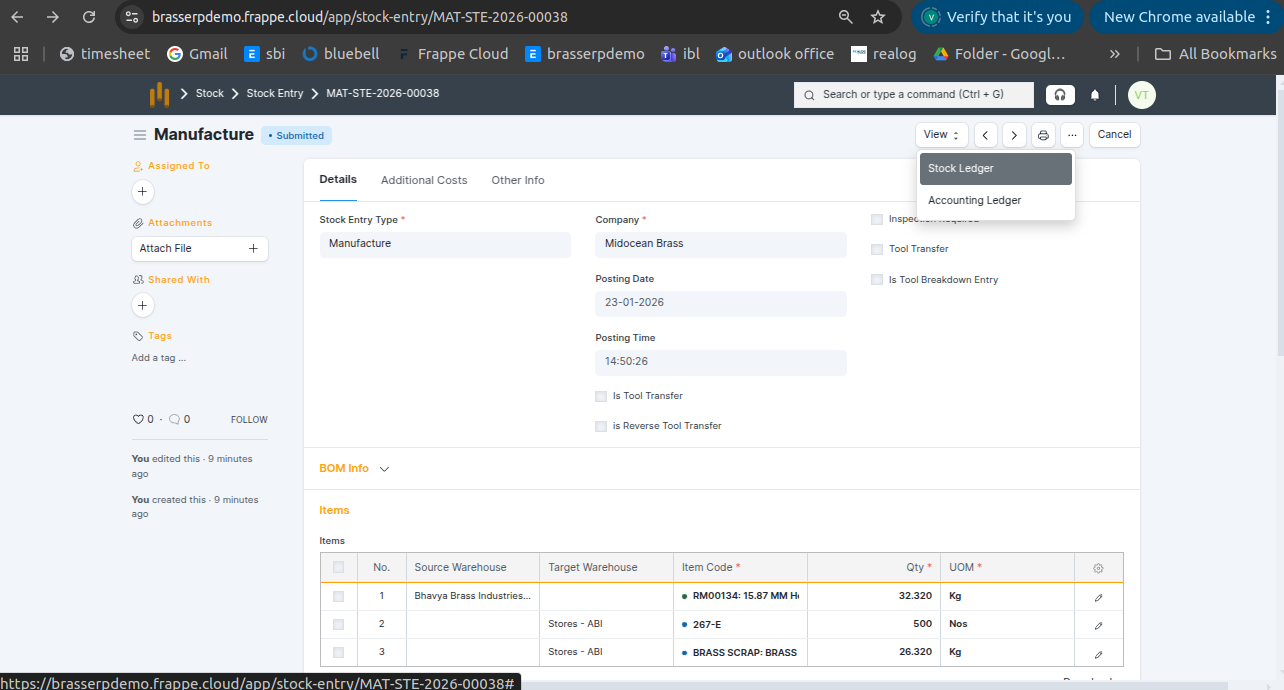
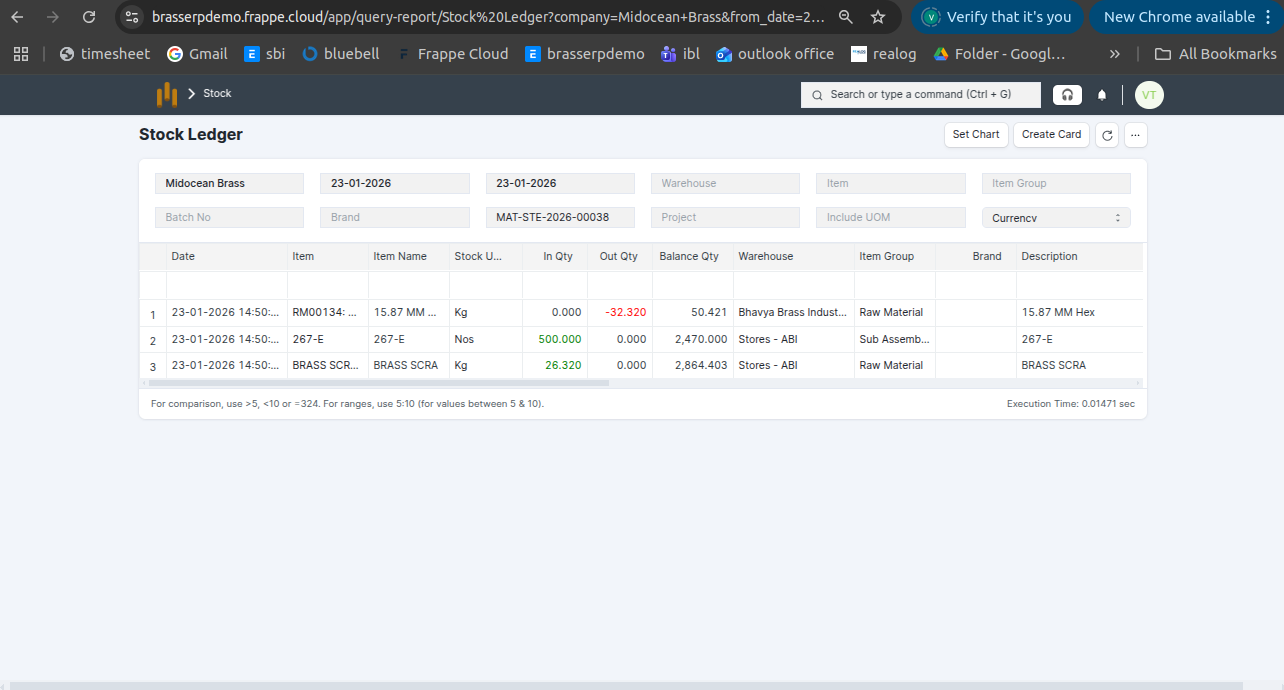
Step-8 : The stock is updated accordingly in the Stock Ledger.
2. Raw Material to Finished Goods
- Receive finished goods from the job worker that are manufactured from raw materials.
Step-1 : Go to Jobwork Out and click the Jobwork In button after the Jobwork Out is submitted.
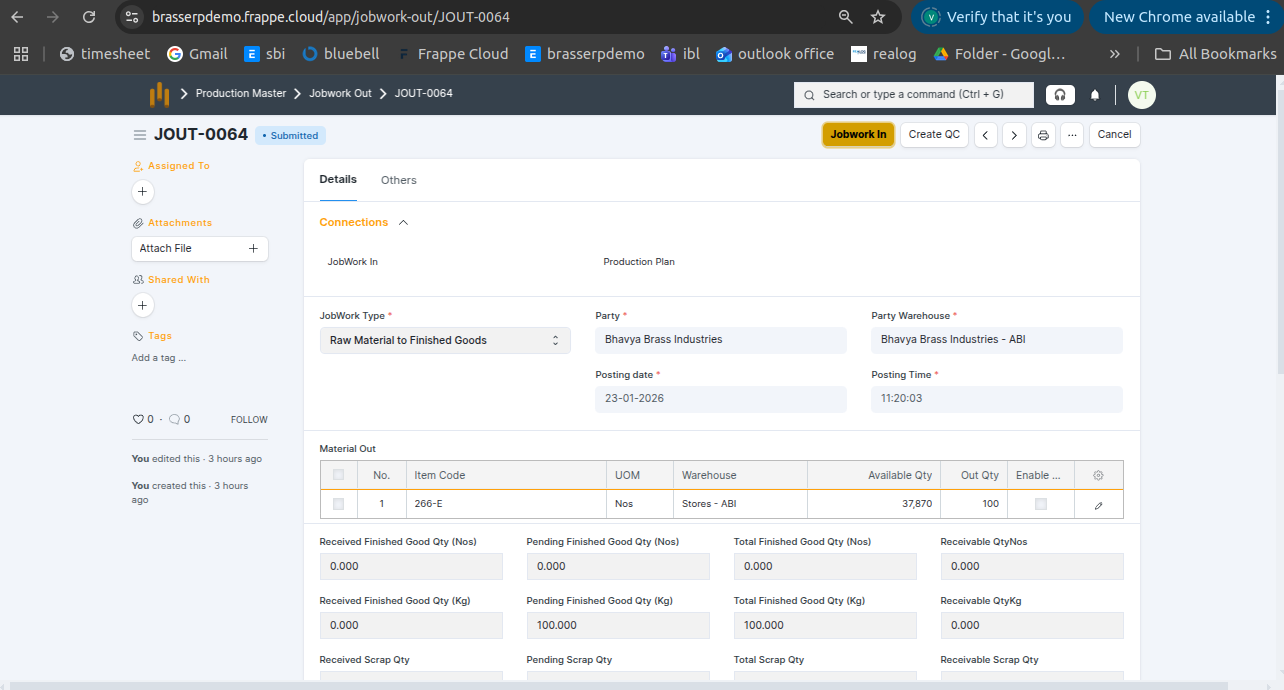
Step-2 : The Jobwork In document is created in Draft status. All details are auto-fetched from Jobwork Out, including: Jobwork Type , Party , Posting Date and Time , Party Warehouse , Pending Quantity (Nos & KG) , Pending Scrap Quantity
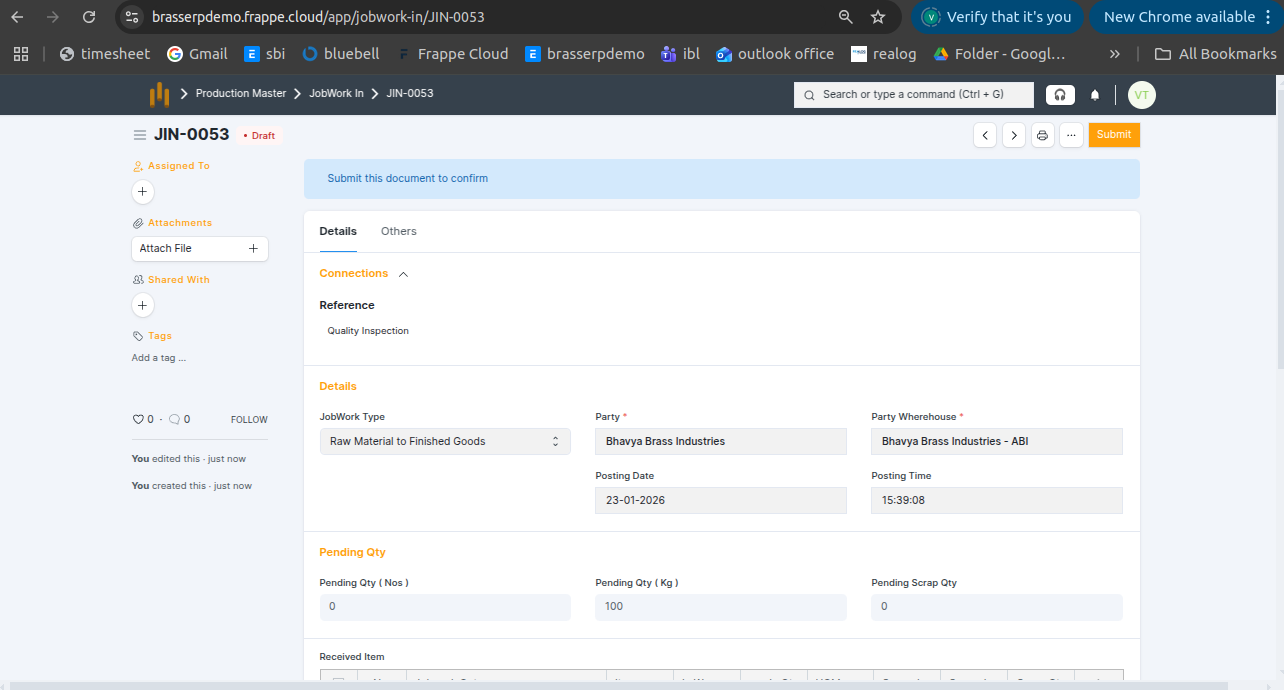
Step-3 : Enter all details such as Item, Warehouse, and Quantity.
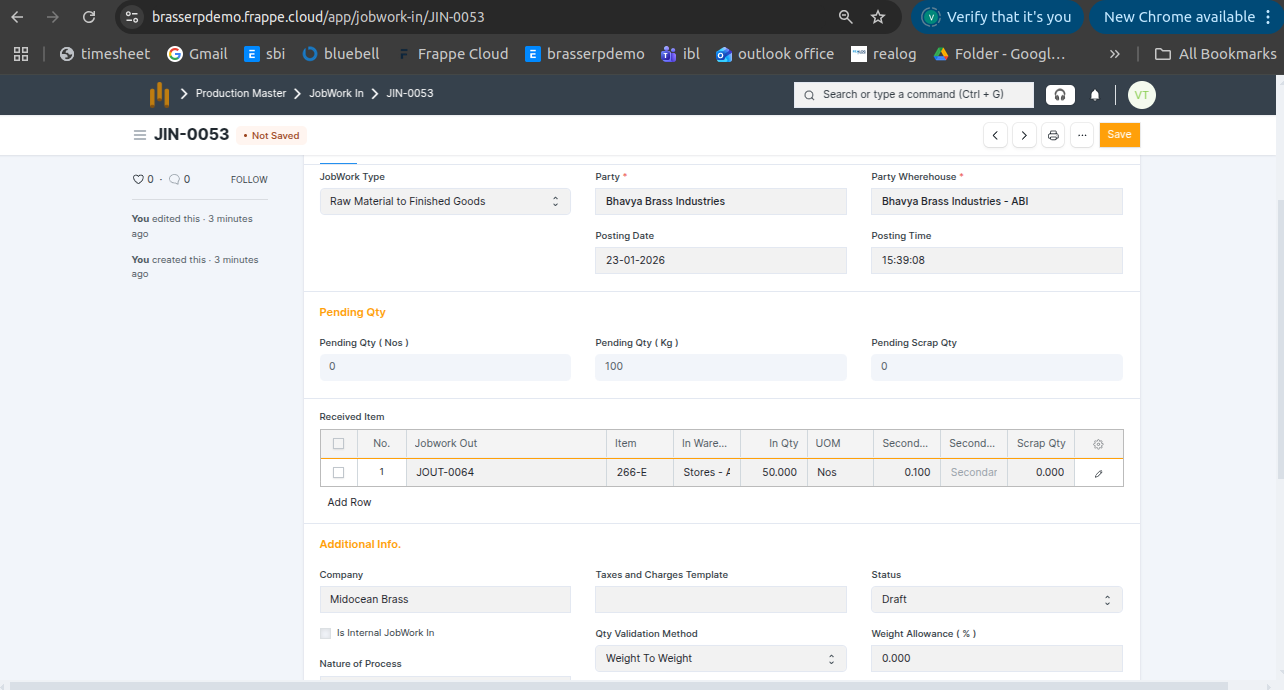
Step-5 : Save and submit the form. On submission, a Stock Entry is automatically created for Manufacture .
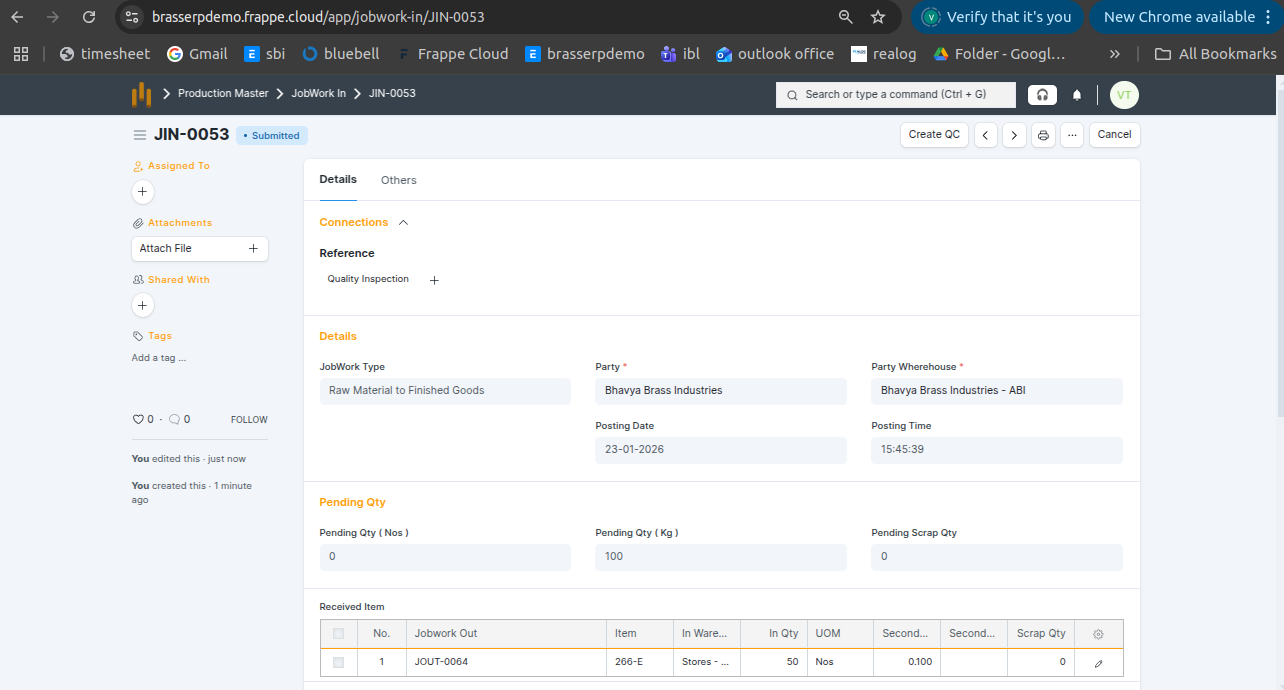
Step-6 : Raw material quantity is consumed from the source warehouse, finished goods are received in Nos, and any generated scrap quantity is recorded separately in KG
3. Scrap to Raw Material
- Receive usable raw material from the job worker that is converted from scrap material.
Step-1 : Go to Jobwork Out and click the Jobwork In button after the Jobwork Out is submitted.
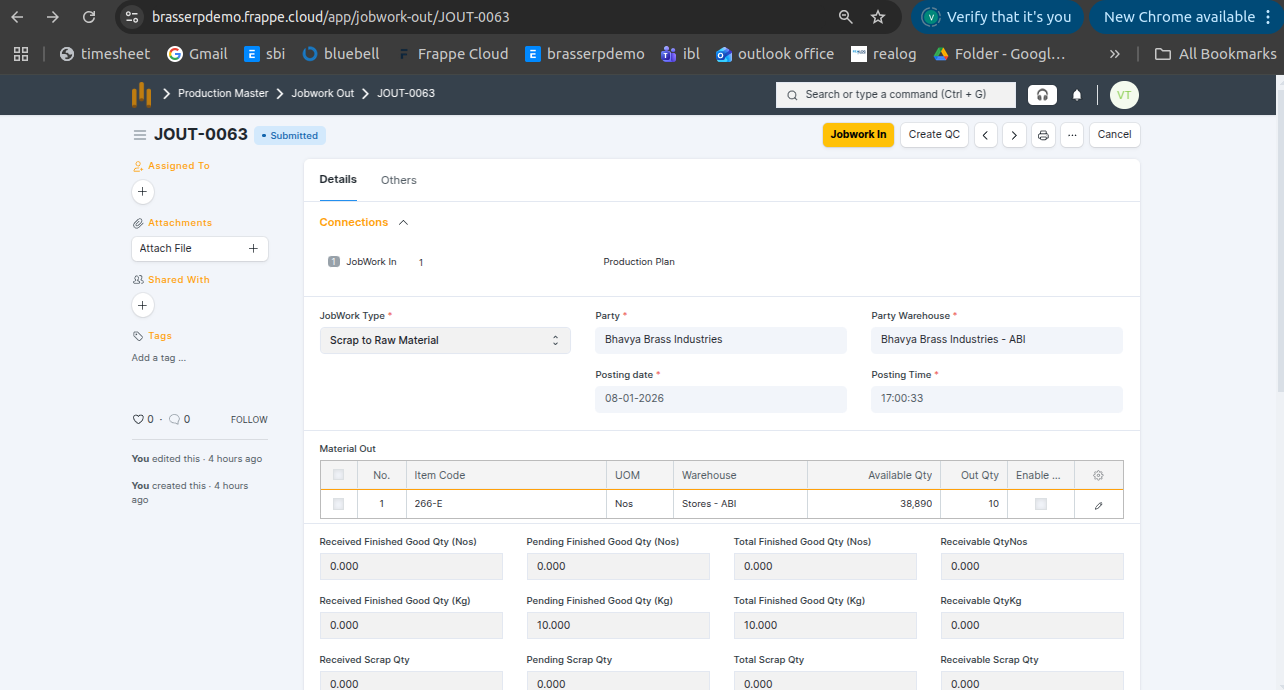
Step-2 : The Jobwork In document is created in Draft status. All details are auto-fetched from Jobwork Out, including: Jobwork Type , Party , Posting Date and Time , Party Warehouse , Pending Quantity (Nos & KG) , Pending Scrap Quantity
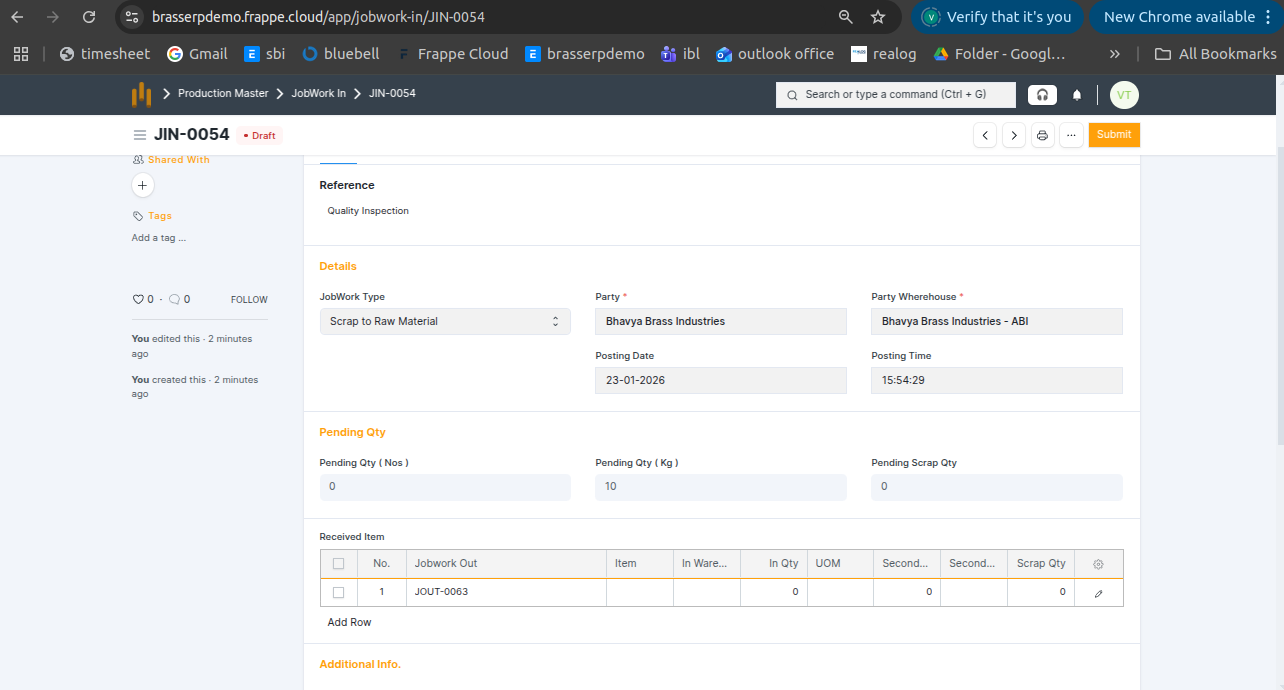
Step-3 : Enter all details such as Item, Warehouse, and Quantity.
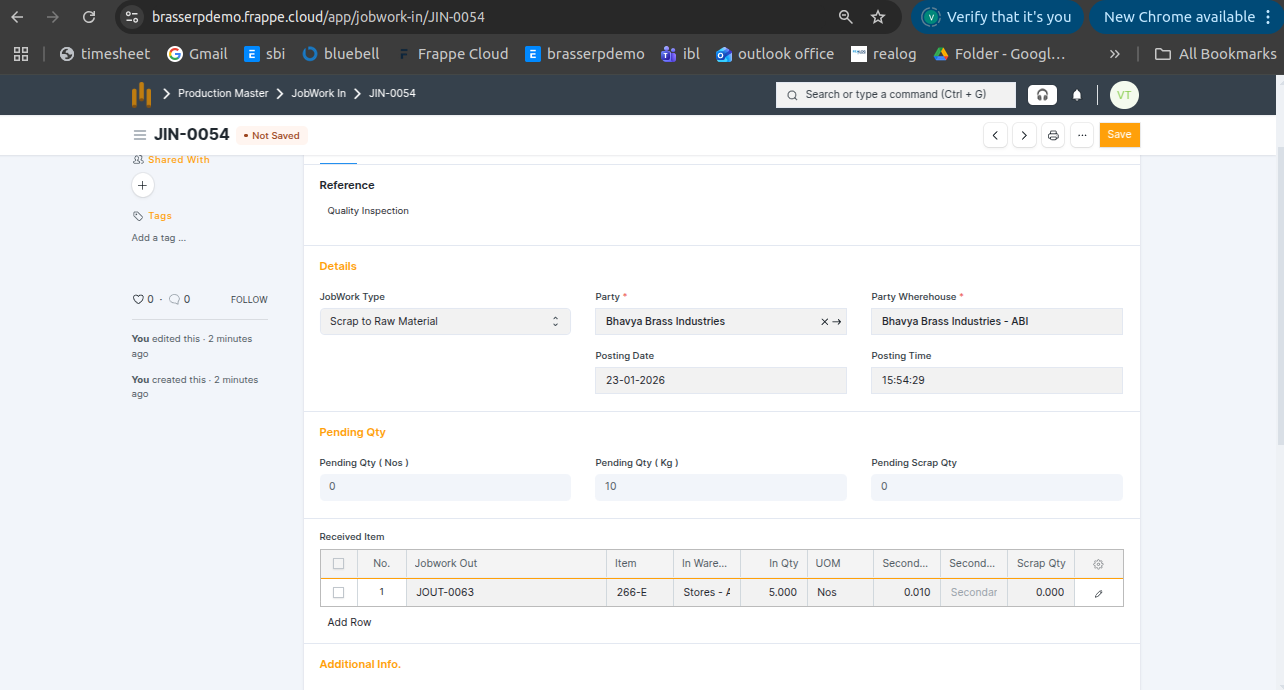
Step-5 : Save and submit the form. On submission, a Stock Entry is automatically created for Manufacture .
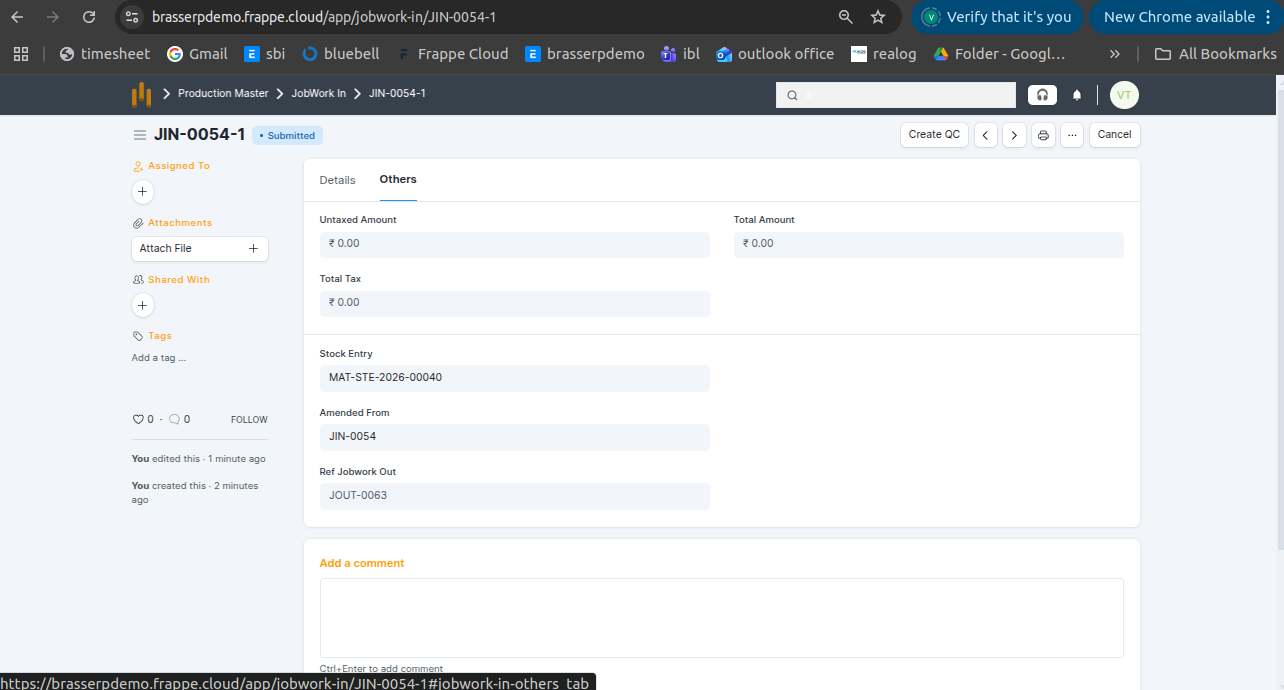
Step-6 : Raw material quantity is consumed from the source warehouse, and the finished goods are received in the target warehouse in Nos.
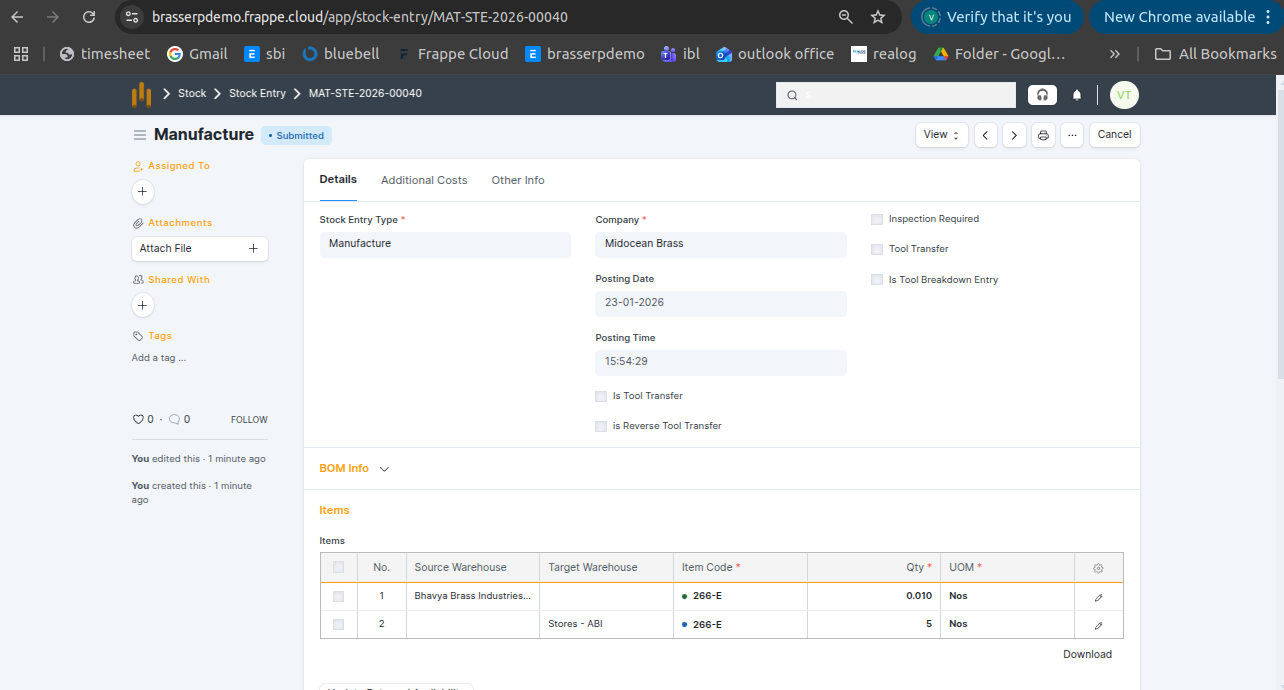
Step-7 : Click the View button and select Stock Ledger to view the stock movements.
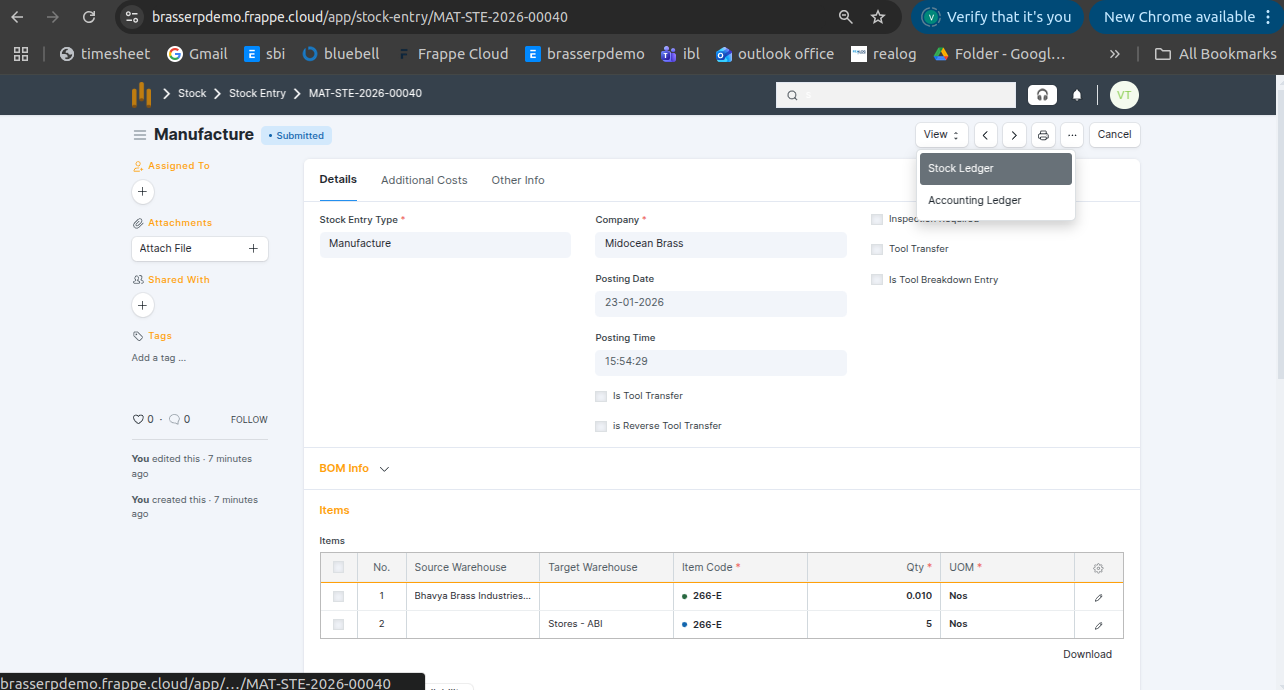
Step-8 : The stock is updated accordingly in the Stock Ledger.
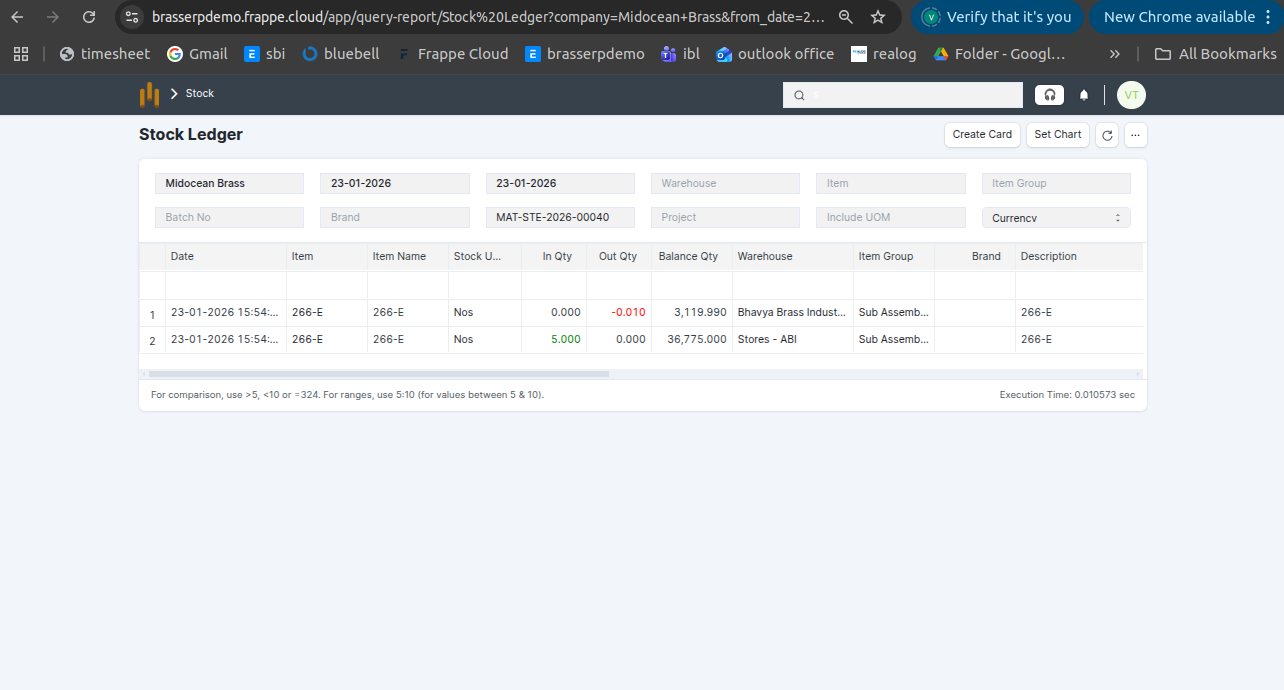
4. Item / Product Process
- Receive the finished item or product from the job worker after processing.
Step-1 : Go to Jobwork Out and click the Jobwork In button after the Jobwork Out is submitted.
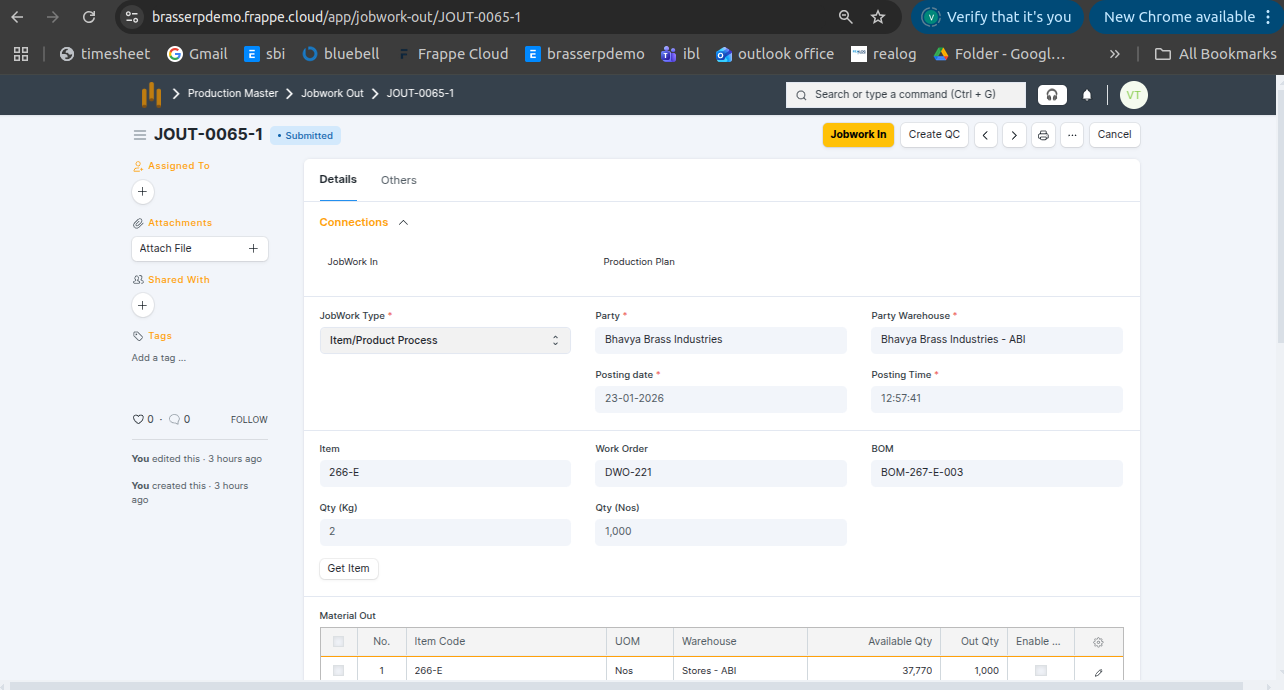
Step-2 : The Jobwork In document is created in Draft status. All details are auto-fetched from Jobwork Out, including: Jobwork Type , Party , Posting Date and Time , Party Warehouse , Pending Quantity (Nos & KG) , Pending Scrap Quantity
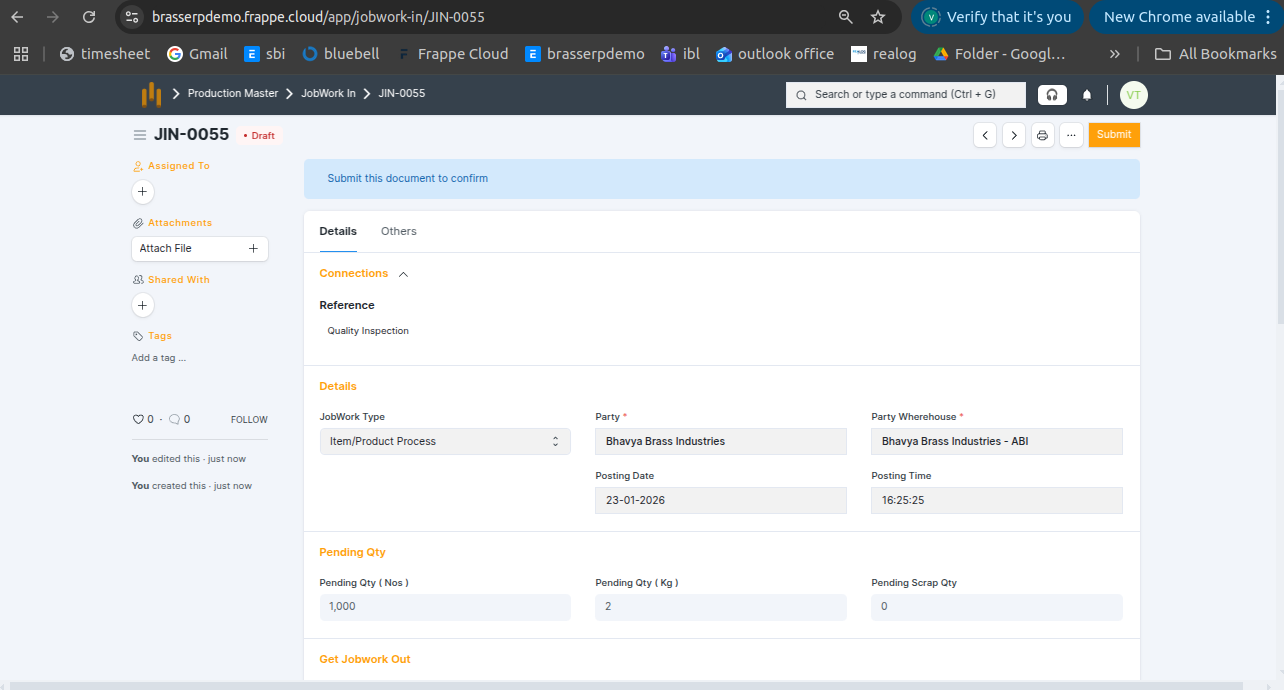
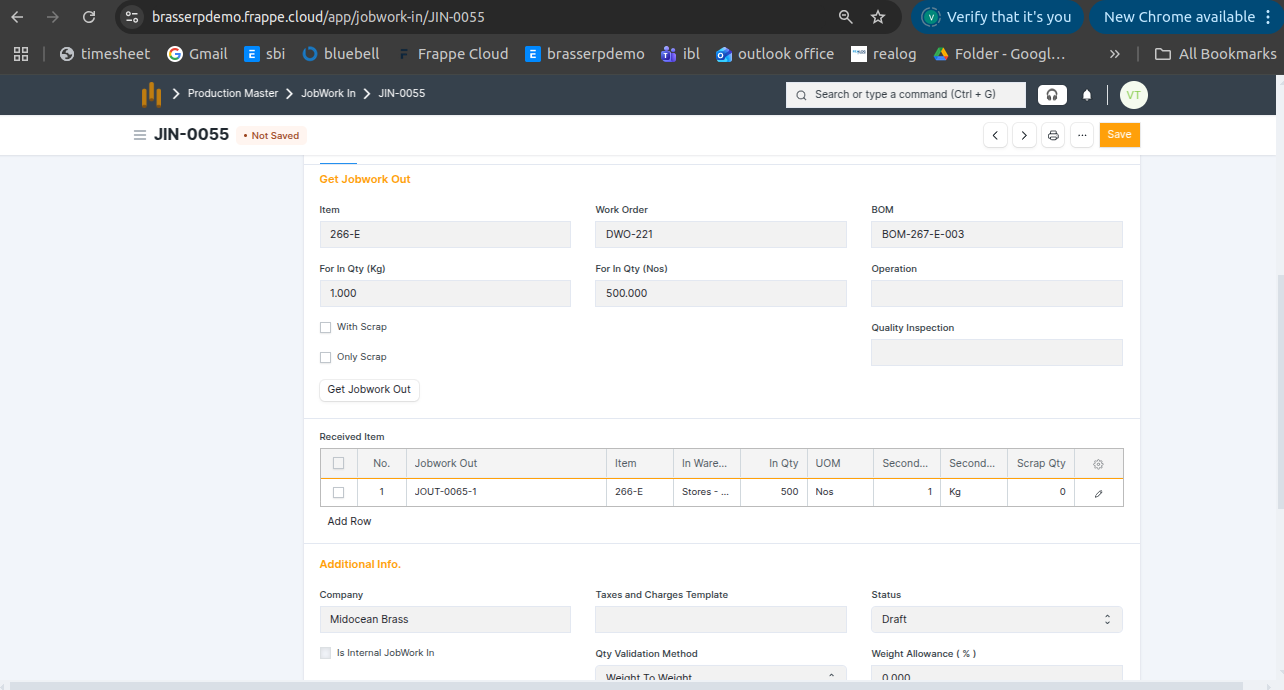
Step-3 : Enter Quantity and click Get Jobwork Out Button .
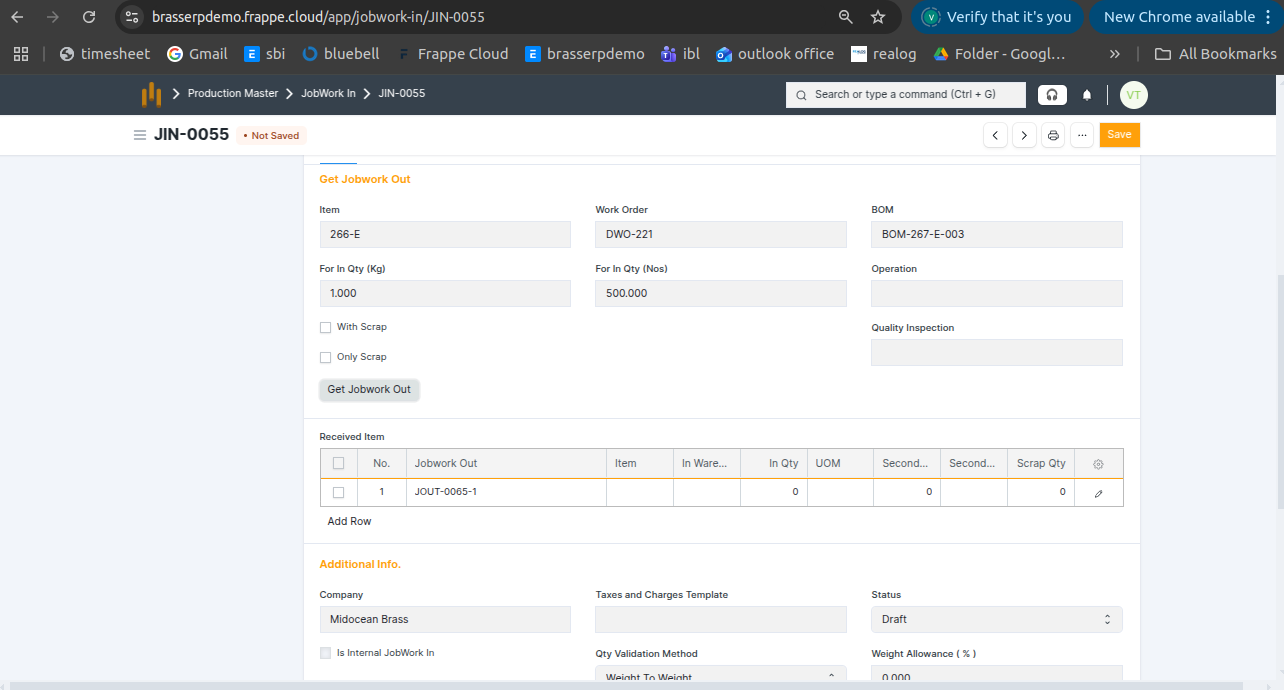
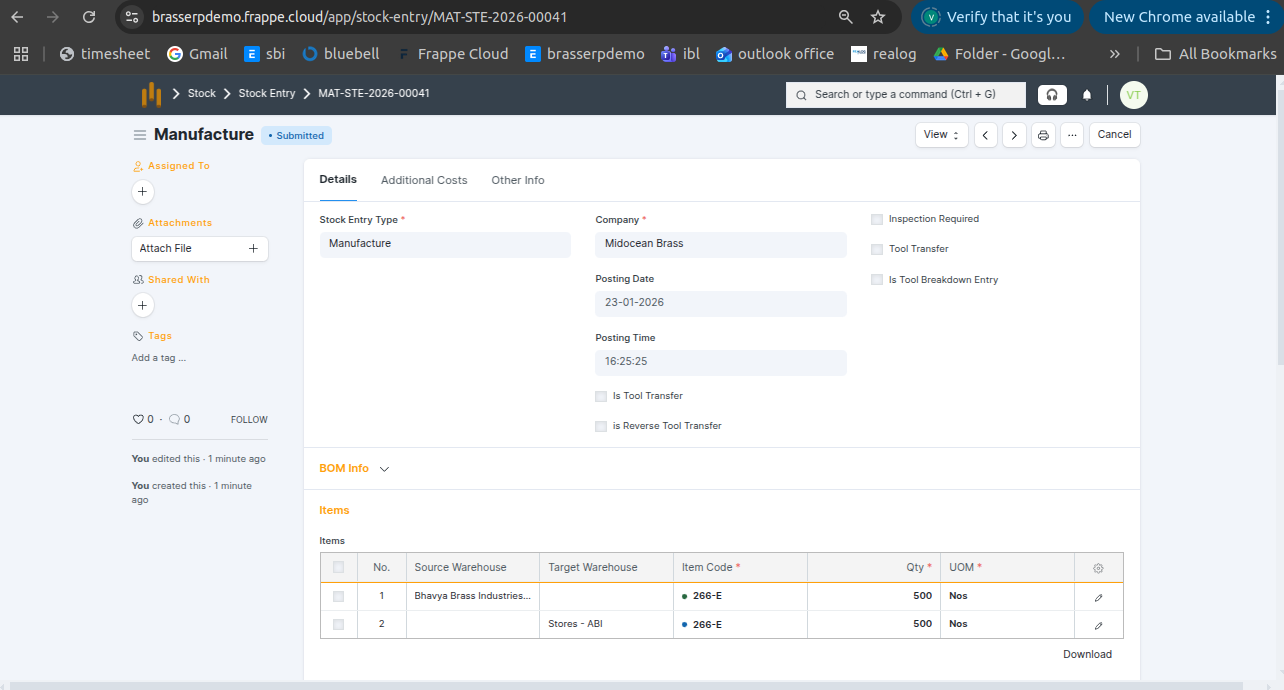
Step-5 : Save and submit the form. On submission, a Stock Entry is automatically created for Manufacture .
Step-6 : The raw material is issued from the source warehouse, processed, and the finished item is received in the target warehouse. Quantities are recorded in Nos.
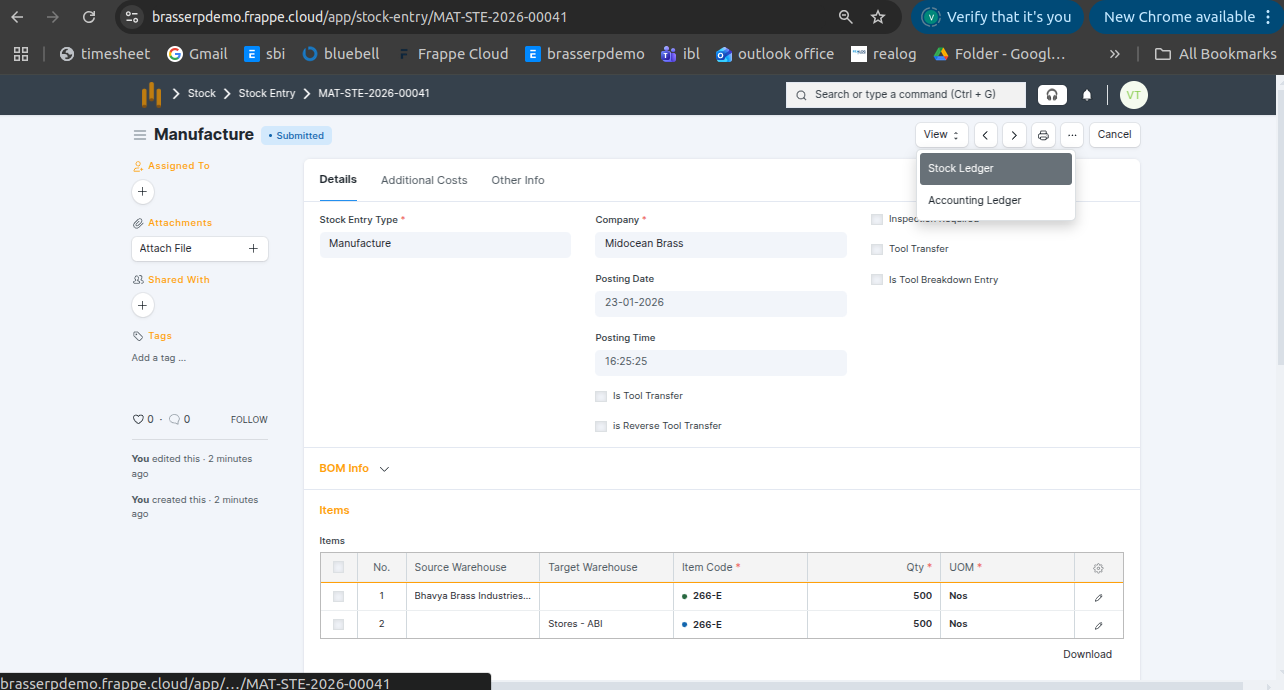
Step-7 : Click the View button and select Stock Ledger to view the stock movements.
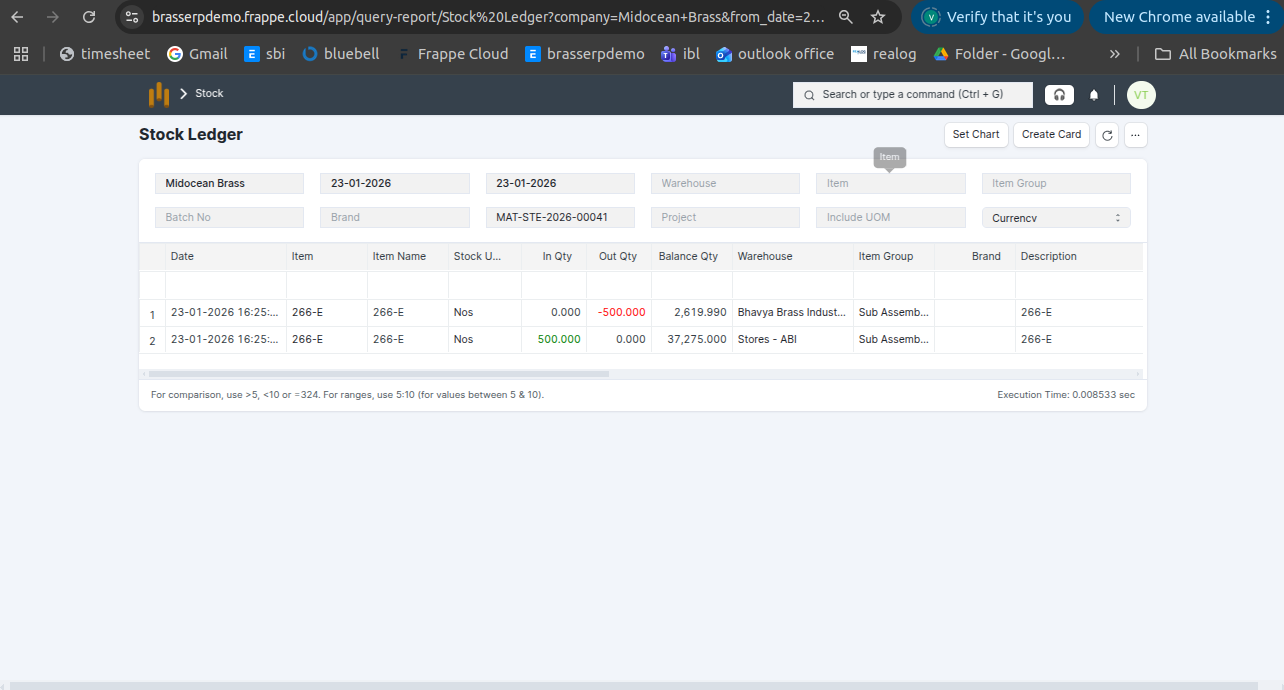
Step-8 : The stock is updated accordingly in the Stock Ledger.
5. Item / Product Process (BOM)
- Receive the finished item or product from the job worker after processing.
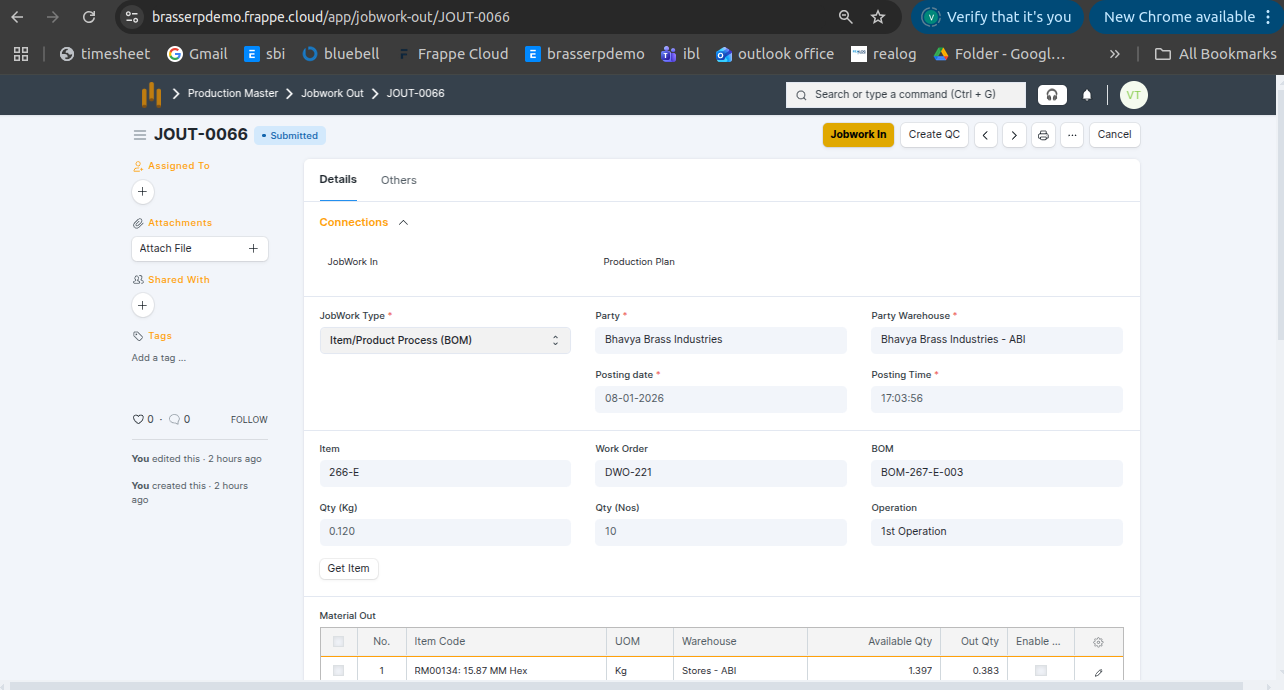
Step-1 : Go to Jobwork Out and click the Jobwork In button after the Jobwork Out is submitted.
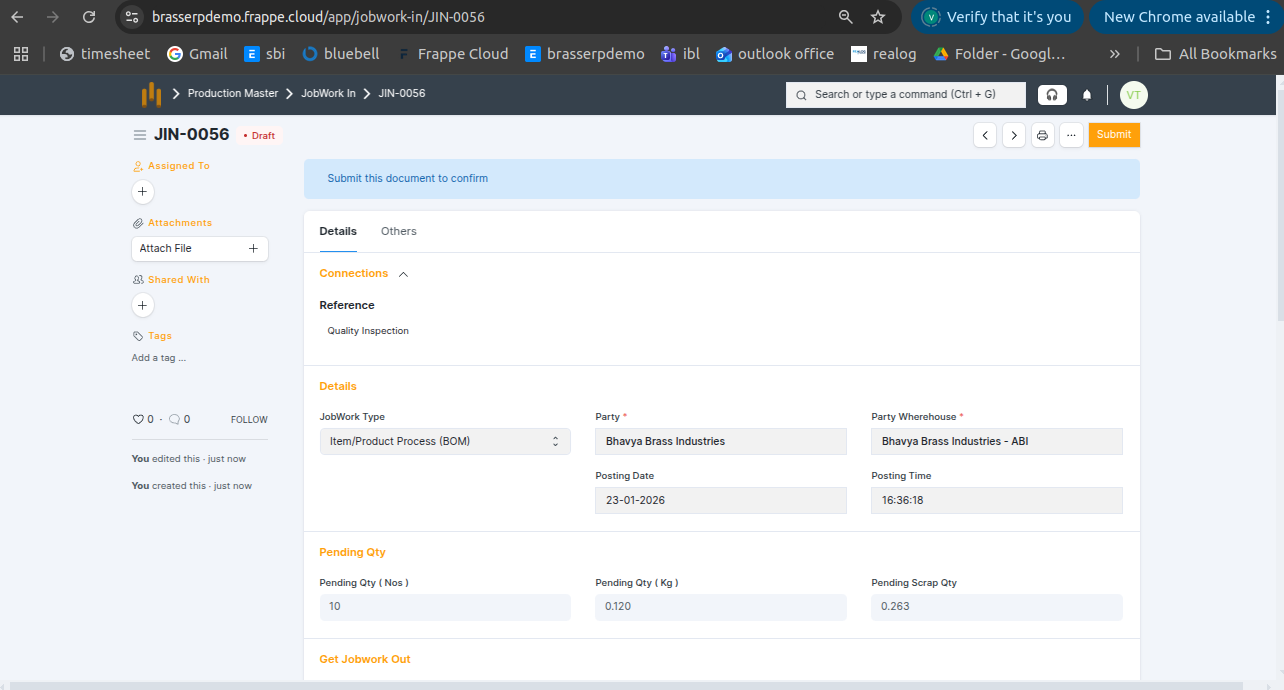
Step-2 : The Jobwork In document is created in Draft status. All details are auto-fetched from Jobwork Out, including: Jobwork Type , Party , Posting Date and Time , Party Warehouse , Pending Quantity (Nos & KG) , Pending Scrap Quantity
Step-3 : Enter Quantity and click Get Jobwork Out Button .
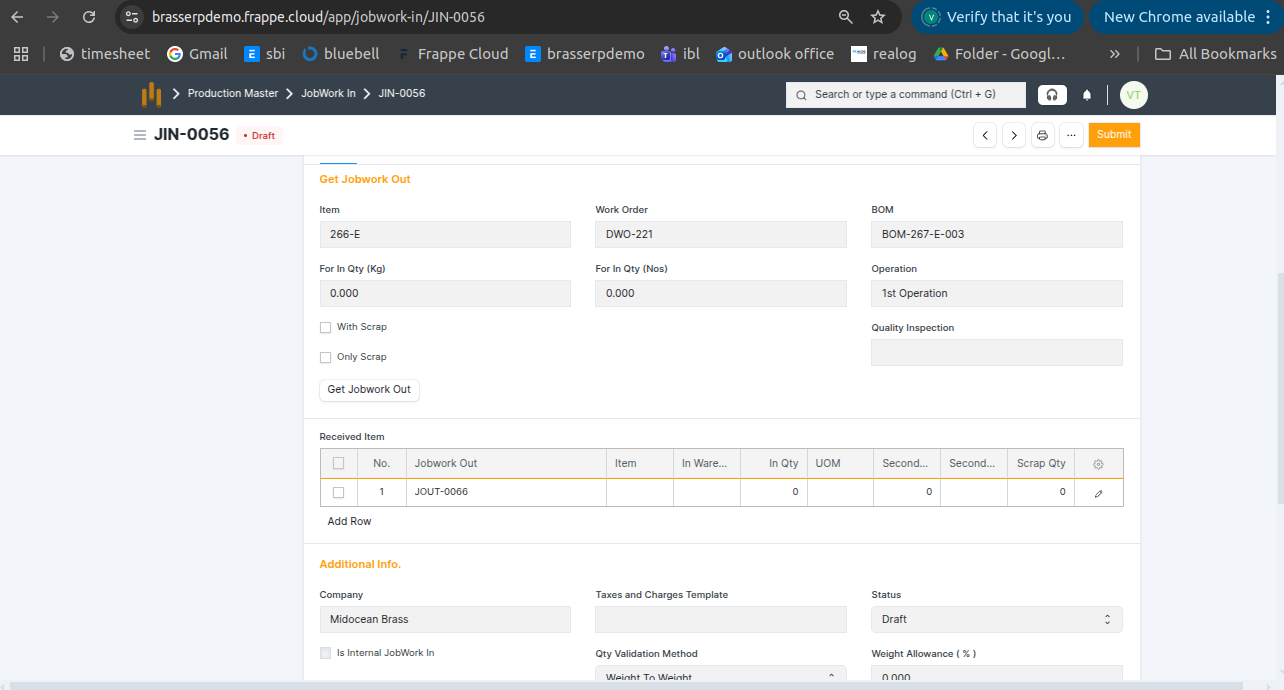
Step-5 : Save and submit the form. On submission, a Stock Entry is automatically created for Manufacture .
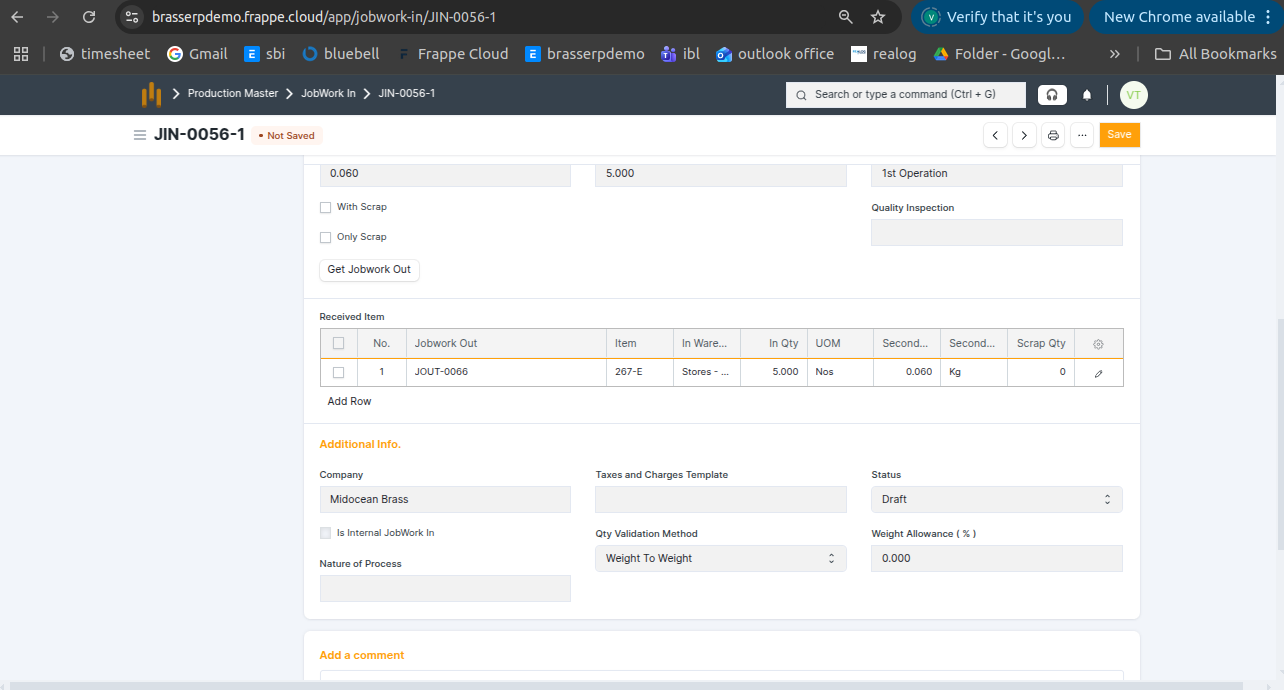
Step-6 : The raw material is issued from the source warehouse, processed according to the BOM, and the finished item is received in the target warehouse. Quantities are recorded in Nos.
6. Assembly
- Receive the finished item or product from the job worker after assembly.
Step-1 : Go to Jobwork Out and click the Jobwork In button after the Jobwork Out is submitted.
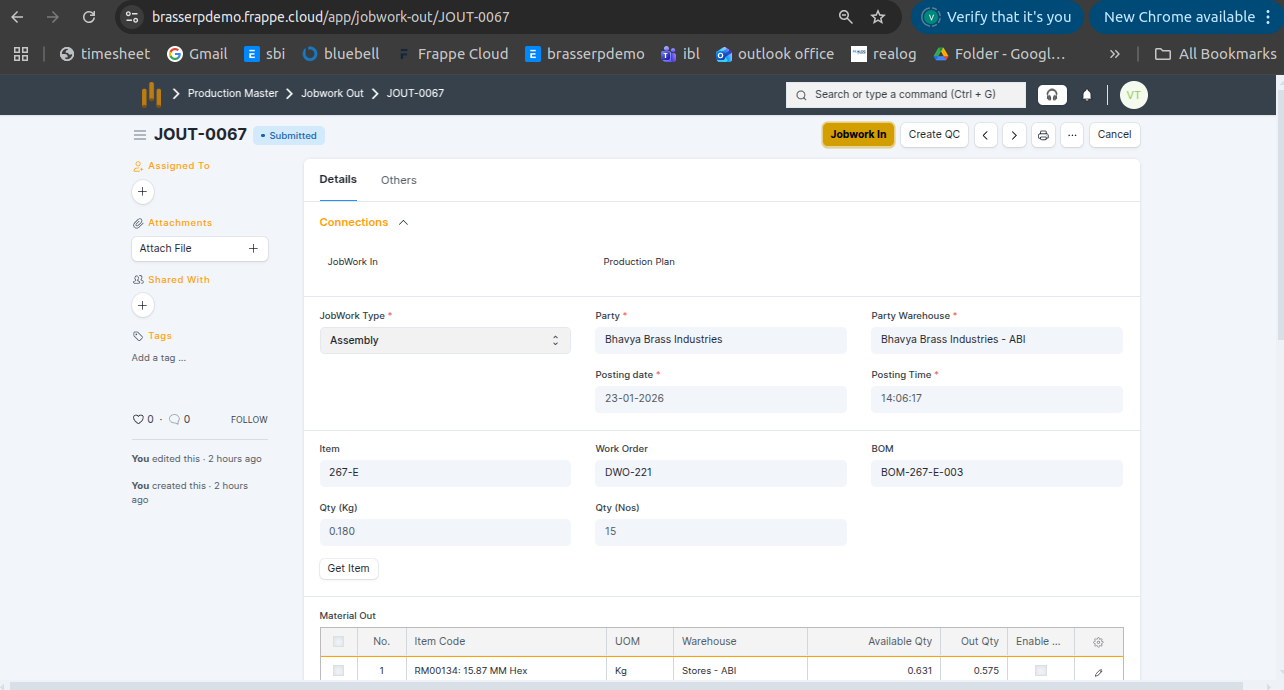
Step-2 : The Jobwork In document is created in Draft status. All details are auto-fetched from Jobwork Out, including: Jobwork Type , Party , Posting Date and Time , Party Warehouse , Pending Quantity (Nos & KG) , Pending Scrap Quantity
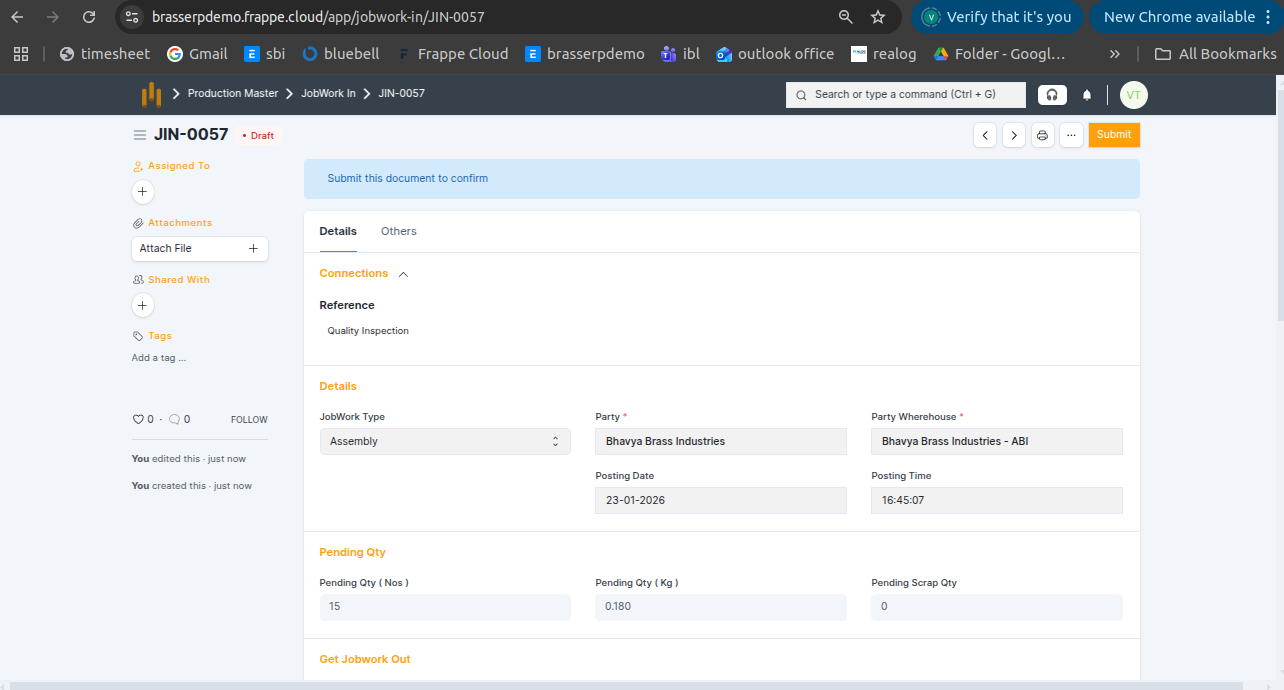
Step-3 : Enter Quantity and click Get Jobwork Out Button .
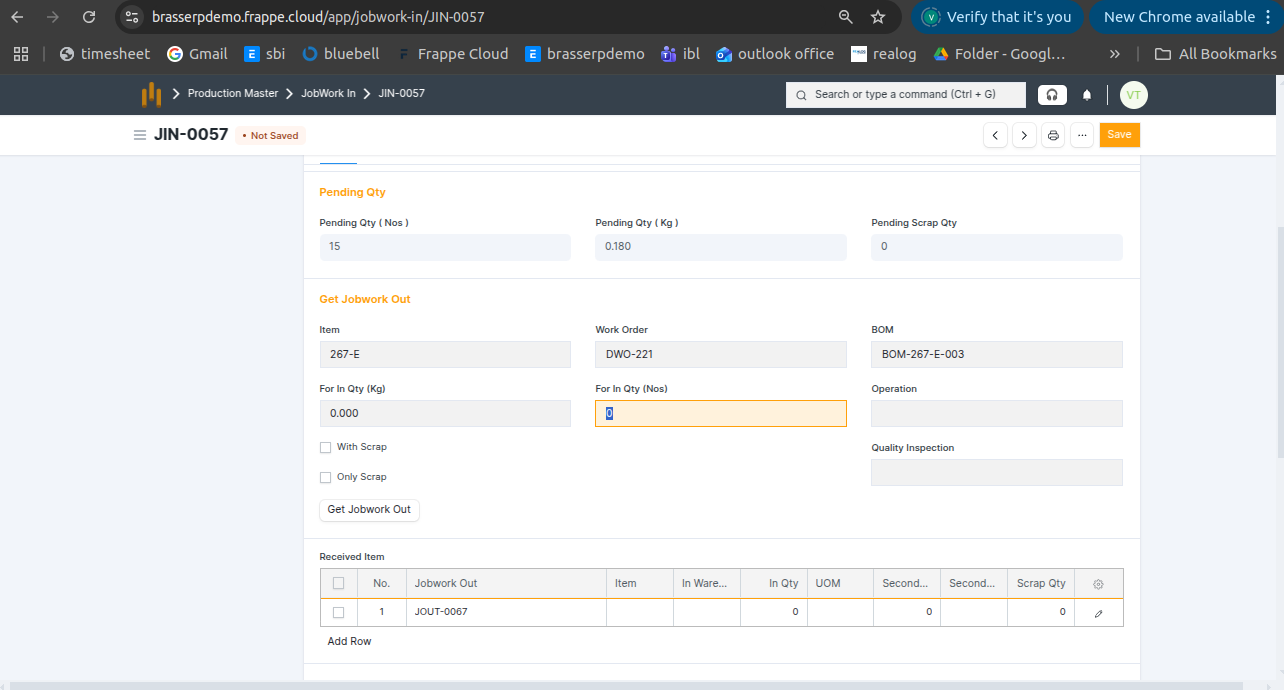
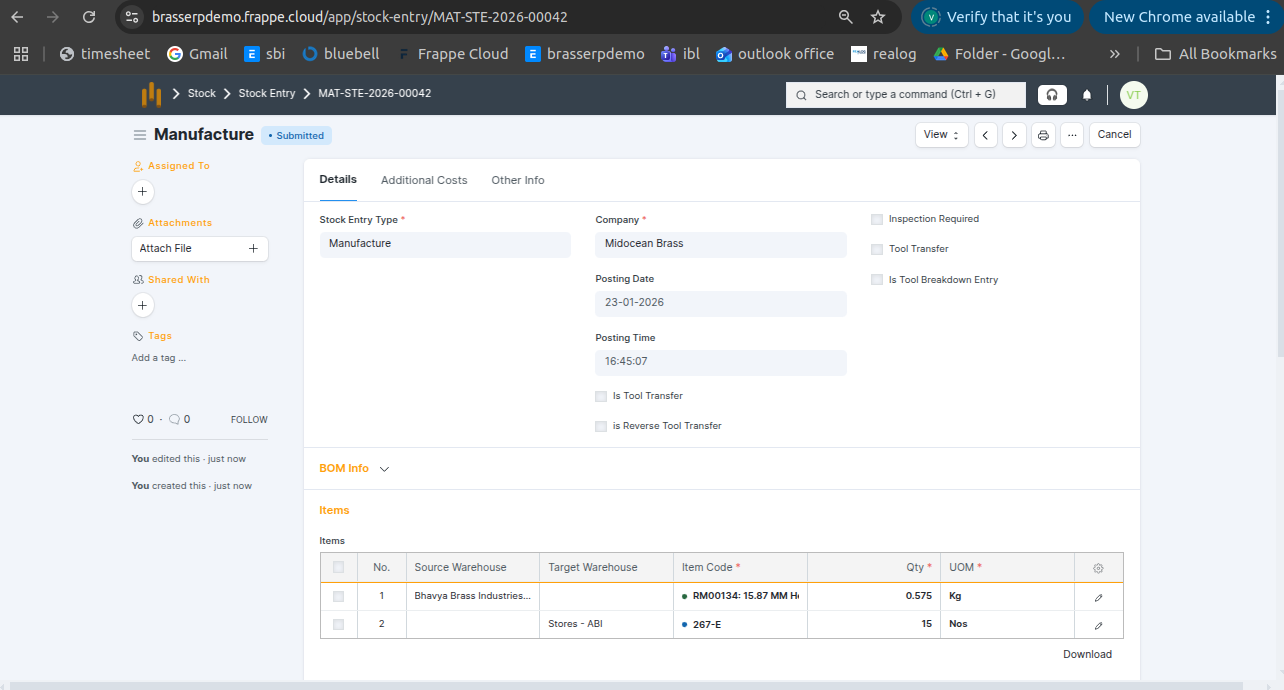
Step-5 : Save and submit the form. On submission, a Stock Entry is automatically created for Manufacture .
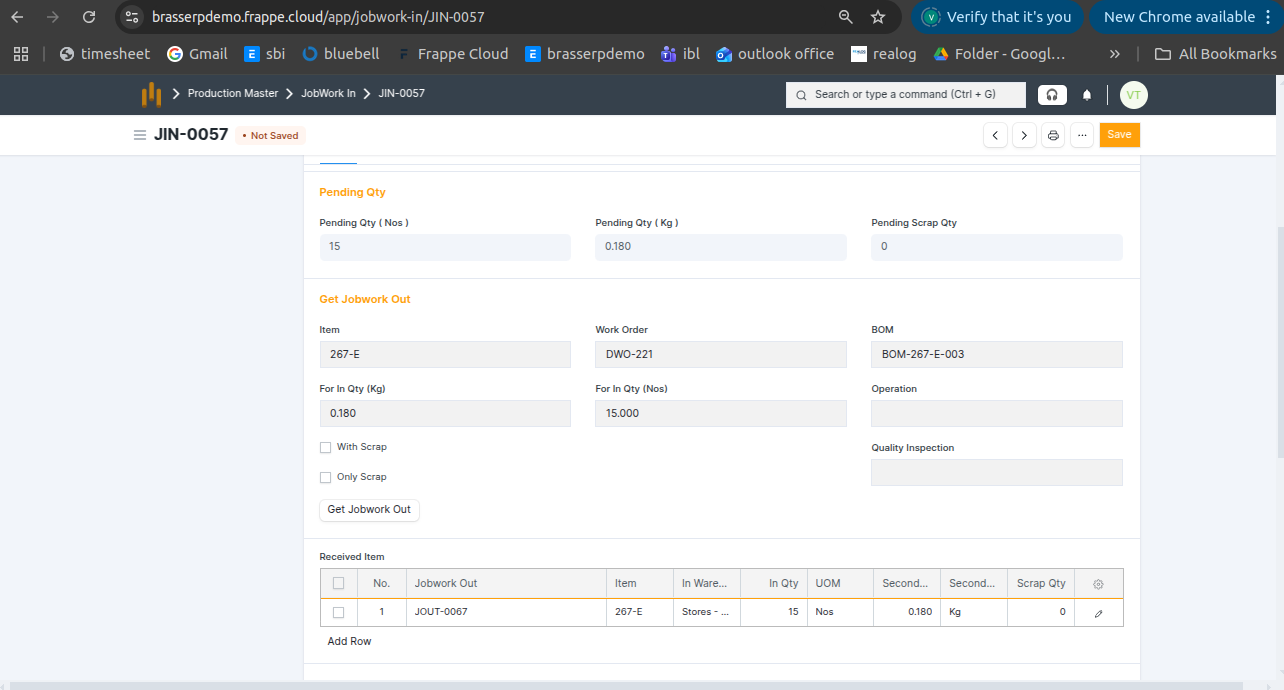
Step-6 : The items and raw materials are issued from the source warehouse, assembled to create the finished product, and the finished item is received in the target warehouse. Quantities are recorded in the appropriate UOM (Nos, Kg).
Step-7 : Click the View button and select Stock Ledger to view the stock movements.
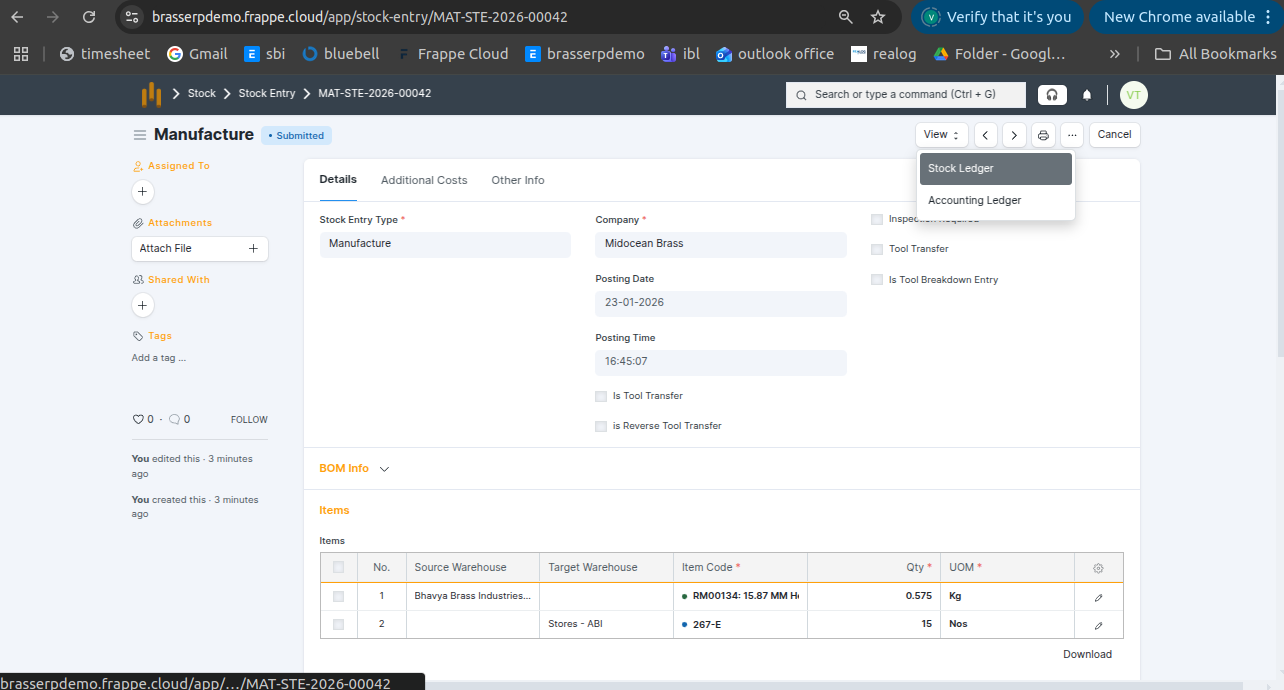
Step-8 : The stock is updated accordingly in the Stock Ledger.
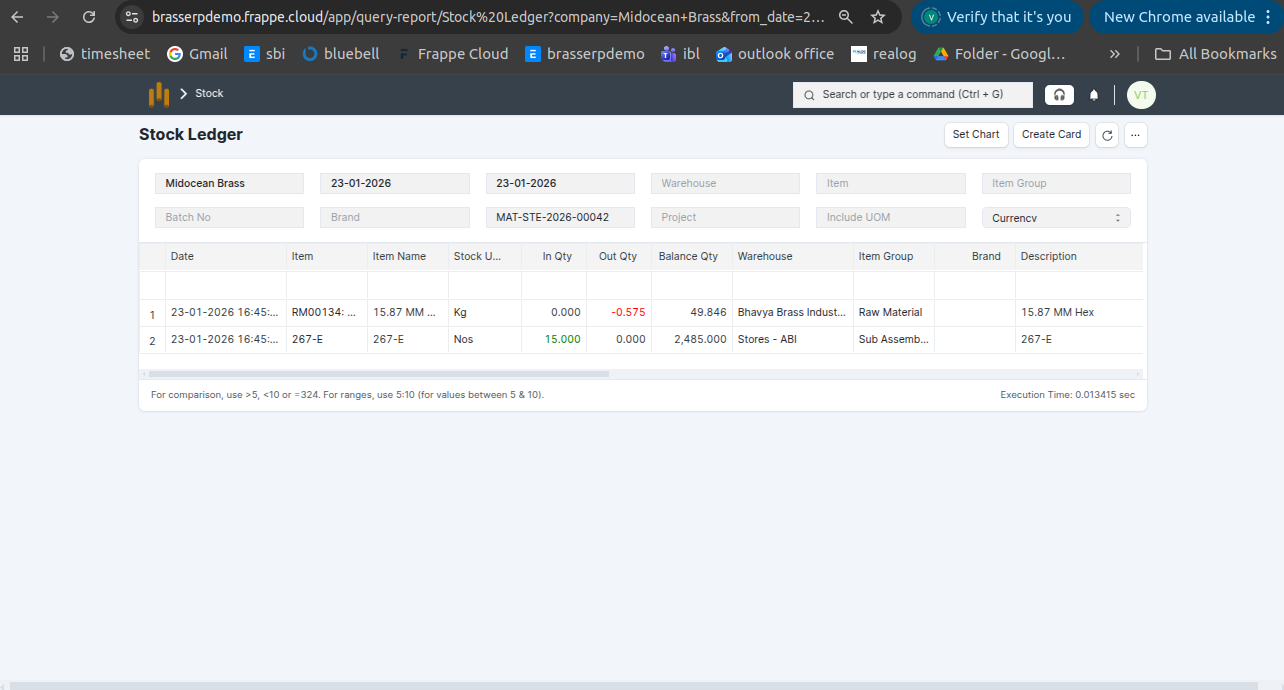
7. Pre-define
- Receive the finished item or product from the job worker after assembly, based on the pre-defined jobwork plan.
Step-1 : Go to Jobwork Out and click the Jobwork In button after the Jobwork Out is submitted.
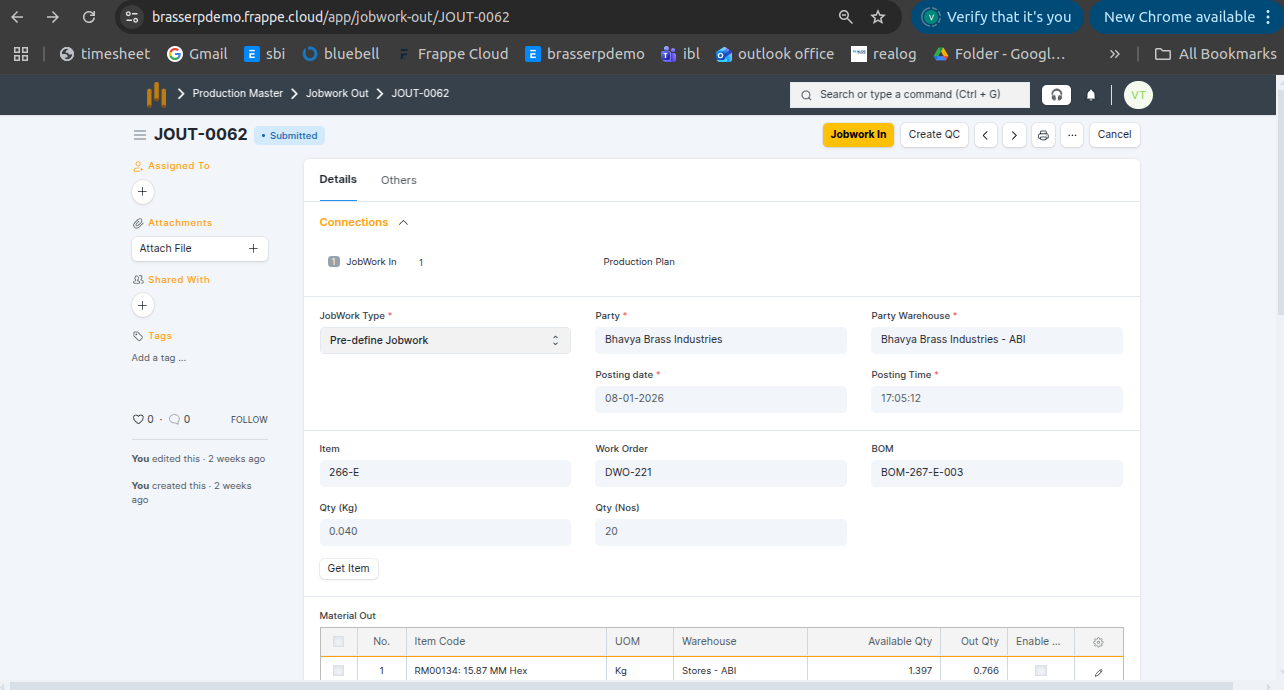
Step-2 : The Jobwork In document is created in Draft status. All details are auto-fetched from Jobwork Out, including: Jobwork Type , Party , Posting Date and Time , Party Warehouse , Pending Quantity (Nos & KG) , Pending Scrap Quantity
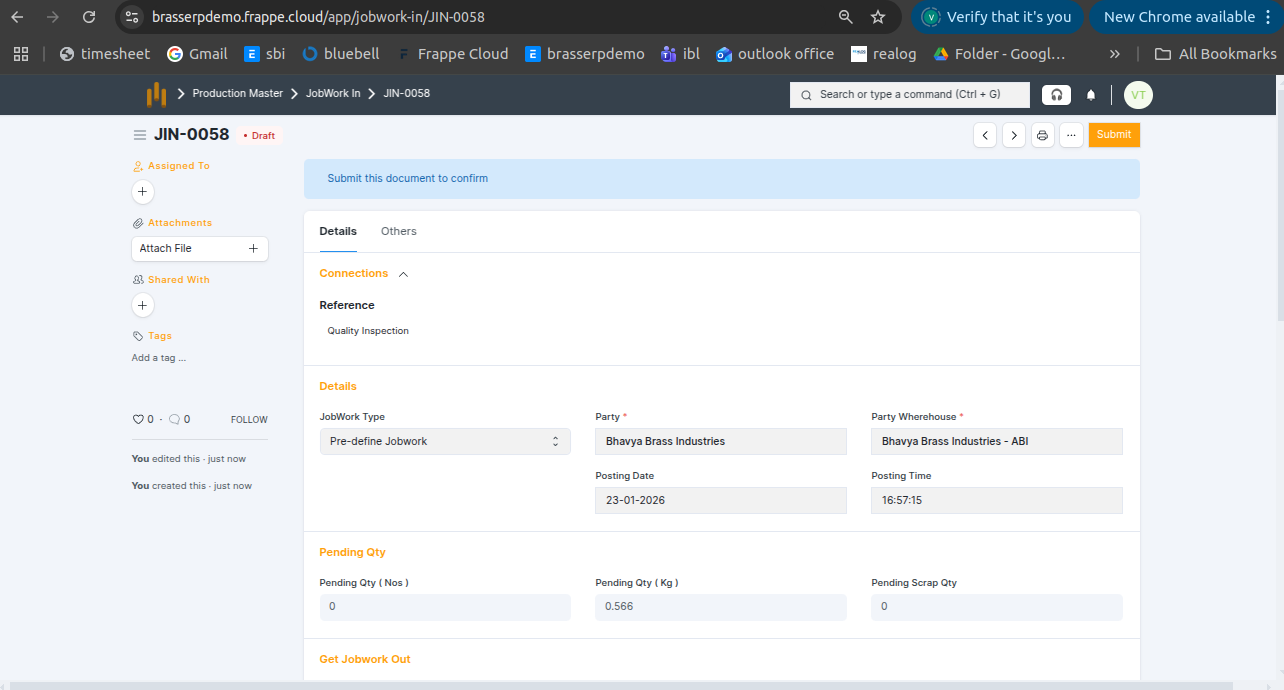
Step-3 : Enter Quantity and click Get Jobwork Out Button .
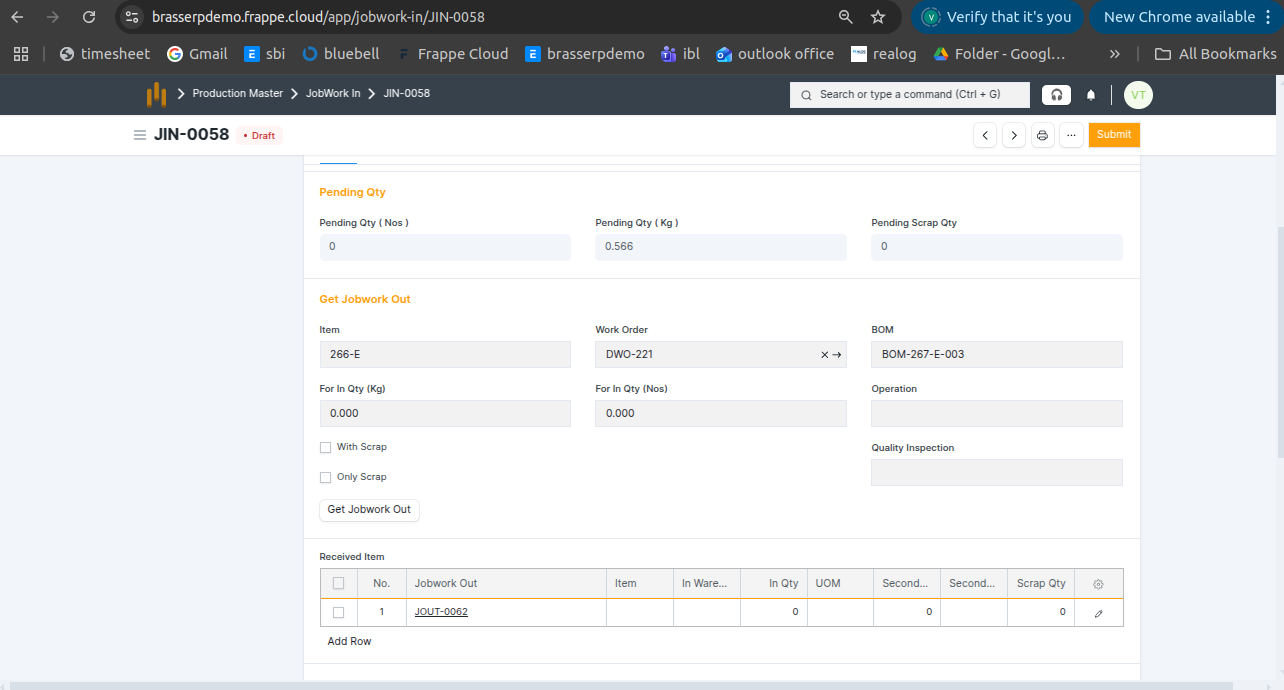
Step-5 : Save and submit the form. On submission, a Stock Entry is automatically created for Manufacture .
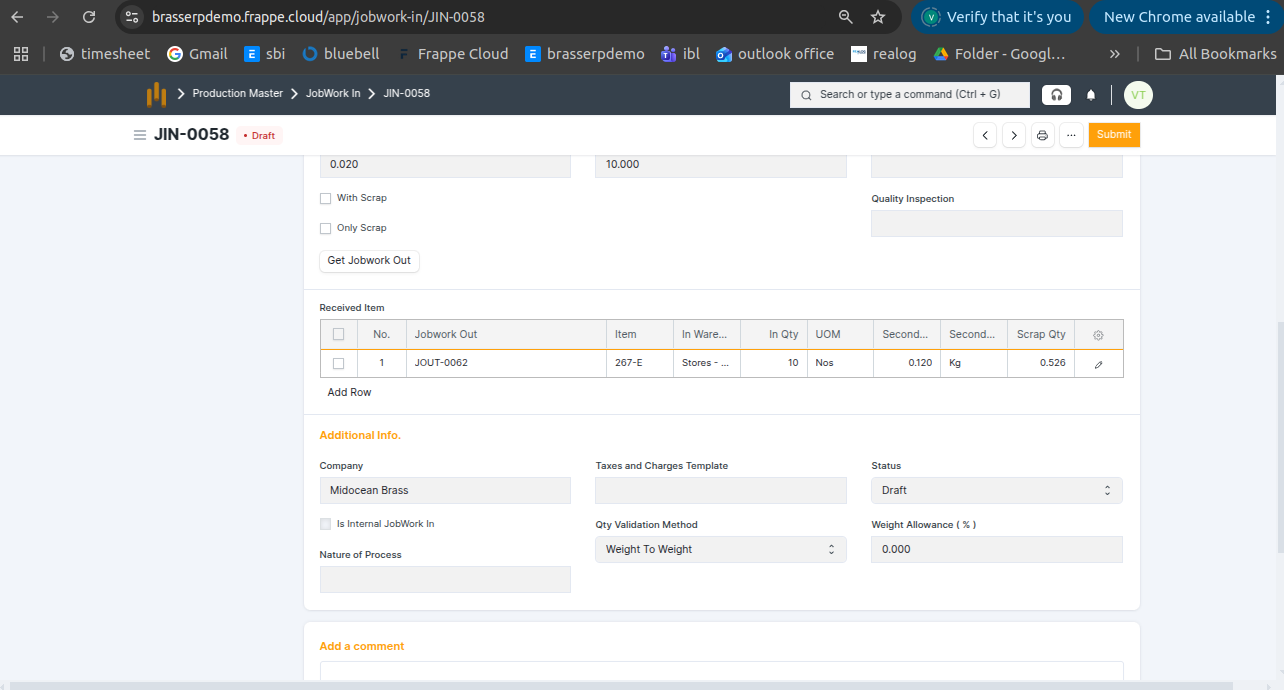
Step-6 : The finished items from the job worker are received into the target warehouse, and any scrap or by-products are recorded if applicable. Quantities are updated in the appropriate UOM (Nos, Kg). Raw materials issued earlier during Jobwork Out are not affected at this stage.