3.2 Work Order
- A Work Order is used to execute manufacturing for a Finished Good and Sub-Assembly Items.
- A Work Order can be created manually when production is required without a Production Plan.
How to Create Work Order?
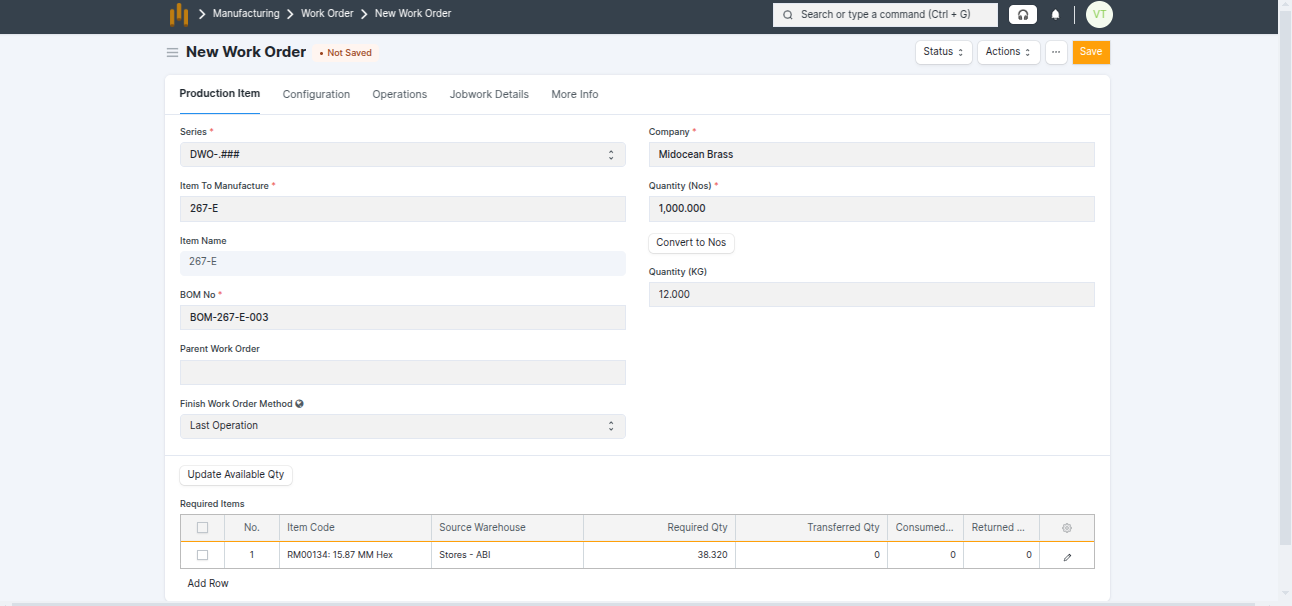
- Select the Item To Manufacture (Finished Good or Sub-Assembly).
- The system automatically fetches related details such as: Item Name , BOM No, Required Raw Material Items (from BOM).
- Raw material table show below details :
| Field Name | Use / Description |
|---|---|
| Item Code | Raw material required for manufacturing (Auto-fetched from BOM). |
| Source Warehouse | Warehouse from which the raw material will be issued. |
| Required Qty | Total quantity required based on BOM and Work Order quantity. |
| Transferred Qty | Quantity transferred to WIP using Material Transfer. |
| Consumed Qty | Actual quantity consumed during production. |
| Available Qty (Source Warehouse) | Current stock available for issuing material. |
| UOM / Secondary Qty | Quantity shown in primary and secondary units (e.g., Nos / Kg). |
- Enter the Quantity (Nos) and Click Convert to Nos button to display the corresponding Quantity in Kg.
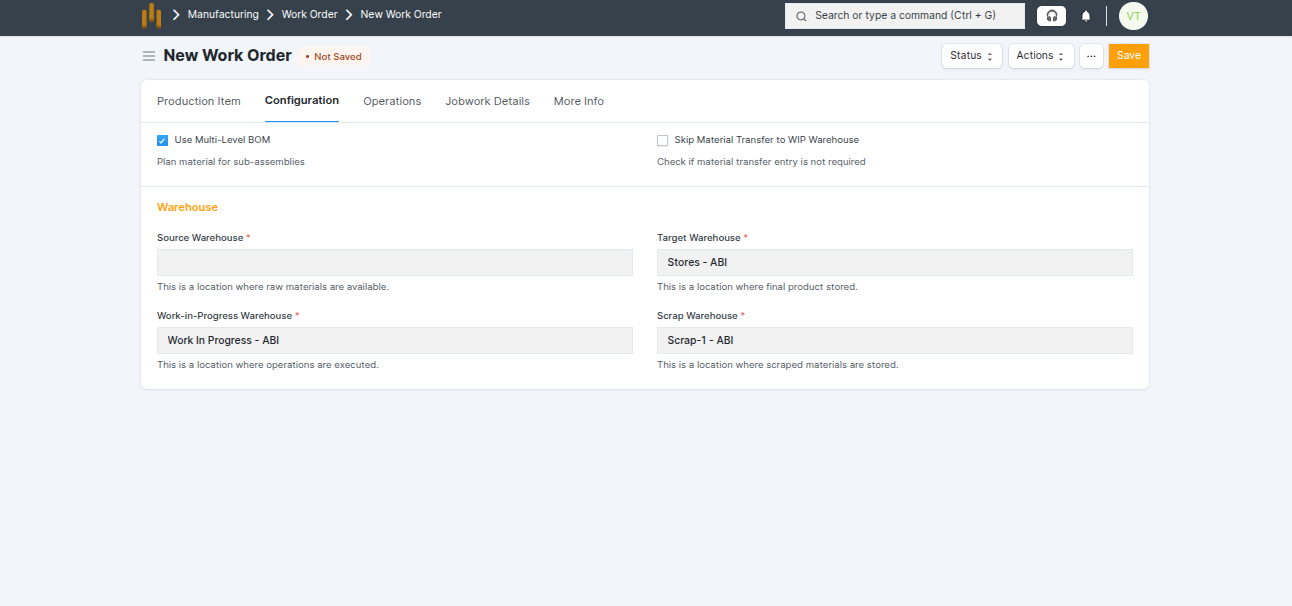
- Select the Source Warehouse.
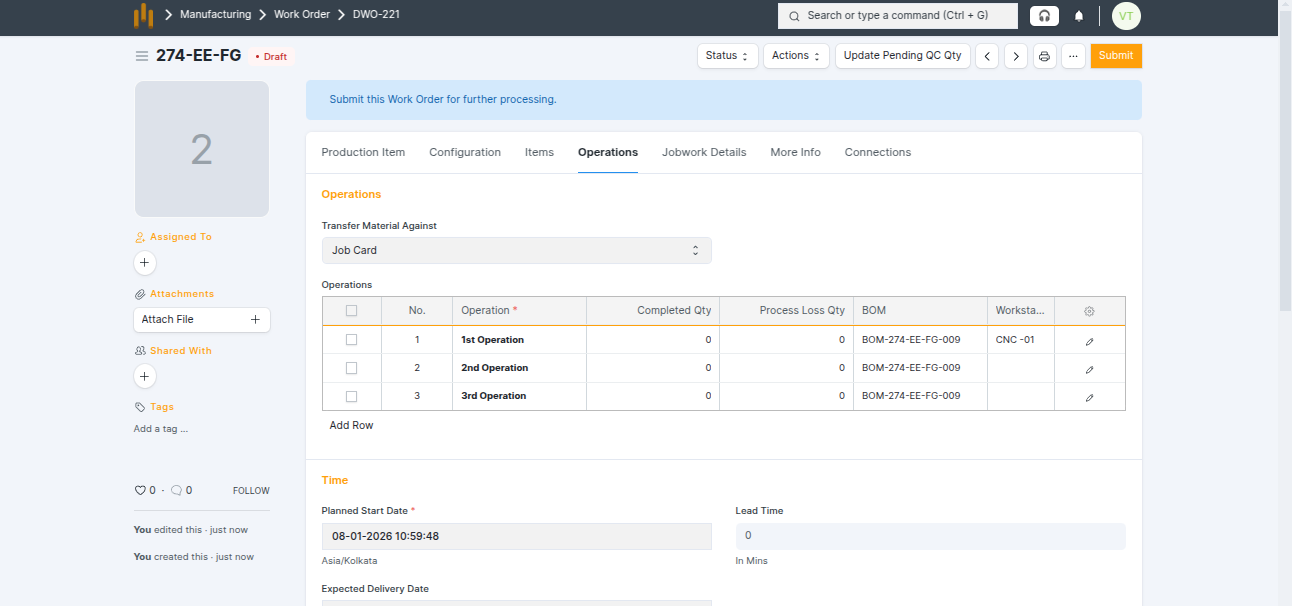
- Operations - Operations define the manufacturing process steps required to produce the item .
- If the BOM contains Operations, they are automatically fetched into the Work Order.
- Each Operation includes : Operation Name, Time, Wokstation and BOM.
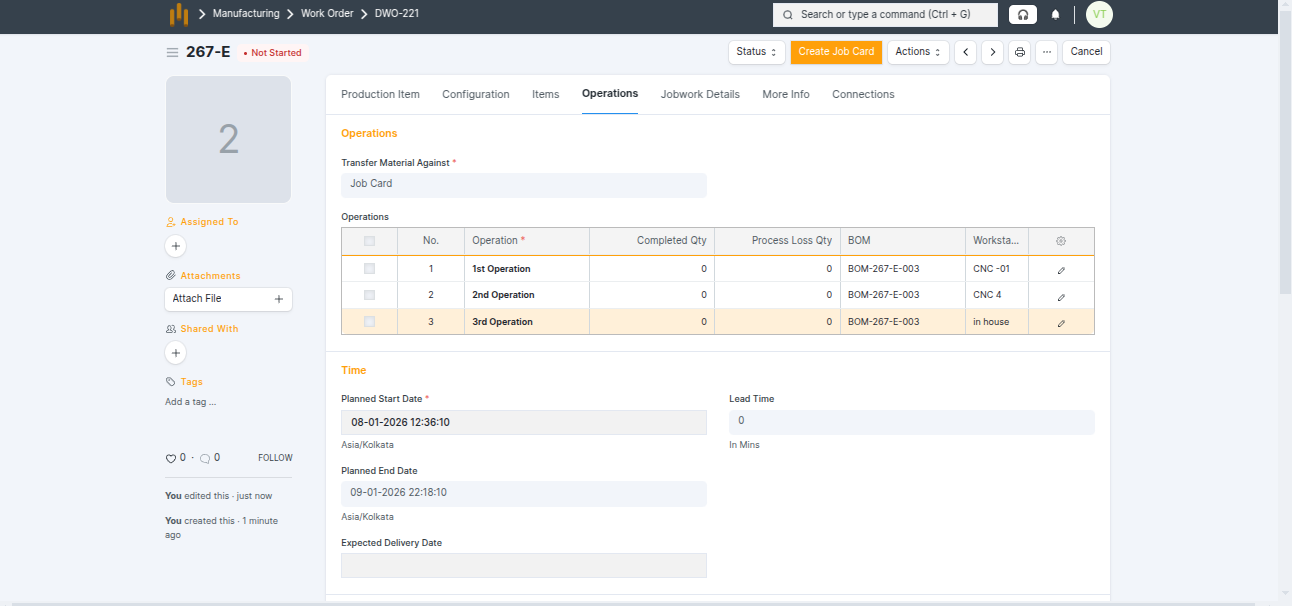
- Save and Submit Work Order.
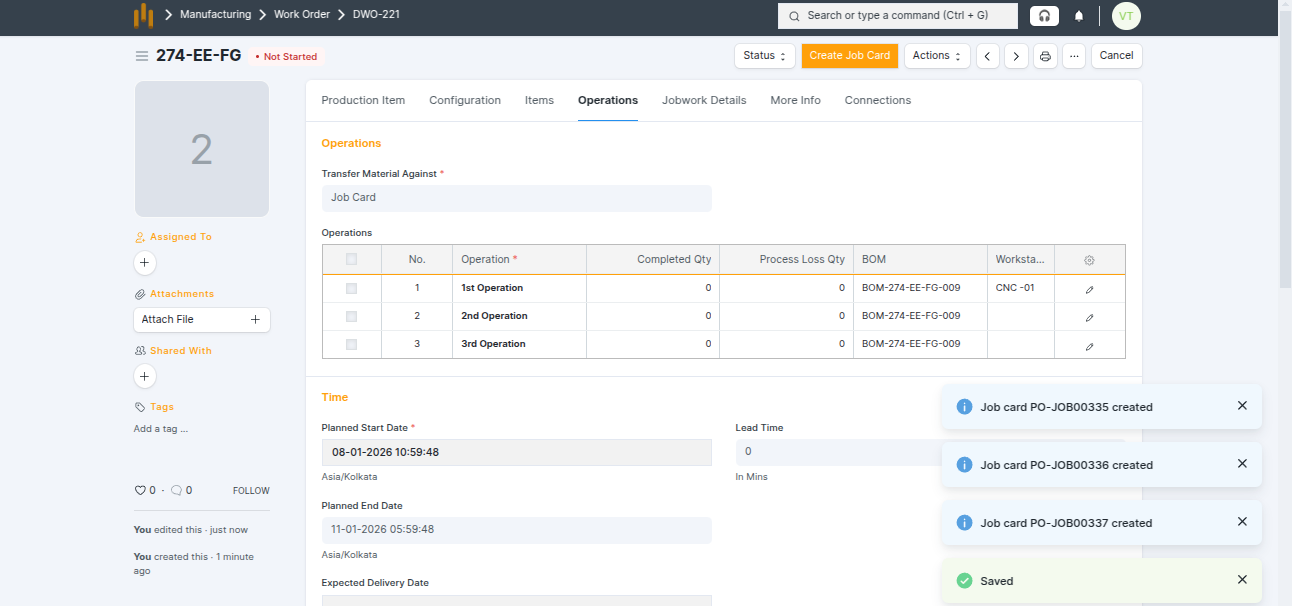
- After submission, the system automatically creates Job Cards in Draft status and the Work Order status is shown as Not Started