Login & Authentication
Accessing your Midocean workspace is secure and flexible. We offer two primary methods for authentication.
1. Standard Login
The traditional method using your credentials.
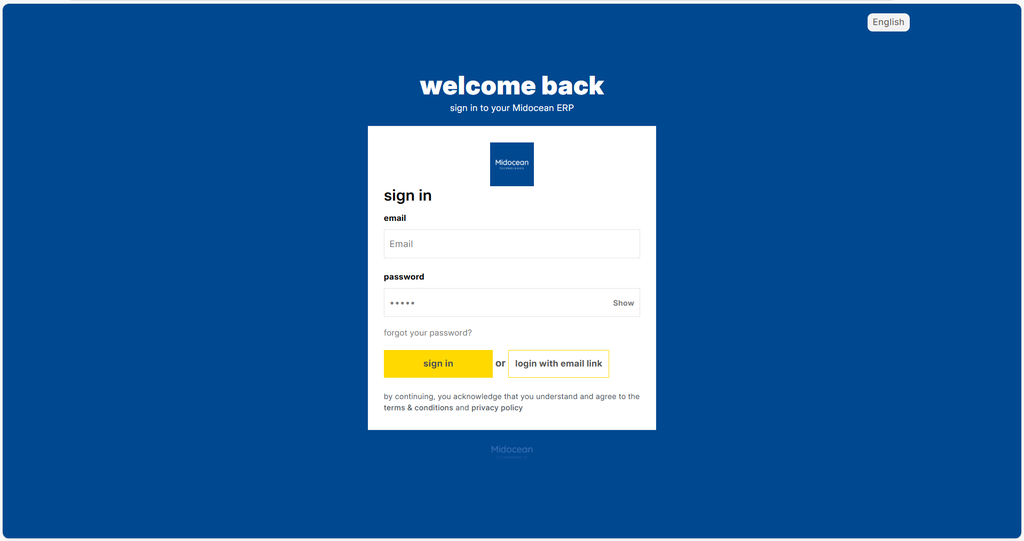
- Navigate to your system URL.
- Enter your registered Email Address.
- Enter your Password.
- Click Sign In.
Forgot Password?
If you cannot remember your password, you can easily reset it.
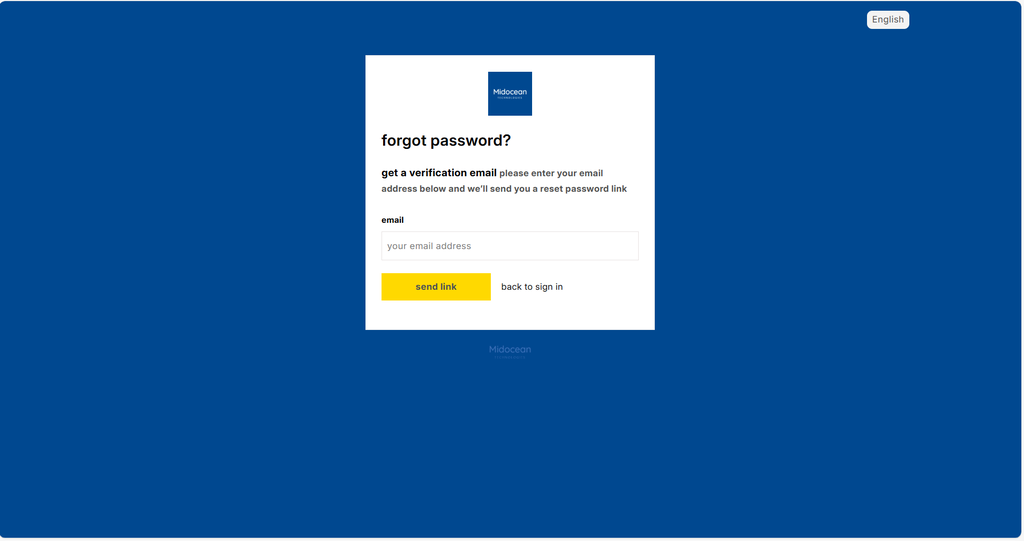
- Click the "Forgot Password?" link on the login screen.
- Enter your email address.
- Check your email for instructions to reset your password.
Set New Password
After clicking the reset link sent to your email, set a new password to secure your account.
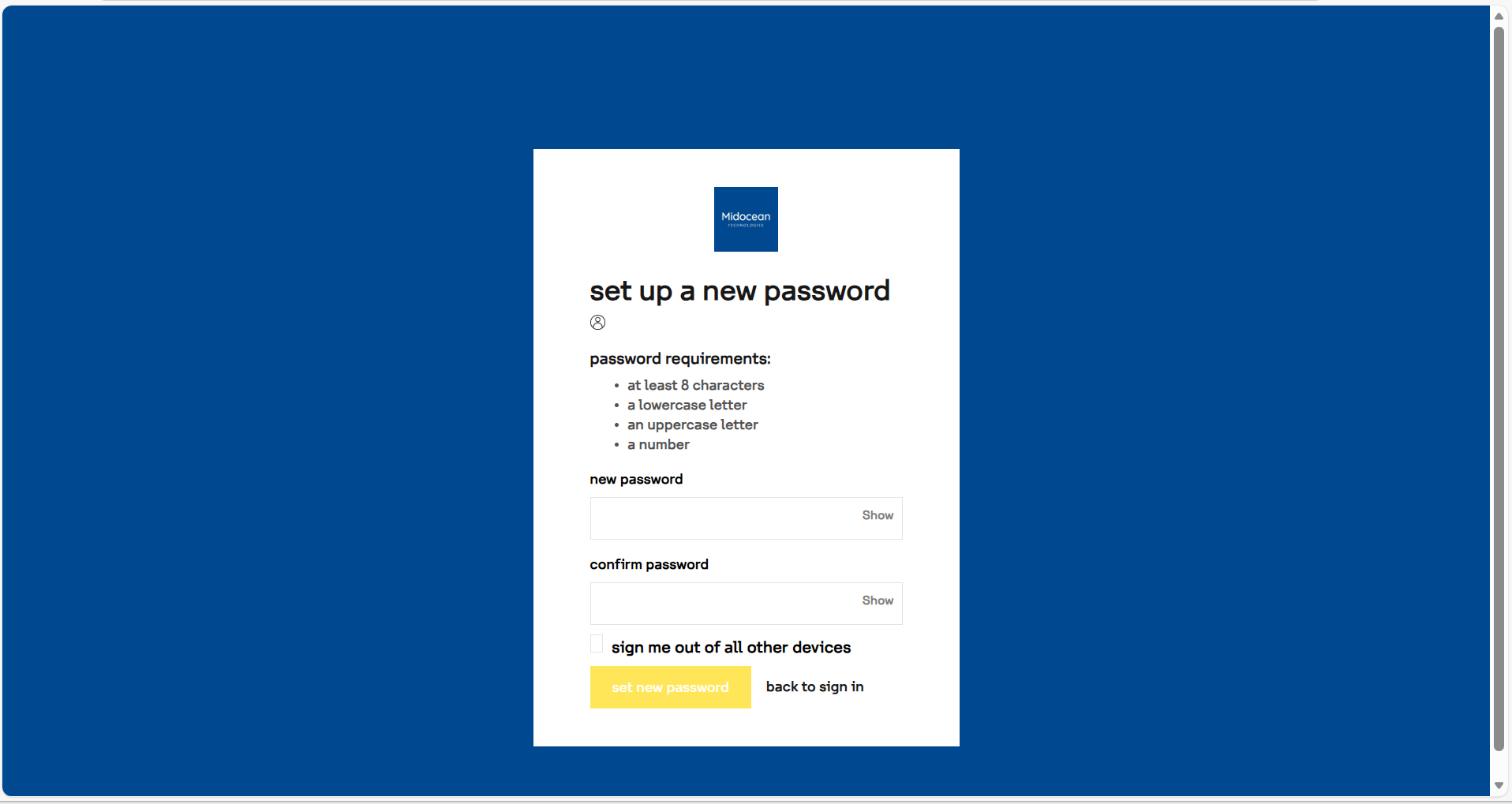
- Enter your New Password.
- Confirm the password.
- Optionally select "Sign me out of all other devices".
- Click Set New Password.
2. Magic Link (Password-less)
For a faster, password-free experience, use the Magic Link feature.
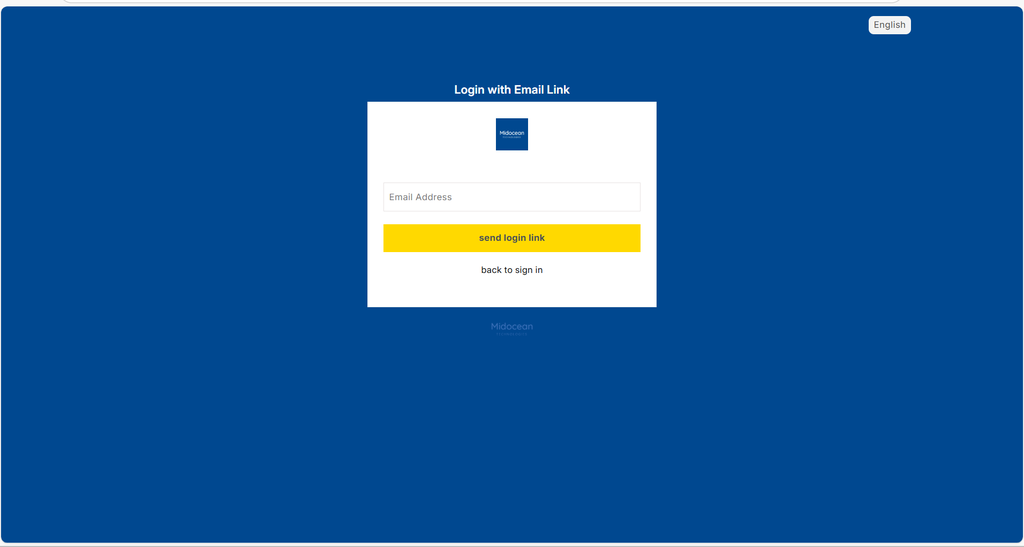
- Click the "Login with Email Link" button on the login card.
- Enter your email address.
- The system will instantly email you a secure, one-time access link.
- Clicking the link in your email will log you directly into your dashboard.
Tip: This is especially useful if you are on a mobile device or have forgotten your password.