Setup Wizard
To ensure your system is configured correctly from Day 1, Midocean includes a mandatory 5-step onboarding wizard for new System Managers.
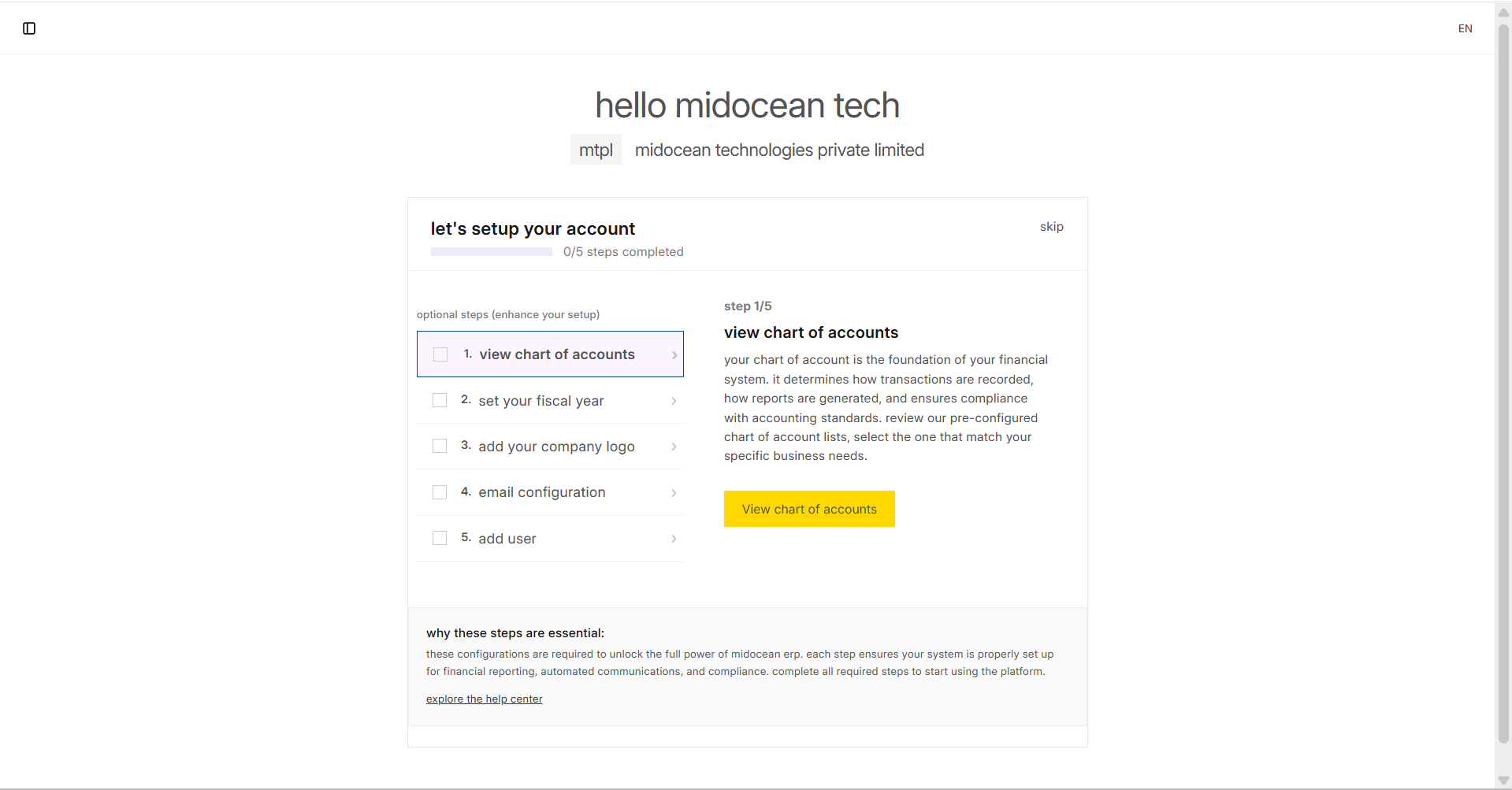
The 5 Essential Steps
You must complete these five steps to unlock the full potential of the system.
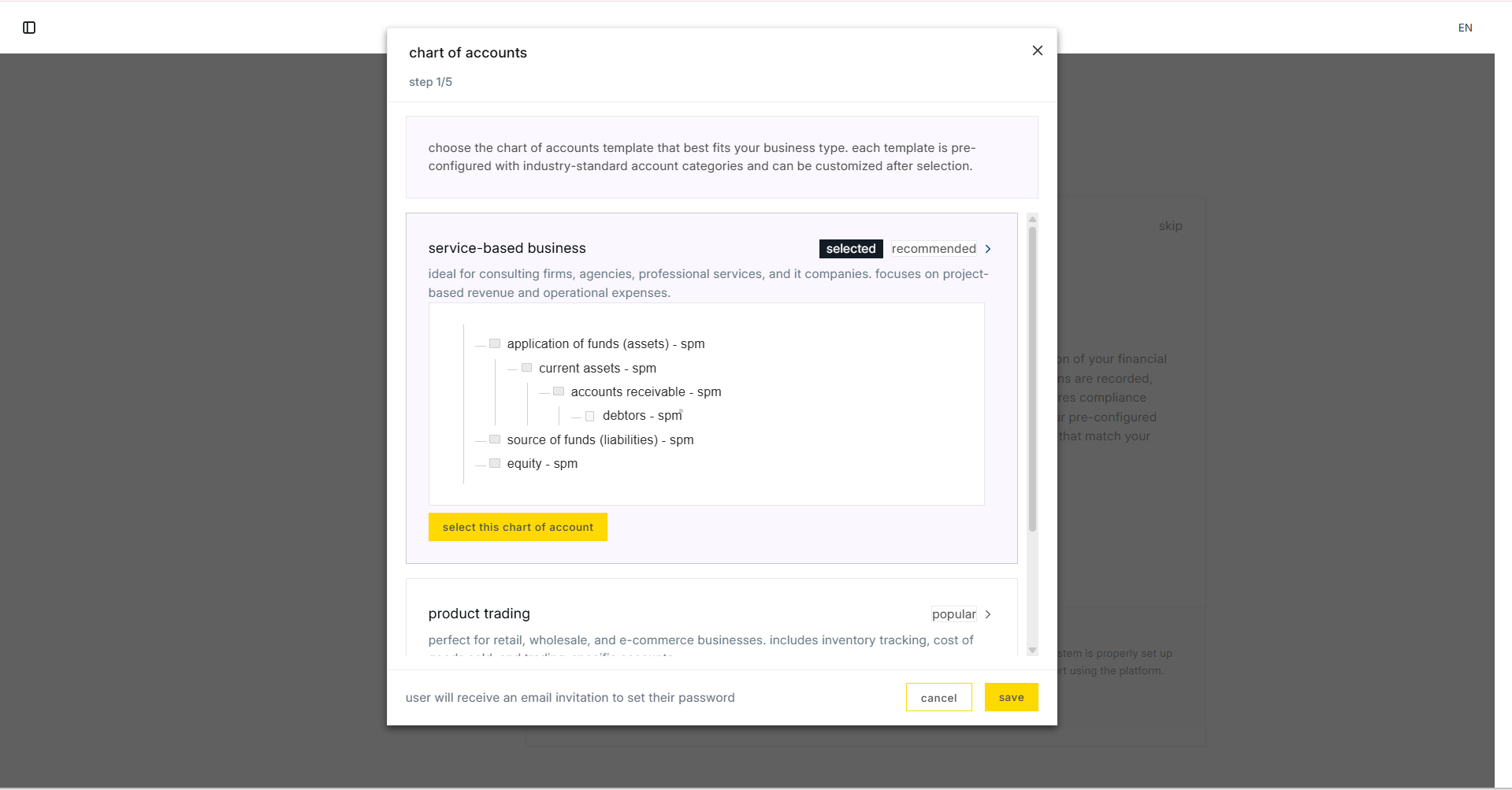
1. Chart of Accounts
Select the standard accounting template for your country.
- Action: Choose your country and the standard chart (e.g., "Standard Chart of Accounts").
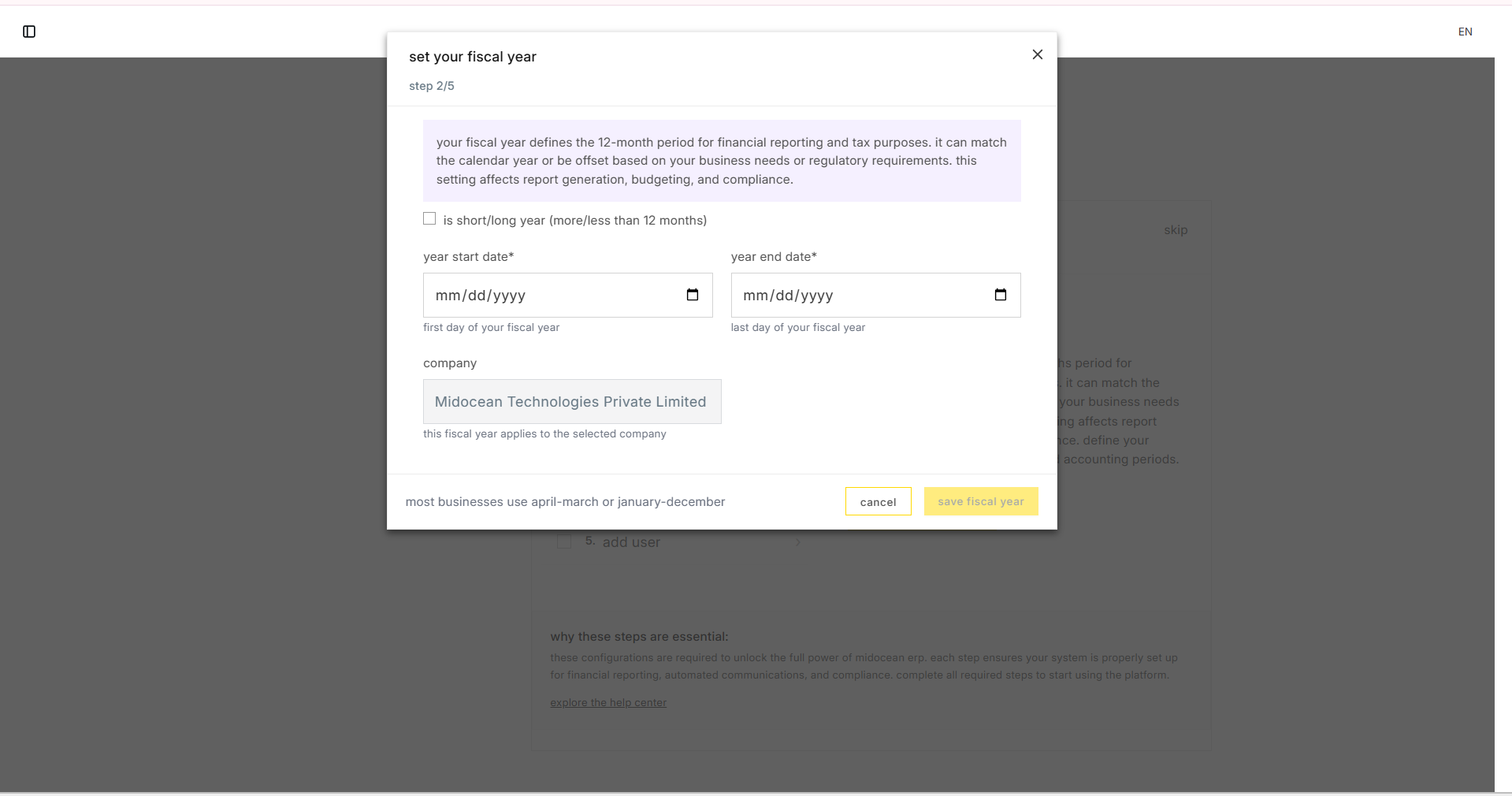
2. Fiscal Year
Define your financial reporting period.
- Example: January 1st to December 31st.
- Why: This ensures all your financial reports are accurate from the start.
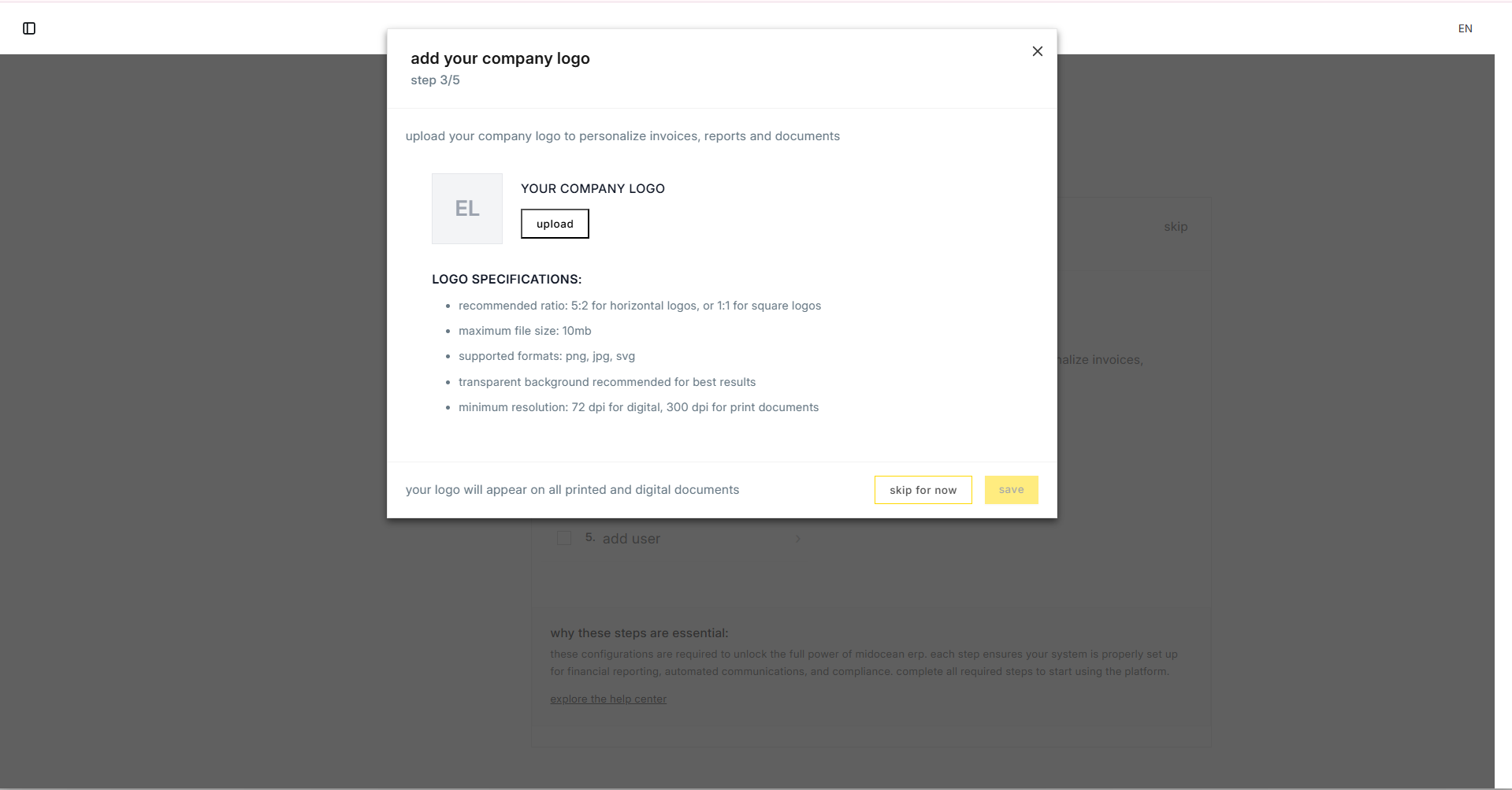
3. Company Branding
Upload your official company logo. This will automatically appear on:
- The Sidebar
- The Login Screen
- All PDF Reports and Invoices
4. Email Configuration
Set up your outgoing email server.
- Purpose: Allows the system to email invoices, quotations, and notifications directly to clients.
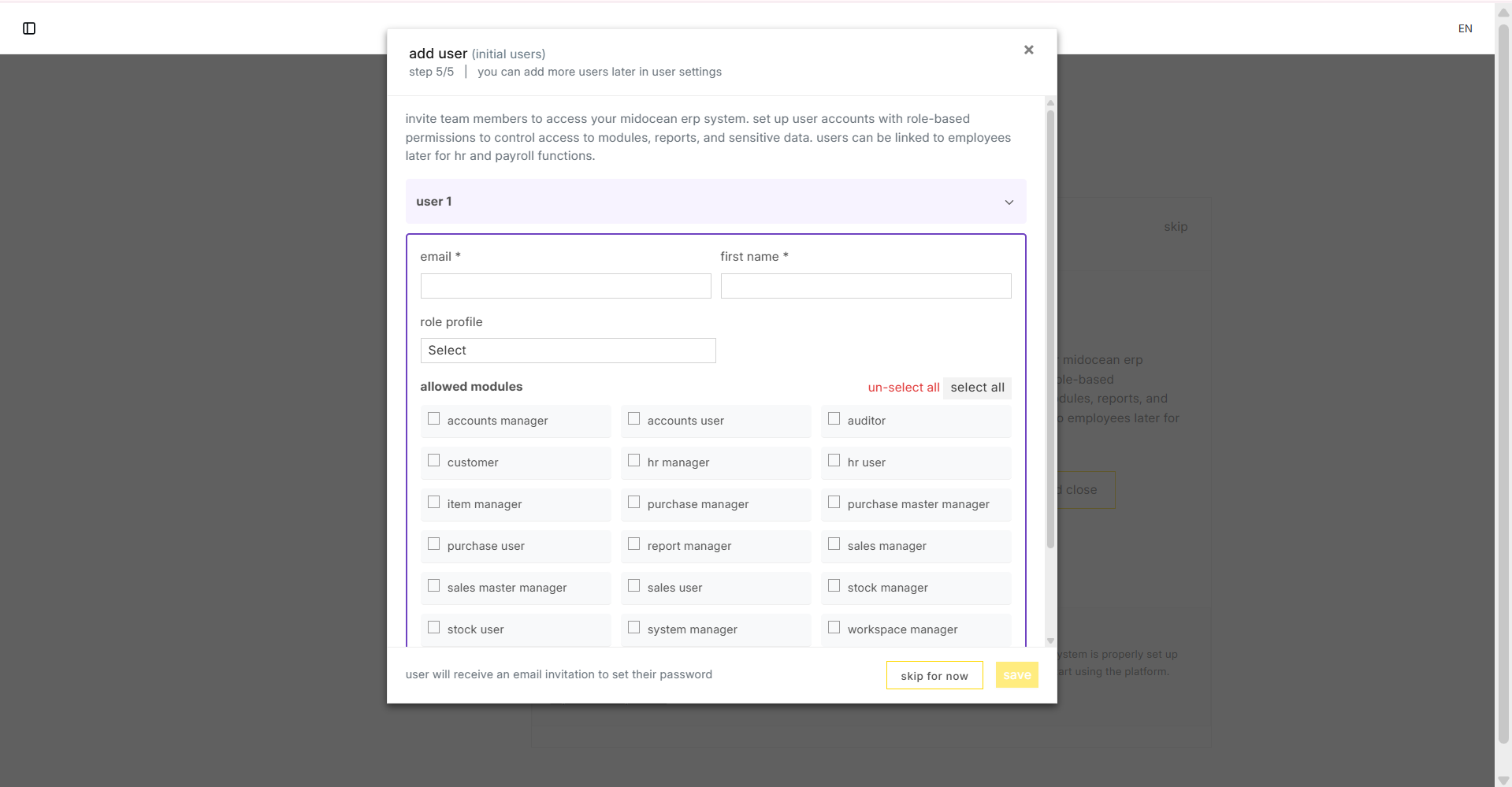
5. User Management
Invite your core team members.
- Action: Add their email addresses and assign them a Role Profile (e.g., "Manager" or "User").
Completion: Once all 5 steps are done, the wizard will disappear, and you will have full access to the system.