How to Install
1. Download App
Play Store: https://play.google.com/store/apps/details?id=com.midocean.erpnextworkflow
App Store: https://testflight.apple.com/join/9rxyFKA6
2. Install ERPNext Workflow Application
bench get-app https://github.com/Midocean-Technologies/erpnext_workflow.git
Install the app on your target site (replace sample.local with your site name):
bench --site sample.local install-app erpnext_workflow
bench clear-cache
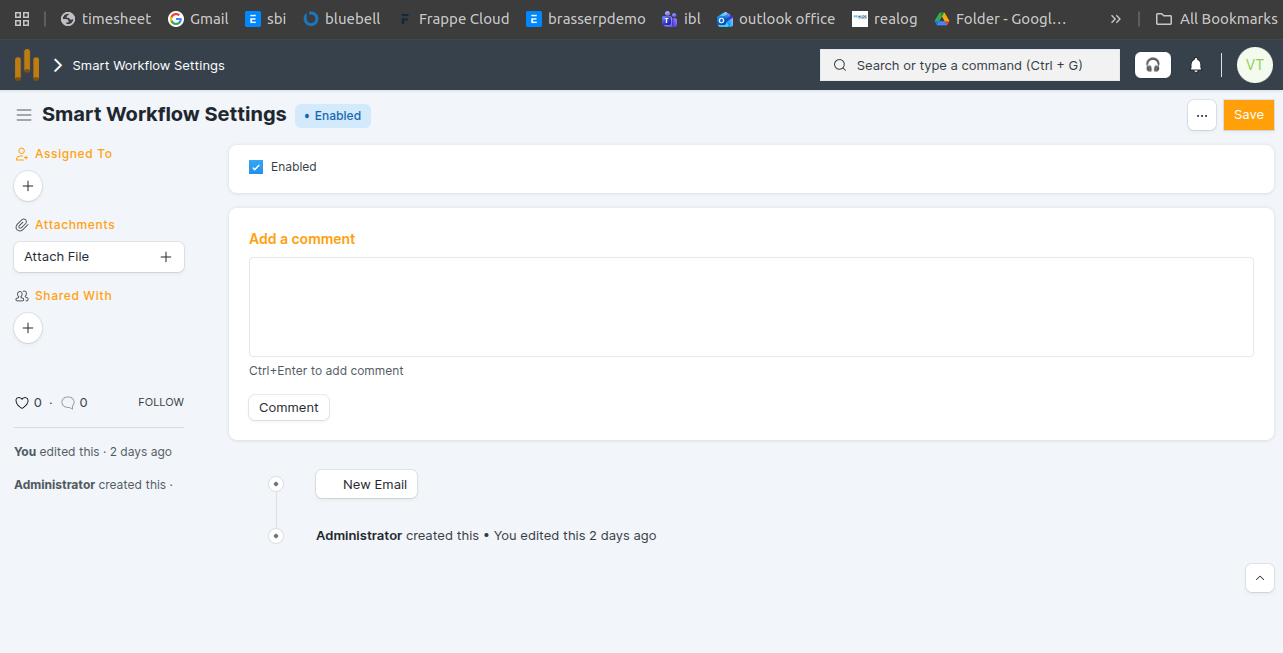
ERPNext Workflow Configuration
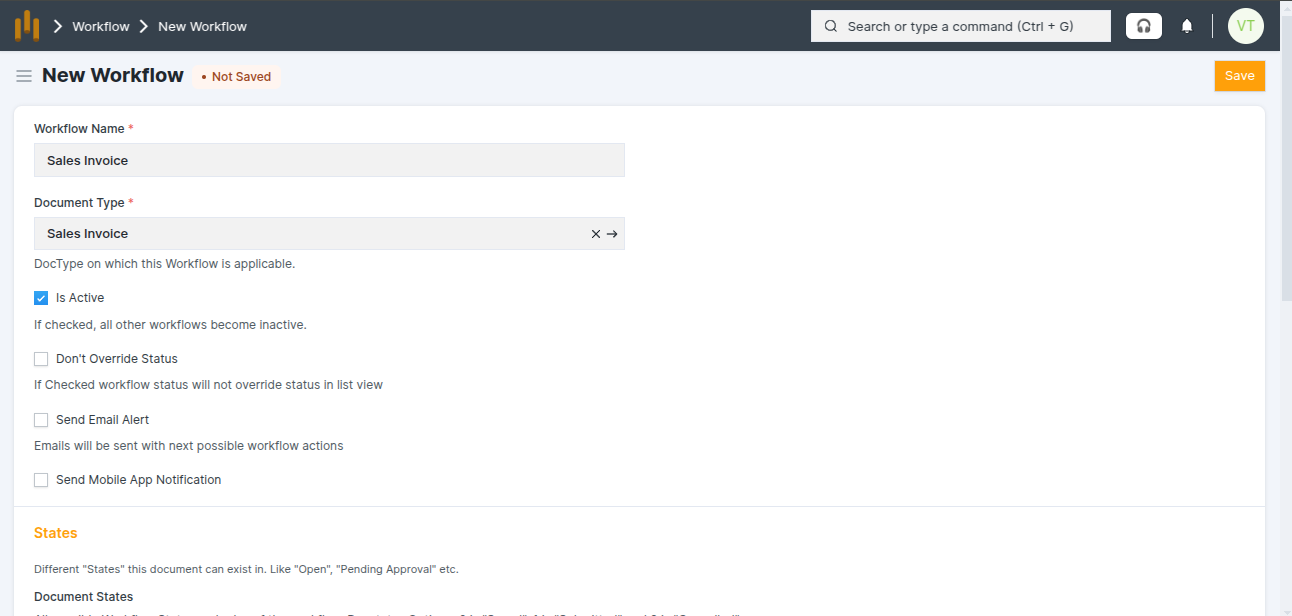
 Create Workflow : Add Workflow Name, Doctype Name and Check Is Active Checkbox
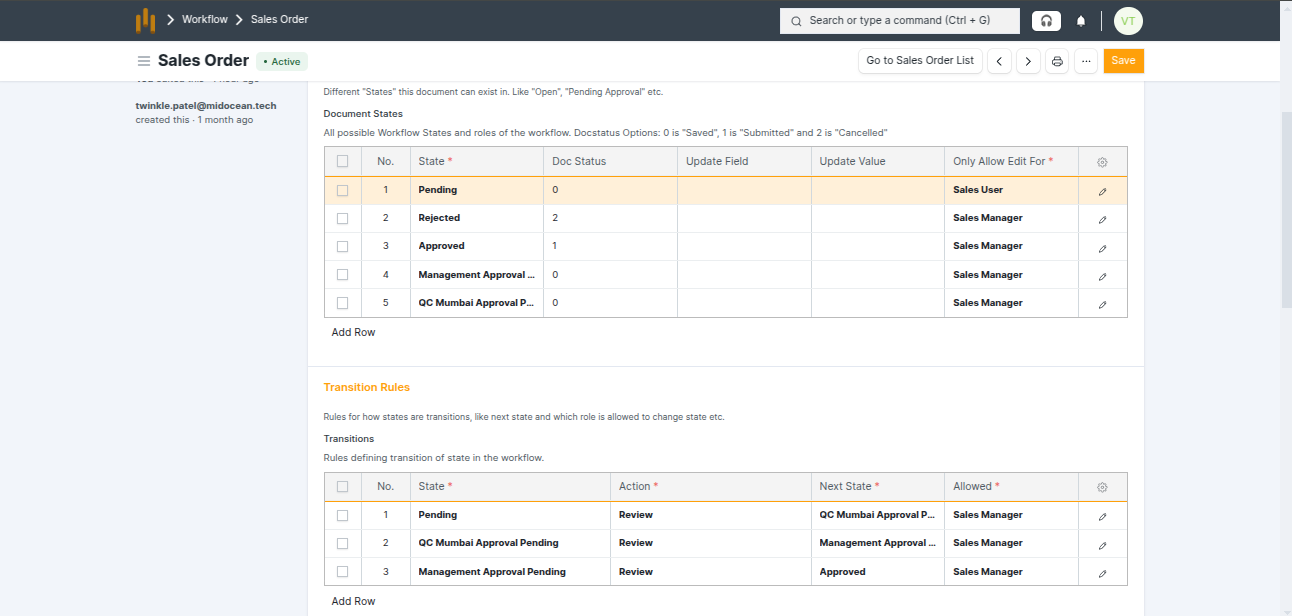
 Create Workflow according to user permission [Role wise Permission]
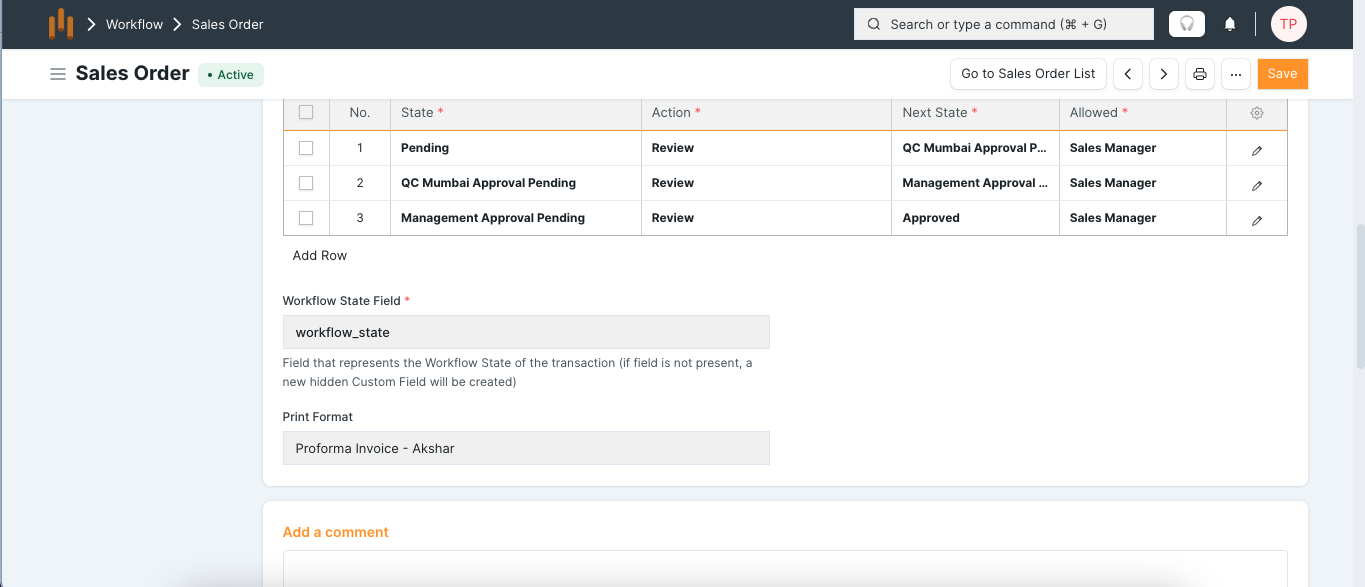
 Set Dynamic Print format