Jobwork Out
- This module allows to Send products for Job Work outside the company. It will track the records of outgoing products for Job Work in system.
Job Work Out — Steps:
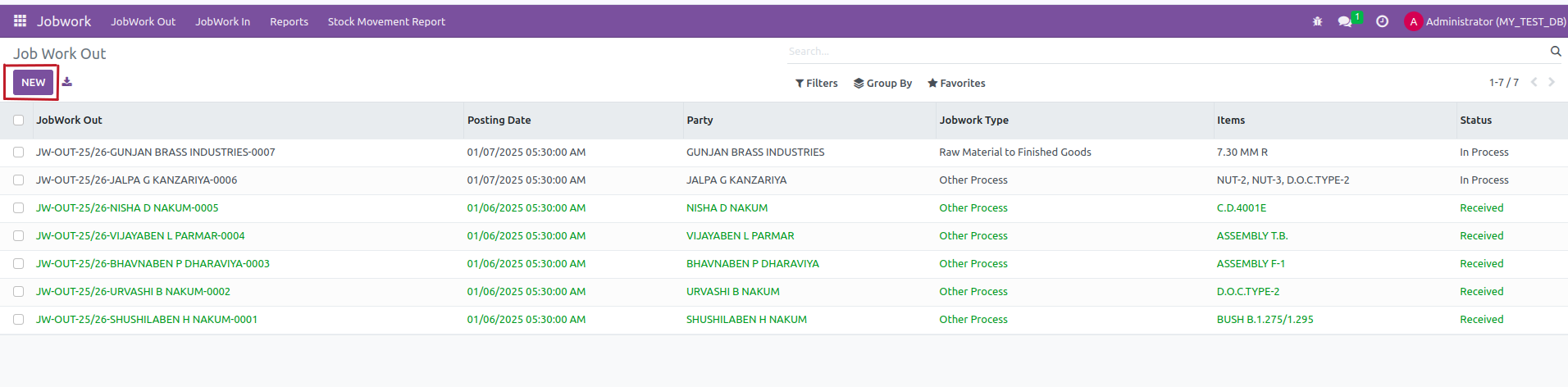
- Create a Job Work Out: go to Jobwork → JobWork Out → New.
- Set Party (vendor/party), Partner Location, and add material lines (Product, Quantity, UoM(KG)).
Save and Confirm the JW Out: the module creates outgoing stock moves to the party location
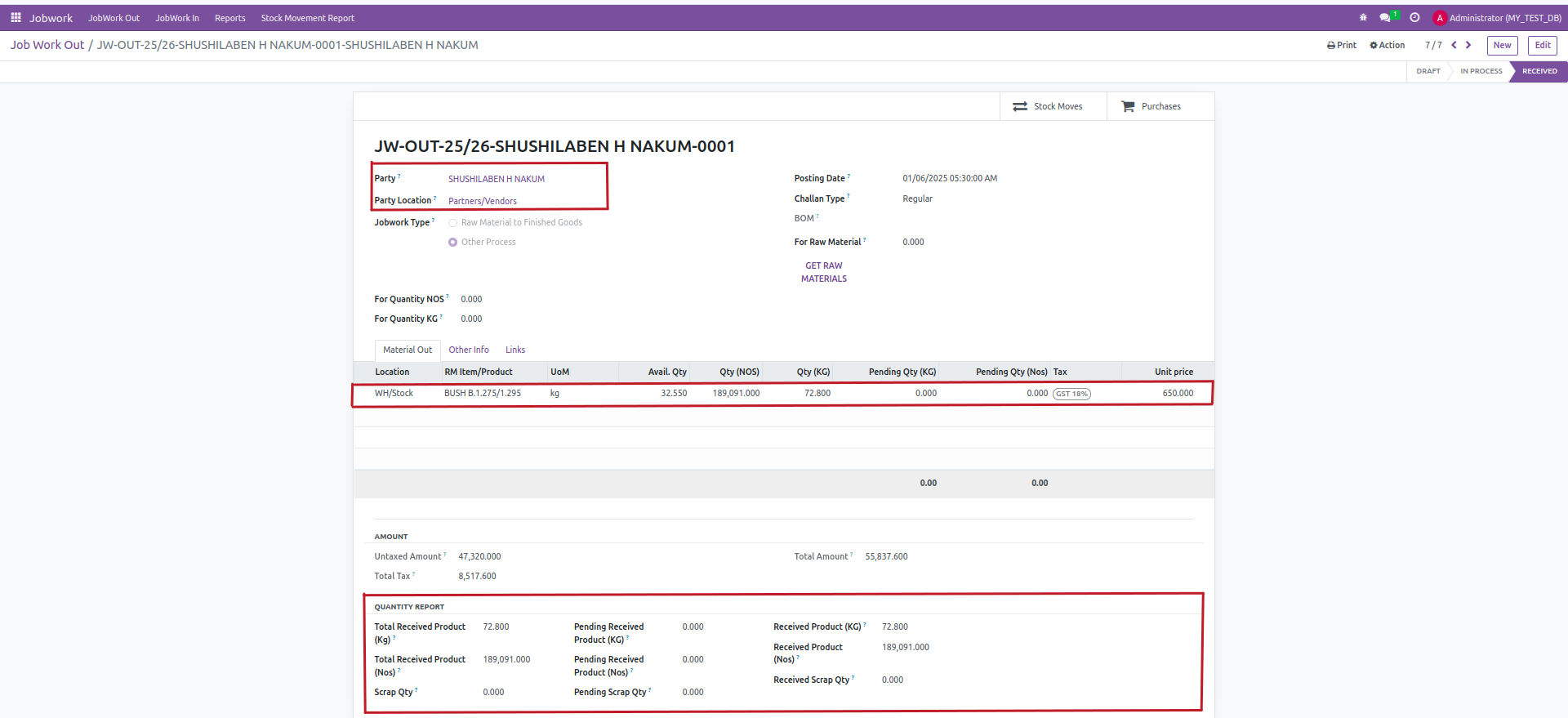
- After Received verify Quantity Report.