Getting Started
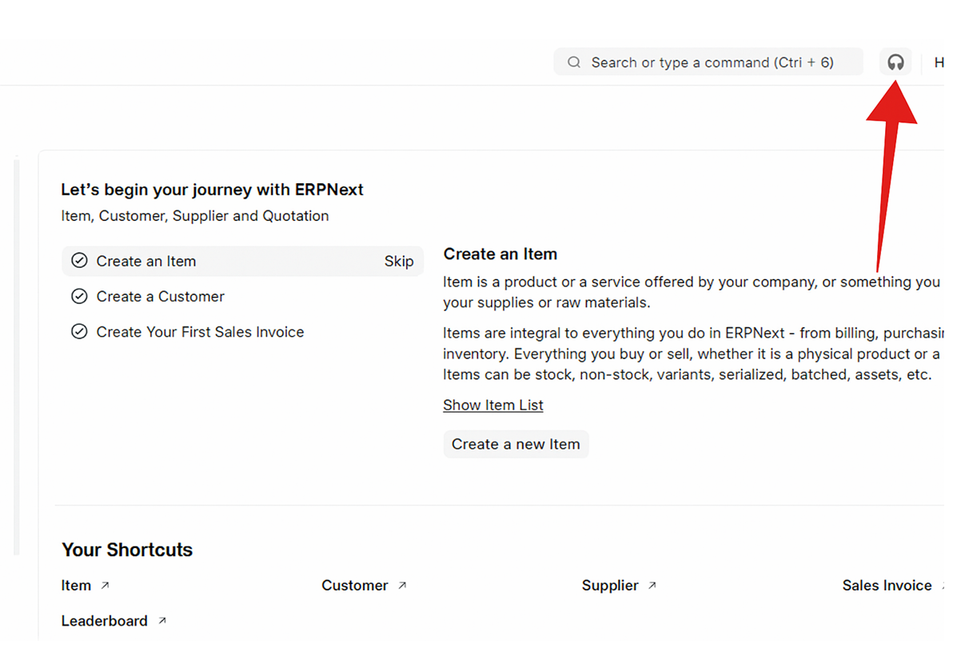
Step 1: Click the button to go to the Helpdesk Portal.
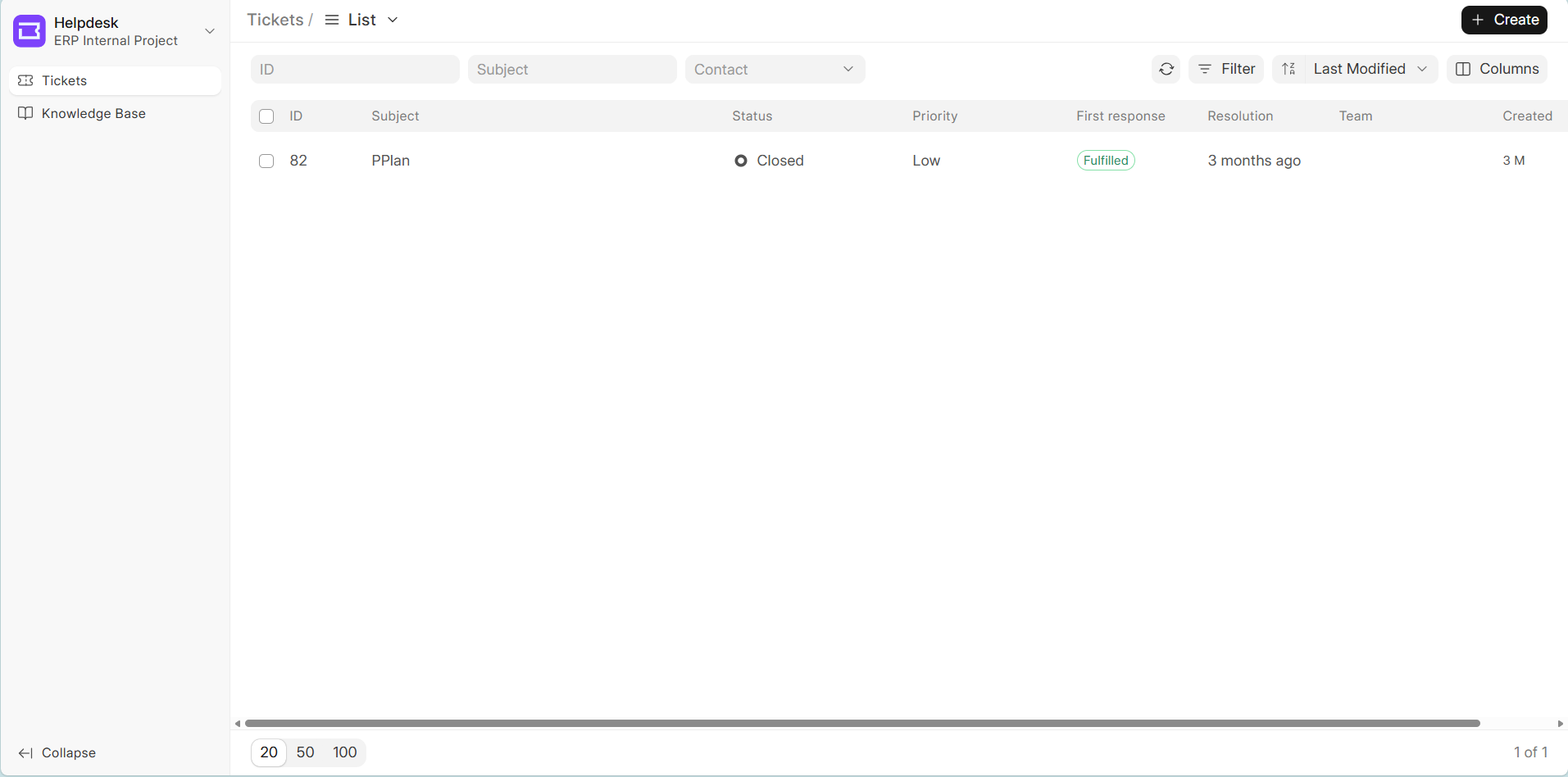
Step 2: Click the ‘Create’ button to create a Ticket.
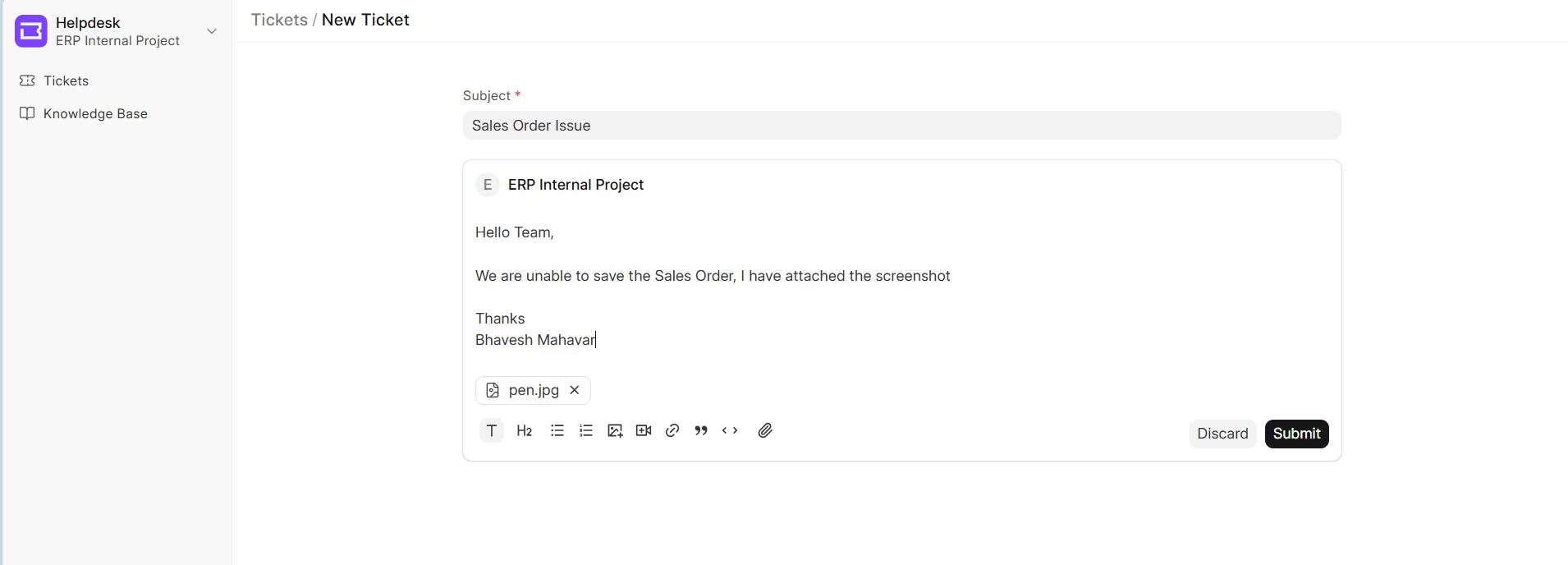
Step 3: Please, add a Subject, Description and attach an image, and then submit the Ticket.
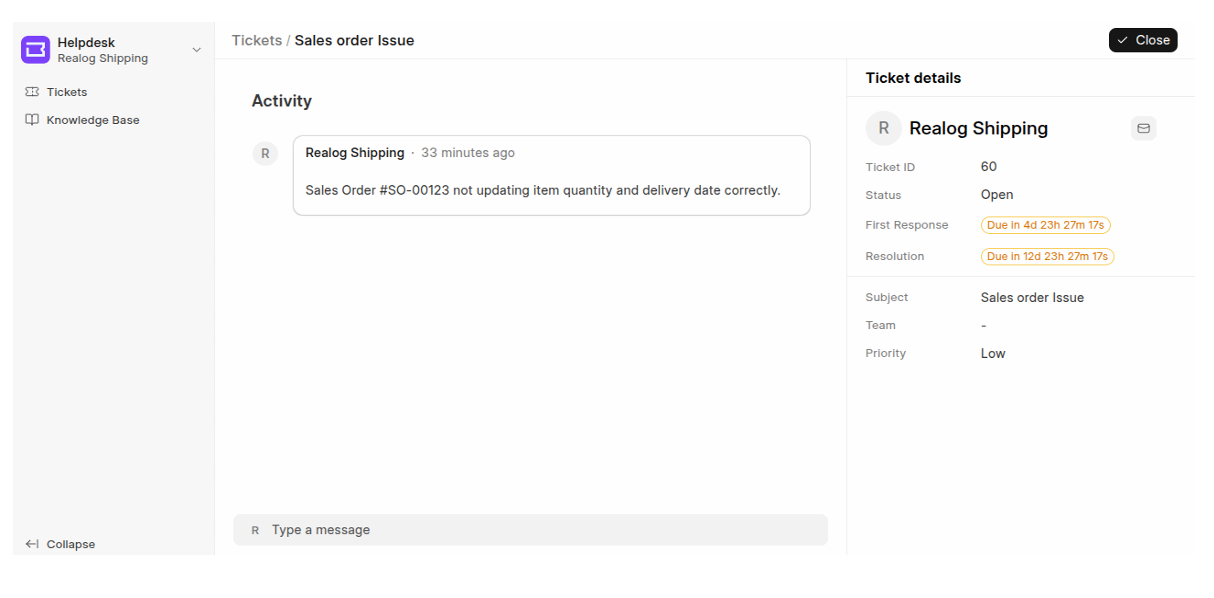
Step 4: The Ticket has been created.
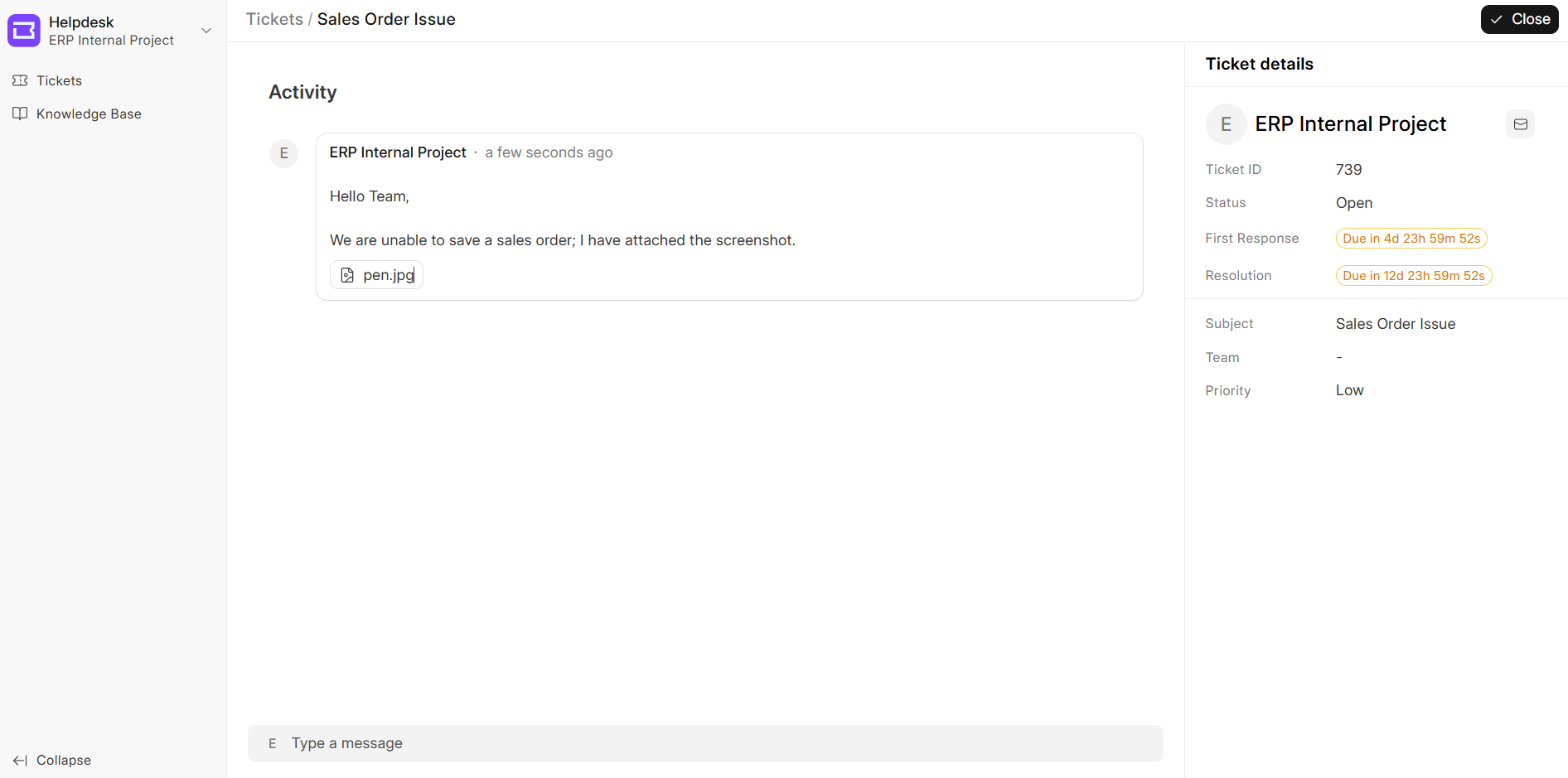
Step 5: In the ticket, we reply within 4 hours, which you can see in the Ticket details on the right side under First Response and Resolution time.
Step 6: Once the ticket is resolved, click the ‘Close’ button to close the ticket.